
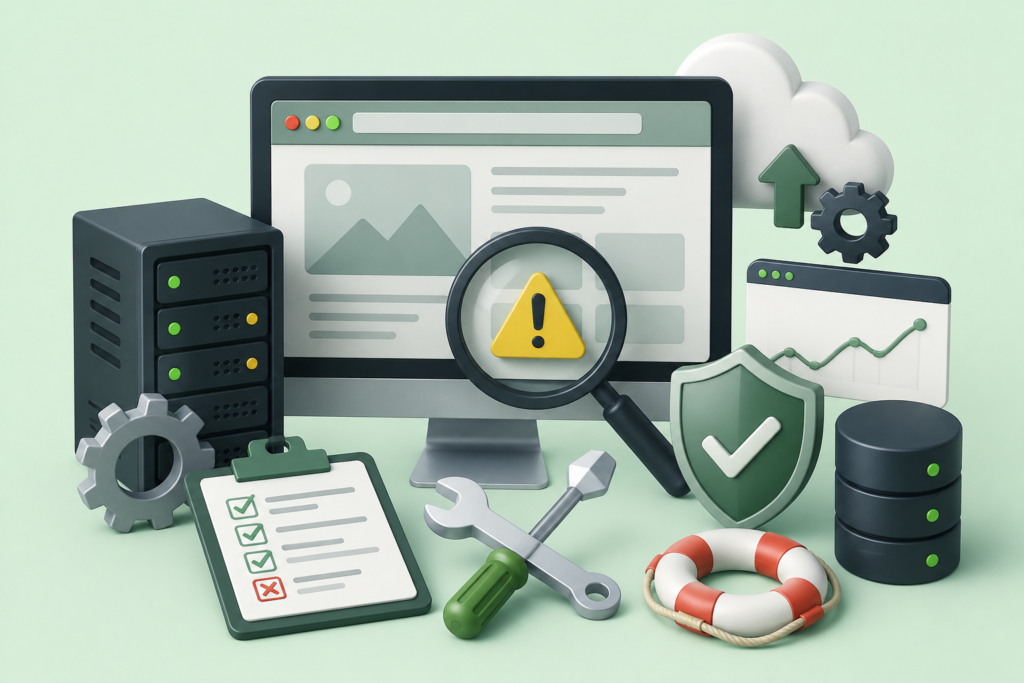
Fix website errors quickly with this complete guide covering WordPress troubleshooting, performance optimization, security issues, database repair, plugin conflicts, server errors, and best practices for maintaining a fast, secure, and reliable website.
Introduction
Every website experiences errors at some point. Whether it is a small business website, an eCommerce store, a membership platform, or a large corporate portal, technical issues can appear without warning. Some errors are minor inconveniences, while others can prevent visitors from accessing your website entirely, leading to lost traffic, reduced search engine rankings, lower conversions, and damaged customer trust.
Website errors rarely occur without a reason. They may result from software updates, incompatible plugins, corrupted files, server configuration problems, database failures, coding mistakes, security breaches, hosting limitations, or human error. The good news is that most website problems can be diagnosed and resolved systematically. Understanding how errors occur allows website owners to minimize downtime, improve performance, and create a more reliable online presence.
At WP Maintenance Service, we believe that preventing website issues is just as important as fixing them. This comprehensive guide explains the most common website errors, their causes, troubleshooting techniques, preventive strategies, and long-term maintenance practices. Whether you manage a personal blog, business website, or enterprise WordPress installation, this guide will help you build a stable, secure, and high-performing website while following modern development and SEO best practices.
Understanding Website Errors and Why They Happen
Website errors are not always signs of major technical failures. In many cases, they occur because different components of a website interact with one another. A modern WordPress website consists of the core software, themes, plugins, databases, hosting infrastructure, DNS settings, SSL certificates, caching mechanisms, APIs, third-party integrations, and user-generated content. When one component fails or becomes incompatible, it can affect the entire website.
Some errors appear immediately after updates, while others develop gradually over time. For example, installing multiple plugins that perform similar functions can create software conflicts. A poorly optimized database may slow down page loading, while insufficient server resources can cause timeout errors during periods of high traffic. Security vulnerabilities may also allow malicious software to modify website files, leading to unexpected failures.
Understanding the root cause of an issue is far more effective than simply applying temporary fixes. A structured troubleshooting process begins with identifying symptoms, reviewing recent changes, examining server logs, testing plugins, checking file permissions, and verifying hosting configurations. Rather than guessing, experienced administrators rely on evidence-based diagnostics to determine the exact source of the problem.
From an SEO perspective, website errors can significantly affect visibility in search engines. Broken pages, server failures, slow loading times, and poor user experience reduce visitor satisfaction and can negatively impact crawling and indexing. Following Google Search Essentials helps website owners maintain technically sound websites that search engines can access and understand effectively.
Useful resources:
Recognizing the Most Common Website Errors
Every website owner should become familiar with the errors that appear most frequently. Recognizing them early reduces downtime and simplifies troubleshooting. Some problems are visible immediately, while others silently affect performance behind the scenes until they become serious.
One of the most common issues is the 500 Internal Server Error, which indicates that the server encountered an unexpected condition. This error may result from corrupted .htaccess files, exhausted PHP memory limits, incompatible plugins, or incorrect server configurations. Similarly, the 404 Not Found error occurs when requested pages no longer exist or URLs have changed without proper redirects. These errors harm user experience and may reduce organic traffic if left unresolved.
Other frequently encountered issues include:
- White Screen of Death (WSOD)
- Database Connection Errors
- Memory Limit Exhausted
- Error Establishing Database Connection
- Plugin Conflicts
- Theme Conflicts
- SSL Certificate Errors
- Mixed Content Warnings
- DNS Resolution Problems
- HTTP 403 Forbidden
- HTTP 502 Bad Gateway
- HTTP 503 Service Unavailable
- HTTP 504 Gateway Timeout
- PHP Fatal Errors
- JavaScript Console Errors
Each error requires a different troubleshooting approach. Rather than applying random solutions found online, administrators should identify exactly which system component is failing before making changes. This minimizes the risk of creating additional problems.
Understanding these common errors also supports better preventive maintenance. Regular updates, backups, security monitoring, database optimization, and compatibility testing greatly reduce the likelihood of recurring failures.
Diagnosing Website Problems Before Applying Fixes
One of the biggest mistakes website owners make is attempting repairs before identifying the actual cause of an issue. While quick fixes may seem attractive, they often mask underlying problems rather than solving them. Effective troubleshooting begins with careful diagnosis.
Start by asking a few essential questions:
- When did the error first appear?
- What changed recently?
- Was a plugin updated?
- Was the theme modified?
- Was WordPress upgraded?
- Has hosting configuration changed?
- Is the issue affecting every page or only specific pages?
- Can administrators still access the dashboard?
These questions narrow the scope of the investigation and prevent unnecessary modifications. Website logs, browser developer tools, PHP error logs, and hosting control panels provide valuable information about failures. Enabling WordPress debugging in a staging environment can reveal hidden PHP warnings and fatal errors without exposing sensitive information to visitors.
Another important step involves isolating components. Temporarily disabling plugins, switching to a default theme, clearing cache layers, and testing different browsers help determine whether the issue originates from software conflicts, cached resources, or frontend scripts. This systematic approach saves time and minimizes downtime.
Professional troubleshooting emphasizes evidence rather than assumptions. Every change should be documented, tested, and verified before proceeding to the next step. This disciplined process reduces accidental data loss and supports faster recovery.
Fixing Plugin Conflicts Without Breaking Your Website
Plugins extend WordPress functionality, but they also represent one of the leading causes of website errors. Conflicts occur when two plugins attempt to modify the same function, rely on incompatible libraries, or become outdated after WordPress core updates.
Symptoms of plugin conflicts vary widely. Some websites display fatal errors, while others experience slow loading, missing layouts, broken forms, login failures, or JavaScript issues. Because plugins interact with numerous parts of WordPress, identifying the conflicting extension requires patience and systematic testing.
The safest approach begins by creating a complete backup before making changes. Administrators should then deactivate all plugins and reactivate them individually while monitoring website behavior. This process quickly identifies the extension responsible for the conflict. Reviewing plugin changelogs and compatibility information also helps determine whether updates or replacements are necessary.
Preventing future plugin conflicts requires thoughtful plugin management rather than installing excessive functionality. Select reputable plugins with active development, regular security updates, strong community support, and compatibility with the latest WordPress version. Periodically reviewing installed plugins and removing unused extensions reduces security risks and improves long-term stability.
Resolving Theme Errors and Design Issues
Themes define the appearance and user experience of a website, but they also interact closely with WordPress core and installed plugins. Even professionally designed themes may encounter compatibility issues after updates or custom modifications.
Common theme-related errors include broken layouts, missing styling, navigation problems, mobile responsiveness failures, PHP warnings, template conflicts, and JavaScript incompatibilities. In some cases, websites become inaccessible because custom code introduced syntax errors into theme files.
A practical troubleshooting method involves temporarily activating a default WordPress theme such as Twenty Twenty-Five. If the issue disappears, the original theme likely contains the problem. Website owners should then compare recent changes, review custom functions, inspect child theme modifications, and evaluate compatibility with installed plugins.
Using child themes for customization significantly reduces risk during updates. Rather than editing theme files directly, developers can safely implement design modifications while preserving update compatibility. Routine testing after major WordPress releases also helps identify issues before they affect live visitors. Investing in well-supported themes from trusted developers contributes to better security, accessibility, performance, and maintainability.
Repairing Database Errors and Improving Website Stability
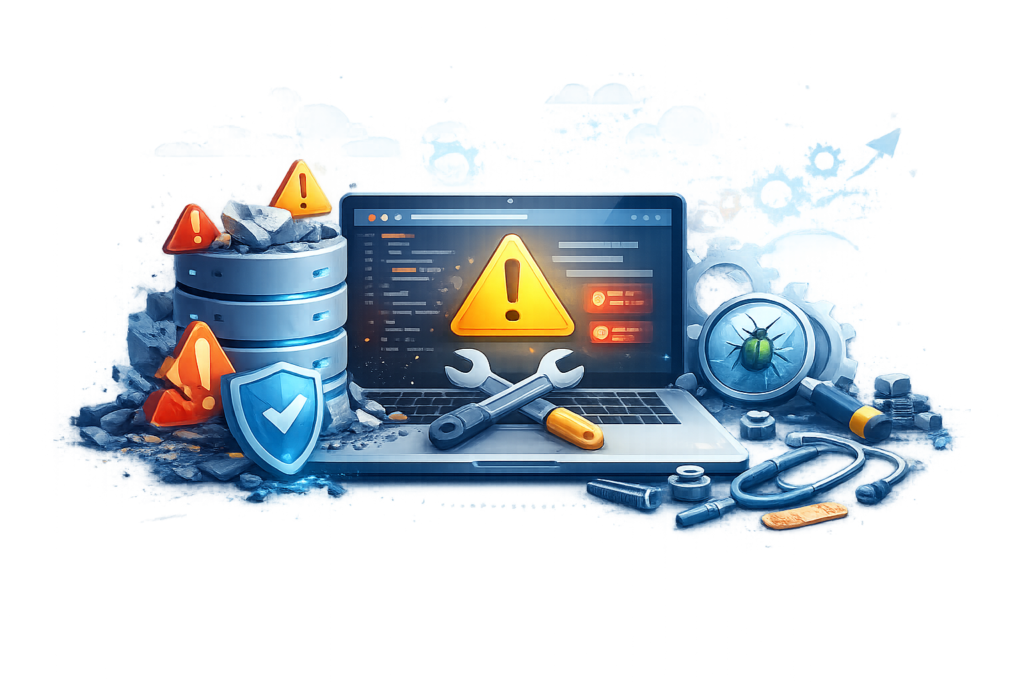
The WordPress database stores virtually everything that powers a website, including posts, pages, user accounts, settings, comments, menus, plugin configurations, and metadata. When the database becomes corrupted or inefficient, website functionality can degrade rapidly. Users may encounter messages such as “Error Establishing a Database Connection,” missing content, failed logins, or unusually slow page loading. Because the database acts as the central repository of website information, maintaining its health is essential for long-term reliability.
Database problems often arise from interrupted updates, server crashes, corrupted tables, insufficient hosting resources, malware infections, or poorly optimized plugins. Large websites that have accumulated years of revisions, expired transients, spam comments, and orphaned metadata may also experience reduced performance due to unnecessary database bloat. Identifying the exact cause requires reviewing database logs, verifying connection credentials, checking server resource usage, and confirming that the database server is functioning correctly.
Routine database maintenance helps prevent these issues before they become critical. Regular backups, optimization of database tables, removal of obsolete data, and monitoring server health contribute to improved website performance and stability. Website owners should also test backups periodically to ensure they can be restored successfully if needed. A healthy database not only minimizes downtime but also supports faster page delivery, better user experience, and more reliable website operations.
Fixing Server Errors: 500, 502, 503, and 504
Server errors are among the most disruptive website issues because they can make your website partially or completely inaccessible. Unlike client-side errors, which often originate from browser or user-related problems, server errors indicate that something has gone wrong while the hosting server was processing a request. These issues may appear unexpectedly after a software update, a configuration change, a traffic spike, or a temporary hosting problem. Regardless of the cause, prolonged server errors can negatively impact user experience, reduce customer confidence, and affect search engine crawling if they remain unresolved.
The 500 Internal Server Error is one of the most common and least specific server errors. It usually indicates that the server encountered an unexpected condition but cannot identify the exact cause. Possible reasons include corrupted .htaccess files, PHP syntax errors, exhausted memory limits, incompatible plugins, incorrect file permissions, or server configuration issues. A 502 Bad Gateway error occurs when one server receives an invalid response from another server, often involving reverse proxies or load balancers. The 503 Service Unavailable error generally indicates temporary server overload, maintenance mode, or insufficient resources, while the 504 Gateway Timeout error appears when one server waits too long for a response from another server. Understanding these distinctions helps administrators choose the correct troubleshooting approach rather than applying random fixes.
Resolving server errors begins with reviewing server logs, checking recent website changes, verifying hosting resource usage, and confirming that the server environment supports the latest version of WordPress and PHP. Administrators should disable recently installed plugins, verify file permissions, regenerate the .htaccess file if necessary, increase PHP memory limits where appropriate, and contact the hosting provider if infrastructure-related issues are suspected. Ongoing server monitoring, proactive maintenance, and regular performance testing significantly reduce the likelihood of recurring server failures while improving overall website reliability.
Solving SSL Certificate and HTTPS Errors
Website security has become a fundamental expectation for both users and search engines. SSL certificates encrypt communication between visitors and the website, protecting sensitive information such as login credentials, payment details, and personal data. Modern browsers prominently warn users when a website lacks proper HTTPS protection, making SSL-related errors particularly damaging to credibility and trust. Fortunately, most SSL problems can be diagnosed and corrected using systematic troubleshooting techniques.
Common SSL issues include expired certificates, improperly installed certificates, hostname mismatches, incomplete certificate chains, and mixed content warnings. Mixed content occurs when a secure HTTPS page attempts to load resources such as images, JavaScript files, or stylesheets using unsecured HTTP URLs. Although the page itself may use HTTPS, browsers block or warn against loading insecure resources because they reduce overall security. Another frequent issue arises after website migrations, where internal links continue referencing old HTTP addresses instead of HTTPS equivalents.
Correcting SSL errors begins with verifying that the certificate remains valid and is properly installed for the website’s domain. Website owners should update internal URLs, configure automatic HTTPS redirection, replace insecure resource references, and verify that canonical URLs also use HTTPS. After implementing changes, administrators should test the website across multiple browsers and devices to confirm secure connections throughout the entire website. Maintaining SSL certificates through automatic renewal and periodic security audits helps preserve user trust while supporting modern security standards and search engine expectations.
Improving Website Speed by Fixing Performance Bottlenecks
Website speed influences nearly every aspect of online success, from visitor engagement and customer satisfaction to search engine visibility and conversion rates. Slow-loading websites increase bounce rates because visitors expect pages to load quickly regardless of the device they are using. Even a technically functional website may lose significant business opportunities if performance problems remain unresolved. Fortunately, performance optimization often involves improving multiple small factors rather than relying on one dramatic change.
Performance bottlenecks frequently originate from oversized images, excessive plugins, poorly optimized databases, inefficient themes, render-blocking scripts, inadequate hosting resources, or excessive HTTP requests. External services such as advertising networks, analytics tools, embedded videos, and third-party widgets may also increase loading times. Identifying these issues requires measuring website performance using reliable diagnostic tools rather than relying solely on subjective impressions. Regular performance testing provides valuable insights into loading behavior under different network conditions and device types.
Improving website speed involves compressing images without sacrificing quality, implementing browser caching, enabling page caching, minimizing CSS and JavaScript files, reducing unnecessary plugins, optimizing the database, and selecting high-performance hosting infrastructure. Modern image formats, efficient code organization, and content delivery networks further enhance performance by reducing server workload and accelerating content delivery worldwide. Continuous monitoring ensures that future updates, new plugins, or design changes do not gradually reduce website performance over time.
Detecting and Removing Malware Before Serious Damage Occurs
Website security incidents often begin quietly. Malware infections may initially appear as minor performance problems, unexpected redirects, spam content, unfamiliar administrator accounts, or unexplained search engine warnings. Because malicious code frequently operates in the background, many website owners remain unaware of the infection until customers report suspicious activity or search engines identify security concerns. Rapid detection and response are essential for minimizing damage.
Malware commonly enters websites through outdated plugins, vulnerable themes, compromised administrator credentials, insecure hosting environments, or improperly configured file permissions. Once attackers gain access, they may inject malicious scripts, create hidden administrator accounts, modify website files, distribute spam, steal customer information, or redirect visitors to harmful websites. These actions not only threaten website security but also damage brand reputation and reduce visitor confidence.
Effective malware removal requires isolating the infection, restoring clean backups when appropriate, scanning website files, removing malicious code, updating vulnerable software, changing passwords, and reviewing administrator accounts. After cleanup, website owners should strengthen security through regular updates, multi-factor authentication, strong password policies, application firewalls, and continuous monitoring. Routine security audits significantly reduce the likelihood of future compromises while helping maintain a secure and trustworthy online presence.
Fixing SEO Errors That Impact Search Visibility
Search engine optimization extends far beyond keywords and content creation. Technical SEO errors can prevent search engines from crawling, indexing, and understanding website content effectively. Even well-written articles may struggle to rank if underlying technical problems interfere with search engine accessibility. Identifying and resolving these issues forms an essential part of long-term website maintenance.
Common technical SEO errors include broken internal links, duplicate content, missing meta descriptions, incorrect canonical tags, crawl errors, orphaned pages, redirect chains, missing XML sitemaps, robots.txt misconfigurations, slow loading speeds, structured data problems, and mobile usability issues. While some of these errors directly affect indexing, others reduce overall user experience, indirectly influencing search performance. Regular technical audits help identify these issues before they become significant ranking obstacles.
Correcting SEO-related errors requires a combination of technical improvements and ongoing monitoring. Website owners should repair broken links, maintain clean URL structures, update XML sitemaps, optimize page speed, implement structured data where appropriate, improve internal linking, and ensure that important pages remain accessible to search engine crawlers. Monitoring indexing reports, resolving crawl warnings, and periodically reviewing technical health contribute to stronger search visibility and a more resilient website over the long term.
Preventing Future Website Errors Through Proactive Maintenance
Fixing website errors is only one part of maintaining a successful online presence. The real goal should always be preventing problems before they affect visitors, search rankings, or business operations. A proactive maintenance strategy reduces downtime, improves security, enhances performance, and extends the lifespan of a website. Instead of reacting to emergencies, website owners who follow a structured maintenance plan can identify potential issues early and resolve them before they become critical.
Preventive maintenance begins with keeping WordPress core, themes, and plugins fully updated. Software developers regularly release updates that address security vulnerabilities, improve compatibility, fix bugs, and introduce performance enhancements. Delaying updates increases the risk of software conflicts and exposes websites to known vulnerabilities that attackers actively exploit. However, updates should always be tested in a staging environment before being deployed to a live website. This practice helps identify compatibility issues without disrupting visitors. Alongside software updates, website owners should regularly review installed plugins and themes, removing any that are inactive, outdated, or no longer maintained by their developers.
A comprehensive maintenance plan should also include scheduled backups, uptime monitoring, malware scanning, database optimization, performance testing, SSL certificate verification, and security audits. Reviewing server resource usage, checking error logs, and monitoring storage capacity help identify developing issues before they cause service interruptions. Website maintenance is not a one-time activity but an ongoing process that supports long-term stability, security, and reliability. Businesses that invest in preventive maintenance experience fewer unexpected failures, better user satisfaction, and stronger search engine performance.
Monitoring Website Health and Error Logs
Continuous monitoring provides valuable insights into website health and enables administrators to respond quickly when problems occur. Many website issues develop gradually, making them difficult to detect through casual browsing alone. Monitoring tools provide early warnings that allow administrators to investigate unusual behavior before visitors begin reporting problems.
Error logs are one of the most useful troubleshooting resources available. Web server logs, PHP logs, database logs, and application logs record detailed information about system events, failed requests, warnings, and fatal errors. Reviewing these logs often reveals patterns that point directly to the source of an issue. For example, repeated PHP memory errors may indicate insufficient server resources, while recurring database connection failures may suggest hosting instability. Browser developer tools also help identify JavaScript errors, missing resources, and frontend rendering problems that affect user experience.
Website monitoring should extend beyond error detection to include uptime tracking, response times, security events, SSL certificate status, and resource utilization. Administrators should establish routine monitoring schedules and configure alerts for critical events such as server outages, failed backups, excessive resource usage, or suspicious login attempts. Combining automated monitoring with periodic manual reviews creates a comprehensive maintenance strategy that minimizes downtime and improves overall website resilience.
Building a Reliable Backup and Disaster Recovery Strategy
Even the most carefully maintained website can experience unexpected failures. Hardware problems, cyberattacks, accidental deletions, software conflicts, hosting outages, or human error can all result in significant data loss. A reliable backup and disaster recovery strategy ensures that website owners can restore operations quickly while minimizing disruption to visitors and business activities.
Effective backups should include website files, databases, themes, plugins, uploaded media, and configuration settings. Storing backups in multiple secure locations—including offsite or cloud storage—provides additional protection against server failures or ransomware attacks. Automatic scheduled backups reduce the risk of forgetting critical maintenance tasks and ensure that recent website data is always available for restoration. Equally important is regularly testing backup files to verify that they can be restored successfully. A backup that cannot be restored provides little value during an emergency.
Disaster recovery planning goes beyond creating backups. Website owners should document restoration procedures, maintain emergency contact information for hosting providers, keep software licenses accessible, and define responsibilities for responding to website incidents. Regular disaster recovery exercises help administrators become familiar with restoration procedures before a real emergency occurs. A well-prepared recovery strategy minimizes downtime, protects business continuity, and provides confidence that website operations can resume quickly after unexpected disruptions.
Common Mistakes Website Owners Make When Fixing Errors
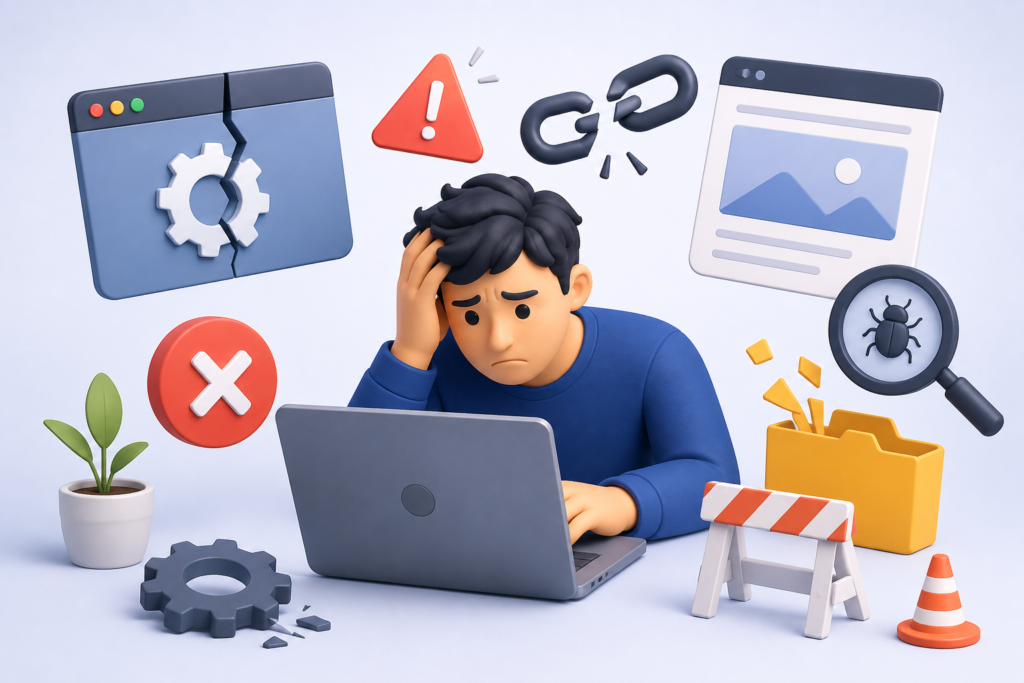
Many website problems become more serious because of incorrect troubleshooting methods rather than the original issue itself. Website owners often rush to implement random solutions found online without fully understanding the underlying cause. While some temporary fixes may appear successful, they frequently introduce new problems that become more difficult to diagnose later.
One common mistake is editing live website files without first creating a complete backup. If a configuration error or coding mistake occurs during troubleshooting, recovering the original website becomes much more difficult. Another frequent error involves installing multiple plugins that promise to solve the same problem. Instead of improving functionality, excessive plugins increase compatibility risks, consume additional server resources, and create unnecessary complexity. Ignoring software updates is another major mistake, as outdated plugins and themes remain one of the most common entry points for attackers.
Website owners also underestimate the importance of testing changes in a staging environment before applying them to production websites. Making direct modifications on live websites increases the likelihood of downtime, broken functionality, and negative customer experiences. Failing to monitor website logs, neglecting database maintenance, overlooking SSL certificate renewals, and ignoring early warning signs often allow small issues to develop into major outages. A disciplined, evidence-based troubleshooting process greatly reduces these risks while supporting more reliable website management.
Best Practices Summary
Maintaining a healthy website requires consistent attention rather than occasional emergency repairs. The following best practices provide a strong foundation for reducing website errors, improving security, and maintaining long-term performance.
- Keep WordPress core, plugins, and themes fully updated.
- Test updates in a staging environment before deploying them to the live website.
- Create automated backups and verify restoration procedures regularly.
- Remove unused plugins, themes, and unnecessary software.
- Monitor website uptime, error logs, and server performance continuously.
- Implement strong passwords and multi-factor authentication.
- Maintain valid SSL certificates and enforce HTTPS across the entire website.
- Optimize database performance through regular maintenance.
- Compress images and optimize website assets for faster loading.
- Perform regular malware scans and security audits.
- Monitor website performance using trusted diagnostic tools.
- Repair broken links, redirects, and crawl errors promptly.
- Document website changes to simplify future troubleshooting.
- Use reliable hosting infrastructure that scales with website growth.
- Review website health periodically to identify developing issues before they affect visitors.
Following these best practices helps reduce unexpected downtime, strengthens website security, improves search engine visibility, and creates a better overall experience for visitors.
Frequently Asked Questions
1. Why does my website suddenly display a 500 Internal Server Error?
A 500 Internal Server Error usually results from server configuration issues, corrupted files, plugin conflicts, exhausted PHP memory limits, or coding errors. Reviewing server logs and recent website changes is the most effective starting point for diagnosis.
2. How often should I update WordPress plugins and themes?
Updates should generally be installed soon after they become available, provided they have been tested in a staging environment. Regular updates improve security, compatibility, and performance.
3. What should I do before attempting to fix website errors?
Always create a complete backup of website files and databases before making any changes. This ensures that you can restore the website if unexpected problems occur during troubleshooting.
4. Can plugin conflicts affect SEO?
Yes. Plugin conflicts may slow page loading, generate server errors, create broken pages, or interfere with search engine crawling, all of which can negatively impact search visibility.
5. How can I prevent malware infections?
Maintain updated software, use strong passwords, enable multi-factor authentication, install security monitoring, limit administrator access, and perform regular security scans.
6. Why is website speed important for search rankings?
Fast-loading websites improve user experience, reduce bounce rates, and support more efficient search engine crawling, contributing to stronger overall SEO performance.
7. How frequently should website backups be created?
Backup frequency depends on how often website content changes. Active business websites typically benefit from daily automated backups, while high-traffic eCommerce websites may require more frequent backup schedules.
8. Is professional website maintenance worth the investment?
Yes. Professional maintenance helps prevent costly downtime, strengthens security, improves performance, supports SEO, and allows website owners to focus on growing their businesses rather than resolving technical issues.
Conclusion
Website errors are inevitable, but prolonged downtime and recurring technical issues do not have to be. Understanding how errors develop, applying structured troubleshooting methods, maintaining reliable backups, monitoring website health, and following preventive maintenance practices all contribute to a more secure and stable website.
At WP Maintenance Service, we understand that every minute of website downtime can affect customer trust, revenue, and search visibility. A proactive maintenance strategy combined with professional troubleshooting, regular security monitoring, performance optimization, and ongoing technical support helps ensure that your website remains fast, secure, and available whenever your visitors need it.
Want to Implement This Easily?
Prompt
You are an expert consultant. Based on the blog post titled “Fix Errors”, provide a step-by-step, practical implementation guide. Include tools, best practices, common mistakes to avoid, and advanced tips. Assume the reader wants to implement everything discussed in this article effectively.
Call to Action
Want our help implementing this? Just reach out to us via our website contact form: