
WordPress Maintenance is essential for keeping your website secure, fast, stable, and optimized for search engines. Learn how regular maintenance improves performance, prevents downtime, protects against cyber threats, and delivers a better user experience with this complete guide.
Intoduction
A WordPress website is never truly “finished.” After launching a website, continuous maintenance becomes one of the most important responsibilities for protecting your online presence, improving performance, and ensuring visitors enjoy a reliable browsing experience. Whether you operate a business website, an online store, a portfolio, or a blog, ongoing WordPress maintenance helps prevent security vulnerabilities, reduce downtime, improve loading speed, and maintain compatibility with the latest technologies.
At WP Maintenance Service, we understand that website maintenance is about far more than installing updates. It involves proactive monitoring, regular security checks, performance optimization, database management, backups, malware prevention, and continuous improvements that keep your website running efficiently throughout the year. Businesses that invest in professional maintenance experience fewer technical problems, better search visibility, and higher customer trust.
This comprehensive guide explores every important aspect of WordPress maintenance—from understanding its importance to implementing advanced maintenance strategies that improve website reliability, user experience, and long-term business growth.
Understanding WordPress Maintenance and Why It Matters
WordPress maintenance is the ongoing process of monitoring, updating, securing, optimizing, and improving a WordPress website after it has been launched. Unlike static websites, WordPress operates on a dynamic content management system that depends on core software, themes, plugins, databases, hosting infrastructure, and third-party integrations. Each of these components evolves over time, making regular maintenance essential for long-term website health. Ignoring maintenance may not cause immediate issues, but problems often accumulate gradually until they result in security breaches, slow loading speeds, broken functionality, or complete website failures.
A comprehensive maintenance strategy involves much more than updating plugins. It includes monitoring uptime, scanning for malware, optimizing images, cleaning databases, checking broken links, reviewing website analytics, testing forms, verifying backups, improving Core Web Vitals, and ensuring compatibility after every update. Regular maintenance allows businesses to identify small issues before they become costly emergencies. It also ensures visitors always experience a secure, responsive, and professional website regardless of device or browser.
From an SEO perspective, maintenance directly affects search visibility. Search engines reward websites that consistently provide excellent user experiences, fast loading speeds, secure HTTPS connections, and minimal technical errors. Google’s Google Search Essentials provides valuable guidance for maintaining technically healthy websites:
Website owners should also monitor PageSpeed Insights to identify performance improvements.
Routine maintenance ultimately protects your investment by extending the lifespan of your website while supporting business growth, customer satisfaction, and higher conversion rates.
The Business Benefits of Regular WordPress Maintenance
Many businesses view maintenance as an optional expense rather than an essential investment. However, the financial consequences of neglecting maintenance often far exceed the cost of proactive care. Website downtime, security incidents, malware infections, lost customer trust, and search engine ranking declines can significantly impact revenue. Regular maintenance minimizes these risks while improving operational efficiency and customer confidence.
Website performance has become a competitive advantage in nearly every industry. Visitors expect pages to load quickly, navigation to function smoothly, and transactions to complete without interruptions. Even a few seconds of delay can increase bounce rates and reduce conversions. Maintenance ensures that caching systems remain optimized, unnecessary files are removed, databases stay efficient, and plugins continue working as intended. This results in faster websites that retain more visitors and encourage longer engagement.
Maintenance also supports scalability. As businesses grow, websites accumulate additional content, plugins, products, media files, and customer data. Without ongoing optimization, this growth can gradually reduce performance. Regular reviews ensure the website infrastructure evolves alongside business requirements, allowing organizations to introduce new features without sacrificing speed or stability. Businesses that treat maintenance as a strategic process are better positioned to adapt to changing technologies, customer expectations, and search engine algorithms.
WordPress Core Updates: Why They Should Never Be Ignored
The WordPress development community continuously improves the platform by releasing updates that enhance security, introduce new features, fix bugs, and improve compatibility with evolving web standards. These updates are not merely cosmetic improvements—they often address critical vulnerabilities that cybercriminals actively exploit. Delaying updates significantly increases the likelihood of security incidents, making core updates one of the most important aspects of website maintenance.
Every WordPress core update undergoes extensive testing before release, but responsible maintenance includes verifying compatibility with installed plugins, themes, hosting environments, and custom functionality. Professional maintenance workflows typically create backups before updating, test updates within staging environments, and carefully monitor website functionality after deployment. This minimizes disruption while ensuring the latest improvements are safely implemented.
Official release announcements and update information are available through the WordPress News portal.
Website administrators should also review WordPress Security resources to understand best practices for keeping installations protected.
By maintaining an up-to-date WordPress installation, website owners significantly reduce security risks while benefiting from ongoing platform improvements, improved performance, and greater compatibility with modern technologies.
Plugin and Theme Maintenance: Building a Stable Website Ecosystem
Plugins and themes provide the flexibility that has made WordPress the world’s most popular content management system. However, every additional plugin introduces another component that requires monitoring, updating, and compatibility testing. Poorly maintained plugins are among the leading causes of website vulnerabilities, broken layouts, performance issues, and unexpected conflicts.
Effective plugin maintenance begins with careful selection. Website owners should prioritize actively maintained plugins developed by reputable authors with consistent update histories, positive reviews, and strong community support. Installing unnecessary plugins should be avoided, as each additional extension increases maintenance complexity and potential security exposure. Periodic plugin audits help identify obsolete, duplicate, or unused extensions that should be removed.
Theme maintenance is equally important. Premium and custom themes require regular updates to remain compatible with new WordPress releases and evolving browser technologies. Child themes should be used whenever design customizations are required, allowing updates to occur without overwriting modifications. Maintenance also includes testing responsive layouts, accessibility improvements, typography consistency, navigation functionality, and cross-browser compatibility after every significant update. A carefully maintained plugin and theme ecosystem creates a reliable foundation for long-term website performance and stability.
Website Security Maintenance: Protecting Your Digital Assets

Website security is an ongoing process rather than a one-time configuration. Cyber threats continue evolving, with attackers constantly searching for outdated software, weak passwords, vulnerable plugins, exposed databases, insecure hosting environments, and poorly configured websites. Regular security maintenance dramatically reduces these risks while protecting customer information, business reputation, and online availability.
A complete security maintenance strategy includes malware scanning, firewall management, login protection, file integrity monitoring, permission reviews, security headers, SSL certificate validation, database protection, brute-force prevention, vulnerability assessments, and continuous monitoring for suspicious activity. Administrators should also implement strong password policies, multi-factor authentication, limited administrator access, and scheduled security reviews across all website components.
Google provides comprehensive guidance through Safe Browsing, helping website owners understand how malicious content affects visitors:
Website administrators should also review the OWASP Top 10, which outlines the most critical web application security risks:
Security maintenance should never be reactive. Preventative monitoring, rapid vulnerability management, regular software updates, and continuous security assessments provide the strongest defense against evolving cyber threats while maintaining visitor confidence and protecting valuable business data.
Backup Management: Your Website’s Ultimate Safety Net
Backups represent one of the most valuable components of any WordPress maintenance strategy. Even with strong security practices, unexpected events such as server failures, accidental deletions, plugin conflicts, malware infections, database corruption, hosting issues, or human error can occur without warning. Reliable backups ensure that website owners can quickly restore operations with minimal disruption, protecting both business continuity and customer trust.
An effective backup strategy includes automated scheduling, encrypted storage, multiple backup locations, and regular restoration testing. Simply creating backups is not enough—website administrators should verify that backup files are complete, accessible, and capable of restoring the website successfully. Maintaining several historical backup versions also provides flexibility when recovering from issues that may not be discovered immediately.
The widely accepted 3-2-1 backup principle recommends keeping three copies of data, stored on two different types of media, with one copy located off-site. This approach minimizes the risk of total data loss caused by hardware failure, cyberattacks, or natural disasters. Backup management should also include documentation, recovery procedures, and clearly defined restoration workflows to reduce downtime during emergencies.
Performance Optimization Through Continuous Maintenance
Website performance is no longer just a technical consideration—it directly influences user satisfaction, conversion rates, accessibility, and search engine visibility. Visitors expect pages to load almost instantly, and even minor delays can negatively affect engagement and business outcomes. Continuous performance maintenance ensures that websites remain responsive as they grow, preventing gradual slowdowns caused by expanding databases, increasing media libraries, outdated code, and unnecessary resource consumption.
Performance optimization involves numerous ongoing activities, including image compression, browser caching, database optimization, CSS and JavaScript minification, lazy loading, CDN integration, server optimization, and regular performance testing. Monitoring Core Web Vitals helps identify opportunities to improve loading experience, responsiveness, and visual stability. These improvements not only benefit users but also align with modern search engine expectations for high-quality websites.
Google recommends evaluating website performance using Lighthouse and Chrome for Developers performance tools to identify optimization opportunities:
Regular performance reviews should become a standard part of every maintenance schedule. As websites evolve through new content, plugins, themes, and functionality, continuous optimization ensures they remain fast, reliable, and capable of delivering exceptional user experiences across desktops, tablets, and mobile devices.
Database Optimization: Keeping Your WordPress Website Efficient
The WordPress database is the engine that powers your website. Every post, page, comment, user account, plugin setting, order, and website configuration is stored within the database. As your website grows, the database naturally accumulates unnecessary information such as post revisions, spam comments, expired transients, orphaned metadata, temporary cache records, and unused tables left behind by uninstalled plugins. Without routine optimization, this excess data can slow database queries, increase server load, and negatively impact overall website performance.
A structured database maintenance strategy includes cleaning obsolete records, optimizing database tables, repairing corrupted tables when necessary, monitoring query performance, and removing unnecessary data safely. Database optimization should always be performed after creating a verified backup to eliminate the risk of accidental data loss. Administrators should also review plugin-generated tables periodically because some plugins continue storing information even after they are removed. Keeping the database organized improves response times, enhances scalability, and supports a smoother user experience for both visitors and administrators.
Regular database maintenance also contributes to long-term website stability. Large WooCommerce stores, membership platforms, and content-heavy websites process thousands of database requests daily. Optimized databases reduce server resource consumption and improve page generation speeds, making websites more responsive during periods of high traffic. Combining database optimization with caching, server tuning, and media optimization creates a strong technical foundation that supports sustainable website growth.
Website Monitoring and Uptime Management
Website maintenance extends beyond updates and optimization—it also requires continuous monitoring. Problems such as server outages, expired SSL certificates, failed backups, broken pages, plugin conflicts, or security incidents can occur unexpectedly. Without monitoring, these issues may remain unnoticed for hours or even days, resulting in lost visitors, missed business opportunities, and reduced customer confidence. Proactive monitoring enables administrators to detect problems early and resolve them before they significantly impact users.
A comprehensive monitoring strategy includes uptime monitoring, performance tracking, resource utilization, error logging, security alerts, SSL certificate monitoring, and availability testing from multiple geographic locations. Real-time notifications ensure responsible teams can respond immediately whenever the website becomes unavailable or experiences abnormal behavior. Automated monitoring also provides historical data that helps identify recurring performance issues, hosting limitations, or software conflicts requiring long-term improvements.
Website monitoring supports better decision-making by providing measurable insights into website reliability. Businesses can evaluate response times, server health, downtime frequency, and performance trends over time. These metrics help prioritize maintenance activities while demonstrating whether recent optimizations have improved website performance. Continuous monitoring transforms maintenance from a reactive process into a proactive strategy focused on preventing disruptions before they affect users.
Technical SEO Maintenance and Fixing Broken Website Issues
Technical SEO is an ongoing process rather than a one-time setup. As websites evolve, new pages are published, plugins are updated, URLs change, and content is reorganized. Without regular maintenance, these changes can introduce crawl errors, broken internal links, duplicate content, missing metadata, redirect chains, orphaned pages, and indexing problems that reduce search visibility. Continuous technical SEO maintenance helps search engines understand your website while improving user experience.
Routine SEO maintenance includes reviewing XML sitemaps, checking robots.txt directives, identifying crawl errors, repairing broken links, validating structured data, optimizing metadata, monitoring page indexing, resolving duplicate URLs, improving canonical tags, and reviewing internal linking architecture. Search engines prioritize websites that consistently provide accurate, accessible, and technically sound content. Regular audits help identify issues before they impact rankings or organic traffic.
Google provides valuable resources through Google Search Console, allowing website owners to monitor indexing, discover crawl issues, review Core Web Vitals, inspect URLs, and resolve technical SEO problems.
Structured data should also be validated using Schema Markup Validator to ensure search engines correctly interpret website content.
Maintaining technical SEO health strengthens search performance while ensuring visitors enjoy a seamless browsing experience across every section of the website.
Creating an Effective WordPress Maintenance Schedule
Successful website maintenance depends on consistency rather than occasional updates. Establishing a structured maintenance schedule ensures that critical tasks are completed before they develop into larger problems. Instead of waiting for security alerts or performance issues, businesses should implement recurring maintenance routines that address every important aspect of website management. A documented schedule also improves accountability and simplifies maintenance responsibilities for internal teams or external providers.
Daily maintenance activities often include uptime monitoring, automated backups, malware scanning, security alerts, and checking contact forms or eCommerce transactions. Weekly tasks may involve plugin updates, theme reviews, spam removal, performance monitoring, broken link checks, and reviewing website analytics. Monthly maintenance typically focuses on database optimization, accessibility reviews, image optimization, user account audits, SEO evaluations, and comprehensive security assessments. Quarterly reviews can include hosting evaluations, plugin audits, disaster recovery testing, and long-term performance analysis.
A maintenance schedule should remain flexible enough to accommodate major WordPress releases, new plugin installations, seasonal traffic increases, or infrastructure upgrades. Documenting maintenance activities also provides valuable historical records that simplify troubleshooting and compliance reporting. Businesses that adopt scheduled maintenance benefit from improved stability, reduced downtime, and predictable website performance throughout the year.
Common WordPress Maintenance Mistakes to Avoid
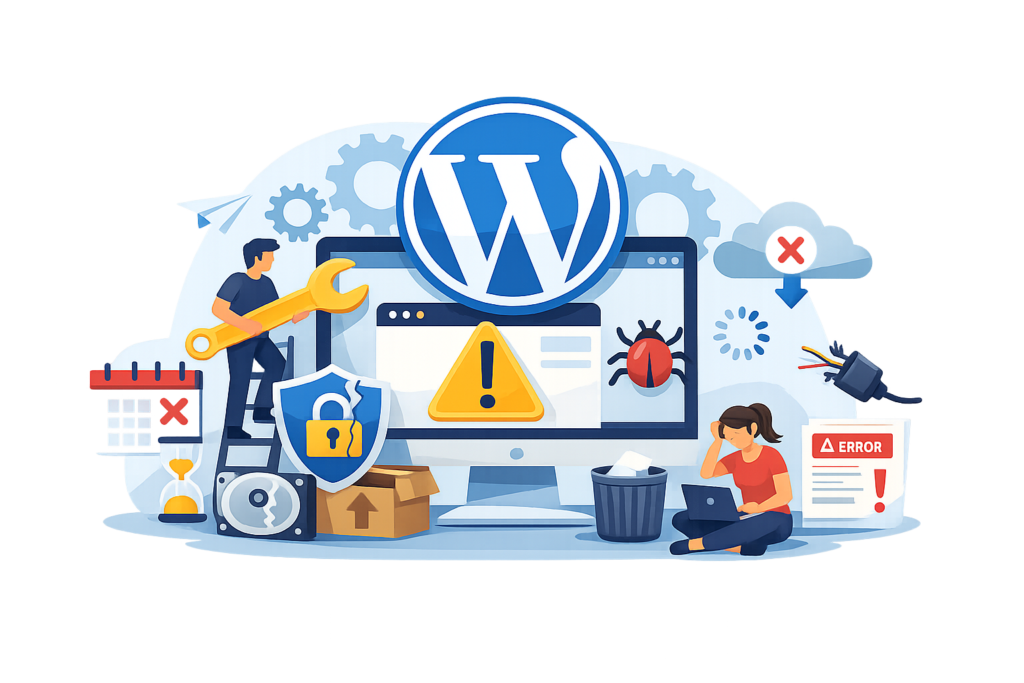
Many website owners unintentionally create long-term problems by overlooking basic maintenance responsibilities. One of the most common mistakes is delaying WordPress core, plugin, and theme updates because of concerns about compatibility. While testing updates is important, postponing them indefinitely leaves websites exposed to known security vulnerabilities that attackers actively exploit. A better approach involves creating backups, testing updates safely, and implementing them promptly.
Another frequent mistake is relying solely on automated backups without verifying that restoration actually works. A backup that cannot be restored provides little protection during an emergency. Businesses should regularly test backup recovery procedures to ensure files remain complete and accessible. Similarly, installing excessive plugins can introduce unnecessary security risks, reduce website performance, and create software conflicts that complicate maintenance efforts.
Additional mistakes include ignoring security monitoring, neglecting database optimization, failing to monitor uptime, using weak passwords, overlooking SSL certificate renewals, and forgetting to remove inactive plugins or themes. Some website owners also make direct modifications to theme files instead of using child themes, causing customizations to disappear after updates. Avoiding these common errors significantly improves website reliability while reducing the likelihood of costly technical issues.
Best Practices Summary
Maintaining a WordPress website successfully requires a proactive, organized, and long-term approach. Instead of viewing maintenance as an occasional task, businesses should integrate it into their regular operational processes. Consistent maintenance protects website investments, strengthens cybersecurity, improves visitor satisfaction, and supports sustainable search engine performance.
Key best practices include:
- Keep WordPress core updated promptly.
- Update plugins and themes regularly.
- Create automated and verified backups.
- Monitor website uptime continuously.
- Perform scheduled malware scans.
- Optimize databases routinely.
- Compress and optimize images.
- Monitor Core Web Vitals.
- Remove unused plugins and themes.
- Strengthen login security with multi-factor authentication.
- Test website functionality after updates.
- Review technical SEO regularly.
- Monitor website analytics and performance trends.
- Document maintenance activities.
- Conduct periodic disaster recovery testing.
Businesses that consistently apply these best practices create websites that remain secure, reliable, fast, and capable of adapting to future technological changes with minimal disruption.
Frequently Asked Questions
1. How often should WordPress maintenance be performed?
Essential monitoring tasks should occur daily, plugin and theme updates should typically be reviewed weekly, while database optimization, SEO audits, and comprehensive security reviews should be completed monthly or quarterly depending on website complexity.
2. Is updating WordPress risky?
Updates are generally safe when performed correctly. Creating backups beforehand and testing updates within a staging environment minimizes compatibility risks while ensuring the latest security improvements are installed.
3. Why are backups so important?
Backups provide protection against malware infections, accidental deletions, server failures, plugin conflicts, database corruption, and unexpected technical issues. They allow websites to be restored quickly with minimal downtime.
4. Does website maintenance improve SEO?
Yes. Regular maintenance improves loading speed, security, crawlability, user experience, mobile performance, Core Web Vitals, structured data accuracy, and technical SEO health—all of which contribute to better search visibility.
5. Can I maintain WordPress myself?
Basic maintenance tasks can often be managed independently. However, larger business websites, eCommerce stores, membership platforms, and high-traffic websites usually benefit from professional maintenance because of their greater complexity and higher operational risks.
6. What happens if maintenance is ignored?
Ignoring maintenance may result in slower loading speeds, outdated software, malware infections, compatibility issues, broken functionality, lost rankings, security breaches, and increased downtime that negatively affects visitors and revenue.
7. How do I know whether my website is performing well?
Regularly reviewing uptime reports, Core Web Vitals, page loading speeds, website analytics, security logs, and technical SEO reports provides a comprehensive understanding of website health and identifies opportunities for improvement.
8. Should maintenance continue after a website redesign?
Absolutely. A redesign does not eliminate maintenance requirements. In many cases, redesigned websites require even closer monitoring during the first several months to ensure new functionality remains stable and optimized.
Conclusion
A successful WordPress website requires continuous attention long after its initial launch. Regular maintenance improves security, performance, search visibility, reliability, and overall user experience while protecting valuable business data from evolving technical and cybersecurity risks. Organizations that invest in structured maintenance strategies reduce downtime, strengthen customer trust, and create websites capable of supporting long-term growth.
At WP Maintenance Service, we believe that effective WordPress maintenance is an ongoing commitment rather than a one-time project. Through proactive monitoring, continuous optimization, timely updates, and preventative security practices, businesses can ensure their websites remain dependable, competitive, and ready to meet future digital challenges.
Want to Implement This Easily?
Prompt
You are an expert consultant. Based on the blog post titled “WordPress Maintenance”, provide a step-by-step, practical implementation guide. Include tools, best practices, common mistakes to avoid, and advanced tips. Assume the reader wants to implement everything discussed in this article effectively.
Call to Action
Want our help implementing this? Just reach out to us via our website contact form: