
Learn how to choose, customise, optimise, secure, and maintain WordPress themes for better website performance, SEO, accessibility, responsive design, usability, and long-term reliability.
Introduction
A WordPress theme is one of the most important components of a WordPress website because it determines how much of the site’s content and functionality is presented to visitors. Although many people initially think of a theme as simply a collection of colours, fonts, layouts, and images, a modern WordPress theme can influence much more than visual appearance. Templates, navigation structures, responsive behaviour, typography, spacing, content presentation, global styles, accessibility, and front-end performance can all be influenced by the theme architecture.
The official WordPress Theme Handbook explains that themes represent the design and presentation layer of a WordPress website. WordPress currently supports both block themes and classic themes, with each approach providing different methods for controlling templates, styles, layouts, and website components.
For a business owner, selecting a theme should therefore be treated as a strategic website decision rather than a quick design choice. A theme can look impressive in a demonstration while creating problems when used with real content, plugins, ecommerce functionality, mobile devices, accessibility requirements, or future updates. The most effective theme is not necessarily the one with the most features. It is the one that provides the right balance between design flexibility, performance, security, usability, SEO, accessibility, compatibility, and maintainability.
This guide explains how to evaluate WordPress themes from both a practical and technical perspective. It covers the difference between block and classic themes, theme selection, responsive design, performance, SEO, customisation, security, accessibility, WooCommerce compatibility, testing, maintenance, common mistakes, and long-term theme management.
For website owners using WP Maintenance Service, the goal should be to maintain a WordPress environment that remains stable, secure, fast, accessible, and easy to manage as the website grows.
What Is a WordPress Theme and Why Does It Matter?
A WordPress theme is the collection of files, templates, styles, settings, and design instructions that determine how website content is displayed to visitors. WordPress stores content such as posts, pages, products, categories, and other information separately from the theme. The theme then determines how much of that information is presented visually through layouts, templates, typography, colours, navigation areas, headers, footers, archives, and other front-end components. The official What Is a Theme? documentation explains that themes control the visual presentation of WordPress websites and can determine everything from colours and fonts to complete layouts.
This separation between content and presentation is important when managing a website. If you replace one theme with another, the core content stored in WordPress generally remains available, but the way that content is displayed can change significantly. Menus may require reconfiguration, custom layouts may disappear, widgets may move, theme-specific settings may no longer apply, and templates may need to be rebuilt. This means a theme change should never be treated as a purely cosmetic action on an established business website.
The importance of a theme becomes even greater when the website depends on specific user journeys. A service-based website may need prominent calls to action and clear navigation. A publisher may need highly readable article templates and category archives. An ecommerce website needs effective product displays, cart functionality, checkout compatibility, account pages, and mobile purchasing experiences. A professional organisation may prioritise credibility, accessibility, speed, and simple navigation. The theme should support those objectives rather than forcing the business to adapt its entire website around a decorative template.
A good WordPress theme therefore acts as a foundation for the website’s front-end experience. It should make content easier to understand, navigation easier to use, pages easier to maintain, and future improvements easier to implement. A theme that looks beautiful but creates unnecessary technical complexity may ultimately cost more time and money than a simpler theme with a stronger architecture.
Before selecting or replacing a theme, website owners should document their actual requirements. Consider the site’s purpose, important page types, navigation structure, conversion paths, mobile requirements, content formats, ecommerce functionality, integrations, branding, performance expectations, and future growth.
Block Themes vs Classic Themes: What Is the Difference?
WordPress currently supports two primary theme approaches: block themes and classic themes. The distinction is important because these architectures provide different methods for building and managing website layouts. According to the official WordPress Theme Handbook, block themes are based around blocks and modern template structures, while classic themes primarily use traditional PHP templates, JavaScript, CSS, and WordPress functions.
Block themes provide extensive integration with the WordPress Site Editor. Website owners can work with templates, template parts, blocks, patterns, global styles, and other visual controls. Headers, footers, page layouts, and other parts of the website can be managed through block-based editing. The theme.json system also allows theme developers to define global settings and styles, including typography, colours, spacing, layout options, and other design controls. The official theme.json documentation explains how this configuration system connects theme settings with the WordPress editing experience.
Classic themes use the traditional WordPress theme architecture and continue to be widely used. They commonly rely on PHP template files, CSS, JavaScript, WordPress template tags, hooks, filters, and the established template hierarchy. This architecture can provide significant flexibility for developers who need detailed control over specific templates and custom functionality. The official classic themes documentation provides guidance for developing and managing this traditional architecture.
The choice between the two should be based on the project rather than trends. A new website that needs extensive visual editing may benefit from a block-based architecture. An established website with significant PHP customisation may be better maintained with a compatible classic theme. Migrating an old website to a block theme can provide advantages, but it should be treated as a planned project rather than an automatic requirement.
Before changing theme architecture, audit the existing website. Record custom templates, CSS modifications, JavaScript, widgets, menus, shortcodes, page-builder dependencies, custom post types, theme-specific settings, and third-party integrations. This makes it possible to identify what must be preserved before selecting a new theme.
How to Choose the Right WordPress Theme
Choosing a WordPress theme should begin with website requirements, not marketplace screenshots. Before looking at themes, identify what the website needs to accomplish. Define the target audience, primary conversion actions, important page types, content structure, navigation requirements, branding, ecommerce functionality, integrations, mobile requirements, and expected future growth. This creates a practical specification against which potential themes can be evaluated.
Theme quality should then be assessed from a technical perspective. Look for clean responsive layouts, sensible typography, appropriate customisation controls, compatibility with the WordPress version being used, reliable documentation, active development, accessibility considerations, and a sensible approach to loading assets. A theme should not require dozens of unnecessary plugins simply to reproduce the functionality shown in its demonstration.
The theme should also be tested beyond its homepage. Review article pages, category archives, search results, contact pages, navigation menus, image-heavy layouts, forms, footer areas, and mobile interfaces. If the website sells products, test product pages, product archives, shopping carts, checkout pages, customer accounts, and filters. A theme can look excellent on its homepage while providing a poor experience on the pages that actually generate leads or sales.
Performance should be included in the selection process. Google provides guidance through Core Web Vitals, which focus on loading performance, responsiveness, and visual stability. The current Core Web Vitals metrics include Largest Contentful Paint, Interaction to Next Paint, and Cumulative Layout Shift.
Do not automatically trust claims such as “SEO optimised” or “Google friendly” in a theme’s marketing description. A theme cannot replace a complete SEO strategy. Search visibility depends on useful content, technical accessibility, information architecture, internal linking, crawlability, structured data where appropriate, performance, mobile usability, and many other factors.
The official Google Search Essentials recommends creating helpful, reliable, people-first content and using words that people would naturally use when searching for the information.
A theme should therefore be evaluated as a technical foundation, not as an instant SEO solution.
Theme Design, Branding, and User Experience
A professional WordPress theme should make a website easier to understand rather than simply make it visually impressive. Typography, colour, spacing, navigation, buttons, images, headings, forms, and content blocks should create a consistent visual system. When these elements are poorly coordinated, visitors can struggle to determine what information is important or where they should go next.
Branding should be implemented consistently throughout the website. Establish a controlled colour palette, readable typography hierarchy, consistent button styles, appropriate image treatments, and predictable spacing. Avoid adding visual effects simply because a theme includes them. Excessive animations, decorative backgrounds, oversized elements, automatic sliders, and complicated navigation can increase distraction and sometimes affect performance without improving the visitor’s experience.
User experience should be evaluated from the perspective of someone who has never visited the website before. Can a visitor understand what the business does within seconds? Can they identify the main navigation? Can they find important information without unnecessary scrolling? Are calls to action easy to understand? Can users complete forms on mobile devices? Can visitors read long articles comfortably? These questions often reveal usability problems that are invisible when a theme is judged only by appearance.
A strong theme should also support clear content hierarchy. Headings should describe sections accurately, paragraphs should have comfortable line lengths, links should be identifiable, buttons should look and behave consistently, and important information should not be hidden beneath decorative components. These design decisions affect both usability and accessibility.
Responsive design should be considered part of the user experience from the beginning. Google explains through its mobile-first indexing guidance that Google primarily uses the mobile version of a site’s content for indexing and ranking. Google also recommends responsive design as a mobile implementation approach.
The strongest theme is therefore not necessarily the most visually complex. It is the one that helps users understand, navigate, read, interact with, and trust the website.
WordPress Themes and Website Performance
Theme performance is influenced by the amount of work a browser must perform before a page becomes useful and interactive. A theme can introduce CSS files, JavaScript, fonts, images, sliders, animations, icon libraries, third-party integrations, and other resources. Each resource has a cost, even when that cost is small individually. When unnecessary features accumulate, the total effect can become significant.
A well-engineered theme should load resources thoughtfully. Pages should not unnecessarily load large libraries simply because one template somewhere on the website needs a particular feature. Developers should evaluate CSS, JavaScript, font loading, images, layout behaviour, and third-party resources. The objective should be to deliver the required experience with the least unnecessary overhead.
Google’s Core Web Vitals provide useful measurements for evaluating real-world page experience. Largest Contentful Paint focuses on loading performance, Interaction to Next Paint evaluates responsiveness, and Cumulative Layout Shift measures visual stability. Google recommends thresholds that represent a good experience for these metrics.
However, performance should not be reduced to a single laboratory score. A website can achieve an impressive synthetic score while still creating usability problems, and a website can have strong real-world performance while carrying a few unavoidable third-party requirements. The correct approach is to identify the resources causing delays, measure representative pages, and improve the user experience systematically.
Practical theme optimisation may include removing unnecessary features, reducing unused CSS and JavaScript, using appropriately sized images, limiting font variations, avoiding excessive animation, preventing layout shifts, and loading resources according to actual page requirements.
Website speed also depends on factors outside the theme. Hosting, plugins, caching, databases, image optimisation, content volume, third-party scripts, CDN configuration, and server response time can all contribute to the final experience.
A fast theme provides a strong starting point, but performance is a system rather than a single theme feature.
SEO-Friendly WordPress Theme Architecture
An SEO-friendly WordPress theme should provide a technically sound environment where search engines can access and interpret important website content. It should support logical page structures, crawlable navigation, responsive layouts, readable content, sensible HTML, useful internal links, and templates that do not unnecessarily create technical problems.
The official Google Search Essentials outlines the core technical requirements, spam policies, and key best practices that help websites become eligible to appear and perform well in Google Search. Google specifically recommends creating helpful, reliable, people-first content rather than designing pages primarily to manipulate search rankings.
A theme should not interfere with these fundamentals. Important content should remain accessible, navigation should be understandable, links should be usable, and pages should not unnecessarily create confusing duplicate structures. Themes should also avoid producing excessive markup or decorative components that make pages harder to maintain.
Heading hierarchy is another important consideration. A page should have a clear primary topic supported by descriptive subheadings. Headings should communicate the organisation of information rather than simply being used as large visual text.
Internal linking can also benefit from a strong theme structure. Navigation menus, breadcrumbs, category archives, related content, and contextual links can help users discover relevant information while providing additional signals about relationships between pages.
Images require appropriate handling as well. Alt text should describe meaningful images where alternative text is needed, while decorative images should not be filled with unnecessary keywords. Google provides dedicated guidance for Google Images and image-related SEO practices.
An SEO-friendly theme therefore does not “perform SEO” automatically. Instead, it provides a clean technical foundation where quality content, site architecture, internal linking, structured data, performance, and accessibility can work effectively together.
Responsive and Mobile-Friendly WordPress Themes
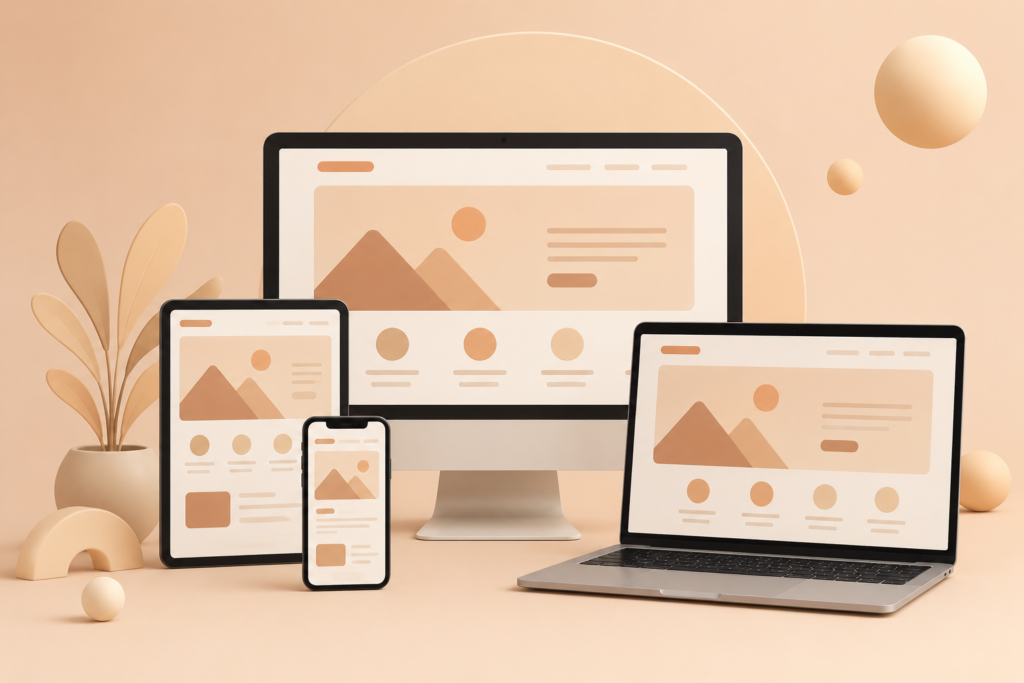
A responsive WordPress theme adapts its presentation to different screen sizes so that visitors can use the same website effectively on phones, tablets, laptops, and desktop displays. Responsive behaviour should apply to navigation, typography, columns, images, buttons, forms, tables, spacing, menus, and interactive elements rather than simply shrinking the desktop layout.
Mobile usability requires deliberate design decisions. A navigation menu that works perfectly with a mouse may become difficult when operated with a thumb. A multi-column desktop layout may need to become a carefully ordered single-column experience. Buttons need sufficient space, text needs comfortable readability, and interactive controls must remain easy to operate.
Google’s mobile-first indexing documentation states that Google uses the mobile version of website content for indexing and ranking. Google also recommends responsive web design because it allows the same HTML and URL to serve different screen sizes while adapting the presentation to the device.
Testing should therefore happen across multiple devices and viewport sizes. Browser resizing is useful, but real devices can expose problems involving touch interactions, mobile browsers, sticky elements, keyboard behaviour, screen orientation, and dynamic layouts.
Content parity is particularly important. Important information that exists on desktop should not disappear from mobile simply because the designer wants a cleaner mobile interface. Google recommends ensuring that the primary content on mobile and desktop remains equivalent.
Forms, navigation menus, search interfaces, ecommerce controls, image galleries, accordions, pop-ups, and sticky headers all deserve specific mobile testing.
A responsive theme should make the website feel intentionally designed for smaller screens while preserving the same essential information and user journey.
Mobile responsiveness is therefore part of website quality, not an optional visual enhancement.
WordPress Theme Customization Without Creating Future Problems
Theme customisation allows a website to reflect a business’s branding, content structure, functionality, and user journey. However, uncontrolled customisation can create technical debt. A website may gradually accumulate CSS overrides, template modifications, code snippets, plugin dependencies, custom JavaScript, and undocumented changes that become increasingly difficult to understand.
The first principle should be to use the theme’s supported configuration system whenever possible. Modern block themes can use theme.json to define global settings and styles. The official Global Settings and Styles documentation explains how theme.json can configure colours, typography, spacing, layout, block settings, templates, and other theme-level controls.
Custom code should be introduced deliberately. Separate presentation from core functionality wherever practical. A theme should primarily control how the website looks and presents content, while business-critical functionality that needs to survive a future theme change should generally not depend entirely on the current theme.
Documentation is also essential. Record significant customisations, why they were introduced, where they are stored, and what website components depend on them. This becomes extremely valuable when another developer needs to maintain the website months or years later.
Avoid editing parent theme files directly when those changes can be overwritten during updates. Depending on the theme architecture, a child theme or another supported customisation method may be more appropriate. However, a child theme should not be added automatically without evaluating whether it is actually needed.
The goal is not to avoid customisation. The goal is to make customisation intentional, organised, documented, reversible, and maintainable.
A well-customised WordPress theme should make future development easier rather than turning every update into a risky reconstruction project.
Child Themes, Custom Themes, and Long-Term Maintainability
A child theme is a practical option when a website needs to customise an existing parent theme while keeping the parent theme available for future updates. Instead of modifying the original theme files directly, developers can place selected customisations in a separate child theme. This approach can reduce the risk of losing custom code when the parent theme is updated. The official WordPress Child Themes documentation explains how child themes can be used to modify or extend an existing theme without directly changing its source files.
However, using a child theme is not automatically the correct solution for every WordPress website. Modern block themes may provide different customisation mechanisms, while some websites require a much more controlled custom development architecture. If a website contains extensive custom templates, unique content structures, specialised integrations, or highly specific business requirements, a fully custom theme may provide a cleaner long-term foundation than repeatedly overriding an existing theme. The decision should be based on complexity, maintenance requirements, development resources, and the expected lifespan of the website.
A custom WordPress theme can provide excellent control over performance, templates, branding, accessibility, and functionality. Developers can build only the components that the website actually needs instead of inheriting dozens of unnecessary features. However, custom development creates additional responsibility. The code needs to be maintained, tested, documented, secured, and updated as WordPress evolves. A custom theme that is abandoned after launch can eventually become more difficult to maintain than a reputable commercial or open-source theme with active development.
Long-term maintainability should therefore be considered before choosing the architecture. Ask who will maintain the theme, how updates will be tested, where custom code will be documented, and what happens if the original developer is no longer available.
A strong theme strategy should make the website easier to understand years after launch. Maintainability is a technical quality attribute, not simply a developer preference.
WordPress Theme Security and Safe Maintenance
Theme security deserves the same attention as plugin and administrator security because themes contain executable code and interact with WordPress core, plugins, databases, APIs, forms, and user-generated information. A theme can introduce vulnerabilities through outdated libraries, unsafe functions, poorly handled input, insecure integrations, or malicious modifications. The visual appearance of a theme tells you almost nothing about the quality of its underlying code.
One of the most important security decisions is choosing themes from trustworthy sources. Avoid pirated, nulled, or unofficially modified themes. Such packages may contain hidden malicious code, backdoors, unwanted redirects, or other modifications that are difficult to identify during normal website administration. A discounted or “free premium theme” is not a bargain if it compromises a business website.
The official WordPress Hardening guidance covers multiple areas of WordPress security, including administrator access, file permissions, database protection, configuration, backups, monitoring, plugins, and other defensive measures.
Theme updates should be treated as part of normal maintenance. Developers may release updates to address vulnerabilities, compatibility issues, bugs, performance problems, or new WordPress functionality. Delaying important security updates indefinitely increases risk, but updating blindly on a live production website can also create problems. The better approach is controlled testing.
Before major theme changes, create a reliable backup of the database and website files. Where possible, test the update on a staging environment first. Review the homepage, templates, forms, navigation, ecommerce functionality, custom code, and important integrations after updating.
Security should also include access control. Limit administrator privileges to people who genuinely need them, remove obsolete accounts, use strong authentication, and monitor unexpected changes.
A secure theme strategy therefore combines trusted sources, controlled updates, backups, staging, access management, monitoring, and ongoing maintenance. Security is not something that can be completed once and forgotten.
WordPress Theme Accessibility and Inclusive Design
Accessibility is an essential part of responsible website development. A WordPress theme should allow as many people as reasonably possible to understand and use the website, including visitors who navigate with keyboards, screen readers, magnification tools, alternative input devices, or other assistive technologies. Accessibility should be considered when selecting a theme rather than treated as an optional improvement after the design is finished.
Theme accessibility includes many practical details. Navigation menus should be usable with a keyboard. Focus states should remain visible. Buttons and links should be distinguishable. Forms should have meaningful labels. Heading structures should communicate content hierarchy. Text should remain readable when users increase browser zoom. Interactive components should provide appropriate states and feedback.
The official WordPress Accessibility Coding Standards provide guidance for developers working on accessible WordPress code. Accessibility also overlaps with general usability: clear layouts, readable typography, logical navigation, appropriate contrast, and predictable interactions benefit many visitors regardless of whether they use assistive technology.
Images require careful treatment. Meaningful images should have appropriate alternative text, while decorative images should not be given unnecessary descriptions. Google provides specific guidance through Google Images, including recommendations for helping search engines understand image content and using useful alt text without keyword stuffing.
Do not rely solely on a theme marketplace claim that a theme is “accessible.” Test the actual website. Navigate through menus using only a keyboard, inspect heading structures, test forms, examine focus indicators, check text readability, and evaluate interactive components.
Accessibility should also be considered during theme customisation. A developer can unintentionally make an accessible theme less accessible by changing colours, hiding focus outlines, creating custom menus, adding pop-ups, or implementing interactive elements incorrectly.
The goal is straightforward: design the website so that people can use it effectively rather than assuming every visitor interacts with a screen and mouse in exactly the same way.
WordPress Themes, WooCommerce, and Ecommerce Compatibility
A WordPress theme used for ecommerce has a more demanding role than a theme used for a basic informational website. Product grids, product pages, category archives, filters, product variations, pricing, cart interfaces, checkout pages, account pages, shipping information, transactional messages, and promotional components all need to work together.
Theme compatibility should therefore be tested across the complete customer journey. Do not stop after confirming that a product page looks attractive. Add an item to the cart, change quantities, select product variations, apply a discount code, enter customer information, proceed through checkout, review account pages, and test important transactional messages.
WooCommerce compatibility should also be evaluated after theme updates. A theme may use custom templates or styling for ecommerce components, and changes to either the theme or ecommerce platform can affect the presentation or functionality of those components. Maintaining a staging environment makes it safer to identify such issues before customers encounter them.
Performance is particularly important for ecommerce websites. Large product images, reviews, recommendation systems, filtering interfaces, tracking scripts, promotional banners, and third-party integrations can all increase page complexity. A theme should provide a strong foundation without introducing unnecessary visual features that make product pages harder to use or slower to load.
Mobile shopping requires additional attention. Product grids should remain easy to browse, buttons should be comfortable to tap, variation selectors should work correctly, filters should be understandable, and checkout fields should be straightforward. A customer who cannot comfortably complete an order on a phone may simply abandon the purchase.
A reliable ecommerce theme should also avoid unnecessarily replacing core business functionality. Presentation and business logic should be separated where practical so that changing the visual design does not require rebuilding the entire purchasing system.
For stores using WooCommerce, theme selection should ultimately be judged by the complete purchasing experience, not simply by the appearance of the product catalogue.
Testing a WordPress Theme Before and After Launch
Theme testing should be systematic rather than limited to checking whether the homepage “looks right.” A professional testing process evaluates functionality, responsiveness, performance, accessibility, SEO, forms, navigation, integrations, security, and error handling before the theme reaches production.
Start with a staging environment whenever possible. Install the theme in a controlled copy of the website and test representative templates. Review the homepage, standard pages, blog posts, categories, archives, search results, 404 pages, menus, footer areas, forms, images, embedded media, and custom content types. If the site contains ecommerce functionality, test product pages, carts, checkout, accounts, and transactional flows.
Responsive testing should cover different screen widths and real devices where available. Check menus, typography, buttons, sticky headers, tables, image galleries, pop-ups, accordions, forms, and other interactive components. A layout that appears correct at one width may break at another.
Performance testing should include representative pages rather than only the homepage. Google’s Core Web Vitals documentation identifies LCP, INP, and CLS as important measurements of loading performance, responsiveness, and visual stability.
SEO testing should verify that important content remains accessible, navigation works, headings are logical, internal links remain functional, indexing directives have not unexpectedly changed, and structured data remains valid where implemented. The Google Search Essentials provide a useful baseline for technical search considerations.
After deployment, monitoring should continue. Review analytics, search performance, forms, ecommerce transactions, error reports, uptime, and user feedback. A successful deployment is not simply one that passes a development checklist; it is one that continues to work for real users.
Common WordPress Theme Mistakes and Best Practices Summary
One of the most common WordPress theme mistakes is selecting a theme exclusively because its demonstration website looks attractive. Demonstration sites often contain carefully prepared images, limited content, and controlled layouts. Real websites have longer articles, unpredictable content, forms, integrations, plugins, products, tables, and different device requirements. A theme that looks excellent in a demo may therefore perform poorly when applied to a real business.
Another frequent mistake is installing a theme without reviewing its maintenance history. A theme that has not received meaningful updates for a long period may eventually become incompatible with WordPress core, plugins, browsers, PHP versions, or modern security expectations. Theme selection should include an evaluation of development activity, documentation, support, compatibility, and community reputation.
Directly modifying parent theme files is another avoidable problem. Future updates can overwrite custom changes, creating unexpected visual or functional differences. Appropriate customisation mechanisms should be used instead, depending on the theme architecture.
Excessive theme functionality can also create problems. Some themes bundle sliders, popup systems, page builders, forms, social integrations, animations, custom widgets, and other features. While these features may appear convenient, they can create additional dependencies and make future redesigns harder.
Best Practices Summary:
- Choose themes according to actual website requirements.
- Review theme architecture before installation.
- Check the theme’s update history and documentation.
- Use reputable sources.
- Avoid nulled and pirated themes.
- Test themes on staging before production deployment.
- Evaluate performance using real representative pages.
- Test responsive behaviour on mobile devices.
- Review keyboard navigation and accessibility.
- Keep important functionality independent from presentation where practical.
- Document customisations.
- Avoid unnecessary theme features.
- Maintain reliable backups.
- Test updates before applying them to production.
- Monitor the website after deployment.
- Review ecommerce journeys from product discovery through checkout.
- Keep WordPress core, themes, and plugins maintained.
- Evaluate the website from a real visitor’s perspective.
These principles support Google’s broader recommendation to create websites that provide useful experiences for people. The Google Search Essentials and people-first content guidance provide an important foundation for avoiding manipulative SEO practices and focusing on genuine value.
A theme should make the website simpler to use, easier to maintain, safer to operate, and more effective for its intended audience.
Frequently Asked Questions
What is a WordPress theme?
A WordPress theme controls the presentation of a WordPress website. It can define templates, layouts, typography, colours, navigation presentation, headers, footers, and other visual elements. The official WordPress Theme Handbook provides detailed documentation about theme architecture and development.
Can I change my WordPress theme without losing my content?
In most cases, changing a theme does not delete standard WordPress content such as posts and pages. However, the new theme may display that content differently, and theme-specific settings, templates, widgets, custom CSS, and other presentation elements may need to be recreated. Always create a complete backup and test the change before modifying a production website.
Are free WordPress themes safe?
A free theme can be safe when it comes from a reputable source and is actively maintained. Price alone does not determine security. Before installation, review its source, update history, compatibility, documentation, support, and reputation. Never assume a pirated or modified “premium” theme is safe simply because it is available for free.
Should I choose a block theme or classic theme?
The correct choice depends on the website. Block themes provide modern Site Editor capabilities and block-based template management. Classic themes remain appropriate for many established websites and custom development projects. Review the site’s existing architecture, editing requirements, custom code, integrations, and long-term maintenance requirements before choosing.
Do WordPress themes affect SEO?
Themes can influence technical aspects that affect SEO, including page structure, mobile usability, performance, navigation, headings, content visibility, and internal linking. However, a theme alone cannot guarantee search rankings. Google’s Search Essentials provide broader guidance for building websites that can be crawled and understood effectively.
Does a WordPress theme affect website speed?
Yes. Themes can affect the number and size of CSS and JavaScript resources, font loading, page structure, image presentation, animations, and other front-end behaviour. However, hosting, plugins, images, caching, third-party scripts, and server configuration also influence performance. Core Web Vitals provide useful measurements for assessing loading, responsiveness, and visual stability.
Do I need a child theme?
Not necessarily. A child theme can be useful when customising certain classic themes, particularly when template or stylesheet changes need to survive parent theme updates. However, modern block themes can use different customisation mechanisms. The correct approach depends on the theme and the nature of the customisation.
How often should a WordPress theme be updated?
Themes should be updated when compatible maintenance, security, bug-fix, or feature releases become available. However, important websites should ideally test updates in a staging environment before deploying them. The appropriate process depends on the website’s complexity, business importance, theme architecture, and plugin ecosystem.
How can I test a WordPress theme before installing it?
Create a staging copy of the website and install the theme there. Test real pages, navigation, forms, images, mobile layouts, accessibility, performance, ecommerce functionality, integrations, and custom content. Do not rely exclusively on the theme’s demonstration website because the demo may not represent your actual content or technical environment.
What makes a WordPress theme SEO-friendly?
An SEO-friendly theme should provide a technically sound foundation with logical HTML structure, responsive layouts, crawlable navigation, accessible content, usable internal links, good performance, and sensible templates. However, SEO also depends heavily on content quality, information architecture, technical configuration, indexing, and other website-level factors.
What should I do if a theme update breaks my website?
If an update causes problems, first identify what changed and review available backups or staging copies. Avoid repeatedly making changes directly on the live website without understanding the cause. If the issue affects important functionality, restore the known-good version where appropriate, investigate compatibility, and test a resolution on staging before redeployment.
Conclusion
A WordPress theme is not merely a visual template. It forms a major part of the website’s front-end architecture and can influence usability, accessibility, performance, responsive behaviour, SEO, security, ecommerce functionality, and long-term maintainability.
The strongest theme is rarely the one with the longest feature list. Instead, it is the theme that meets the website’s genuine requirements without creating unnecessary complexity. A lightweight and well-maintained theme can provide a strong foundation, while thoughtful customisation can establish a distinctive brand experience without compromising maintainability.
Theme selection should also be considered within the wider WordPress environment. Plugins, hosting, images, caching, third-party scripts, databases, content quality, security controls, and maintenance procedures all contribute to the final website experience. A theme can provide a strong technical foundation, but it cannot compensate for poor hosting, excessive plugins, weak content, or neglected maintenance.
Google’s Creating Helpful, Reliable, People-First Content guidance reinforces an important principle: websites should be created primarily to help people rather than to manipulate search rankings.
Regular testing is equally important. WordPress websites change over time because of core updates, theme updates, plugin updates, content changes, integrations, redesigns, and security improvements. A website that worked correctly six months ago may require testing again after significant changes.
Maintaining backups, using staging environments, monitoring performance, reviewing security, checking accessibility, and testing important user journeys can prevent small issues from becoming expensive problems.
The official WordPress Theme Handbook remains one of the most useful resources for understanding theme architecture, templates, styles, patterns, accessibility, testing, and development practices.
For website owners, the long-term objective is simple: choose a theme that supports the business today while remaining maintainable tomorrow.
WP Maintenance Service can help website owners approach WordPress maintenance as an ongoing process rather than a collection of emergency fixes. A well-maintained theme, combined with reliable updates, backups, security monitoring, performance checks, and compatibility testing, creates a much stronger foundation for long-term website reliability.
Want to Implement This Easily?
AI Implementation Prompt
You are an expert consultant. Based on the blog post titled “(WordPress Themes)”, provide a step-by-step, practical implementation guide. Include tools, best practices, common mistakes to avoid, and advanced tips. Assume the reader wants to implement everything discussed in this article effectively.
Call to Action
Want our help implementing this? Just reach out to us via our website contact form: contact form.