
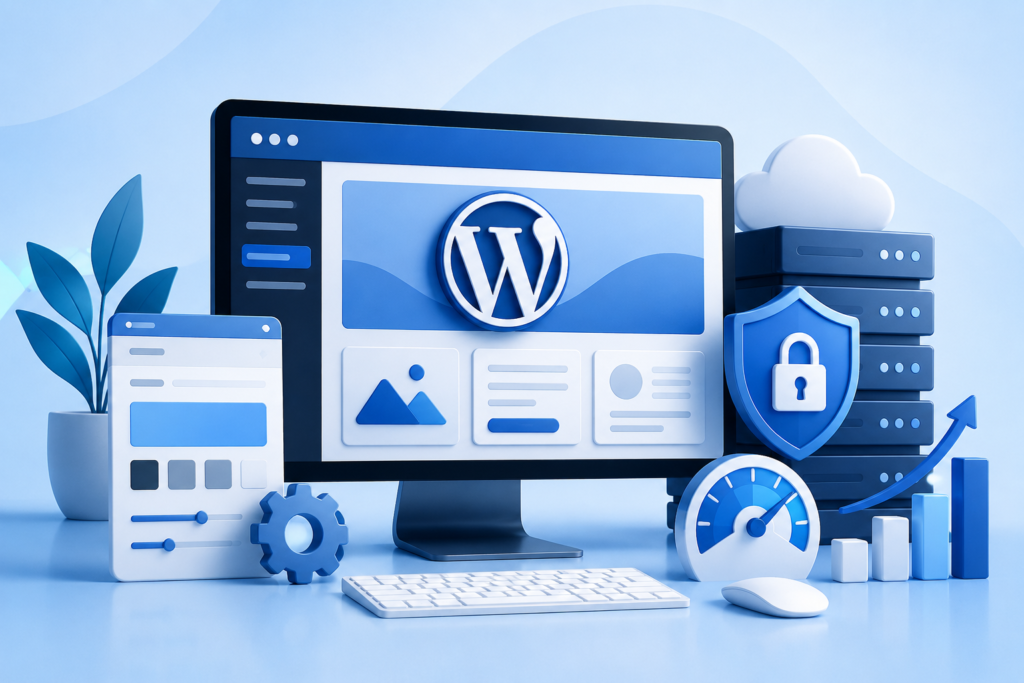
Learn everything about creating, managing, optimizing, securing, and growing a WordPress Website. Discover best practices, performance strategies, SEO techniques, security measures, and maintenance tips for long-term online success.
Introduction
A modern WordPress Website is far more than a digital brochure. It serves as the foundation of a brand’s online presence, supports marketing campaigns, generates leads, drives sales, and establishes credibility in competitive industries. Whether you operate a small business, eCommerce store, professional service company, educational platform, or enterprise organization, WordPress remains one of the most trusted website platforms available today.
Powering millions of websites worldwide, WordPress provides unmatched flexibility, scalability, and customization capabilities. Its open-source architecture allows businesses to create virtually any type of website while maintaining full ownership and control over their content. From simple informational sites to complex membership platforms and online marketplaces, WordPress continues to be the preferred choice for organizations seeking growth and digital resilience.
At WP Maintenance Service, we understand that launching a website is only the beginning. Long-term success requires continuous optimization, maintenance, security monitoring, and strategic improvements. This comprehensive guide explores every critical aspect of managing a successful WordPress Website while following modern web standards, SEO best practices, and user experience principles.
Understanding the Foundation of a WordPress Website
A WordPress Website is built on a content management system (CMS) that enables users to create, edit, organize, and publish content without requiring advanced programming knowledge. This accessibility has made WordPress a leading solution for businesses seeking an efficient and scalable web platform.
One of WordPress’s greatest strengths is its flexibility. Organizations can select from thousands of themes, plugins, integrations, and customization options to create unique digital experiences. Unlike many proprietary website builders, WordPress offers complete ownership of website files, databases, and hosting environments. This control allows businesses to adapt quickly as their requirements evolve.
Beyond flexibility, WordPress supports extensive functionality through its ecosystem. Businesses can integrate customer relationship management systems, marketing automation tools, analytics platforms, payment gateways, and security solutions. This adaptability ensures that a website can continue supporting business growth without requiring a complete rebuild whenever new requirements emerge.
Why Businesses Choose WordPress for Long-Term Growth
Businesses invest significant resources into their digital presence, making platform selection a critical decision. WordPress consistently ranks among the most trusted options because it combines usability, scalability, and cost-effectiveness in a single solution.
The platform supports businesses at every stage of growth. A startup can begin with a simple website and later expand into advanced functionality such as online booking systems, eCommerce capabilities, learning management systems, and membership portals. This scalability eliminates the need for costly platform migrations as the business grows.
Another major advantage is the large global community surrounding WordPress. Thousands of developers, designers, security experts, and digital marketers contribute to its ongoing development. This extensive ecosystem ensures continuous innovation, strong support resources, and access to specialized expertise whenever needed. As a result, businesses benefit from a future-ready platform capable of adapting to changing digital trends.
Planning a Successful WordPress Website Strategy
Creating a successful website starts with strategic planning. Many website projects fail because organizations focus exclusively on design while overlooking objectives, user needs, and business goals. A well-planned strategy establishes a strong foundation for future growth.
The first step involves identifying primary objectives. Some websites prioritize lead generation, while others focus on eCommerce sales, customer support, brand awareness, or educational content delivery. Defining these goals helps shape design decisions, content structures, and functionality requirements.
Audience research also plays a crucial role. Understanding customer demographics, behaviors, preferences, and challenges enables businesses to create experiences that resonate with users. Effective websites solve problems, answer questions, and guide visitors toward meaningful actions. Strategic planning ensures every component contributes to these outcomes while maintaining consistency across the user journey.
Selecting the Right Hosting Environment
Website performance, security, and reliability depend heavily on hosting infrastructure. Even a perfectly designed WordPress Website can struggle if hosted on a poor-quality server. Selecting the right hosting environment is therefore one of the most important decisions website owners make.
Hosting options generally include shared hosting, virtual private servers, cloud hosting, dedicated servers, and managed WordPress hosting. Each option offers different levels of performance, scalability, and administrative control. Businesses should evaluate traffic expectations, budget constraints, and technical requirements before making a selection.
Performance considerations should include server response times, uptime guarantees, backup systems, security protections, and resource allocation. Google’s SEO Starter Guide emphasizes the importance of user experience and technical performance for search visibility. Reliable hosting directly contributes to faster page loading speeds, improved visitor satisfaction, and stronger search performance.
Designing a User-Centered Website Experience
Design influences how visitors perceive a business within seconds of arriving on a website. A professional, intuitive design builds trust, while a confusing layout can drive users away regardless of product quality or service excellence.
User-centered design prioritizes visitor needs over visual complexity. Navigation should be simple, logical, and easy to understand. Important information must be accessible without excessive clicking, and calls-to-action should guide users naturally toward desired outcomes. Clear visual hierarchy helps visitors locate information quickly and efficiently.
Responsive design is equally important. Modern users access websites through smartphones, tablets, laptops, and desktop computers. Google’s Creating Helpful, Reliable, People-First Content guidance supports delivering excellent user experiences across all devices. A responsive WordPress Website ensures consistent usability regardless of screen size, contributing to higher engagement and conversion rates.
Creating High-Quality Content That Drives Results
Content remains one of the most influential elements of website success. High-quality content educates visitors, answers questions, demonstrates expertise, and supports search engine visibility. Without valuable content, even the most visually impressive website may struggle to achieve meaningful results.
Effective content begins with understanding user intent. Visitors typically arrive seeking information, solutions, products, or services. Each page should address a specific need while guiding users toward the next step in their journey. Clear language, practical insights, and well-organized structures improve readability and engagement.
Content should also demonstrate expertise and credibility. Real-world examples, industry insights, case studies, and actionable recommendations help establish authority. Google’s quality guidelines consistently emphasize experience, expertise, authoritativeness, and trustworthiness as critical indicators of valuable content. Organizations that prioritize user-focused content often achieve stronger long-term visibility and engagement.
Building an Effective Website Structure
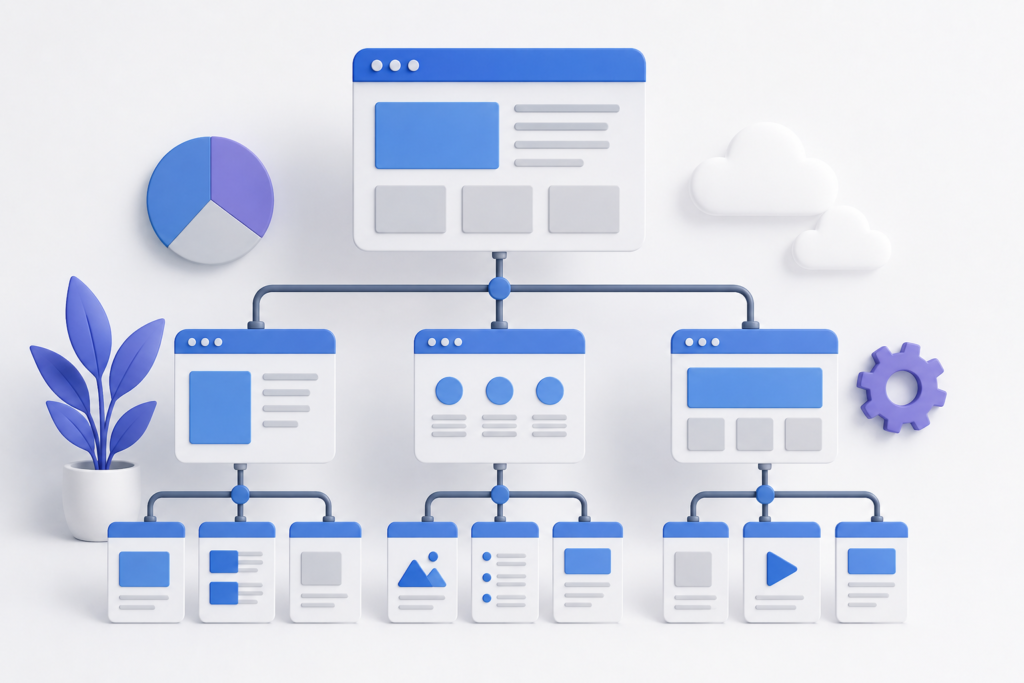
Website architecture affects usability, SEO performance, and content discoverability. A poorly organized website can confuse visitors and make it difficult for search engines to understand content relationships. Effective structure improves navigation and enhances overall performance.
A logical hierarchy typically begins with primary categories that represent core business areas. Supporting pages, service descriptions, resources, and blog content should fit naturally within this framework. Consistent navigation patterns help users move through the website efficiently while reducing frustration.
Internal linking further strengthens website structure. Strategic links connect related content, distribute authority throughout the site, and encourage deeper engagement. Google’s Site Architecture recommendations highlight the importance of clear organizational structures for both users and search engines. Well-planned architecture contributes to better indexing, improved rankings, and stronger user experiences.
WordPress SEO Fundamentals for Sustainable Visibility
Search engine optimization remains one of the most effective methods for generating long-term organic traffic. A properly optimized WordPress Website can attract highly targeted visitors while reducing dependence on paid advertising campaigns.
SEO begins with keyword research and user intent analysis. Businesses should identify phrases that potential customers use when searching for relevant products, services, and information. These keywords should be incorporated naturally throughout content without compromising readability or user experience.
Technical SEO is equally important. Elements such as title tags, meta descriptions, heading structures, schema markup, XML sitemaps, and crawlability contribute to search performance. Google’s SEO Starter Guide provides valuable recommendations for optimizing websites according to current best practices. When combined with high-quality content and strong technical foundations, SEO can become a sustainable source of business growth.
Website Performance Optimization for Faster User Experiences
Website speed is no longer simply a convenience; it is a critical business requirement. Modern users expect pages to load quickly, and even small delays can negatively affect engagement, conversions, and customer satisfaction. A slow WordPress Website often experiences higher bounce rates, reduced page views, and missed business opportunities.
Performance optimization begins with identifying bottlenecks. Large images, excessive plugins, inefficient code, render-blocking resources, and poor hosting infrastructure commonly contribute to slow loading times. Website owners should regularly evaluate performance using tools such as PageSpeed Insights and Core Web Vitals resources to identify improvement opportunities.
Optimization efforts should include image compression, browser caching, content delivery networks (CDNs), database optimization, code minification, and server-level enhancements. Consistent performance monitoring ensures that websites remain fast as content, traffic, and functionality expand. Faster websites improve user satisfaction while supporting SEO objectives and business growth.
Website Security and Protection Against Cyber Threats
Security remains one of the most important responsibilities for WordPress Website owners. Cybercriminals continuously target websites through malware infections, brute-force attacks, phishing attempts, vulnerabilities, and unauthorized access methods. Even a minor security breach can damage reputation, disrupt operations, and result in financial losses.
Strong security starts with a proactive approach. Website owners should implement secure hosting environments, strong password policies, multi-factor authentication, regular updates, and reliable backup systems. Security plugins can provide additional layers of protection by monitoring suspicious activity and blocking malicious requests.
Google’s Security Issues Documentation emphasizes maintaining secure websites to protect users and preserve search visibility. Security should not be viewed as a one-time task but as an ongoing process that requires continuous monitoring, assessment, and improvement. Organizations that prioritize security reduce risk while building greater trust among customers and stakeholders.
The Importance of Regular WordPress Maintenance
Many businesses focus heavily on website development while overlooking long-term maintenance. However, ongoing maintenance is essential for preserving performance, functionality, security, and user satisfaction. Neglected websites often experience technical issues that become increasingly costly over time.
Maintenance tasks typically include software updates, plugin reviews, database optimization, broken link checks, security scans, backup verification, and performance testing. These activities help prevent problems before they affect visitors or disrupt business operations. Regular maintenance also ensures compatibility between WordPress core files, themes, plugins, and hosting environments.
A structured maintenance strategy contributes to website stability and longevity. Rather than waiting for issues to emerge, organizations should adopt preventative maintenance practices that minimize downtime and improve reliability. Consistent monitoring enables website owners to identify trends, detect anomalies, and address concerns before they escalate into major challenges.
Mobile Optimization for Modern Website Users
Mobile traffic continues to dominate many industries, making mobile optimization a critical component of website success. Visitors increasingly browse, shop, research, and communicate through smartphones and tablets. Websites that fail to provide strong mobile experiences risk losing significant portions of their audience.
Mobile optimization extends beyond responsive design. Navigation menus, buttons, forms, images, and content layouts should all function effectively on smaller screens. Touch-friendly interfaces improve usability and reduce frustration, helping visitors complete desired actions more efficiently.
Google’s Mobile-First Indexing guidance highlights the importance of delivering consistent content and functionality across devices. Businesses that prioritize mobile experiences often benefit from improved engagement metrics, stronger search visibility, and higher conversion rates. Mobile optimization should therefore be treated as a core business investment rather than an optional enhancement.
Conversion Rate Optimization for Business Growth
Generating traffic is only part of the equation. A successful WordPress Website must also convert visitors into leads, customers, subscribers, or clients. Conversion Rate Optimization (CRO) focuses on improving website elements that influence user decisions and actions.
Effective CRO begins with understanding visitor behavior. Analytics data can reveal where users enter the website, how they navigate pages, and where they abandon conversion processes. These insights help identify opportunities for improving layouts, messaging, calls-to-action, and user flows.
Trust-building elements also play an important role. Testimonials, case studies, certifications, guarantees, and transparent communication help reduce uncertainty and encourage conversions. Organizations that continuously test and refine website experiences often achieve significant improvements in lead generation and revenue without increasing traffic acquisition costs.
Integrating Analytics and Data-Driven Decision Making
A website should never operate without measurement and analysis. Data provides valuable insights into visitor behavior, marketing effectiveness, content performance, and business outcomes. Without analytics, decision-making often relies on assumptions rather than evidence.
Website owners should establish clear performance indicators aligned with business goals. Metrics may include traffic sources, conversion rates, bounce rates, user engagement, page performance, and customer acquisition trends. Consistent monitoring helps identify strengths, weaknesses, and emerging opportunities.
Google’s Google Analytics platform provides comprehensive reporting capabilities that support strategic decision-making. Organizations that embrace data-driven practices can allocate resources more effectively, optimize marketing campaigns, and improve website performance over time. Analytics transforms a website from a static asset into a continuously improving business tool.
Content Marketing and Long-Term Authority Building
A WordPress Website becomes significantly more valuable when supported by a consistent content marketing strategy. Publishing useful, relevant, and authoritative content helps attract visitors, establish expertise, and strengthen search engine visibility over time.
Content marketing extends beyond blog publishing. Organizations can create guides, case studies, research reports, videos, tutorials, webinars, and educational resources tailored to audience needs. This diversity helps reach users at different stages of the customer journey while expanding topical authority.
Long-term authority is built through consistency. Businesses that regularly publish high-quality content demonstrate expertise and commitment to serving their audience. Over time, this trust contributes to stronger rankings, increased brand recognition, and improved customer relationships. Content marketing should therefore be viewed as a strategic investment rather than a short-term promotional tactic.
Scalability and Preparing for Future Growth
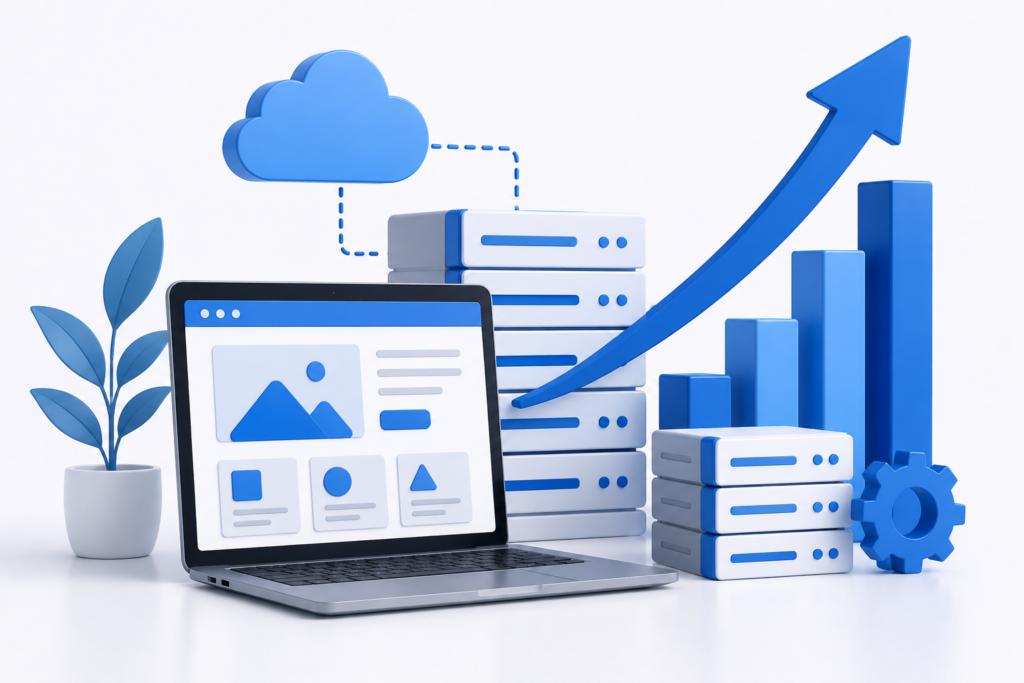
A website should be capable of supporting future business expansion without requiring frequent redesigns or platform changes. Scalability ensures that websites can accommodate increased traffic, additional functionality, expanding content libraries, and evolving business objectives.
Scalable websites rely on flexible architecture, reliable hosting, efficient coding practices, and forward-thinking planning. Businesses should anticipate future requirements when selecting themes, plugins, integrations, and infrastructure. Decisions made during initial development can significantly impact long-term adaptability.
Growth-oriented planning reduces operational disruptions and technical limitations. Organizations that prepare for expansion are better positioned to respond to market opportunities, customer demands, and technological innovations. Scalability transforms a website from a short-term project into a sustainable digital asset capable of supporting long-term success.
Common WordPress Website Mistakes to Avoid
Many website owners unintentionally create challenges that limit performance, security, and growth. Recognizing these mistakes early can save significant time, money, and frustration.
One common mistake is installing excessive plugins without evaluating necessity or quality. Too many plugins can create compatibility issues, increase security risks, and negatively impact performance. Every plugin should serve a clear purpose and be maintained regularly.
Another frequent issue involves neglecting updates and backups. Outdated software often contains vulnerabilities that attackers exploit. Similarly, failing to maintain reliable backups can lead to catastrophic data loss during unexpected incidents. Businesses should also avoid publishing thin content, ignoring mobile optimization, and overlooking user experience considerations. Preventing these mistakes contributes to stronger long-term website performance.
Common Mistakes Checklist
- Ignoring regular updates
- Using weak passwords
- Installing unnecessary plugins
- Publishing low-quality content
- Neglecting website backups
- Failing to optimize images
- Overlooking mobile usability
- Ignoring SEO fundamentals
- Using poor-quality hosting
- Not monitoring analytics data
Best Practices Summary for WordPress Website Success
Maintaining a successful WordPress Website requires a balanced approach that combines strategy, technology, content, security, and continuous improvement. Organizations should focus on delivering value to users while maintaining technical excellence behind the scenes.
Performance optimization, security monitoring, quality content creation, and responsive design should remain ongoing priorities. Regular maintenance ensures that websites continue operating efficiently while minimizing technical risks. Strong SEO practices support visibility, while conversion optimization helps maximize business outcomes.
The most successful websites view digital growth as an ongoing process rather than a one-time project. Continuous learning, testing, measurement, and refinement enable organizations to remain competitive in rapidly evolving online environments. By following proven best practices, businesses can create websites that support sustainable growth and long-term success.
Frequently Asked Questions
1. Why is WordPress considered a good platform for businesses?
WordPress offers flexibility, scalability, customization options, and a large support ecosystem. Businesses can create virtually any type of website while maintaining full ownership and control over their content and data.
2. How often should a WordPress Website be updated?
WordPress core files, themes, and plugins should be reviewed regularly and updated whenever stable releases become available. Monthly maintenance reviews are recommended, while security updates should be applied promptly.
3. What is the most important factor for website speed?
There is no single factor. Hosting quality, image optimization, caching, efficient coding practices, and database performance all contribute significantly to overall website speed.
4. How can I improve WordPress Website security?
Implement strong passwords, enable multi-factor authentication, keep software updated, use reputable security tools, perform regular backups, and monitor website activity for suspicious behavior.
5. Is mobile optimization necessary for SEO?
Yes. Mobile usability directly affects user experience and search visibility. Mobile-friendly websites are better positioned to meet user expectations and search engine requirements.
6. What role does content play in website success?
Content educates visitors, demonstrates expertise, supports SEO, builds trust, and guides users toward desired actions. High-quality content remains one of the most important components of digital success.
7. How often should website backups be created?
Backup frequency depends on website activity. High-traffic or frequently updated websites may require daily backups, while smaller websites may use weekly schedules. Critical business websites often benefit from automated daily backups.
8. Why is ongoing website maintenance important?
Maintenance helps preserve security, performance, compatibility, and reliability. Regular maintenance prevents many technical issues before they affect users or business operations.
Conclusion
A successful WordPress Website combines strategic planning, user-focused design, technical excellence, high-quality content, strong security, and continuous optimization. Businesses that invest in these areas create digital platforms capable of supporting growth, engagement, and long-term success.
While building a website is an important milestone, maintaining and improving it over time is equally critical. Consistent attention to performance, security, SEO, content quality, and user experience ensures lasting value and competitive advantage. At WP Maintenance Service, helping businesses maximize the potential of their WordPress Website remains a core priority, enabling organizations to build stronger online presences and achieve sustainable digital growth.
Want to Implement This Easily?
Prompt Text:
You are an expert consultant. Based on the blog post titled “WordPress Website”, provide a step-by-step, practical implementation guide. Include tools, best practices, common mistakes to avoid, and advanced tips. Assume the reader wants to implement everything discussed in this article effectively.
Call to Action:
Want our help implementing this? Just reach out to us via our website contact form: