
WordPress Themes play a crucial role in your website’s appearance, performance, user experience, and search engine rankings. Learn how to choose, customize, optimize, secure, and maintain WordPress themes while following industry best practices for long-term website success.
Introduction
A website’s design is often the first impression visitors have of a business, making the selection of the right WordPress Theme one of the most important decisions for any website owner. A professionally designed theme not only determines how your website looks but also influences speed, usability, accessibility, search engine visibility, security, and overall user engagement. Choosing the wrong theme can create ongoing maintenance challenges, while selecting the right one provides a strong foundation for future growth.
At WP Maintenance Service, we understand that a successful website requires much more than attractive visuals. Modern WordPress themes should balance aesthetics with performance, security, flexibility, and long-term compatibility. Whether you are building a personal blog, business website, portfolio, online store, membership platform, or enterprise solution, your theme should support both your current needs and future expansion.
This comprehensive guide explores everything you need to know about WordPress themes—from understanding how they work to selecting the right one, customizing it safely, optimizing performance, improving SEO, maintaining compatibility, and avoiding common mistakes. Throughout this article, you’ll also discover practical best practices, expert recommendations, and trusted resources that help you build a reliable and high-performing WordPress website.
Understanding WordPress Themes and Why They Matter
A WordPress theme is much more than a visual template. It controls your website’s layout, typography, color schemes, navigation structure, widget areas, template files, and overall presentation while working together with WordPress core and plugins. Themes provide the framework that transforms raw content into an engaging digital experience for visitors.
Modern WordPress themes are designed with flexibility in mind. Most premium and well-developed free themes include customizable headers, footers, page templates, responsive layouts, typography controls, color settings, and integration with popular page builders. This flexibility allows website owners to create unique websites without extensive coding knowledge. However, the quality of themes varies significantly, making careful selection essential.
Beyond aesthetics, themes directly affect website performance and search engine optimization. Clean coding standards, optimized CSS and JavaScript, proper schema markup, accessibility compliance, and mobile responsiveness all contribute to better user experiences and improved rankings. Choosing a lightweight, regularly updated theme ensures compatibility with future WordPress releases while reducing maintenance issues over time. According to the WordPress Theme Handbook, developers should follow standardized coding practices to ensure quality, security, and maintainability.
Choosing the Right WordPress Theme for Your Website Goals
Selecting the right theme begins with understanding your website’s objectives rather than simply choosing the most visually appealing design. A business website requires different functionality than an online store, portfolio, educational platform, or membership site. Defining your goals first helps narrow the available options and prevents unnecessary customization later.
Performance should remain a top priority during theme selection. Many visually impressive themes include numerous animations, bundled plugins, sliders, and excessive scripts that significantly slow page loading times. Lightweight themes typically perform better because they focus on essential functionality while allowing additional features through plugins when necessary. Faster websites improve user satisfaction, reduce bounce rates, and support stronger SEO performance.
Compatibility is equally important. Ensure your chosen theme supports the latest WordPress version, major plugins, WooCommerce (if applicable), accessibility standards, responsive design, translation readiness, and frequent updates from active developers. Reviewing documentation, changelogs, support forums, and user ratings provides valuable insight into long-term reliability. Google’s guidance on creating helpful, user-focused websites emphasizes delivering excellent page experiences alongside valuable content.
Free vs Premium WordPress Themes: Which Option Is Better?
One of the most common questions website owners ask is whether a free WordPress theme is sufficient or whether investing in a premium theme provides greater long-term value. Both options offer distinct advantages depending on project requirements, budget, customization needs, and ongoing maintenance expectations.
Free themes available through the official WordPress Theme Directory undergo a review process that helps ensure coding standards and security compliance. They are ideal for beginners, personal blogs, simple business websites, and organizations with limited budgets. Many reputable developers maintain excellent free themes that receive regular updates and support essential customization features.
Premium themes, on the other hand, often include advanced customization options, dedicated customer support, extensive documentation, premium design layouts, additional page templates, WooCommerce enhancements, performance improvements, and ongoing feature development. For growing businesses or professional websites, these advantages frequently justify the investment by reducing development time and improving flexibility. Regardless of the option selected, prioritize quality, developer reputation, update frequency, documentation, and security rather than focusing solely on visual appearance.
Essential Features Every High-Quality WordPress Theme Should Include
Not every attractive theme is built for long-term success. High-quality WordPress themes combine professional design with technical excellence, ensuring websites remain secure, fast, scalable, and easy to maintain over time. Evaluating themes based on essential features helps prevent costly redesigns and compatibility issues later.
Responsive design has become a fundamental requirement rather than an optional feature. Since users browse websites across desktops, tablets, and smartphones, themes should automatically adapt layouts to different screen sizes while maintaining usability and readability. Mobile-friendly websites also align with Google’s mobile-first indexing approach, making responsive design an important SEO consideration.
Additional essential features include clean coding standards, accessibility support, schema markup compatibility, customizable typography, flexible color controls, widget-ready areas, page builder compatibility, optimized image handling, translation readiness, and regular developer updates. Themes should also minimize unnecessary scripts and avoid bundling excessive functionality that belongs in plugins instead of themes. Google’s PageSpeed Insights provides valuable recommendations for improving website performance.
How WordPress Themes Impact Website Performance and Speed
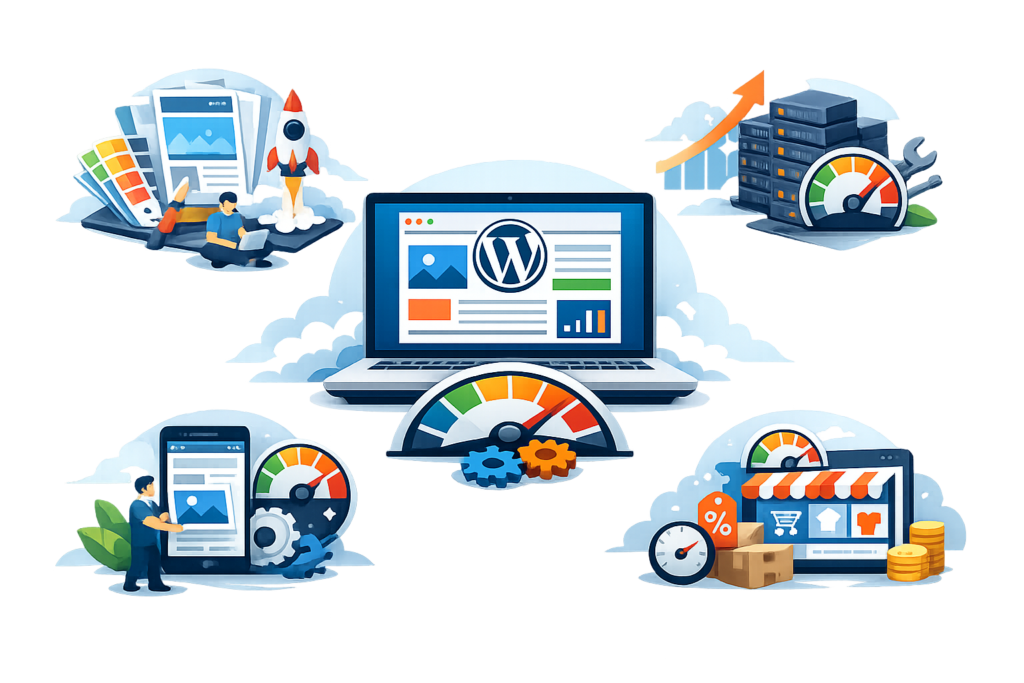
Website speed directly influences user experience, search engine rankings, and conversion rates. Although hosting, caching, images, and plugins contribute significantly to performance, the WordPress theme itself often serves as the foundation for efficient page loading.
Poorly optimized themes frequently include excessive JavaScript files, multiple CSS libraries, unnecessary animations, large icon collections, and bloated page templates. Each additional asset increases page size and HTTP requests, causing slower loading times. Visitors typically expect websites to load quickly, and delays often increase abandonment rates while reducing customer engagement.
Performance-focused themes emphasize lightweight architecture, modular design, optimized code, lazy loading compatibility, minimal dependencies, and efficient rendering. Website owners should regularly test performance using trusted tools such as Google PageSpeed Insights, Lighthouse, and Core Web Vitals reports. Monitoring these metrics allows continuous optimization as websites evolve. Google’s Core Web Vitals documentation explains how loading performance, interactivity, and visual stability influence user experience.
Customizing WordPress Themes Safely Without Breaking Your Website
Customization enables businesses to establish unique branding while meeting specific design requirements. However, directly modifying theme files introduces significant risks because updates overwrite changes, potentially causing broken layouts or lost functionality. Safe customization practices help preserve long-term maintainability.
The recommended approach involves using child themes. A child theme inherits functionality from its parent theme while allowing developers to customize templates, styles, and functions independently. This approach ensures updates to the parent theme do not overwrite custom modifications. Developers can safely implement branding changes, template adjustments, and additional functionality while maintaining compatibility with future releases.
Website owners who prefer no-code customization can often use the WordPress Site Editor, Customizer, block editor, or compatible page builders to modify layouts, typography, colors, headers, footers, and widget areas. Before implementing major design changes, always create a complete website backup and test modifications within a staging environment whenever possible. The WordPress documentation provides comprehensive guidance on child themes and customization best practices.
Responsive Design and Mobile Optimization in Modern WordPress Themes
Modern internet users access websites from smartphones more frequently than desktop computers in many industries. As a result, responsive design has become an essential component of every professional WordPress theme rather than a desirable enhancement. Websites that perform well across devices provide stronger user experiences and support better business outcomes.
Responsive themes automatically adjust layouts, images, typography, navigation menus, buttons, and interactive elements according to screen dimensions. This flexibility improves readability, simplifies navigation, and reduces user frustration on smaller devices. Mobile optimization also includes touch-friendly controls, optimized spacing, scalable media, and efficient loading techniques that accommodate varying network conditions.
Google’s mobile-first indexing means search engines primarily evaluate the mobile version of a website when determining rankings. Therefore, responsive design directly influences SEO performance alongside user satisfaction. Regular testing across multiple browsers, operating systems, screen sizes, and devices helps identify usability issues before they affect visitors. Combining responsive themes with optimized images, efficient caching, and streamlined content creates a fast, accessible, and engaging mobile experience.
How WordPress Themes Influence Search Engine Optimization (SEO)
Search engine optimization is often associated with keywords, content creation, and backlinks, but your WordPress theme also plays a significant role in determining how well your website performs in search results. A well-coded, lightweight, and SEO-friendly theme creates a strong technical foundation that supports better crawling, indexing, and user experience. Even the most valuable content can struggle to rank if it is built on a slow, poorly optimized theme with unnecessary code and performance issues.
Modern WordPress themes should follow clean HTML5 standards, use proper heading structures, implement responsive layouts, and support schema markup where appropriate. These elements help search engines understand your website more effectively while improving accessibility for users. Fast-loading pages also contribute to a better browsing experience, encouraging visitors to stay longer and interact with your content. Google’s ranking systems prioritize websites that provide value and excellent user experiences. Following the recommendations in the Google Search Essentials helps ensure your website follows modern SEO best practices. Likewise, improving your site’s loading speed with Google PageSpeed Insights allows you to identify optimization opportunities that directly affect both SEO and visitor satisfaction.
An SEO-friendly theme should also avoid excessive JavaScript, unnecessary animations, and bloated page builders that slow down rendering. Instead, it should prioritize lightweight code, optimized CSS, lazy loading support, responsive images, and compatibility with popular SEO plugins. Website owners should regularly review search performance, monitor page speed, and update themes as needed to maintain compatibility with evolving search engine algorithms. Investing in a quality theme today can contribute to stronger organic visibility and better long-term growth.
Keeping Your WordPress Theme Updated and Secure
Maintaining your WordPress theme is just as important as selecting the right one. Developers regularly release updates that improve compatibility, introduce new features, fix bugs, and patch security vulnerabilities. Ignoring these updates may expose your website to avoidable risks, including malware infections, broken layouts, plugin conflicts, and reduced performance.
Before updating any theme, always create a complete website backup. This precaution allows you to restore your website quickly if an unexpected issue occurs during the update process. Testing updates within a staging environment is also highly recommended, especially for business websites that cannot afford downtime. A staging site lets you verify compatibility with plugins, custom code, and recent WordPress releases before making changes to your live website. The WordPress Hardening Guide provides valuable recommendations for protecting WordPress websites through secure maintenance practices.
Security extends beyond updates alone. Website owners should download themes only from trusted sources, remove inactive themes that are no longer needed, and avoid using nulled or pirated premium themes. Unauthorized themes often contain malicious code, hidden backlinks, spam injections, or security vulnerabilities that compromise website integrity. Regular security scans, malware monitoring, strong administrator passwords, and reputable security plugins provide additional layers of protection. A secure and well-maintained theme contributes to greater visitor trust, improved reliability, and long-term website stability.
Custom Themes vs Multipurpose Themes: Which Is the Better Investment?
Businesses often face an important decision when launching a website: should they use a custom-built WordPress theme or choose a professionally developed multipurpose theme? Both options have advantages, and the right choice depends on business goals, available budget, future scalability, and maintenance preferences.
Custom WordPress themes are built specifically for an individual website’s requirements. Every layout, feature, template, and design element is created with a particular audience and business objective in mind. Since unnecessary functionality is excluded, custom themes are typically faster, easier to optimize, and more secure. They also provide complete branding flexibility and eliminate many compatibility issues associated with heavily modified commercial themes. However, custom development generally requires a larger initial investment and ongoing developer support for future enhancements.
Multipurpose themes offer flexibility for businesses that need professional designs without the expense of custom development. These themes usually include multiple templates, extensive customization options, page builder compatibility, WooCommerce integration, responsive layouts, and pre-built demonstrations for different industries. Although highly versatile, some multipurpose themes include features that many websites never use, increasing page size and affecting performance if not properly optimized. Before selecting any option, evaluate your current requirements, long-term business plans, expected traffic growth, and available technical resources. A thoughtful decision today can reduce redesign costs and simplify future maintenance.
Best Practices for Managing and Optimizing WordPress Themes
Successful WordPress websites are not created simply by installing a quality theme. Long-term success requires ongoing optimization, careful management, and consistent maintenance. Implementing proven best practices helps maximize performance, improve security, and ensure compatibility with future WordPress updates.
One of the most important practices is using a child theme whenever custom code or template modifications are required. Rather than editing the parent theme directly, a child theme preserves customizations during future updates. The WordPress Child Themes Documentation explains this approach in detail and demonstrates why it is considered an industry best practice. Website owners should also remove unused themes, minimize unnecessary plugins, compress images, enable caching, and regularly review page speed reports.
Accessibility and usability should receive equal attention during theme optimization. Websites should include readable typography, logical navigation, sufficient color contrast, descriptive headings, keyboard accessibility, and responsive layouts that function consistently across all devices. Following the Web Content Accessibility Guidelines (WCAG) helps create websites that are accessible to a broader audience while supporting legal compliance in many regions. Regular audits, performance testing, and ongoing updates ensure that your WordPress theme continues delivering excellent user experiences as technology and visitor expectations evolve.
Choosing the Right WordPress Theme for WooCommerce and Business Websites
If your goal is to build an online store or a professional business website, selecting a theme designed specifically for your needs can save significant time and improve long-term performance. While many general-purpose themes advertise WooCommerce compatibility, not all of them deliver the speed, flexibility, and user experience required for successful online businesses. Choosing a theme that is optimized for your industry helps ensure your website remains fast, visually appealing, and easy to manage as your business grows.
For eCommerce websites, look for themes that fully support WooCommerce, responsive product layouts, advanced product filtering, secure checkout pages, customizable shop templates, and optimized product image galleries. A well-developed WooCommerce theme should also integrate seamlessly with payment gateways, inventory management tools, shipping extensions, and marketing plugins. Before selecting a theme, review the official WooCommerce Documentation to understand the latest compatibility requirements and recommended practices.
Business websites have different priorities. Service providers, agencies, consultants, healthcare organizations, educational institutions, and local businesses should focus on themes that emphasize professional branding, clear navigation, fast loading speeds, lead generation, and mobile responsiveness. Essential features include customizable homepages, call-to-action sections, testimonial layouts, contact forms, blog integration, and SEO-friendly coding. Your theme should also make it easy to update content as your business evolves without requiring major design changes.
Whether you operate an online store or a service-based business, always prioritize performance over excessive visual effects. A clean, lightweight design often converts visitors more effectively than complex animations or unnecessary features. As your business expands, your theme should continue supporting new plugins, additional pages, and future WordPress updates without compromising website stability.
Future Trends in WordPress Themes

The WordPress ecosystem continues to evolve rapidly, and modern themes are becoming more flexible, efficient, and user-focused. Understanding emerging trends helps website owners make smarter decisions that remain valuable for years rather than becoming outdated after a single design cycle.
One of the biggest developments is Full Site Editing (FSE), which gives users greater control over headers, footers, templates, and global design settings directly within WordPress. Rather than relying heavily on third-party page builders, many newer themes embrace the native block editor, making website customization simpler while improving long-term compatibility. The WordPress Theme Handbook provides valuable information about modern theme development standards and block-based themes.
Performance optimization is another major trend. Developers are increasingly creating lightweight themes with minimal JavaScript, optimized CSS delivery, and improved Core Web Vitals performance. Website speed is no longer simply a technical consideration—it directly influences user experience, conversion rates, and search visibility. Testing your website using Google PageSpeed Insights helps identify opportunities for continuous improvement.
Accessibility continues gaining importance as businesses recognize the need to create websites that everyone can use effectively. More developers are designing themes that follow the Web Content Accessibility Guidelines (WCAG), improving navigation, readability, keyboard support, and compatibility with assistive technologies. Artificial intelligence is also beginning to influence theme customization through smarter design recommendations, automated layout generation, and enhanced personalization features. Choosing a modern, actively maintained theme ensures your website remains prepared for these future developments.
Common Mistakes When Choosing and Managing WordPress Themes
Many website owners unintentionally create long-term problems by making avoidable mistakes during theme selection and customization. Understanding these common issues can help you make better decisions from the beginning.
Choosing a theme based only on appearance.
A beautiful design does not guarantee good performance, clean code, or long-term compatibility.
Installing bloated multipurpose themes.
Themes loaded with unnecessary features often reduce website speed and increase maintenance complexity.
Editing the parent theme directly.
Direct modifications are lost during updates. Always use a child theme for customizations.
Ignoring theme updates.
Outdated themes may introduce compatibility issues and security vulnerabilities.
Using nulled or pirated premium themes.
These frequently contain malware, spam links, or hidden malicious code.
Installing too many plugins to compensate for poor theme selection.
Choose a theme that naturally supports your website goals instead of relying on excessive plugins.
Skipping mobile testing.
Always verify that your website performs well on smartphones and tablets.
Ignoring accessibility standards.
Accessible websites improve usability for all visitors while supporting compliance with modern web standards.
Best Practices Summary
To maximize the value of your WordPress theme:
- Choose lightweight, professionally developed themes.
- Prioritize responsive and mobile-friendly designs.
- Use a child theme for all custom development.
- Keep WordPress, themes, and plugins updated.
- Regularly back up your website before updates.
- Optimize images and enable caching.
- Test website performance frequently.
- Remove inactive themes.
- Download themes only from trusted developers.
- Monitor compatibility after every major update.
- Focus on user experience before visual effects.
- Review website security regularly.
- Improve accessibility wherever possible.
- Perform routine maintenance throughout the year.
Following these best practices helps create a website that remains secure, fast, scalable, and easy to manage.
Frequently Asked Questions
1. What is a WordPress theme?
A WordPress theme controls the visual appearance, layout, typography, templates, and overall design of a WordPress website while working alongside WordPress core and plugins.
2. Should I choose a free or premium WordPress theme?
Free themes are suitable for many personal and small business websites. Premium themes generally provide additional customization, professional support, enhanced features, and more frequent updates.
3. How often should I update my WordPress theme?
Update your theme whenever the developer releases a stable version after creating a complete backup and testing compatibility whenever possible.
4. Will changing my WordPress theme affect SEO?
Yes. A new theme may influence page speed, mobile usability, structured data, heading structure, and user experience, all of which can affect search engine rankings.
5. Why should I use a child theme?
A child theme preserves your customizations during parent theme updates, making long-term maintenance significantly easier.
6. Can I switch themes without losing my content?
Yes. Your posts, pages, and media remain stored in WordPress. However, menus, widgets, and certain theme-specific settings may require reconfiguration.
7. How do I know if a theme is well coded?
Choose themes from reputable developers, review update history, read customer feedback, verify responsive design, and ensure compatibility with the latest WordPress version.
8. What is the most important factor when selecting a WordPress theme?
The best theme combines speed, security, clean coding, responsive design, SEO friendliness, accessibility, and long-term developer support instead of focusing only on visual appearance.
Final Thoughts on Choosing and Maintaining WordPress Themes
A WordPress theme is much more than a visual design—it forms the technical and creative foundation of your entire website. Every decision, from selecting the initial theme to maintaining updates and optimizing performance, directly affects user experience, search visibility, website security, and long-term scalability. Investing time in choosing a high-quality theme today reduces future maintenance challenges while creating a stronger online presence.
Successful websites balance attractive design with technical excellence. Lightweight coding, responsive layouts, accessibility, SEO-friendly architecture, regular updates, and compatibility with trusted plugins all contribute to a professional website that performs consistently across devices and browsers. Rather than chasing design trends alone, website owners should prioritize usability, speed, security, and maintainability when evaluating WordPress themes.
At WP Maintenance Service, we believe that selecting the right WordPress theme is only the beginning. Ongoing maintenance, regular updates, performance optimization, security monitoring, and continuous improvements help ensure your website remains reliable as your business grows. By following the recommendations outlined throughout this guide and adopting industry best practices, you can build a WordPress website that delivers exceptional experiences for visitors while supporting your long-term business objectives.
Want to Implement This Easily?
Prompt
You are an expert consultant. Based on the blog post titled “WordPress Themes”, provide a step-by-step, practical implementation guide. Include tools, best practices, common mistakes to avoid, and advanced tips. Assume the reader wants to implement everything discussed in this article effectively.
Call to Action
Want our help implementing this? Just reach out to us via our website contact form: