
Discover the best WordPress plugins for security, SEO, performance, backups, and website management. Learn how to choose, install, optimize, and maintain plugins to build a fast, secure, and high-performing WordPress website.
Introduction
WordPress powers millions of websites worldwide, and one of the biggest reasons for its popularity is its extensive plugin ecosystem. Plugins allow website owners to add new features, improve performance, enhance security, optimize search engine visibility, and automate repetitive tasks without writing custom code. Whether you run a business website, blog, eCommerce store, portfolio, or membership platform, choosing the right plugins can significantly impact your site’s success.
At WP Maintenance Service, we often see websites struggling with slow performance, security vulnerabilities, plugin conflicts, and outdated functionality caused by poor plugin management. While plugins provide tremendous flexibility, installing too many low-quality plugins or failing to maintain them properly can create serious technical issues. A strategic plugin approach focuses on quality, compatibility, security, and long-term maintainability.
This comprehensive guide explains how WordPress plugins work, how to choose the best plugins for your website, and how to manage them effectively. You will learn about essential plugin categories, performance optimization, security best practices, update management, troubleshooting, and future trends that will help you build a faster, safer, and more scalable WordPress website.
Understanding What WordPress Plugins Are
WordPress plugins are software extensions that add functionality to a WordPress website. Think of them as apps for your website. Instead of building every feature from scratch, you can install plugins to add contact forms, SEO tools, security protection, backups, analytics, online stores, membership systems, and countless other capabilities. The WordPress plugin ecosystem contains both free and premium solutions designed for businesses of all sizes.
One of the greatest advantages of plugins is flexibility. A small business can start with a simple website and gradually add advanced features as it grows. For example, a blog can later add eCommerce functionality, email marketing integrations, customer support tools, booking systems, and membership features without rebuilding the entire website. This modular approach makes WordPress highly adaptable to changing business needs.
However, not all plugins are created equal. High-quality plugins are regularly updated, compatible with the latest WordPress versions, well-documented, and supported by reputable developers. Poorly maintained plugins may introduce security vulnerabilities, slow down your website, or conflict with other plugins and themes. Understanding the role of plugins is the first step toward building a stable and high-performing WordPress environment.
Why Choosing the Right Plugins Matters
Many website owners make the mistake of installing plugins simply because they appear popular or offer attractive features. In reality, every plugin adds code, database operations, and potential compatibility considerations. Choosing the right plugins is not about installing the most plugins; it is about installing the best plugins that serve a clear purpose while maintaining website performance and security.
High-quality plugins can improve user experience, increase conversions, strengthen security, and simplify website management. For example, a well-optimized caching plugin can dramatically reduce page load times, while a reliable SEO plugin can help improve search visibility by managing metadata, sitemaps, and content optimization. These improvements directly support business growth and customer satisfaction.
On the other hand, poorly chosen plugins can create significant problems. Common issues include slow page speed, excessive server resource usage, broken website layouts, database bloat, and security vulnerabilities. Before installing any plugin, evaluate its update history, user reviews, support quality, compatibility with your WordPress version, and reputation within the WordPress community. A thoughtful selection process reduces long-term maintenance challenges and helps keep your website stable.
Essential Plugin Categories for Most Websites
While every website has unique requirements, several plugin categories are essential for most WordPress sites. These include security plugins, backup plugins, SEO plugins, performance optimization plugins, form plugins, and analytics tools. Together, these categories create a strong foundation for a secure, visible, and user-friendly website.
Security plugins help protect against malware, brute-force attacks, spam, and unauthorized access. Backup plugins ensure that your website can be restored quickly if something goes wrong. SEO plugins help optimize titles, meta descriptions, XML sitemaps, schema markup, and content structure. Performance plugins improve caching, image optimization, and code delivery to create faster loading pages.
Additional categories may include eCommerce plugins, membership systems, booking tools, multilingual plugins, customer support chat tools, and marketing automation integrations. The key is to prioritize plugins that provide measurable value. Instead of installing multiple plugins that perform similar functions, choose one well-supported solution that handles the task efficiently. This reduces complexity and improves overall website stability.
WordPress Plugins and SEO Performance
SEO plugins play a major role in helping WordPress websites follow search engine best practices. They assist with metadata management, XML sitemaps, canonical URLs, schema markup, internal linking suggestions, and content optimization. However, SEO success depends on more than installing a plugin; it requires high-quality content, technical optimization, and a strong user experience.
Following the recommendations in the Google Search Essentials helps ensure your website follows modern SEO best practices. Search engines prioritize websites that provide valuable content, fast loading times, mobile-friendly experiences, and clear site structure. SEO plugins help implement many of these technical requirements efficiently.
When using SEO plugins, avoid over-optimization. Focus on writing helpful content for real users rather than stuffing keywords into every paragraph. Use descriptive page titles, compelling meta descriptions, logical heading structures, and internal links that genuinely help visitors navigate your website. A well-configured SEO plugin supports these efforts, but sustainable rankings come from delivering expertise, authority, and trustworthiness through your content and website experience.
How to Choose the Best WordPress Plugins for Your Website
Choosing the right WordPress plugins is one of the most important decisions you will make when building or maintaining a website. Every plugin adds functionality, but it also introduces additional code that can affect performance, compatibility, and security. Rather than installing plugins simply because they offer attractive features, website owners should evaluate whether each plugin solves a genuine business or technical requirement. A carefully selected plugin stack keeps your website lightweight, easier to maintain, and more reliable over time. Before adding any plugin, identify the problem you want to solve and determine whether an existing feature or another installed plugin already provides the same functionality.
A reliable plugin should have a strong reputation within the WordPress community. Check whether the developer regularly releases updates, responds to user support requests, and maintains compatibility with the latest WordPress version. Reading reviews, examining active installation numbers, and reviewing the changelog can help you understand whether the plugin is actively maintained. It is also beneficial to install plugins from reputable developers with a proven history of building secure and stable WordPress products. Premium plugins often include dedicated support and more frequent updates, making them a worthwhile investment for business-critical websites.
Performance should also influence your decision. Some plugins add unnecessary scripts, database queries, or background processes that can slow down your website. Whenever possible, choose plugins that are optimized for speed and avoid installing multiple plugins that perform similar tasks. Keeping your plugin collection organized not only improves website performance but also reduces the likelihood of software conflicts, making future updates and troubleshooting much easier.
Installing, Updating, and Managing Plugins Safely
Installing a plugin is simple, but managing plugins responsibly requires an ongoing maintenance strategy. Before installing any new plugin, create a complete website backup so you can restore your site if an unexpected compatibility issue occurs. Testing plugins on a staging website before deploying them to a live environment is considered a best practice because it allows you to identify conflicts without affecting visitors. This approach is especially valuable for business websites, online stores, and membership platforms where downtime can result in lost revenue or customer dissatisfaction.
Regular plugin updates are essential for maintaining website security and stability. Developers frequently release updates to fix bugs, improve compatibility, introduce new features, and patch security vulnerabilities. Delaying updates can expose your website to unnecessary risks, particularly if known vulnerabilities become publicly documented. However, updates should be performed carefully. Review the plugin’s changelog, ensure compatibility with your current WordPress version, and verify that you have a recent backup before proceeding. Updating plugins one at a time also makes it easier to identify the source of any unexpected issues.
Plugin management also includes removing unused plugins. Deactivating a plugin is not always enough because inactive plugins still occupy server space and may become outdated over time. If a plugin is no longer needed, uninstall it completely and remove any unnecessary files or database tables if recommended by the developer. Maintaining a clean, organized plugin environment reduces security risks, simplifies administration, and helps your website perform more efficiently.
Common Plugin Conflicts and How to Resolve Them
Plugin conflicts are among the most common WordPress issues and can cause broken layouts, missing functionality, or complete website downtime. These conflicts usually occur when two plugins try to perform similar tasks or when a plugin is incompatible with your theme or the latest WordPress version. To minimize risks, always test new plugins in a staging environment before deploying them to your live website. Keep a recent backup available so you can quickly restore your site if necessary.
When troubleshooting, deactivate plugins one at a time to identify the conflicting extension. Review plugin documentation and update logs to determine whether a compatibility fix has already been released. Keeping your plugins, theme, and WordPress core updated significantly reduces conflicts. Selecting well-maintained plugins from reputable developers also helps create a stable website that delivers a consistent user experience.
Optimizing Website Performance with WordPress Plugins
Performance optimization is essential for user experience, SEO, and conversion rates. While plugins add valuable functionality, excessive or poorly coded plugins can slow your website by increasing server requests, database queries, and JavaScript execution. A balanced approach focuses on installing only plugins that provide measurable value while removing unnecessary extensions.
Use caching, image optimization, and database optimization plugins to improve loading speed. Compress images, enable browser caching, and minimize CSS and JavaScript files where appropriate. Regularly monitor website performance using recognized testing tools and identify plugins that consume excessive resources. A fast website improves visitor satisfaction, supports better search engine visibility, and contributes to higher engagement and conversions.
Security Best Practices for WordPress Plugins
Website security should always be a priority when managing WordPress plugins. Outdated or abandoned plugins often become targets for attackers because known vulnerabilities can be exploited if updates are not installed promptly. Only download plugins from trusted sources and avoid using nulled or unauthorized premium plugins, as they may contain malicious code.
Enable automatic updates where appropriate, use strong administrator credentials, and regularly scan your website for malware. Remove inactive plugins that are no longer needed, and review plugin permissions to ensure they only access the resources they require. A proactive security strategy protects sensitive data, improves website reliability, and helps maintain visitor trust.
Maintaining Plugins for Long-Term Website Success
Plugin management is an ongoing responsibility rather than a one-time task. Schedule regular maintenance to review installed plugins, remove outdated extensions, and verify compatibility with the latest WordPress releases. Monitoring plugin performance helps identify issues before they affect visitors or search rankings.
Keep documentation of important plugin settings and maintain a consistent update schedule. Before applying major updates, create a complete website backup and test changes in a staging environment whenever possible. A disciplined maintenance routine reduces technical problems, improves website stability, and ensures your WordPress installation continues to perform efficiently as your business grows.
Future Trends in WordPress Plugins
The WordPress plugin ecosystem continues to evolve as website owners demand better performance, stronger security, and improved automation. Developers are increasingly integrating artificial intelligence, advanced analytics, automation workflows, and cloud-based services into modern plugins. These innovations simplify website management while helping businesses deliver more personalized digital experiences.
Future plugin development will also focus on improved compatibility, faster performance, and stronger privacy protections. Lightweight coding practices, better API integrations, and enhanced accessibility standards are becoming increasingly important. Staying informed about emerging technologies allows website owners to adopt new solutions that improve efficiency while maintaining a secure and scalable WordPress environment.
Common Mistakes to Avoid When Using WordPress Plugins
Many website owners believe that installing more plugins automatically means gaining more features and better functionality. In reality, too many plugins can increase maintenance complexity, reduce website speed, and create compatibility issues. Another common mistake is installing multiple plugins that perform the same function, such as several caching or SEO plugins. This often leads to software conflicts and unnecessary resource consumption.
Failing to update plugins is another serious mistake. Outdated plugins may contain security vulnerabilities that hackers can exploit. Likewise, installing plugins from unreliable websites or using nulled premium plugins significantly increases the risk of malware infections and data breaches. Website owners should always download plugins from trusted developers and maintain regular backups before making changes.
Ignoring plugin documentation, skipping compatibility checks, and testing updates directly on a live website can also create avoidable problems. A proactive maintenance strategy helps prevent downtime, protects website data, and ensures consistent performance for visitors.
Best Practices for Managing WordPress Plugins
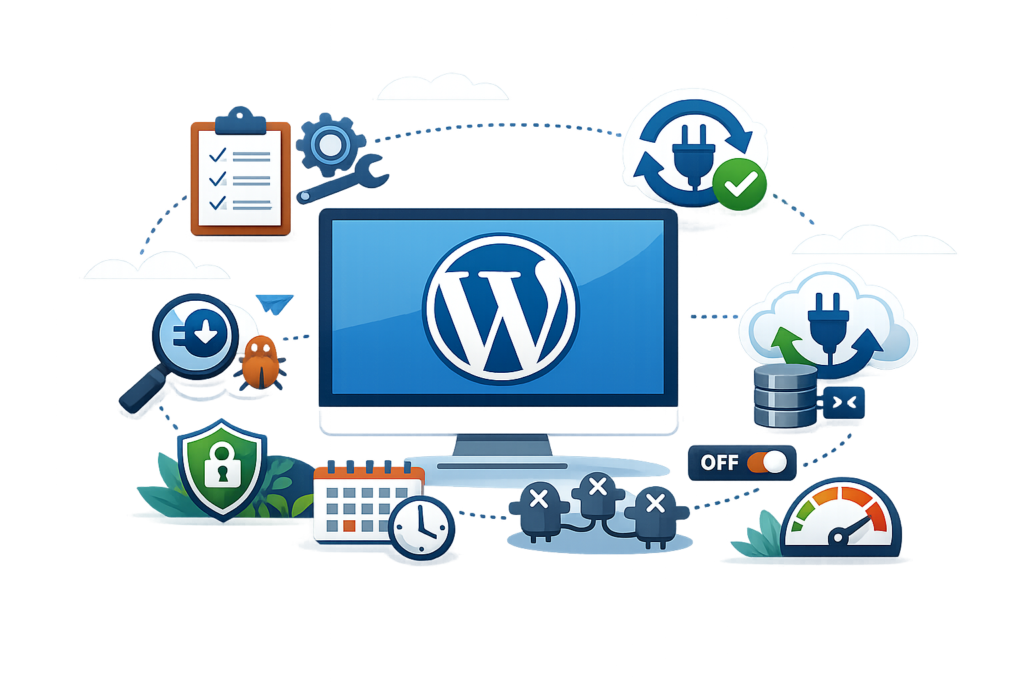
Effective plugin management begins with installing only plugins that provide genuine value to your website. Before adding a new plugin, evaluate whether it solves a specific problem and whether another installed plugin already offers similar functionality. Keeping your plugin collection organized reduces maintenance requirements and improves website performance.
Regularly review installed plugins to identify inactive or outdated extensions that can be safely removed. Schedule routine updates, monitor website performance after each update, and test major changes in a staging environment whenever possible. Maintaining detailed documentation of plugin settings also simplifies future troubleshooting and migrations.
Security should remain a top priority throughout the plugin lifecycle. Use reputable plugins, implement regular malware scans, create automated backups, and monitor website activity for unusual behavior. Following these best practices helps maintain a secure, reliable, and scalable WordPress website that supports long-term business growth.
Frequently Asked Questions
1. How many WordPress plugins should I install?
There is no fixed limit. The focus should be on quality rather than quantity. Install only plugins that serve a clear purpose and are actively maintained.
2. Can too many plugins slow down my website?
Yes. Poorly coded or unnecessary plugins can increase server load and affect page speed. Choose lightweight, optimized plugins whenever possible.
3. Are premium plugins better than free plugins?
Not always. Many free plugins are excellent, but premium plugins often include advanced features, dedicated support, and more frequent updates.
4. How often should I update my plugins?
Check for updates regularly and install them after creating a backup. Prompt updates improve security, compatibility, and performance.
5. Is it safe to deactivate unused plugins?
Yes, but if you no longer need a plugin, uninstall it completely rather than leaving it inactive.
6. Can plugins improve SEO?
Yes. SEO plugins help manage metadata, XML sitemaps, schema markup, and other technical optimization features that support better search visibility.
7. Should I test plugins before installing them?
Yes. Testing plugins in a staging environment helps identify compatibility issues before they affect your live website.
8. What should I do if a plugin causes an error?
Deactivate the plugin, restore a recent backup if necessary, review error logs, and contact the plugin developer for assistance.
Conclusion
WordPress plugins are essential tools that extend the functionality of your website while supporting better security, SEO, performance, and user experience. Choosing reliable plugins, maintaining them regularly, and following industry best practices helps create a stable website that can adapt as your business grows. Instead of focusing on the number of plugins installed, prioritize quality, compatibility, and long-term maintainability.
At WP Maintenance Service, we help businesses manage WordPress plugins, improve website performance, strengthen security, and maintain reliable website operations. By implementing the strategies discussed in this guide, you can build a faster, safer, and more scalable WordPress website that delivers lasting value to both users and search engines.
Want to Implement This Easily?
Prompt:
You are an expert consultant. Based on the blog post titled “WordPress Plugins”, provide a step-by-step, practical implementation guide. Include tools, best practices, common mistakes to avoid, and advanced tips. Assume the reader wants to implement everything discussed in this article effectively.
Call to Action:
Want our help implementing this? Just reach out to us via our website contact form: