
WordPress Maintenance is essential for keeping your website secure, fast, reliable, and fully optimized. Learn the complete maintenance process, proven best practices, security strategies, performance optimization techniques, backup planning, and expert tips to keep your WordPress website performing at its best.
Introduction
A successful website requires more than attractive design and engaging content. It also needs continuous attention to ensure every component functions correctly, remains protected against emerging cyber threats, and delivers an exceptional experience for visitors. WordPress maintenance is the ongoing process of monitoring, updating, optimizing, and securing a website so it continues to perform efficiently over time. Whether you manage a business website, an online store, a membership platform, or a corporate portal, regular maintenance reduces downtime, prevents costly issues, and protects your digital investment.
At WP Maintenance Service, we understand that website reliability directly impacts customer trust, search visibility, and business growth. A well-maintained WordPress website loads faster, ranks better in search engines, offers improved security, and provides a smoother experience for every visitor. Maintenance is no longer optional—it has become an essential part of modern website management.
This comprehensive guide explains every important aspect of WordPress maintenance, from updates and backups to performance optimization, security monitoring, database management, and long-term maintenance planning. By following these proven best practices and industry recommendations, website owners can minimize risks while maximizing website performance and longevity.
What Is WordPress Maintenance and Why Does It Matter?
WordPress maintenance is the ongoing process of keeping a WordPress website healthy, secure, updated, and optimized. Unlike a traditional static website that may remain unchanged for long periods, WordPress is a dynamic content management system that constantly evolves. New versions of WordPress core, plugins, themes, PHP, and server technologies are released regularly. Every update introduces improvements, performance enhancements, bug fixes, and security patches that help websites remain compatible with modern web standards. Without proper maintenance, even a professionally designed website can gradually become slower, less secure, and more vulnerable to technical issues.
A complete maintenance strategy involves much more than clicking the update button. It includes regularly reviewing website health, monitoring uptime, creating secure backups, scanning for malware, optimizing databases, checking broken links, improving loading speed, testing forms, verifying user permissions, and ensuring compatibility between plugins and themes. These routine tasks reduce the likelihood of unexpected website failures while providing visitors with a consistent browsing experience. Preventive maintenance is significantly more cost-effective than repairing a compromised or broken website after problems occur.
WordPress maintenance also supports long-term business success. Search engines increasingly reward websites that demonstrate strong performance, security, usability, and reliability. A fast-loading website encourages visitors to stay longer, improves conversion rates, and strengthens customer confidence. Regular maintenance protects valuable business data, minimizes downtime, reduces emergency repair costs, and allows organizations to focus on growth rather than technical problems. Instead of treating maintenance as an occasional task, successful website owners view it as an ongoing investment in website stability, security, and future scalability.
Understanding the Core Components of WordPress Maintenance
Effective WordPress maintenance combines several interconnected responsibilities that work together to keep a website operating efficiently. The first major component is software updates. WordPress core updates provide security improvements, feature enhancements, and compatibility fixes that strengthen the platform against evolving threats. Theme and plugin developers also release updates to resolve bugs, improve functionality, and maintain compatibility with newer WordPress versions. Ignoring these updates creates security vulnerabilities and increases the risk of website instability.
Another essential component is website security. Modern cyber threats constantly evolve, making proactive protection critical. Security maintenance includes malware scanning, firewall implementation, login protection, password management, file integrity monitoring, spam prevention, and vulnerability detection. Security is not achieved through a single plugin but through multiple protective layers working together. Regular monitoring helps identify suspicious activity before it develops into a larger security incident.
Performance optimization completes the maintenance process by ensuring websites remain fast and responsive. Database optimization removes unnecessary data that accumulates over time, while image optimization reduces page size without sacrificing quality. Caching technologies improve page delivery, and code optimization eliminates unnecessary scripts that slow loading times. Combined with uptime monitoring, backup verification, SEO health checks, accessibility improvements, and routine functionality testing, these maintenance activities ensure WordPress continues delivering reliable performance for both users and search engines.
Keeping WordPress Core Updated Safely
The WordPress core forms the foundation of every WordPress website. Developers continuously improve the platform by fixing bugs, enhancing security, introducing new features, and maintaining compatibility with evolving web technologies. Installing these updates promptly helps protect websites from vulnerabilities that attackers actively target. However, updates should always follow a structured process rather than being installed without preparation. Proper planning significantly reduces the risk of compatibility issues and unexpected downtime.
Before updating WordPress, administrators should create a complete website backup that includes both files and the database. A staging environment provides an ideal location for testing updates before deploying them to a live website. Testing confirms that plugins, themes, custom functionality, payment gateways, forms, and integrations continue operating correctly after the update. If conflicts arise, they can be resolved safely without affecting visitors. Maintaining detailed update records also simplifies troubleshooting when unexpected behavior occurs.
Following official recommendations from Google Search Essentials helps maintain technically healthy websites that deliver positive user experiences, while the WordPress Documentation provides guidance on safely managing updates and compatibility. These resources encourage website owners to prioritize stability, security, and long-term reliability rather than delaying essential maintenance. A disciplined update strategy minimizes operational risks while ensuring WordPress remains secure, modern, and fully supported.
Why Plugin and Theme Updates Are Critical
Plugins extend WordPress functionality, allowing websites to add contact forms, SEO tools, eCommerce features, membership systems, analytics, and numerous other capabilities. Themes determine the visual appearance and layout of a website. Because plugins and themes are developed independently by different authors, they receive frequent updates to address security vulnerabilities, compatibility improvements, feature enhancements, and bug fixes. Failing to install these updates creates one of the most common causes of compromised WordPress websites.
Not every update should be applied immediately without evaluation. Website owners should first review update notes, identify significant changes, and test updates within a staging environment whenever possible. This practice is especially important for complex websites using WooCommerce, multilingual plugins, custom integrations, or heavily customized themes. Sequential updates reduce the risk of conflicts compared to updating dozens of plugins simultaneously. After updates are complete, administrators should verify forms, navigation menus, payment systems, search functionality, and interactive elements to confirm everything continues functioning correctly.
Choosing high-quality plugins also plays a significant role in long-term maintenance success. Reliable plugins receive regular updates, maintain active developer support, follow WordPress coding standards, and demonstrate consistent compatibility with current WordPress versions. Removing unused plugins and inactive themes reduces unnecessary security risks while improving overall website efficiency. A carefully managed plugin ecosystem contributes to greater stability, stronger security, and improved long-term maintainability.
Building a Reliable Backup and Disaster Recovery Strategy

Website backups represent one of the most valuable components of any WordPress maintenance plan. Even with excellent security practices, unexpected events such as hosting failures, accidental deletions, software conflicts, hacking attempts, or human error can result in data loss. A verified backup enables website owners to restore operations quickly while minimizing disruption. Backups should never be viewed as optional; they serve as essential insurance for every WordPress website regardless of size.
An effective backup strategy includes multiple backup types and storage locations. Full backups capture the complete website, while incremental backups store only recent changes, reducing storage requirements and improving efficiency. Backups should be stored separately from the hosting server using secure remote storage to prevent simultaneous loss during server failures. Equally important is testing backup restoration procedures periodically. A backup that cannot be restored provides little practical value during an emergency.
Recovery planning extends beyond simply restoring website files. Organizations should establish documented recovery procedures, define recovery objectives, assign responsibilities, and maintain communication plans for responding to technical incidents. Businesses that prepare comprehensive disaster recovery strategies recover significantly faster from unexpected disruptions than those relying solely on ad hoc responses. Regular backup verification, scheduled testing, and documented recovery processes strengthen overall business resilience while reducing operational risk.
Strengthening WordPress Security Through Preventive Maintenance
Website security requires continuous attention because cyber threats evolve every day. Attackers frequently scan the internet searching for outdated WordPress installations, vulnerable plugins, weak passwords, and misconfigured servers. Preventive maintenance significantly reduces these risks by identifying potential weaknesses before attackers exploit them. Rather than reacting to security incidents after they occur, proactive maintenance creates multiple layers of protection that work together to defend the website.
Strong password policies, multi-factor authentication, limited login attempts, secure user permissions, malware scanning, web application firewalls, SSL encryption, and regular vulnerability assessments all contribute to a stronger security posture. File monitoring systems can detect unauthorized modifications, while activity logs help administrators investigate suspicious behavior quickly. Removing unused administrator accounts, disabling unnecessary features, and restricting file editing within the WordPress dashboard further reduce potential attack surfaces.
Security maintenance also includes regular reviews of hosting environments, PHP versions, database permissions, server configurations, and access controls. Continuous monitoring helps identify unusual traffic patterns, failed login attempts, or suspicious file changes before they become serious incidents. Combined with timely software updates and reliable backups, preventive security maintenance provides comprehensive protection that safeguards website data, preserves customer trust, and supports long-term website stability.
Optimizing Website Performance for Faster Loading Speeds
Website speed directly influences user satisfaction, search visibility, and business performance. Visitors expect websites to load quickly across desktop and mobile devices, and delays often lead to higher bounce rates and lower conversions. Performance optimization is therefore a fundamental component of WordPress maintenance rather than a one-time project. Continuous optimization ensures websites remain responsive as content grows and technology evolves.
Several factors contribute to website performance, including hosting quality, image optimization, database efficiency, caching configuration, code optimization, content delivery networks, and server response times. Large uncompressed images, excessive plugins, outdated PHP versions, inefficient database queries, and render-blocking scripts commonly reduce performance. Routine maintenance identifies these issues early and provides opportunities to improve loading times before they affect user experience.
Regular performance testing allows administrators to monitor loading speed trends and identify optimization opportunities. Reviewing Core Web Vitals, minimizing unnecessary scripts, enabling browser caching, compressing images, optimizing CSS and JavaScript delivery, and cleaning the WordPress database all contribute to measurable improvements. A faster website not only enhances visitor satisfaction but also supports stronger search performance, greater engagement, and improved long-term business outcomes.
Optimizing the WordPress Database for Better Performance
Over time, every WordPress database accumulates unnecessary data such as post revisions, spam comments, expired transients, orphaned metadata, and temporary records. Although these items may seem harmless individually, together they can increase database size, slow queries, and reduce website performance. Regular database optimization removes unnecessary data, improves efficiency, and helps WordPress retrieve information more quickly.
Database maintenance should be performed carefully and always after creating a verified backup. Website owners should review large database tables, remove obsolete content, optimize indexes, and monitor database growth. Scheduling routine optimization helps maintain consistent performance while reducing server resource usage.
A well-maintained database supports faster page loading, smoother administration, improved search functionality, and better overall user experience. Combined with regular backups and monitoring, database optimization becomes an essential part of a comprehensive WordPress maintenance strategy.
Monitoring Website Uptime and Availability
Website availability directly affects customer trust, search visibility, and revenue. Even short periods of downtime can prevent visitors from accessing products, submitting enquiries, or completing purchases. Continuous uptime monitoring allows website owners to detect outages quickly and respond before they negatively impact users.
Modern monitoring solutions check websites at regular intervals and immediately notify administrators if problems occur. Monitoring should include website availability, SSL certificates, server response times, DNS status, and critical functionality such as contact forms and checkout pages.
Routine uptime monitoring also helps identify recurring hosting issues, traffic spikes, and infrastructure bottlenecks. Addressing these issues proactively contributes to a more reliable website and a consistently positive visitor experience.
Finding and Fixing Broken Links
Broken links create a frustrating user experience and may reduce website credibility. They often occur after deleting pages, changing URLs, restructuring content, or removing media files. Visitors encountering broken links may leave the website, while search engines may struggle to crawl important content efficiently.
Regular link audits help identify internal and external links that no longer function correctly. Website owners should repair outdated URLs, implement redirects where appropriate, and update navigation menus to ensure visitors always reach the intended destination.
Maintaining healthy internal linking also strengthens website architecture, improves content discovery, and supports search engine crawling. Regular link management keeps websites organized, user-friendly, and technically healthy.
Performing Regular Security Audits
Routine security audits help identify vulnerabilities before attackers can exploit them. A comprehensive audit reviews WordPress core, plugins, themes, user accounts, server settings, permissions, backups, firewall configuration, SSL certificates, and login activity.
Administrators should also examine activity logs, monitor unusual behavior, verify file integrity, and remove outdated software that may introduce unnecessary security risks. Reviewing administrator privileges and enforcing strong authentication further improves website protection.
Security audits should be scheduled regularly rather than only after incidents occur. Preventive reviews significantly reduce the likelihood of successful attacks while supporting long-term website stability and customer confidence.
Creating a WordPress Maintenance Schedule
Consistent maintenance is more effective than occasional large updates. A structured maintenance schedule ensures important tasks are completed on time while reducing the risk of overlooked issues.
Daily activities may include uptime monitoring, security scanning, and backup verification. Weekly maintenance can involve plugin updates, spam removal, broken link checks, and performance reviews. Monthly maintenance often includes database optimization, user account reviews, SEO audits, analytics evaluation, and testing disaster recovery procedures.
Documenting maintenance activities provides accountability, simplifies troubleshooting, and helps organizations maintain a reliable and secure website over the long term.
Common WordPress Maintenance Mistakes
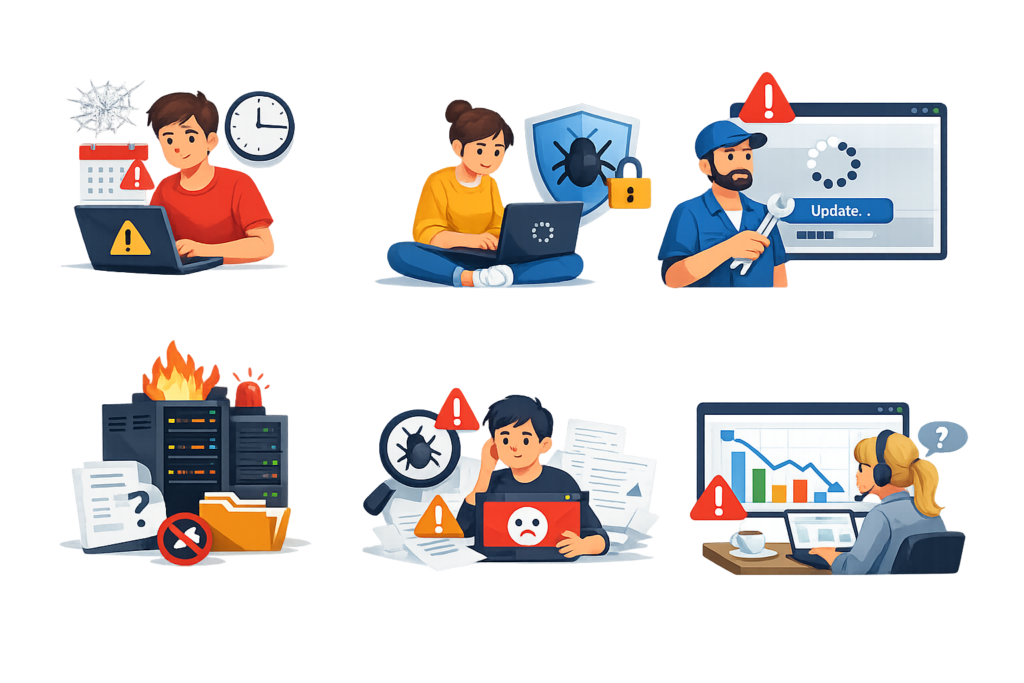
Many website owners unintentionally create problems by neglecting routine maintenance. One of the most common mistakes is ignoring WordPress core, plugin, and theme updates, leaving websites vulnerable to known security threats. Another frequent error is relying on backups without ever testing whether they can be restored successfully.
Installing too many plugins is another common issue. Excessive or poorly coded plugins may reduce performance, create compatibility conflicts, and increase security risks. Website owners should periodically review installed plugins and remove those that are inactive or unnecessary.
Other mistakes include using weak passwords, ignoring uptime alerts, failing to monitor website performance, neglecting database optimization, and skipping regular security audits. Preventing these mistakes helps maintain a stable, secure, and high-performing website.
Best Practices Summary
Effective WordPress maintenance is built on consistency, planning, and proactive monitoring. Keep WordPress core, plugins, themes, and PHP updated after testing changes in a staging environment whenever possible. Schedule automatic backups, verify restore procedures regularly, and store backup copies securely outside the hosting server.
Strengthen website security with strong passwords, multi-factor authentication, malware scanning, firewalls, and regular vulnerability assessments. Optimize databases, compress images, enable caching, monitor Core Web Vitals, and remove unnecessary plugins to improve website performance.
Finally, establish a documented maintenance schedule, monitor uptime continuously, review analytics regularly, and perform routine security audits. Following these best practices helps ensure long-term website reliability, better user experience, stronger search visibility, and sustainable business growth.
Frequently Asked Questions
1. How often should WordPress maintenance be performed?
Basic maintenance tasks such as backups, uptime monitoring, and security scans should occur daily. Updates, performance reviews, and plugin management should generally be performed weekly, while comprehensive audits are recommended monthly.
2. Why are backups important?
Backups protect websites against accidental deletion, software conflicts, server failures, malware infections, and cyberattacks. Verified backups enable fast recovery with minimal downtime.
3. Can I automate WordPress maintenance?
Many maintenance tasks can be automated, including backups, uptime monitoring, malware scanning, and update notifications. However, manual reviews remain essential for compatibility testing and quality assurance.
4. Does maintenance improve SEO?
Yes. Faster loading speeds, improved security, reliable uptime, healthy internal links, and positive user experience all contribute to better search engine performance.
5. What happens if maintenance is ignored?
Neglected websites become more vulnerable to hacking, performance issues, compatibility conflicts, downtime, broken functionality, and poor search rankings.
6. Should updates be installed immediately?
Updates should be tested first whenever possible, particularly on business-critical websites. Creating backups before updates provides additional protection.
7. Is WordPress maintenance necessary for small websites?
Yes. Every website benefits from updates, backups, security monitoring, and performance optimization regardless of its size.
8. What is the most important maintenance task?
There is no single most important task. Security, backups, updates, performance optimization, monitoring, and routine audits work together as part of a complete maintenance strategy.
Conclusion
A successful WordPress website requires ongoing attention rather than occasional fixes. Regular maintenance keeps websites secure, fast, reliable, and compatible with evolving technologies while reducing unexpected downtime and protecting valuable business data. By following structured maintenance routines, website owners can improve user experience, strengthen search visibility, and extend the lifespan of their websites.
At WP Maintenance Service, we believe proactive maintenance is one of the smartest investments any website owner can make. Whether you manage a personal blog, business website, or large eCommerce platform, consistent maintenance ensures your WordPress website remains secure, optimized, and prepared for future growth.
Want to Implement This Easily?
Prompt
You are an expert consultant. Based on the blog post titled “WordPress Maintenance”, provide a step-by-step, practical implementation guide. Include tools, best practices, common mistakes to avoid, and advanced tips. Assume the reader wants to implement everything discussed in this article effectively.
Call to Action
Want our help implementing this? Just reach out to us via our website contact form: https://www.wpmaintenanceservice.com/contact-us/