
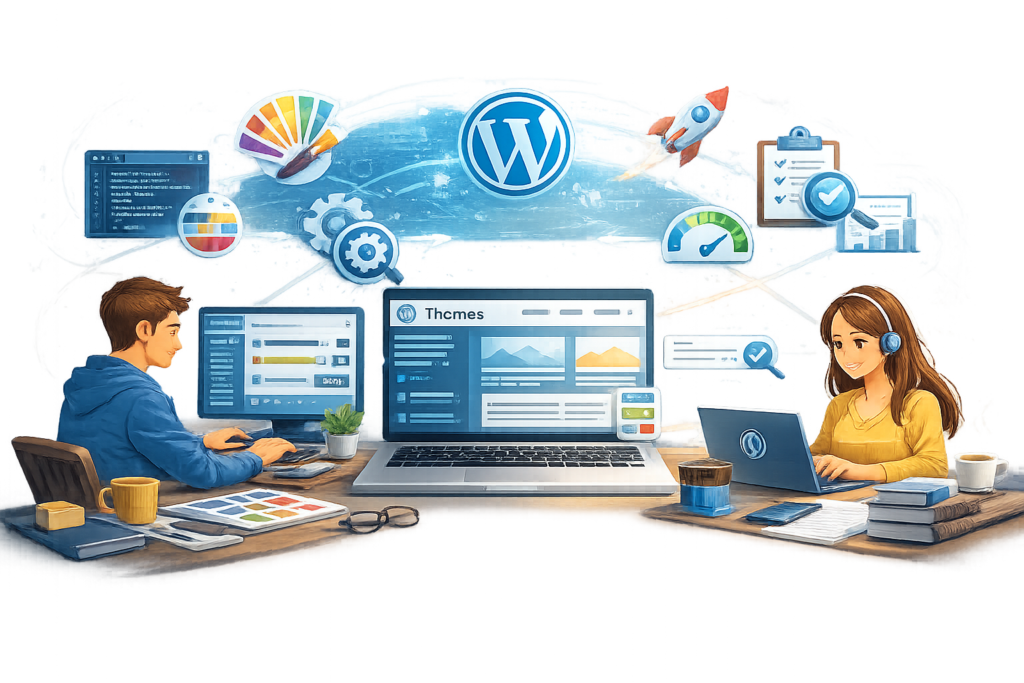
Discover how to choose, customize, optimize, secure, and maintain WordPress themes for faster performance, better user experience, stronger SEO, and long-term website success. Learn best practices, avoid common mistakes, and build a professional website with confidence.
Introduction
A WordPress theme is far more than a visual template. It forms the foundation of your website’s appearance, usability, performance, accessibility, and overall user experience. Whether you manage a personal blog, business website, eCommerce store, membership platform, or corporate portal, selecting the right theme can significantly influence your site’s success. A well-designed theme improves navigation, enhances visitor engagement, supports search engine optimization, and ensures compatibility with modern web technologies. On the other hand, choosing the wrong theme can result in slow loading speeds, security vulnerabilities, poor mobile responsiveness, and ongoing maintenance challenges.
As WordPress continues to evolve, themes have become increasingly sophisticated. Modern themes support block editing, responsive layouts, accessibility standards, customizable templates, advanced typography, flexible color systems, and seamless integration with plugins. However, not every theme is built with the same level of quality. Some prioritize visual effects over performance, while others neglect coding standards or long-term maintenance. Understanding how themes work enables website owners to make informed decisions that balance design, functionality, speed, and scalability.
At WP Maintenance Service, we understand that choosing the right WordPress theme is not simply about appearance—it is about creating a secure, reliable, scalable, and high-performing website that supports your long-term business goals. This comprehensive guide explores every important aspect of WordPress themes, helping you understand how to evaluate, customize, optimize, maintain, and future-proof your website while following modern development and SEO best practices.
Understanding WordPress Themes and Their Role in Website Development
A WordPress theme determines how content is presented to visitors while controlling the layout, typography, colors, navigation, templates, widget areas, headers, footers, and numerous visual elements across a website. Although WordPress itself manages content, users, plugins, and publishing functionality, the theme acts as the presentation layer that transforms raw content into an engaging digital experience. This separation between functionality and design is one of WordPress’s greatest strengths because it allows website owners to redesign their sites without rebuilding the underlying content.
Modern WordPress themes are significantly more advanced than earlier generations. Today’s themes often include support for the Block Editor, Full Site Editing, customizable template parts, global style settings, responsive design frameworks, dark mode compatibility, accessibility improvements, and flexible design systems. Many premium themes also provide starter templates, pre-designed page layouts, typography controls, WooCommerce integration, and compatibility with popular page builders. While these features increase flexibility, they also make it important to evaluate whether a theme includes only the functionality your website genuinely requires. Excessive features can introduce unnecessary code, slow page performance, and complicate future maintenance.
A quality WordPress theme should balance aesthetics with performance, maintainability, and long-term reliability. Developers should follow official coding recommendations outlined in <u>WordPress Coding Standards</u>, implement secure development practices, and design with responsiveness and accessibility in mind. Themes should also remain compatible with future WordPress updates, reducing the likelihood of conflicts or unexpected errors. When selecting a theme, website owners should look beyond attractive screenshots and focus on code quality, update frequency, documentation, compatibility, and overall user experience, ensuring the design remains sustainable as the website grows.
How to Choose the Right WordPress Theme for Your Website
Selecting the right WordPress theme begins with understanding the objectives of your website rather than simply choosing the most visually impressive design. Every website serves a unique purpose, whether generating leads, selling products, publishing educational resources, showcasing a portfolio, or building an online community. The theme should reinforce those goals by supporting intuitive navigation, clear calls to action, responsive layouts, and excellent readability. Choosing a theme solely because it looks attractive can create long-term challenges if it lacks scalability, accessibility, or performance optimization.
Performance should always be one of the primary evaluation criteria. Lightweight themes generally load faster because they contain cleaner code, fewer unnecessary scripts, and optimized assets. Faster websites improve visitor satisfaction, reduce bounce rates, and contribute positively to search visibility. Likewise, mobile responsiveness is essential because visitors increasingly browse websites using smartphones and tablets. A responsive theme automatically adjusts layouts, typography, images, and navigation across different screen sizes, ensuring users enjoy a consistent experience regardless of device. Compatibility with major plugins, modern browsers, and current WordPress versions further enhances long-term stability and reduces maintenance risks.
Security, documentation, update history, and developer reputation should never be overlooked during theme selection. Themes maintained by experienced developers typically receive regular security patches, compatibility updates, and feature improvements. Comprehensive documentation simplifies installation, customization, troubleshooting, and ongoing maintenance, especially for users without advanced technical knowledge. Reading verified user reviews, examining changelogs, and evaluating support responsiveness provide additional insight into a theme’s reliability. Investing time in careful evaluation before installation helps prevent expensive redesigns, compatibility conflicts, and performance issues later in the website’s lifecycle.
Free vs Premium WordPress Themes: Understanding the Differences
One of the first decisions website owners encounter is whether to use a free WordPress theme or invest in a premium alternative. Free themes provide an excellent starting point for personal blogs, hobby websites, educational projects, and smaller businesses with limited budgets. Many free themes available through the official WordPress Theme Directory undergo review processes designed to promote coding quality, security, and compatibility. These themes often include essential customization options, responsive layouts, and ongoing maintenance from active developers. For many websites, a carefully selected free theme may provide everything necessary to establish a professional online presence.
Premium themes typically expand upon these core capabilities by offering additional customization controls, advanced layout builders, pre-designed templates, WooCommerce enhancements, premium support, frequent updates, and more comprehensive documentation. Businesses managing larger websites often appreciate the flexibility, dedicated customer support, and time-saving features included with premium themes. However, higher cost does not automatically guarantee better quality. Some premium themes attempt to include every imaginable feature, resulting in unnecessary complexity, slower performance, and increased maintenance requirements. Evaluating actual business needs remains more important than purchasing the most expensive solution available.
The best choice depends on your website’s goals, technical requirements, available budget, and long-term growth plans. Small informational websites may operate efficiently using lightweight free themes, while businesses requiring advanced customization, eCommerce functionality, multilingual capabilities, or enterprise-level scalability may benefit from premium options. Regardless of price, every theme should demonstrate clean coding practices, responsive design, accessibility, security, regular updates, and compatibility with modern WordPress releases. Careful comparison based on functionality, support quality, developer reputation, and future maintenance ensures your investment contributes positively to website performance rather than creating technical debt.
Essential Features Every High-Quality WordPress Theme Should Include
The best WordPress themes combine attractive design with technical excellence, ensuring visitors enjoy fast, accessible, secure, and intuitive browsing experiences. Responsive design remains one of the most fundamental requirements because websites must perform consistently across desktops, laptops, tablets, and smartphones. Modern themes should automatically adapt layouts, menus, images, and typography to varying screen sizes without sacrificing usability. Accessibility is equally important, enabling users with disabilities to navigate websites using assistive technologies while supporting inclusive digital experiences that benefit all visitors.
Performance optimization represents another essential characteristic of quality themes. Efficient CSS, optimized JavaScript, lazy loading support, semantic HTML, and minimal reliance on external resources contribute to faster loading speeds and improved user satisfaction. Themes should also provide compatibility with caching solutions, image optimization tools, SEO plugins, security plugins, multilingual plugins, and eCommerce platforms without requiring extensive modifications. Flexible customization options allow users to personalize colors, fonts, layouts, spacing, headers, and footers while preserving clean code architecture and maintainability. This balance between flexibility and simplicity enables websites to evolve without becoming unnecessarily complicated.
Long-term sustainability depends on ongoing development, reliable documentation, and adherence to established coding practices. Themes should receive regular updates that address compatibility with new WordPress releases, security improvements, bug fixes, and evolving web standards. Comprehensive documentation reduces implementation time and simplifies troubleshooting for both beginners and experienced developers. Choosing themes built around recognized development principles rather than temporary design trends helps create websites capable of adapting to future technologies, maintaining strong performance, and delivering consistent experiences for visitors over many years.
Responsive Design and Mobile-First WordPress Themes
Responsive design is no longer an optional feature for modern websites—it is a fundamental requirement. Visitors access websites using smartphones, tablets, laptops, desktop computers, smart TVs, and many other internet-connected devices. A WordPress theme that cannot adapt seamlessly to different screen sizes creates a frustrating user experience, increases bounce rates, and reduces visitor engagement. Modern responsive themes automatically adjust layouts, navigation menus, typography, images, buttons, and spacing to provide an optimal viewing experience regardless of device. This flexibility ensures visitors can easily consume content, complete purchases, submit forms, and interact with your website without unnecessary obstacles.
The mobile-first approach takes responsive design one step further by prioritizing the mobile experience during development rather than treating it as an afterthought. Since a significant percentage of web traffic originates from mobile devices, designing for smaller screens first encourages cleaner layouts, simpler navigation, faster loading speeds, and improved usability. Mobile-first themes generally avoid unnecessary visual clutter while emphasizing content hierarchy, readable typography, touch-friendly controls, and efficient resource loading. This approach benefits users across every device because improvements made for mobile often enhance desktop experiences as well.
When evaluating a WordPress theme, responsiveness should be tested rather than assumed. Resize browser windows, use developer tools, and review the theme across multiple devices to confirm menus remain functional, images scale correctly, forms are usable, and page layouts remain visually balanced. Accessibility should also be considered alongside responsiveness, ensuring text remains readable, buttons are appropriately sized, and navigation works with keyboard controls and assistive technologies. Themes that combine responsive design, accessibility, and mobile-first development create stronger user experiences while supporting long-term website growth and performance.
Optimizing Theme Performance for Faster Website Speed
Website speed directly influences user satisfaction, search visibility, conversions, and overall business performance. Even visually stunning websites can struggle if visitors experience slow loading pages or delayed interactions. A well-developed WordPress theme contributes significantly to performance by minimizing unnecessary code, reducing external dependencies, optimizing asset delivery, and loading only essential resources. Lightweight themes generally outperform feature-heavy alternatives because they prioritize efficiency instead of excessive visual effects or bundled functionality that many websites never use.
Efficient themes use clean HTML, optimized CSS, and well-structured JavaScript while avoiding redundant scripts that increase page weight. Modern performance-focused themes often support lazy loading for images, responsive image sizing, optimized font loading, and compatibility with caching plugins and content delivery networks. Minimizing HTTP requests, reducing render-blocking resources, and limiting unnecessary animations all contribute to faster loading times. Themes should also work well with image optimization techniques, ensuring large media files do not negatively impact website responsiveness or user experience.
Performance optimization extends beyond the initial theme installation. Regular audits should evaluate page loading speed, script efficiency, database performance, and overall website health. Testing tools such as PageSpeed Insights, Lighthouse, and Core Web Vitals provide valuable insights into loading performance, visual stability, and user interaction metrics. Rather than selecting themes solely because they include numerous built-in features, website owners should prioritize efficient architecture, clean coding practices, and compatibility with performance optimization strategies that support sustainable growth over time.
WordPress Theme Security Best Practices
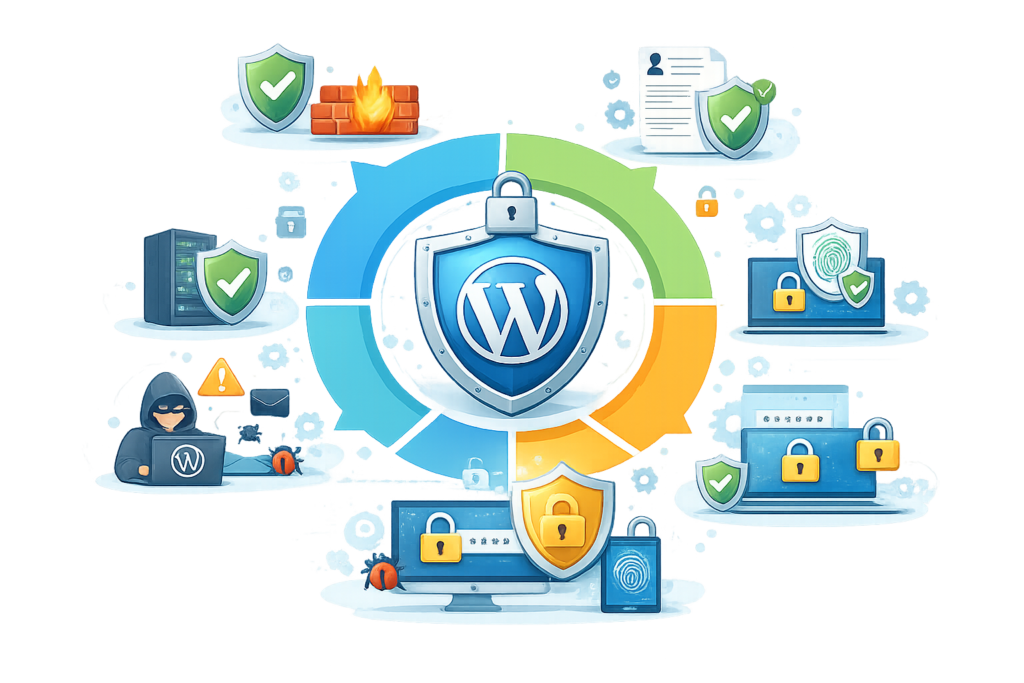
Website security begins with a strong foundation, and the WordPress theme plays an important role in maintaining that foundation. Poorly coded themes may introduce vulnerabilities that expose websites to malware infections, unauthorized access, cross-site scripting attacks, SQL injection risks, or privilege escalation. Even attractive themes can become security liabilities if they are abandoned by developers or fail to receive regular updates. Selecting themes from trusted developers with established maintenance histories significantly reduces these risks while improving long-term website stability.
Regular updates remain one of the most effective security practices for WordPress themes. Developers continuously release updates that address newly discovered vulnerabilities, compatibility improvements, performance enhancements, and bug fixes. Ignoring these updates leaves websites exposed to known security issues that attackers may actively exploit. Website owners should also remove inactive themes that are no longer needed because unused software still increases the overall attack surface. Maintaining only the active production theme and a trusted default WordPress theme simplifies maintenance while reducing unnecessary security exposure.
Security should always be viewed as part of a broader website maintenance strategy rather than an isolated task. Themes should work seamlessly with reputable security plugins, secure hosting environments, regular backups, malware scanning, firewall protection, and strong authentication policies. Administrators should avoid downloading nulled or pirated premium themes because these frequently contain malicious code, hidden backdoors, or unauthorized modifications. Following official guidance from WordPress Security and implementing proactive monitoring helps maintain a secure, reliable website capable of protecting both business data and visitor information.
Customizing WordPress Themes Without Breaking Your Website
Customization allows businesses to create distinctive websites while maintaining consistency with their brand identity. Modern WordPress themes provide extensive customization options through the Site Editor, Customizer, block patterns, typography controls, color palettes, template editing, and widget management. These built-in tools enable users to personalize layouts and visual elements without modifying core theme files. Using native customization features whenever possible simplifies future updates because changes remain separate from the underlying theme code.
For more advanced modifications, child themes provide the safest approach. A child theme inherits functionality from the parent theme while allowing developers to override templates, styles, and functions without altering the original files. This approach ensures updates to the parent theme do not overwrite customizations, reducing maintenance complexity and preserving website stability. Developers can safely introduce custom CSS, PHP templates, JavaScript enhancements, and additional functionality while retaining compatibility with future updates. Proper documentation of custom modifications also simplifies troubleshooting and collaboration among development teams.
Before implementing significant design changes, website owners should create complete backups and perform testing within staging environments rather than directly on live websites. A staging site enables developers to evaluate compatibility, performance, usability, and security before deploying updates to production. Version control systems, structured testing procedures, and careful change management further reduce implementation risks. Customizations should always prioritize usability, accessibility, and maintainability over unnecessary visual complexity, ensuring the website remains fast, secure, and easy to update as business requirements continue evolving.
Optimizing WordPress Themes for Search Engine Visibility
A visually appealing website is valuable only if potential visitors can discover it through search engines. Although WordPress plugins provide advanced SEO functionality, the theme itself establishes the technical foundation that influences crawling, indexing, usability, and overall search performance. A well-developed theme uses clean HTML structure, semantic markup, logical heading hierarchy, optimized navigation, and responsive layouts that make it easier for search engines to understand website content. These technical characteristics also improve user experience, which indirectly contributes to stronger search visibility over time.
Modern WordPress themes should prioritize lightweight code, structured layouts, and compatibility with popular SEO plugins. Clean code reduces unnecessary page weight while improving loading speed, a factor that contributes to better user engagement. Proper heading structures help both users and search engines understand page organization, while descriptive navigation menus simplify website exploration. Themes should also support schema integration, breadcrumb navigation, XML sitemaps through SEO plugins, optimized image handling, and customizable metadata. Together, these elements create a strong technical framework that supports long-term organic growth without relying on manipulative optimization techniques.
Website owners should regularly evaluate theme performance using official resources such as Google Search Essentials, PageSpeed Insights, and Lighthouse. These tools provide valuable recommendations for improving website quality, accessibility, loading performance, and technical optimization. Rather than chasing search engine algorithms, focus on creating fast, informative, and user-friendly experiences supported by clean theme architecture. Search visibility is ultimately strengthened when websites prioritize helpful content, intuitive navigation, accessibility, and consistent technical excellence.
Maintaining WordPress Themes Through Regular Updates
Installing a quality WordPress theme is only the beginning of maintaining a healthy website. Themes require ongoing updates to remain compatible with new WordPress releases, plugin improvements, evolving browser technologies, and changing web standards. Developers frequently release updates that include bug fixes, security patches, accessibility improvements, performance enhancements, and new features. Ignoring these updates increases the likelihood of compatibility issues, security vulnerabilities, and unexpected functionality problems that may negatively impact both users and administrators.
Before applying any theme update, website owners should create a complete backup of files and databases to ensure rapid recovery if unexpected issues occur. Updates should ideally be tested within a staging environment where compatibility with plugins, custom code, forms, payment gateways, and third-party integrations can be verified before deployment. This controlled testing process reduces operational risks while allowing administrators to identify conflicts before they affect visitors. Maintaining documented update procedures also improves collaboration among developers and simplifies future troubleshooting.
Regular maintenance extends beyond installing updates. Administrators should review changelogs, monitor developer announcements, remove obsolete themes, verify customization compatibility, and periodically audit website functionality after each update cycle. Establishing a structured maintenance schedule ensures themes remain secure, reliable, and compatible with evolving technologies. Proactive maintenance is considerably less expensive and disruptive than recovering from website failures caused by outdated software or neglected security vulnerabilities.
Ensuring Accessibility with Modern WordPress Themes
Accessibility enables websites to serve the widest possible audience, including users with visual, auditory, motor, and cognitive disabilities. An accessible WordPress theme ensures visitors can navigate content using keyboards, screen readers, voice recognition software, and other assistive technologies. Accessibility improvements benefit everyone by enhancing readability, simplifying navigation, and creating more intuitive user experiences across different devices and browsing environments. Rather than viewing accessibility as an optional enhancement, website owners should recognize it as a core component of professional web development.
Quality WordPress themes implement accessibility through semantic HTML, descriptive navigation structures, appropriate heading hierarchies, sufficient color contrast, scalable typography, keyboard-friendly controls, visible focus indicators, and meaningful alternative text support for images. Interactive components should remain usable without requiring a mouse, while forms should provide clear labels and helpful validation messages. Responsive layouts should preserve usability across varying screen sizes without compromising readability or functionality. These practices collectively create websites that are easier for every visitor to understand and navigate.
Website owners should periodically evaluate accessibility using automated testing tools alongside manual reviews conducted by real users whenever possible. Official guidance available through Web Content Accessibility Guidelines (WCAG) provides internationally recognized recommendations for creating inclusive digital experiences. Accessibility improvements also support better usability, increased engagement, and broader audience reach, making them a valuable long-term investment for organizations seeking sustainable website growth.
Integrating WordPress Themes with Essential Plugins
WordPress themes determine presentation, while plugins extend functionality. Maintaining a clear separation between these responsibilities creates websites that remain flexible, maintainable, and easier to update over time. A professionally developed theme should integrate smoothly with widely used plugins for SEO, security, caching, backups, forms, eCommerce, multilingual content, analytics, and performance optimization without requiring extensive custom modifications. Compatibility reduces technical conflicts while ensuring websites can expand functionality as business needs evolve.
Before selecting a theme, administrators should verify compatibility with plugins critical to their website’s objectives. Business websites may prioritize contact forms, CRM integrations, booking systems, analytics platforms, membership functionality, or WooCommerce support. Educational websites may require learning management systems, while multilingual organizations depend on reliable translation plugins. Themes that adhere to WordPress development standards generally provide greater compatibility because they avoid unnecessary modifications to core functionality and follow recognized coding practices.
Regular compatibility testing remains essential whenever themes, plugins, or WordPress core receive updates. Administrators should review website functionality after each maintenance cycle to confirm forms, navigation, shopping carts, payment systems, search features, and interactive components continue operating correctly. Using staging environments for update testing minimizes operational risk while allowing technical teams to identify conflicts before deployment. A balanced combination of a lightweight theme and carefully selected plugins provides greater long-term stability than relying on feature-heavy themes attempting to replace dedicated plugin functionality.
Block Themes and Full Site Editing: The Future of WordPress Design
Block Themes and Full Site Editing (FSE) represent the next generation of WordPress development. Instead of relying on traditional template files and complex customization methods, block themes allow users to edit headers, footers, templates, sidebars, and layouts directly within the Site Editor. This provides greater flexibility while reducing dependence on page builders for many common design tasks.
FSE enables consistent design management through global styles, reusable patterns, and customizable templates. Businesses can maintain brand consistency, simplify content creation, and reduce development time. When selecting a block theme, ensure it receives regular updates, follows WordPress coding standards, supports accessibility, and remains compatible with essential plugins. As WordPress continues to evolve, block themes are expected to become the preferred solution for building scalable, maintainable, and future-ready websites.
Common Mistakes Website Owners Should Avoid
Many website owners unknowingly create long-term technical problems by choosing themes based solely on appearance instead of quality and performance. Installing feature-heavy themes with unnecessary animations, bundled plugins, or excessive scripts often slows websites and complicates maintenance. Another common mistake is downloading nulled or pirated premium themes, which frequently contain malware or hidden vulnerabilities.
Ignoring updates is another major issue. Outdated themes can introduce security risks, compatibility conflicts, and broken functionality after WordPress core updates. Directly editing parent theme files instead of using child themes also causes customizations to disappear during updates, resulting in unnecessary redevelopment work.
Additional mistakes include failing to test themes on mobile devices, neglecting accessibility, installing multiple inactive themes, skipping backups before updates, and ignoring performance optimization. Website owners should regularly review their themes, remove unused resources, monitor compatibility, and maintain a structured update process to ensure long-term reliability.
Future Trends in WordPress Theme Development
WordPress theme development continues evolving toward lightweight architecture, block-based design, improved accessibility, artificial intelligence integration, and enhanced performance optimization. Developers increasingly prioritize modular components that load only when required, reducing unnecessary code and improving user experience.
Future themes will likely include deeper AI-assisted design customization, smarter template generation, improved responsive controls, advanced accessibility features, and stronger integration with modern web technologies. Sustainability, privacy, security, and Core Web Vitals optimization will remain key priorities.
Organizations investing in modern, standards-compliant themes today will be better positioned to adapt as WordPress continues introducing new capabilities. Choosing actively maintained themes with clean code and strong developer support remains one of the best long-term investments for website stability.
Best Practices Summary
- Choose lightweight, professionally maintained themes.
- Prioritize responsive and mobile-first design.
- Follow accessibility standards.
- Keep themes, plugins, and WordPress updated.
- Always test updates in a staging environment.
- Use child themes for custom development.
- Remove inactive or unused themes.
- Optimize images and website performance.
- Perform regular backups before major updates.
- Monitor compatibility after every update.
- Select themes built according to WordPress coding standards.
- Focus on user experience rather than excessive visual effects.
Frequently Asked Questions
1. How do I choose the best WordPress theme?
Choose a theme that matches your business goals, loads quickly, is mobile responsive, receives regular updates, offers reliable documentation, supports accessibility, and integrates with the plugins you need. Avoid selecting themes based solely on visual appearance.
2. Are premium WordPress themes worth purchasing?
Premium themes often include advanced customization options, dedicated support, regular updates, and professional documentation. However, quality varies, so evaluate developer reputation, performance, and maintenance history before purchasing.
3. Can changing my WordPress theme affect SEO?
Yes. A new theme can influence website speed, structured markup, navigation, user experience, mobile responsiveness, and page layouts. Proper planning and testing help minimize SEO disruptions during theme changes.
4. Should I use a child theme?
Yes. Child themes allow safe customization without modifying parent theme files. Updates to the parent theme can be installed without overwriting your custom code.
5. How often should WordPress themes be updated?
Themes should be updated whenever developers release security patches, compatibility improvements, or important bug fixes. Regular maintenance helps keep websites secure and stable.
6. What makes a theme secure?
A secure theme follows WordPress coding standards, receives frequent updates, comes from trusted developers, avoids unnecessary code, and works well alongside reputable security solutions.
7. Why is mobile responsiveness important?
Most visitors browse websites using mobile devices. Responsive themes improve usability, increase engagement, reduce bounce rates, and provide a better experience across all screen sizes.
8. Can a theme improve website performance?
Yes. Lightweight themes with optimized code, efficient asset loading, responsive images, and clean architecture contribute significantly to faster loading speeds and improved user satisfaction.
Conclusion
Choosing the right WordPress theme is one of the most important decisions in building a successful website. A professionally developed theme provides the foundation for excellent design, strong performance, accessibility, security, scalability, and long-term maintainability. Rather than focusing only on visual appeal, website owners should evaluate themes based on coding quality, update frequency, developer reputation, responsiveness, compatibility, and user experience.
At WP Maintenance Service, we believe that a well-maintained WordPress theme is an investment in your website’s future. By following the best practices outlined in this guide, regularly maintaining your website, and selecting high-quality themes, you can build a faster, safer, and more reliable online presence that supports long-term business growth.
Want to Implement This Easily?
Prompt:
You are an expert consultant. Based on the blog post titled “WordPress Themes”, provide a step-by-step, practical implementation guide. Include tools, best practices, common mistakes to avoid, and advanced tips. Assume the reader wants to implement everything discussed in this article effectively.
Call to Action:
Want our help implementing this? Just reach out to us via our website contact form: