
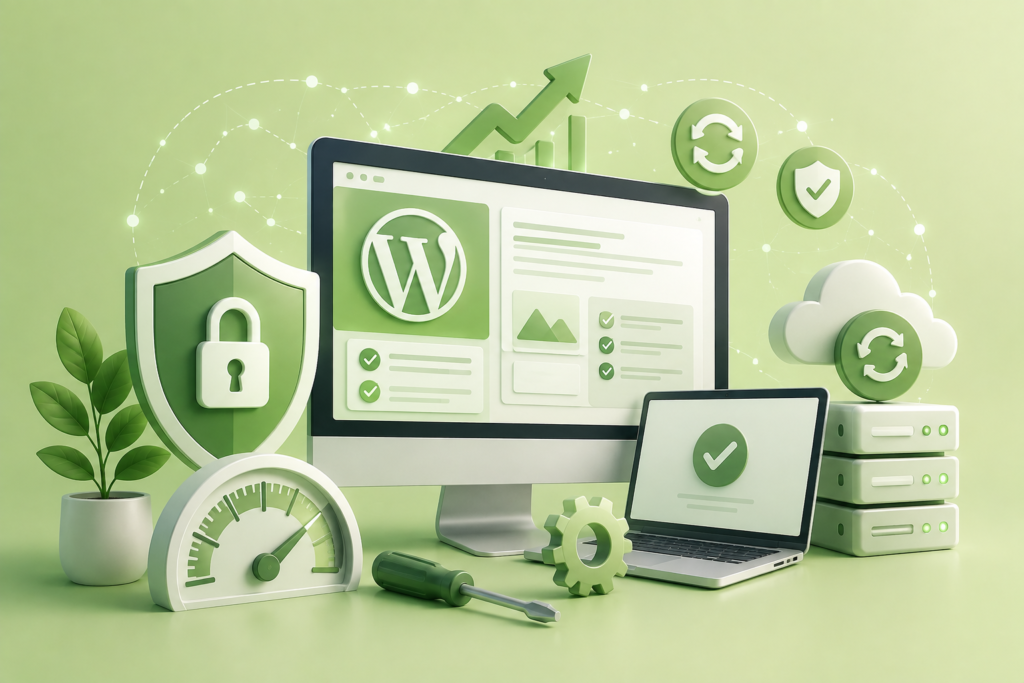
WordPress Maintenance is essential for keeping your website secure, fast, reliable, and fully optimized. Learn proven maintenance strategies, security best practices, performance optimization techniques, backup methods, and long-term website management to improve user experience and search engine visibility.
Introduction
A WordPress website is never truly “finished.” Launching a website is only the beginning of its lifecycle. Every day, new plugin updates are released, WordPress core improvements become available, security vulnerabilities are discovered, and search engine algorithms continue evolving. Without consistent maintenance, even the most professionally designed website can gradually become slower, less secure, and more vulnerable to technical issues that negatively impact visitors and business performance.
At WP Maintenance Service, we understand that maintaining a WordPress website requires far more than simply clicking the update button. Effective maintenance involves continuous monitoring, proactive security management, database optimization, performance improvements, regular backups, compatibility testing, and strategic planning to ensure every component works together efficiently. A well-maintained website delivers a better user experience, builds customer trust, improves search visibility, and supports long-term business growth.
This comprehensive guide explores every essential aspect of WordPress Maintenance, from routine update management and website security to advanced performance optimization and disaster recovery planning. Whether you manage a personal blog, business website, eCommerce store, membership platform, or enterprise solution, implementing these maintenance strategies will help your website remain secure, reliable, and competitive in an increasingly demanding digital landscape.
Understanding WordPress Maintenance
WordPress maintenance is the continuous process of monitoring, updating, optimizing, securing, and improving every component of a WordPress website throughout its entire lifecycle. Many website owners mistakenly believe maintenance simply means updating plugins once a month. In reality, effective maintenance is a structured process that includes software updates, malware prevention, database optimization, website backups, performance monitoring, uptime tracking, broken link management, security hardening, user management, and ongoing testing. These activities work together to ensure a website remains stable, secure, and capable of delivering an excellent experience for visitors.
Modern WordPress websites rely on a complex ecosystem consisting of the WordPress core, themes, plugins, web hosting infrastructure, PHP versions, databases, content delivery networks, SSL certificates, APIs, and third-party integrations. Each of these components evolves independently, making regular maintenance essential for compatibility and stability. Ignoring updates or delaying routine maintenance increases the risk of plugin conflicts, website errors, security breaches, and declining performance. Preventive maintenance helps identify small issues before they become major problems that affect website functionality or business operations.
Beyond technical stability, maintenance directly contributes to search engine visibility and user satisfaction. Search engines prioritize websites that are secure, fast, mobile-friendly, and consistently available. Visitors also expect websites to load quickly and function without errors. Routine maintenance supports these expectations by reducing downtime, improving loading speed, eliminating technical issues, and maintaining a healthy website environment. Rather than reacting to emergencies, organizations that adopt proactive maintenance strategies experience fewer disruptions, lower recovery costs, and greater confidence in their online presence.
Why WordPress Maintenance Matters for Business Growth
A business website often serves as the first point of interaction between an organization and potential customers. Every visitor forms an opinion within seconds based on website speed, appearance, functionality, and trustworthiness. A slow, outdated, or malfunctioning website can damage credibility, reduce engagement, and negatively impact conversion rates. Regular WordPress maintenance ensures that every aspect of the website continues to support business objectives while delivering a reliable experience to users.
Website maintenance also protects valuable business assets such as customer information, transaction data, marketing content, and search engine rankings. Security vulnerabilities left unpatched can expose websites to malware, ransomware, brute-force attacks, or unauthorized access. Routine updates and security monitoring significantly reduce these risks by addressing newly discovered vulnerabilities before attackers can exploit them. Official guidance from WordPress Security and Google Search Central consistently emphasizes maintaining secure and trustworthy websites to support both users and search visibility.
Long-term maintenance contributes to sustainable digital growth by ensuring compatibility with emerging technologies, modern browsers, evolving SEO requirements, and changing user expectations. Businesses investing in consistent maintenance typically experience improved uptime, better website performance, enhanced customer confidence, and reduced emergency repair costs. Instead of treating maintenance as an expense, successful organizations recognize it as an ongoing investment that protects revenue, strengthens brand reputation, and supports continuous online growth.
The Essential Components of an Effective WordPress Maintenance Strategy
Successful WordPress maintenance follows a structured framework rather than isolated tasks performed only when problems appear. The first component involves maintaining the WordPress core, installed themes, and plugins. Each update may introduce security patches, compatibility improvements, performance enhancements, and new functionality. Applying updates within a controlled maintenance process minimizes risks while ensuring the website remains stable. Testing updates before deploying them on live environments is equally important, especially for websites with custom functionality or eCommerce capabilities.
Another critical component involves continuous website monitoring. Performance monitoring tracks loading speed, server response times, Core Web Vitals, resource usage, and visitor experience. Security monitoring identifies suspicious login attempts, malware infections, unauthorized file changes, and unusual activity before they develop into serious threats. Regular uptime monitoring ensures website availability, enabling rapid response when hosting or server issues occur. Monitoring transforms maintenance from reactive troubleshooting into proactive website management.
Data protection represents another essential pillar of any maintenance strategy. Reliable backup systems create recoverable copies of website files, databases, media libraries, themes, plugins, and configurations. Automated backup schedules combined with periodic restoration testing provide confidence that website recovery remains possible after hardware failures, cyberattacks, accidental deletions, or software conflicts. Together, updates, monitoring, security, backups, and optimization create a comprehensive maintenance strategy that supports long-term website reliability and business continuity.
Keeping WordPress Core, Themes, and Plugins Updated Safely
Software updates remain one of the most important responsibilities in WordPress maintenance. Every update released for the WordPress core, themes, or plugins may contain security fixes, performance enhancements, compatibility improvements, bug resolutions, or new functionality. Delaying updates leaves websites vulnerable to known security issues that attackers actively target. Regular update management ensures websites continue benefiting from ongoing improvements while reducing operational risks.
Despite their importance, updates should never be installed blindly on production websites. Responsible maintenance begins with creating a complete backup before applying any update. Whenever possible, updates should first be tested in a staging environment to verify compatibility with existing plugins, themes, and custom code. This approach minimizes unexpected downtime and prevents functionality from breaking after major software changes. Maintaining an inventory of installed plugins and removing inactive or unsupported extensions further reduces maintenance complexity and improves website security.
Keeping software updated also contributes to long-term compatibility with modern web technologies. Hosting providers regularly introduce newer PHP versions, improved server configurations, and enhanced database capabilities. Updated WordPress installations are more likely to function efficiently within these evolving environments, improving website stability, speed, and security. A disciplined update process ensures that maintenance supports continuous improvement rather than creating unnecessary operational risks.
Strengthening Website Security Through Proactive Maintenance
Website security is not a single feature but an ongoing process that evolves alongside emerging cyber threats. WordPress powers millions of websites worldwide, making it an attractive target for automated attacks seeking outdated software, weak passwords, insecure plugins, or misconfigured servers. Proactive maintenance dramatically reduces these risks by implementing multiple layers of protection rather than relying on reactive incident response after an attack occurs.
A comprehensive security maintenance strategy includes regular vulnerability assessments, malware scanning, login protection, firewall configuration, secure user permissions, SSL certificate management, file integrity monitoring, and routine software updates. Administrators should also enforce strong password policies, enable multi-factor authentication where appropriate, limit unnecessary administrator accounts, and remove unused plugins or themes that increase the attack surface. Security monitoring should become a continuous process rather than an occasional task.
Website security also extends beyond preventing unauthorized access. Data protection, secure hosting environments, encrypted communications, routine backups, and incident recovery planning all contribute to overall resilience. Organizations adopting preventive security maintenance experience fewer disruptions, lower recovery costs, and greater confidence in their online operations. Security should always be viewed as a continuous investment supporting long-term website reliability rather than a one-time implementation project.
Website Backups: Building a Reliable Disaster Recovery Plan

No website is completely immune to unexpected problems. Server failures, accidental deletions, plugin conflicts, malware infections, human error, hardware issues, and cyberattacks can all result in website downtime or data loss. Regular backups provide the foundation for disaster recovery by enabling websites to be restored quickly when unforeseen events occur. Without reliable backups, recovering lost content or restoring business operations may become extremely difficult or even impossible.
An effective backup strategy includes complete website files, databases, uploaded media, configuration settings, themes, plugins, and custom code. Automated backup schedules should align with website activity levels. High-traffic eCommerce websites may require daily or even hourly backups, while smaller informational websites may operate effectively with less frequent schedules. Backup copies should always be stored securely in multiple independent locations to reduce the risk of simultaneous data loss.
Creating backups alone is insufficient unless restoration procedures are tested regularly. Recovery testing verifies backup integrity, confirms restoration processes function correctly, and identifies potential issues before emergencies arise. Organizations that routinely validate their backup systems recover significantly faster from technical incidents and minimize operational disruption. Reliable backups transform website maintenance from simple prevention into comprehensive business continuity planning.
Optimising Website Performance for Speed and User Experience
Website speed influences nearly every aspect of digital success, including visitor satisfaction, engagement, conversions, accessibility, and search visibility. Users increasingly expect websites to load within seconds, and delays often lead to higher bounce rates and reduced customer confidence. Performance optimization therefore represents one of the most valuable components of an ongoing WordPress maintenance strategy rather than a one-time improvement completed after launch.
Performance maintenance begins by identifying bottlenecks affecting loading times. Large unoptimized images, inefficient plugins, outdated PHP versions, excessive database overhead, render-blocking resources, poor hosting environments, and unnecessary scripts frequently contribute to slow performance. Regular audits help identify these issues before they significantly affect visitors. Optimization may include image compression, browser caching, database cleanup, lazy loading, content delivery networks, script optimization, and efficient hosting infrastructure.
Continuous performance monitoring ensures optimization efforts remain effective as websites grow. Adding new plugins, publishing content, increasing traffic, or integrating additional services can gradually reduce website efficiency if not carefully managed. Regular maintenance helps preserve fast loading speeds while supporting scalability, improved user experience, and stronger long-term search performance. Performance should always be viewed as an ongoing process requiring continuous evaluation rather than a single technical project.
Database Maintenance and Optimisation for Long-Term Website Health
The WordPress database is the backbone of every website, storing posts, pages, user accounts, comments, settings, plugin configurations, WooCommerce orders, and countless other pieces of information that keep the site functioning correctly. As websites grow over time, the database accumulates unnecessary data such as post revisions, spam comments, expired transients, orphaned metadata, and unused tables left behind by removed plugins. Without routine maintenance, this excess data can slow database queries, increase backup sizes, and reduce overall website performance.
A structured database maintenance strategy begins with regular clean-up operations performed only after creating a verified backup. Removing unnecessary revisions, deleting spam comments, clearing expired transients, and optimising database tables helps reduce overhead while improving response times. Websites with eCommerce functionality, membership systems, booking platforms, or large media libraries often generate significantly more database activity than simple informational websites, making optimisation even more important. Database indexing, efficient query handling, and limiting excessive plugin-generated records also contribute to better long-term performance.
Maintaining database health is about more than speed. A clean, well-organised database improves backup efficiency, simplifies migrations, reduces storage requirements, and decreases the likelihood of corruption during updates or server changes. Regular database audits also help identify abandoned plugin tables or unexpected data growth that may indicate configuration issues. By incorporating database optimisation into a recurring maintenance schedule, website owners create a stronger technical foundation that supports scalability, reliability, and consistent performance as the website continues to evolve.
Monitoring Website Health, Uptime, and Technical Performance
Website maintenance extends beyond updates and optimisation—it also requires continuous monitoring. A website may appear functional during routine checks while experiencing intermittent downtime, slow response times, server resource limitations, or hidden technical errors that affect visitors. Continuous monitoring helps detect these problems early, allowing administrators to resolve them before they impact user experience or business operations.
Health monitoring includes tracking uptime, server response time, PHP errors, database performance, storage capacity, SSL certificate validity, scheduled tasks, and plugin behaviour. Monitoring tools can alert administrators immediately when a website becomes unavailable or experiences unusual performance degradation. Early detection significantly reduces downtime, limits revenue loss for commercial websites, and protects customer confidence. Regular reviews of server logs and website analytics also provide valuable insight into recurring issues that may require long-term improvements rather than temporary fixes.
Technical performance monitoring should also include reviewing Core Web Vitals, mobile usability, crawl errors, and indexing status. Google’s official Core Web Vitals documentation and Google Search Console provide valuable guidance for evaluating website quality from both user experience and search engine perspectives. By combining technical monitoring with proactive maintenance, website owners gain greater visibility into overall website health while ensuring consistent reliability for visitors.
How WordPress Maintenance Supports Better SEO Performance
Search engine optimisation depends on much more than keywords and content creation. Technical quality, website reliability, page speed, mobile responsiveness, structured architecture, and user experience all contribute to search visibility. Regular WordPress maintenance strengthens these technical foundations, allowing search engines to crawl, index, and evaluate websites more effectively while providing visitors with a positive browsing experience.
Routine maintenance supports SEO by ensuring pages remain accessible, fixing broken links, eliminating unnecessary redirects, maintaining secure HTTPS connections, updating XML sitemaps, and resolving technical issues that may prevent search engines from properly understanding website content. Regular image optimisation, database clean-up, and performance improvements also contribute to faster loading times, which positively influence user engagement and website quality signals. Following recommendations published in Google Search Essentials helps website owners align maintenance practices with Google’s expectations for high-quality websites.
Maintenance also protects the long-term value of SEO investments. A malware infection, prolonged downtime, plugin conflict, or server misconfiguration can negatively affect search rankings if left unresolved. Regular technical audits help identify these issues before they impact visibility. By integrating SEO considerations into routine maintenance rather than treating them as separate activities, website owners create a stronger, more resilient online presence capable of supporting sustainable organic growth.
Creating a WordPress Maintenance Schedule That Works
One of the most effective ways to ensure consistent website performance is to establish a structured maintenance schedule. Many maintenance problems occur not because website owners lack technical knowledge but because important tasks are performed inconsistently. A documented schedule transforms maintenance into a predictable routine that reduces risk and ensures essential activities are never overlooked.
Daily tasks may include uptime monitoring, security scanning, backup verification, and reviewing critical website alerts. Weekly responsibilities often involve plugin updates, theme updates, spam comment removal, and checking website functionality across important pages. Monthly maintenance can focus on database optimisation, performance testing, reviewing user accounts, evaluating hosting resources, analysing analytics data, and testing backup restoration procedures. Quarterly reviews may include comprehensive SEO audits, accessibility improvements, server evaluations, and removing outdated software or unnecessary plugins.
A maintenance schedule should also adapt to website complexity. High-traffic business websites, WooCommerce stores, educational platforms, and membership websites generally require more frequent monitoring than smaller informational websites. Documenting maintenance activities creates accountability while providing historical records that simplify troubleshooting when issues occur. A consistent schedule ensures maintenance becomes a proactive process that supports long-term stability instead of reactive emergency repairs.
Common WordPress Maintenance Mistakes to Avoid
Even experienced website owners occasionally make maintenance mistakes that create unnecessary risks. One of the most common errors is delaying updates because the website appears to be functioning normally. While postponing updates may temporarily avoid compatibility issues, it also leaves known security vulnerabilities exposed for longer periods. Maintaining outdated plugins, themes, or WordPress versions significantly increases the likelihood of security incidents and technical problems.
Another frequent mistake is performing updates without first creating verified backups. Although updates are generally safe, unexpected conflicts between plugins, themes, custom code, or hosting environments can occasionally cause website failures. Without reliable backups, restoring normal operation may require extensive manual troubleshooting or rebuilding lost functionality. Similarly, relying on a single backup location increases risk because backup files themselves may become unavailable during server failures or cyberattacks.
Many website owners also install excessive plugins without evaluating necessity, quality, or ongoing support. Every additional plugin increases maintenance complexity, introduces potential compatibility concerns, and expands the website’s attack surface. Ignoring performance monitoring, neglecting database optimisation, failing to review user permissions, and overlooking broken links are additional mistakes that gradually reduce website quality. Successful maintenance focuses on consistency, prevention, and continuous improvement rather than waiting until problems become visible.
Best Practices Summary
Maintaining a WordPress website successfully requires a proactive mindset supported by documented processes, reliable tools, and continuous monitoring. Rather than viewing maintenance as an occasional technical task, organisations should integrate it into their ongoing digital strategy. Regular updates, verified backups, performance optimisation, database maintenance, uptime monitoring, and security management work together to create a resilient website capable of adapting to evolving technologies and user expectations.
A strong maintenance programme also prioritises testing before implementation. Whether applying updates, installing new plugins, changing themes, or modifying hosting environments, testing changes before deploying them reduces unexpected downtime and improves operational stability. Documentation of maintenance activities, backup schedules, recovery procedures, and monitoring reports provides valuable visibility that supports faster troubleshooting and informed decision-making.
Finally, maintenance should always balance security, performance, usability, and scalability. Websites that receive consistent attention remain faster, more secure, easier to manage, and better positioned to support business growth over the long term. Investing time in preventive maintenance ultimately reduces emergency repairs, protects valuable digital assets, and delivers a more reliable experience for every visitor.
Frequently Asked Questions
1. How often should a WordPress website be maintained?
WordPress websites should be monitored daily for uptime and security, while updates, backups, and routine optimisation should be performed weekly or monthly depending on website complexity and traffic levels.
2. Why are regular WordPress updates important?
Updates contain security patches, bug fixes, compatibility improvements, and performance enhancements that help keep the website secure, stable, and compatible with modern technologies.
3. Can maintenance improve website speed?
Yes. Regular optimisation of databases, images, plugins, caching, and hosting configurations significantly improves loading speed and overall user experience.
4. What should be included in a WordPress backup?
A complete backup should include website files, databases, media uploads, themes, plugins, configuration files, and custom code to enable full restoration if required.
5. Is WordPress maintenance necessary for small websites?
Absolutely. Even small websites can experience security vulnerabilities, software conflicts, or hosting issues. Routine maintenance protects every type of WordPress website regardless of size.
6. How does maintenance affect SEO?
Maintenance improves technical SEO by supporting website speed, security, uptime, mobile usability, structured architecture, and crawlability, all of which contribute to better search performance.
7. Should updates be installed immediately?
Critical security updates should be applied promptly after appropriate backups and testing. Major feature updates should ideally be tested in a staging environment before deployment.
8. What is the biggest maintenance mistake website owners make?
The most common mistake is ignoring maintenance until something breaks. Preventive maintenance is always more cost-effective than emergency recovery after downtime, malware infections, or data loss.
Conclusion
Maintaining a WordPress website is an ongoing commitment that directly influences security, speed, reliability, search visibility, and long-term business success. Consistent maintenance protects valuable digital assets while ensuring visitors enjoy a fast, secure, and dependable browsing experience. From updating software and strengthening security to optimising databases and monitoring website health, every maintenance activity contributes to a stronger online presence.
At WP Maintenance Service, we believe proactive maintenance is the foundation of every successful WordPress website. By implementing the strategies discussed throughout this guide, website owners can reduce technical risks, improve operational efficiency, and create a website that continues delivering value for years to come.
Want to Implement This Easily?
Prompt Text:
You are an expert consultant. Based on the blog post titled “WordPress Maintenance”, provide a step-by-step, practical implementation guide. Include tools, best practices, common mistakes to avoid, and advanced tips. Assume the reader wants to implement everything discussed in this article effectively.
Call to Action:
Want our help implementing this? Just reach out to us via our website contact form: