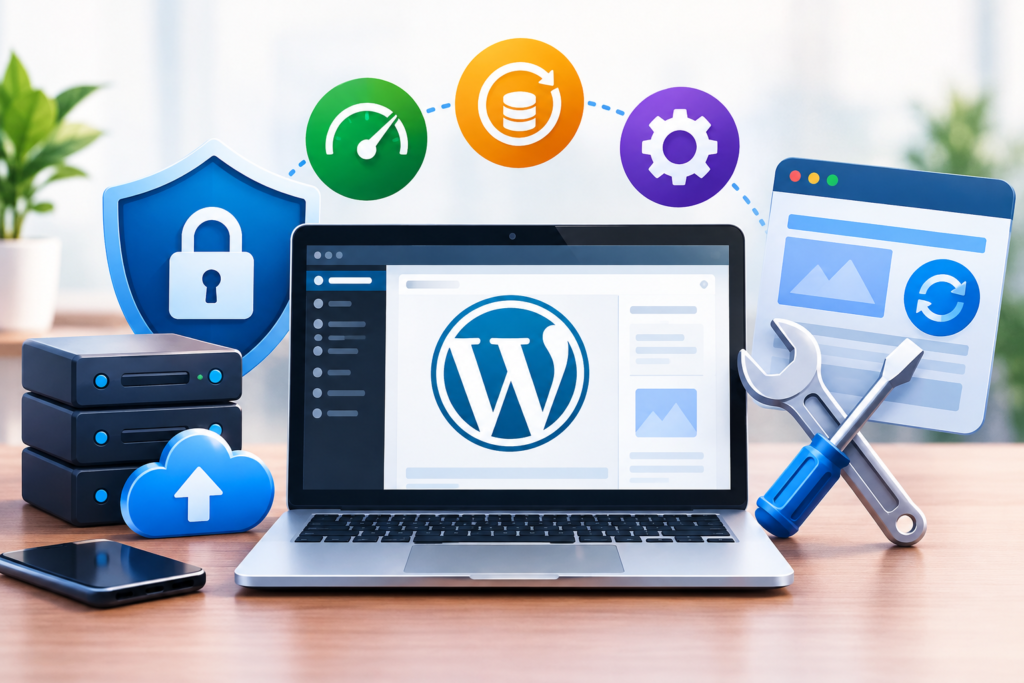
WordPress Maintenance: Learn how to secure, update, back up, and optimize your website with practical maintenance strategies for long-term performance, reliability, and growth.
Introduction
WordPress maintenance is an essential part of managing a reliable, secure, and high-performing website. Whether you operate a business website, an online store, a membership platform, or a content-driven publication, maintaining your WordPress installation helps protect your investment and deliver a consistent experience to visitors. A website may appear to work perfectly while outdated plugins, database inefficiencies, security weaknesses, broken links, or incomplete backups develop behind the scenes. Without a structured maintenance routine, these issues can eventually cause downtime, data loss, slow loading times, or unexpected compatibility problems.
Effective website maintenance involves much more than updating software whenever a notification appears. It includes reviewing security controls, testing website functionality, monitoring server resources, maintaining backups, optimizing databases, checking search visibility, and verifying that important customer journeys continue to work correctly. Each activity contributes to a broader objective: keeping the website dependable while reducing the likelihood of expensive emergencies. The right maintenance schedule depends on the website’s complexity, traffic, business requirements, and technical environment. An online store processing daily transactions, for example, needs more frequent operational checks than a small informational website that receives occasional updates.
At WP Maintenance Service, website owners can explore support for maintaining their WordPress websites and addressing technical problems. However, every site owner can benefit from understanding the principles behind effective maintenance. This guide explains the practical processes, tools, preventive measures, and troubleshooting methods needed to establish a sustainable maintenance routine. It focuses on real operational decisions rather than unnecessary technical complexity, helping beginners understand essential tasks while giving experienced administrators a framework for improving existing procedures. By applying these recommendations consistently, you can reduce avoidable risks, improve website reliability, and create a stronger foundation for long-term digital growth.
Understanding WordPress Maintenance and Why It Matters
WordPress maintenance is the ongoing process of inspecting, updating, securing, testing, and improving a website throughout its operational life. It includes preventive work designed to reduce the likelihood of problems and corrective work intended to resolve issues that have already appeared. Preventive activities include applying tested software updates, reviewing user permissions, checking backups, monitoring uptime, and examining performance trends. Corrective activities may involve restoring a damaged database, fixing a broken theme, investigating a failed plugin update, or recovering a website after a security incident. A complete maintenance strategy addresses both categories rather than waiting for something to fail before taking action.
The importance of maintenance becomes clearer when considering how a WordPress website operates. A typical installation depends on several connected components, including WordPress core, themes, plugins, PHP, the database, the web server, caching systems, and sometimes external services such as payment gateways or email providers. A change to one component can affect another. For example, a plugin update may introduce a conflict with an older theme, while a server configuration change may interrupt scheduled tasks or prevent files from being uploaded. These dependencies mean that a website can experience problems even when individual components appear to be functioning correctly. Maintenance helps identify compatibility concerns early, before they affect visitors or business operations.
A structured approach also improves budgeting and decision-making. Emergency repairs may require urgent technical work, business downtime, customer communication, and the recovery of missing information. Regular inspections can identify warning signs before they develop into more expensive incidents. Maintenance does not eliminate every possible failure, and no website can be guaranteed to remain permanently secure. However, documented procedures, reliable backups, and regular testing substantially improve preparedness. The WordPress documentation provides useful guidance for understanding the platform and managing its features. Website owners should use authoritative documentation alongside a maintenance checklist that reflects their actual business requirements. The goal is not simply to keep WordPress updated; it is to keep the entire website dependable, recoverable, secure, and fit for purpose.
Creating a Practical WordPress Maintenance Schedule
A maintenance schedule transforms scattered technical tasks into a repeatable process. Without a defined routine, website owners may update plugins frequently but forget to verify backups, overlook failed forms, or leave unused administrator accounts active. A practical schedule assigns each task a suitable frequency and identifies the person responsible for completing it. Daily checks might include uptime monitoring, critical error alerts, transaction failures, and unusual security activity. Weekly tasks could cover backup verification, plugin update reviews, form testing, and a brief inspection of important website pages. Monthly activities may include performance analysis, database reviews, account audits, broken-link checks, and an assessment of outstanding technical risks.
The schedule should reflect the website’s purpose and level of operational risk. An e-commerce website processing orders continuously needs close monitoring of checkout functionality, payment integration, stock updates, and order notifications. A business website relying on enquiry forms should prioritize form submissions, email delivery, lead tracking, and contact-page availability. A publication may place greater emphasis on editorial workflows, archive navigation, image delivery, and search indexing. Websites that undergo frequent design changes or depend on many third-party integrations may require more extensive regression testing. Instead of following a rigid timetable without considering context, identify the functions that would cause the greatest damage if they stopped working and give those functions appropriate monitoring priority.
A maintenance calendar should also account for major releases and planned development work. Before changing WordPress core, a theme, or a critical plugin, record the current version, confirm that a recent backup exists, and establish a rollback procedure. Test significant changes in a staging environment whenever possible, particularly if the website generates revenue or stores important customer information. After deployment, check the homepage, navigation, login process, forms, mobile layout, and other business-critical functions. Keep a maintenance log containing the date, completed tasks, software changes, detected problems, and recovery actions. This record helps identify recurring faults and prevents team members from repeating unnecessary investigations. For additional guidance, consult the official WordPress support documentation. A realistic schedule that is completed consistently is more valuable than an ambitious checklist that nobody follows.
Updating WordPress Core, Themes, and Plugins Safely
Software updates are a fundamental part of WordPress maintenance because they can address security vulnerabilities, fix defects, improve compatibility, and introduce supported functionality. WordPress core, themes, and plugins should be reviewed regularly rather than left unchanged for long periods. However, applying every available update immediately without considering its impact can create avoidable problems. An update may change an application programming interface, modify a database structure, introduce a new requirement, or conflict with another component. Safe maintenance therefore combines timely updates with sensible preparation, testing, and post-update verification.
Begin by reviewing the update information and confirming that the website can be recovered if the change fails. Create a fresh backup of the files and database, check the software’s compatibility requirements, and review any relevant developer notes. For a business-critical site, test the update on a staging copy that resembles the production environment. Apply changes in manageable groups rather than updating every component simultaneously when doing so would make troubleshooting difficult. If an error appears, changing one component at a time can make the underlying cause easier to identify. Avoid editing WordPress core files directly to fix temporary problems because later updates may overwrite those changes and leave the website in an inconsistent state.
After applying updates, test more than the homepage. Check administrative access, navigation menus, page layouts, search functions, forms, image uploads, and important integrations. Online stores should also test product pages, cart calculations, checkout, payment processing, order confirmation, and stock updates using appropriate test procedures. Review server logs and browser console errors if unexpected behavior appears. If a critical issue occurs, use the documented rollback process rather than repeatedly applying untested fixes to the live website. The official WordPress update guide explains important considerations for updating the platform. Keeping software current is essential, but keeping changes controlled and recoverable is equally important. A disciplined update procedure reduces security exposure while protecting the functionality visitors depend on.
Strengthening WordPress Website Security
WordPress security requires several layers of protection because vulnerabilities can originate from software defects, weak passwords, compromised devices, unsafe hosting configurations, excessive permissions, or poorly maintained integrations. Installing a security plugin alone does not address every risk. A stronger approach combines timely updates, access control, secure hosting, monitoring, reliable recovery procedures, and clear incident-response steps. Start by ensuring that WordPress, themes, plugins, PHP, and related server software are supported and appropriately maintained. Remove components that are no longer needed, especially abandoned plugins that cannot receive security fixes. Before replacing an essential plugin, identify a maintained alternative and test the migration carefully to avoid breaking existing functionality.
Account security is another important priority. Require strong, unique passwords and enable multifactor authentication for administrator accounts wherever supported. Give each user only the permissions needed for their role, and remove accounts when access is no longer justified. Avoid sharing administrator credentials among multiple people because shared accounts make it harder to identify who performed a particular action. Review login activity and configure sensible protections against repeated unauthorized attempts. Secure file permissions, use HTTPS with a properly configured TLS certificate, and protect hosting control panels and database access. Store credentials in an appropriate password manager rather than placing them in publicly accessible documents or source code. Security controls should be reviewed periodically because staff, business requirements, and connected applications change over time.
Monitoring helps identify suspicious behavior before a minor incident becomes a major disruption. Depending on the hosting environment, useful controls may include malware scanning, file-integrity monitoring, web application firewall rules, security alerts, and server-log analysis. If a website is compromised, avoid assuming that deleting one suspicious file completely resolves the incident. Investigate the initial entry point, check for unauthorized administrator accounts, inspect altered files, rotate relevant credentials, and review connected systems. Restore from a known-clean backup when appropriate and verify that the vulnerability has been addressed before returning to normal operation. The WordPress security documentation provides platform-specific hardening recommendations, while Google Safe Browsing can help website owners understand Google’s protection against dangerous websites. No security product guarantees complete protection; effective security depends on prevention, detection, response, and recovery working together.
Building a Reliable WordPress Backup and Recovery Strategy
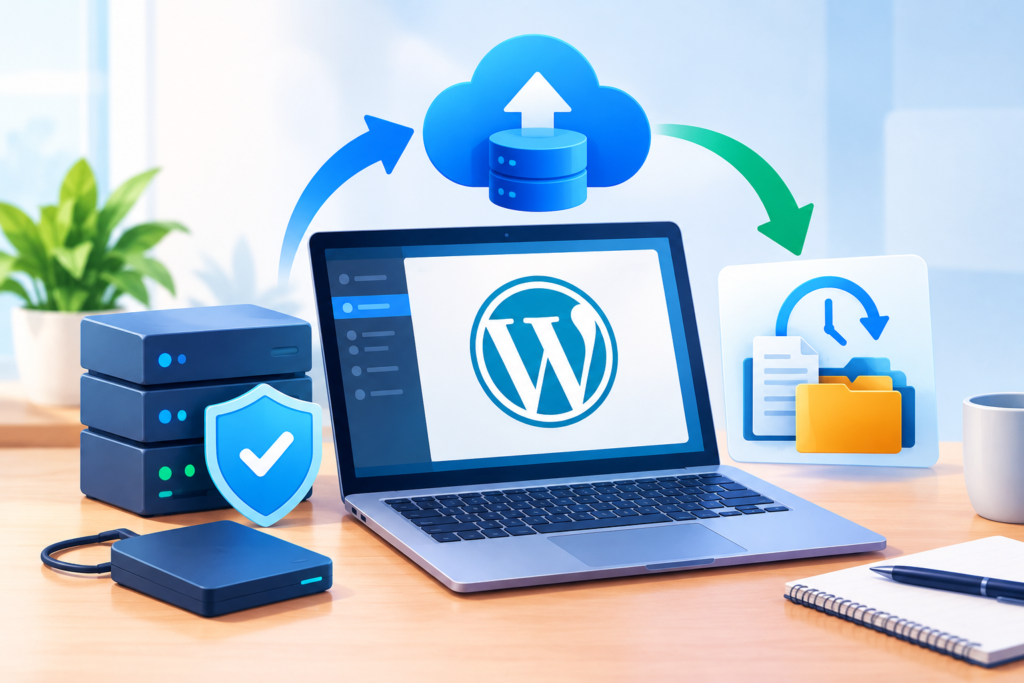
Backups provide a recovery path when a website experiences a failed update, accidental deletion, database corruption, server failure, or security incident. A dependable backup strategy should cover both website files and the database. Files commonly include WordPress core files, themes, plugins, media uploads, and configuration files, while the database contains posts, pages, settings, user information, product data, and other dynamic content. Depending on the website, additional information may need separate protection, including custom application files, external integration settings, or data stored outside the WordPress installation. Backing up only the database or only the files may leave important parts of the website unrecoverable.
Backup frequency should be based on how frequently information changes and how much data the business can afford to lose. A website publishing several articles a day needs a different schedule from a static business site. An online store receiving regular orders may require frequent database backups or continuous protection through the hosting provider’s supported mechanisms. Maintain copies outside the primary hosting account so that a compromised server or failed storage system does not destroy every available backup. Apply suitable access restrictions and encryption where supported, and establish a retention policy that preserves enough recovery points to address problems discovered days or weeks after they began. A backup that is never tested should not be treated as proof that recovery will succeed.
Recovery testing is the part of backup management that many website owners overlook. Periodically restore a backup in a staging environment and verify that the website loads, database records are intact, media files are available, and essential functions work correctly. Record how long the restoration takes and identify any missing credentials, configuration steps, or manual processes. These checks help establish realistic recovery objectives: the maximum acceptable amount of lost data and the maximum acceptable time needed to restore service. If the website processes transactions, recovery procedures must also consider whether restoring an older database could remove legitimate orders or create inconsistencies with external payment systems. The WordPress backup documentation offers guidance on protecting website data. A backup strategy is complete only when the business can restore the website and verify that it works.
Improving WordPress Website Speed and Performance
Website performance influences usability, accessibility, engagement, and the efficiency with which visitors complete important tasks. Slow pages can make browsing frustrating, particularly for mobile users or people accessing a website through limited connections. Performance problems may result from oversized images, excessive JavaScript, inefficient database queries, unnecessary plugins, poorly configured caching, slow hosting, or external scripts that delay rendering. The correct solution depends on measurement. Installing several optimization plugins without identifying the bottleneck can introduce new conflicts while leaving the original problem unresolved.
Begin by establishing a baseline using representative pages and repeatable tests. Examine the homepage, content pages, category archives, product pages, and any other templates that are important to visitors. Review loading behavior on mobile as well as desktop, and pay attention to the effect of cached and uncached requests. Optimize images by choosing appropriate dimensions, compressing files, and using modern formats when they are supported by the website’s audience and technical setup. Configure page caching and browser caching appropriately, and consider a content delivery network when geographic distribution or asset delivery makes one beneficial. Minify or defer scripts only when doing so preserves required functionality. Review third-party services such as advertising tags, chat widgets, analytics scripts, and embedded media because their performance can affect the user experience even when the WordPress installation itself is efficient.
Use real performance measurements to decide which changes matter. Google’s PageSpeed Insights provides laboratory diagnostics and, when available, field data that helps identify practical improvement opportunities. Google’s Core Web Vitals cover three important aspects of user experience: loading performance, responsiveness, and visual stability. The current metrics are Largest Contentful Paint, Interaction to Next Paint, and Cumulative Layout Shift. These metrics help evaluate whether content appears promptly, interactions respond efficiently, and page elements remain visually stable. Review trends rather than judging a website by one isolated test. After each significant optimization, repeat the same tests and check for functional regressions. Sustainable performance comes from removing genuine bottlenecks, maintaining an efficient technical setup, and repeatedly measuring the results.
Maintaining the WordPress Database and Website Files
The WordPress database stores much of the information that makes a website dynamic, including content, settings, user records, and plugin-generated data. As a site grows, the database may accumulate expired transients, old revisions, abandoned plugin tables, and other unnecessary records. Some accumulation is normal and does not automatically mean the database needs aggressive cleaning. Problems are more likely when queries become inefficient, tables require repair, scheduled tasks accumulate, or a plugin repeatedly writes excessive data. Database maintenance should therefore focus on measurable problems and safe housekeeping rather than deleting records simply because an optimization tool identifies them as removable.
Before cleaning a database, create a verified backup and determine which components generated the data. WordPress revisions can support editorial recovery, while plugin tables may contain order records, configuration settings, form submissions, or information needed by integrations. Removing unfamiliar tables or deleting records based only on their names can cause data loss. Use reputable maintenance tools, review the proposed changes, and test significant operations in staging whenever possible. For larger websites, ask the hosting provider or database administrator to investigate slow queries, table performance, indexing, and resource limits. A database optimization operation cannot compensate for inadequate hosting resources or poorly written application code, so investigate the actual cause when performance problems persist.
File maintenance is equally important. Review the uploads directory for accidental duplicates, oversized media, and files that are no longer referenced, but do not delete files solely because their filenames appear unfamiliar. Themes and plugins may rely on generated assets, custom fonts, configuration files, or files stored outside their expected locations. Remove unused themes and plugins when they are genuinely unnecessary, retain an appropriate default theme where practical, and confirm that essential customizations are documented. Protect configuration files and ensure that development backups, diagnostic dumps, and temporary archives are not publicly accessible. Review disk usage and inode limits if the hosting account approaches its capacity. By combining cautious database housekeeping with organized file management, website owners can reduce avoidable clutter without sacrificing content, functionality, or recovery options.
WordPress Plugin and Theme Compatibility Management
Plugin and theme compatibility management is an important part of WordPress maintenance because most websites depend on multiple components working together. A plugin may provide contact forms, caching, search optimization, payment processing, security controls, or membership functionality, while a theme determines much of the website’s visual presentation. Problems can arise when one component changes its behavior, stops receiving updates, or becomes incompatible with another part of the installation. A website may continue to display its homepage while important features, such as form submissions or account registration, silently fail. For this reason, compatibility checks should cover the complete visitor experience rather than appearance alone.
Start by maintaining an inventory of installed plugins and themes. Record each component’s purpose, current version, update status, business importance, and dependency on other components. Identify plugins that perform overlapping functions, such as multiple caching tools or competing image optimization systems. Reducing unnecessary overlap can simplify maintenance and make troubleshooting easier. Before installing a replacement, evaluate whether it is actively maintained, compatible with the current WordPress environment, supported by its developer, and appropriate for the website’s security requirements. Review the plugin’s documentation and update history, but do not treat popularity or a high rating as a guarantee of quality. An apparently small plugin can still affect sensitive operations if it handles user data or modifies important website behavior.
When a compatibility problem appears, reproduce it in a staging environment and isolate the cause systematically. Record the original symptoms, check relevant logs, and temporarily disable or replace components in a controlled sequence. Avoid experimenting on a live website that processes customer orders or depends on continuous lead generation. If a theme change is required, use a child theme or another documented customization approach so that future updates do not erase important modifications. After making changes, test responsive layouts, navigation, forms, search, account functions, and integrations. Consult the official WordPress plugin documentation when developing or evaluating plugin behavior. A well-maintained website does not necessarily have the fewest plugins; it has a carefully selected, documented, compatible set of components that provides the required functionality without unnecessary risk.
Monitoring Website Uptime, Errors, and Functional Reliability
Website uptime monitoring helps identify when a website becomes unavailable or begins responding incorrectly. However, a simple uptime check does not prove that every feature is working. A server might return a successful HTTP response while a contact form fails to send messages, a product page displays incorrect information, or a checkout process cannot complete. Effective reliability monitoring therefore combines availability checks with application-level testing, error tracking, and periodic manual inspections. This approach helps website owners distinguish between a website that is technically online and one that is genuinely usable.
Begin by identifying the website functions that are essential to visitors and business operations. For a service company, these may include contact forms, appointment requests, telephone links, and email notifications. For an online store, critical functions include product availability, cart calculations, payment processing, order creation, and confirmation emails. Configure appropriate monitoring tools to check availability and alert responsible people when a problem occurs. Where possible, use synthetic tests that simulate important user actions without creating real orders or sending unwanted messages. Monitor server resources, response times, PHP errors, database connectivity, and scheduled tasks as well. Alerts should be prioritized by severity so that a major outage receives immediate attention instead of being buried among routine warnings.
When an alert arrives, follow a documented investigation process. Confirm the issue from another connection or monitoring location, inspect the hosting provider’s status information, review recent deployments, and examine relevant application and server logs. Determine whether the problem affects all visitors or only a particular page, device, region, or integration. Record when the issue began, which functions were affected, and what action restored normal operation. After a serious incident, identify the underlying cause and introduce a preventive measure rather than simply closing the alert. Google’s Search Console documentation can also help website owners investigate indexing and search-related problems, although Search Console is not a replacement for uptime monitoring. Reliable monitoring works best when alerts lead to clear responsibilities, practical investigation steps, and verified recovery.
WordPress SEO, Content Quality, and Technical Health
WordPress maintenance and search engine optimization are closely connected because technical problems can prevent search engines and visitors from accessing useful content. Broken internal links, accidental noindex directives, redirect chains, inaccessible pages, incorrect canonical URLs, and persistent server errors can interfere with crawling and indexing. Changes to themes, plugins, permalink structures, or caching settings can sometimes introduce these issues without obvious visual warning signs. Routine technical SEO checks help identify such problems before they affect a substantial portion of the website. Nevertheless, technical maintenance alone cannot guarantee higher rankings; search visibility also depends on relevance, content quality, competition, and many other factors.
A useful SEO maintenance routine begins with reviewing important pages and their intended purpose. Check page titles, meta descriptions, headings, image alternative text, internal links, and structured data where appropriate. Verify that canonical URLs point to the intended versions of pages and that robots directives do not unintentionally block valuable content. Review XML sitemaps, redirect behavior, mobile usability, and page response codes. Use Google Search Console to investigate indexing reports, crawl problems, manual actions, and search performance trends. When changing a URL, implement a relevant permanent redirect where appropriate and update internal links to point directly to the new destination. Avoid redirecting every removed page to the homepage, as this may confuse users and fail to preserve the original page’s purpose.
Content maintenance is equally important. Review older articles for outdated statistics, discontinued products, incorrect technical instructions, and links that no longer work. Update material when you can add meaningful, verifiable information, and consolidate overlapping pages when doing so improves the overall experience. Do not change publication dates merely to make unchanged content appear fresh. Instead, document substantial revisions and ensure that the revised material genuinely reflects current knowledge. Google’s SEO Starter Guide explains fundamental search optimization practices, while Google Search Essentials describes key requirements for appearing in Google Search. The purpose of SEO maintenance is to keep content accessible, accurate, useful, and technically understandable—not to manipulate rankings through superficial changes.
Managing Website Users, Permissions, and Access
User and access management is an essential part of WordPress maintenance because every account creates a potential route into the website. An administrator account can change settings, install plugins, manage users, and access powerful site functions. If an account is compromised, the consequences may include unauthorized changes, data exposure, malicious code, or complete loss of control. Websites frequently accumulate old accounts belonging to former employees, contractors, developers, and temporary contributors. Unless these accounts are reviewed periodically, permissions may remain active long after the original work has ended.
Start by auditing all WordPress accounts and identifying their owners, responsibilities, and required access levels. Apply the principle of least privilege: give each person only the permissions needed to perform their assigned tasks. An author who publishes articles usually does not need administrator privileges, while a support worker may need access to specific operational functions rather than complete control of the website. Remove unused accounts or transfer ownership of important content before deactivation. Where appropriate, use individual accounts rather than shared logins so that changes can be traced to the correct person. Require unique passwords, enable multifactor authentication for privileged users, and establish a process for promptly revoking access when employment or contractual relationships end.
Access management also extends beyond the WordPress dashboard. Hosting control panels, domain registrars, database systems, backup platforms, DNS providers, and connected business applications may all affect the website’s security. Protect these accounts with strong authentication, appropriate permissions, and secure credential storage. Review API keys and application passwords periodically, rotating or revoking them when they are no longer required or may have been exposed. Maintain a secure record of who is authorized to approve major changes and who can initiate recovery procedures. When a developer needs temporary access, define the purpose and duration before granting it. These measures reduce unnecessary exposure and improve accountability. A practical access review should take place regularly and whenever there is a significant staffing, ownership, or supplier change.
WordPress Troubleshooting and Preventive Maintenance
Troubleshooting is the process of identifying the underlying cause of a website problem and applying a solution that restores reliable operation. Common WordPress issues include the white screen of death, HTTP 500 errors, database connection failures, broken layouts, plugin conflicts, login problems, failed media uploads, and unexpectedly slow pages. These symptoms can have several different causes, so applying random fixes often wastes time or introduces additional problems. A systematic troubleshooting process begins with documenting the symptoms, identifying when they started, and reviewing recent changes to software, hosting configuration, themes, plugins, or external integrations.
When a problem appears, first determine its scope. Check whether the issue affects the entire website or only particular pages, users, or functions. Review hosting status information, application logs, PHP error logs, database connectivity, and available monitoring alerts. If the problem began immediately after an update, investigate that change before making unrelated modifications. Use a staging environment whenever possible to reproduce the issue without disrupting visitors. WordPress debugging tools can help expose errors during investigation, but debugging output should not be displayed publicly on a production website because it may reveal sensitive technical information. If necessary, temporarily disable a suspected plugin in a controlled environment and test the result. Make one meaningful change at a time and record what happens so that the investigation remains traceable.
Preventive maintenance reduces the frequency of recurring incidents by addressing their underlying causes. If a plugin repeatedly creates errors, determine whether it needs updating, replacement, configuration changes, or intervention from its developer. If the database repeatedly becomes unavailable, investigate server capacity, database credentials, resource limits, and hosting reliability rather than repeatedly restarting services without understanding the cause. Establish a clear escalation procedure for problems that exceed the team’s expertise. The official WordPress debugging documentation explains available debugging approaches, while the WordPress support forums can help users investigate common platform issues. For complex production incidents, professional technical assistance may be appropriate. The objective is to restore service safely, preserve evidence where necessary, and reduce the chance that the same problem will happen again.
WordPress Maintenance for E-Commerce and Business Websites
Business websites require maintenance that reflects their commercial responsibilities. A service website may depend on enquiry forms, appointment scheduling, CRM integrations, and reliable email delivery, while an online store must protect product information, customer accounts, inventory, and order records. A technical fault can therefore create consequences beyond an inaccessible page. It may result in lost leads, incomplete purchases, inaccurate stock levels, delayed customer communication, or disruption to internal operations. Maintenance planning should begin by identifying the website functions that directly support revenue, customer service, and contractual obligations.
For a WooCommerce store, regular checks should cover product listings, variations, pricing, discounts, shipping rules, tax configuration, cart behavior, checkout, payment gateways, refunds, and order notifications. Test transactions using supported test modes where available, and ensure that testing cannot accidentally charge customers or generate confusing live orders. Check whether inventory updates correctly after purchases and whether customer emails are delivered as expected. Review payment and shipping integrations after updates because changes to external APIs or authentication requirements can affect transactions. Protect customer data through appropriate access controls, secure connections, supported software, and documented incident procedures. Retain only the data needed for legitimate purposes and follow applicable privacy and legal requirements.
Business continuity also depends on communication and recovery planning. Establish a process for informing stakeholders about scheduled maintenance, unexpected downtime, and major incidents. Keep contact details for hosting support, developers, payment providers, and other essential suppliers readily available to authorized personnel. Define which functions must be restored first if the website fails, and establish recovery priorities that reflect actual business impact. For instance, restoring secure checkout and order management may be more urgent than restoring a nonessential decorative feature. Review maintenance costs alongside the potential consequences of downtime, data loss, and delayed repairs. The official WooCommerce documentation provides guidance on store configuration and functionality. A well-maintained business website should support secure transactions, dependable customer journeys, accurate records, and a clear path to recovery when something goes wrong.
Common Mistakes to Avoid During WordPress Maintenance
One of the most common mistakes is treating maintenance as an occasional activity instead of an ongoing responsibility. Website owners may ignore update notifications for months, postpone security reviews, or assume that a website is safe because it has not displayed an obvious error. This approach allows vulnerabilities, compatibility problems, and resource issues to accumulate. Another frequent mistake is applying multiple updates directly to a production website without creating a backup or checking compatibility. If the site fails afterward, it can become difficult to identify which change caused the problem. A better approach is to follow a documented update process, test important changes, and verify critical functions before considering the task complete.
A second category of mistakes involves backups and security. Some owners assume that their hosting provider’s backup system is sufficient without confirming the backup schedule, retention period, storage location, or restoration process. Others store every backup in the same hosting account, leaving all copies vulnerable to a single incident. Security mistakes include reusing passwords, granting unnecessary administrator privileges, retaining abandoned plugins, and ignoring suspicious login activity. Installing several security plugins without understanding how they interact can also cause conflicts or create a false sense of protection. Instead, use a coordinated security strategy that includes supported software, limited permissions, reliable backups, monitoring, and recovery testing.
Performance and content mistakes can be just as damaging. Excessive plugins, oversized images, untested caching rules, and unnecessary third-party scripts can slow down a website. Aggressive database cleaning may delete information required by a plugin or business process, while removing unfamiliar files can break custom functionality. Website owners sometimes focus entirely on performance scores and overlook broken forms, inaccessible navigation, inaccurate content, or checkout failures. Others make superficial SEO changes without improving the actual usefulness of their pages. To avoid these problems, measure performance before and after changes, verify important user journeys, and investigate the consequences of each maintenance operation. The most effective way to prevent maintenance mistakes is to use repeatable procedures, maintain reliable recovery options, and verify results instead of assuming that a completed task was successful.
Best Practices Summary for Long-Term WordPress Maintenance
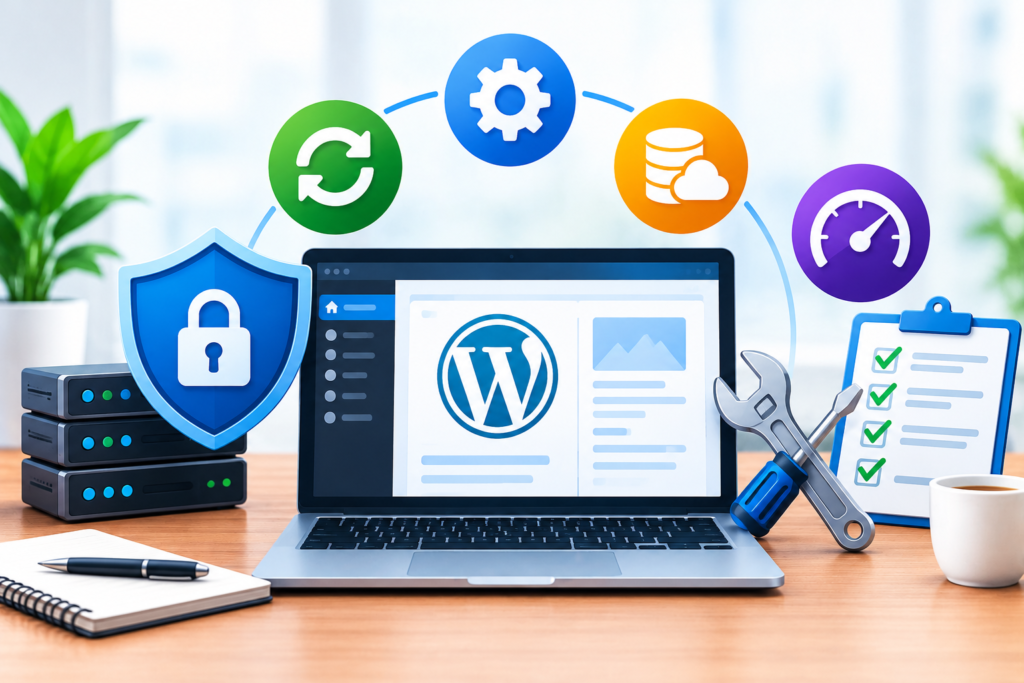
Long-term WordPress maintenance works best when it is treated as a managed operational process rather than a collection of isolated technical tasks. Begin by creating a maintenance plan that documents the website’s architecture, critical functions, software inventory, backup arrangements, security controls, and responsible personnel. Assign realistic frequencies to daily, weekly, monthly, and periodic tasks according to the site’s size and business requirements. A small informational website may need fewer operational checks than a busy online store, but every website should have a way to identify outages, recover important information, and address security problems. Clear ownership is essential because even a well-designed checklist offers little protection if nobody is responsible for completing it.
Make security, backups, updates, and testing the foundation of the maintenance process. Keep supported software current, assess compatibility before major changes, restrict unnecessary access, and verify that backups can be restored. Monitor uptime and important business functions instead of relying only on visual inspections. Measure performance using consistent tools and address the issues that create the greatest impact on real users. Review technical SEO, content accuracy, internal links, redirects, and indexing health at appropriate intervals. For complex websites, use staging environments, version control, documented deployment procedures, and rollback plans to reduce the risks associated with changes.
Finally, use maintenance records to improve decision-making over time. Track recurring errors, downtime, update failures, restoration results, and performance trends. Review these records to identify preventable problems and determine whether the current maintenance schedule remains appropriate. Avoid adopting tools simply because they advertise comprehensive protection or automatic optimization; evaluate whether each tool solves a genuine problem and fits the website’s technical environment. Consult authoritative documentation when making changes, and seek experienced support when an issue involves significant security, data integrity, or business continuity risks. Google’s web.dev learning resources can help teams understand modern web performance and development practices. Sustainable WordPress maintenance combines prevention, measurement, documentation, and recovery. By applying these principles consistently, website owners can reduce operational uncertainty and maintain a more secure, dependable, and useful digital presence.
Frequently Asked Questions
1. What does WordPress maintenance include?
WordPress maintenance includes the regular tasks required to keep a website secure, functional, and reliable. These tasks typically involve updating WordPress core, themes, and plugins; creating and testing backups; monitoring uptime; reviewing security settings; optimizing performance; maintaining the database; checking important website functions; and resolving technical errors. It can also include content reviews, broken-link checks, technical SEO inspections, and user-permission audits. The exact requirements depend on the website’s complexity and business objectives. A basic business website may need a relatively simple maintenance routine, while an online store requires additional checks for transactions, inventory, payment integrations, and customer data.
2. How often should a WordPress website be maintained?
WordPress maintenance should take place continuously, with different tasks performed at suitable intervals. Critical security alerts and significant availability problems should be investigated promptly. Backups should run according to how frequently website data changes, and updates should be reviewed regularly and applied using an appropriate testing procedure. Weekly checks can cover website functionality, backup status, and security alerts, while monthly reviews can examine performance, user access, database health, and technical SEO. Comprehensive reviews should also take place after major updates, migrations, redesigns, or security incidents. A suitable schedule depends on the risks associated with the website rather than a single universal timetable.
3. Can I maintain my WordPress website myself?
Yes. Website owners with suitable technical knowledge can perform many maintenance tasks themselves. These include reviewing updates, checking website functionality, managing users, monitoring performance, and verifying backups. Beginners should start with a documented checklist and learn how to restore a backup before making significant changes. Complex tasks, such as investigating database corruption, cleaning a compromised installation, diagnosing server configuration problems, or resolving complicated WooCommerce conflicts, may require specialist assistance. If the website generates substantial revenue or stores sensitive information, professional support can help establish more reliable monitoring, recovery procedures, and change management.
4. Why are WordPress backups important?
Backups provide a way to recover website files and information after accidental deletion, failed updates, database problems, server failures, or security incidents. A reliable backup strategy includes both files and the database, stores copies separately from the primary hosting environment where possible, and retains enough historical versions to support recovery. Backup frequency should reflect how much data the business can afford to lose. However, creating a backup is not enough. Website owners should periodically restore a copy in a safe environment and confirm that pages, media, settings, and essential functions work correctly. Tested backups help turn a recovery plan into a practical capability.
5. Do WordPress updates improve website security?
Updates can improve security by addressing known vulnerabilities, correcting defects, and maintaining compatibility with supported software. However, an update does not guarantee that a website is secure. Weak passwords, excessive user permissions, compromised hosting accounts, unsafe configurations, and vulnerable third-party integrations can still expose a website to attacks. Review updates regularly, create a suitable backup, and test important changes before deploying them to a production environment. After updating, verify the functions that matter most to visitors. Combine software updates with strong authentication, monitoring, secure hosting, and a tested recovery strategy for more comprehensive protection.
6. How can I improve WordPress website performance?
Begin by measuring the website’s performance and identifying the main bottlenecks. Common improvements include resizing and compressing images, configuring appropriate caching, reducing unnecessary scripts, reviewing plugins, improving hosting resources, and optimizing inefficient database queries. Test important pages on mobile and desktop, paying attention to loading speed, responsiveness, and layout stability. Tools such as PageSpeed Insights can help identify improvement opportunities. After implementing changes, repeat the tests and confirm that the website still works correctly. Avoid installing multiple optimization plugins without a clear reason, because overlapping features may introduce conflicts rather than improve performance.
7. What should I do if a WordPress update breaks my website?
First, identify the affected pages and functions and determine whether the problem began immediately after the update. Check available error logs, hosting status information, and compatibility documentation. If possible, reproduce the issue in a staging environment and isolate the affected component. Avoid making several unrelated changes simultaneously because that can complicate troubleshooting. If the website is experiencing a serious outage, use a tested rollback or restoration procedure to return to a known-working state, while considering whether new orders or other data could be lost. Once service is restored, investigate the underlying cause and test a suitable fix before applying the update again.
8. When should I hire a WordPress maintenance specialist?
Consider professional assistance when your website experiences recurring errors, security incidents, performance problems, failed updates, database issues, or unreliable backups. Specialist support may also be useful when maintaining a complex WooCommerce store, managing several websites, coordinating frequent deployments, or establishing formal recovery procedures. A suitable provider should explain the scope of work, monitoring arrangements, backup responsibilities, response expectations, and reporting process. Ask how changes are tested, how incidents are handled, and how access to your website is protected. Choose support based on the website’s actual needs, the provider’s technical competence, and the clarity of the proposed maintenance arrangements.
Conclusion
WordPress maintenance is a continuous investment in website security, performance, reliability, and long-term business success. By maintaining supported software, protecting website data, testing backups, monitoring important functions, and addressing technical issues systematically, website owners can reduce avoidable disruptions and provide a better experience for visitors. Effective maintenance also supports technical SEO, protects business operations, and makes future development easier to manage.
The most reliable approach combines a realistic schedule with documented procedures, regular testing, and a clear recovery strategy. Rather than waiting for problems to affect customers, website owners should identify risks early and address them according to their potential impact. Every website has different requirements, so maintenance activities should be tailored to its technology, traffic, business goals, and operational priorities.
At WP Maintenance Service, you can explore options for professional WordPress support and website maintenance assistance. Whether you manage a small business website or a complex WooCommerce store, a structured maintenance strategy can help protect your digital investment and keep essential functions operating reliably. Start by reviewing your current setup, identifying the most important risks, and implementing the improvements that will make the greatest difference. Consistent maintenance today can help prevent avoidable problems tomorrow and establish a stronger foundation for sustainable website growth.
Want to Implement This Easily?
Implementation Prompt:
You are an expert consultant. Based on the blog post titled “(WordPress Maintenance)”, provide a step-by-step, practical implementation guide. Include tools, best practices, common mistakes to avoid, and advanced tips. Assume the reader wants to implement everything discussed in this article effectively.
Your implementation guide should cover:
- Initial website audit: Assess the current WordPress installation, hosting environment, themes, plugins, database, user accounts, and critical website functions.
- Maintenance schedule: Create daily, weekly, monthly, and quarterly maintenance tasks based on the website’s complexity and operational risks.
- Software updates: Establish a safe procedure for reviewing, testing, applying, and verifying WordPress core, theme, and plugin updates.
- Website security: Implement strong authentication, appropriate permissions, secure configuration, vulnerability monitoring, and an incident-response procedure.
- Backups and recovery: Configure reliable file and database backups, off-site storage, retention policies, restoration testing, and recovery objectives.
- Performance optimization: Measure website performance, optimize images, review caching, investigate database bottlenecks, and evaluate hosting resources.
- Database and file maintenance: Identify unnecessary data safely, protect important records, manage disk usage, and avoid destructive cleanup.
- Uptime and error monitoring: Configure alerts, monitor critical functions, review logs, and document troubleshooting procedures.
- Technical SEO and content: Check indexing, redirects, canonical URLs, internal links, broken pages, content accuracy, and mobile usability.
- User and access management: Review account permissions, secure administrator access, remove unnecessary accounts, and protect external services.
- Business continuity: Develop suitable procedures for maintaining service during failures, prioritizing critical functions, and communicating incidents.
- Testing and documentation: Create checklists, maintenance logs, success criteria, and a process for reviewing completed work.
Recommend appropriate tools and authoritative documentation for each task. Distinguish essential actions from optional improvements, explain potential risks, and provide verification steps so that readers can confirm each task has been completed successfully.
Call to Action: Want our help implementing this? Just reach out to us via our website contact form: https://www.wpmaintenanceservice.com/contact-us/