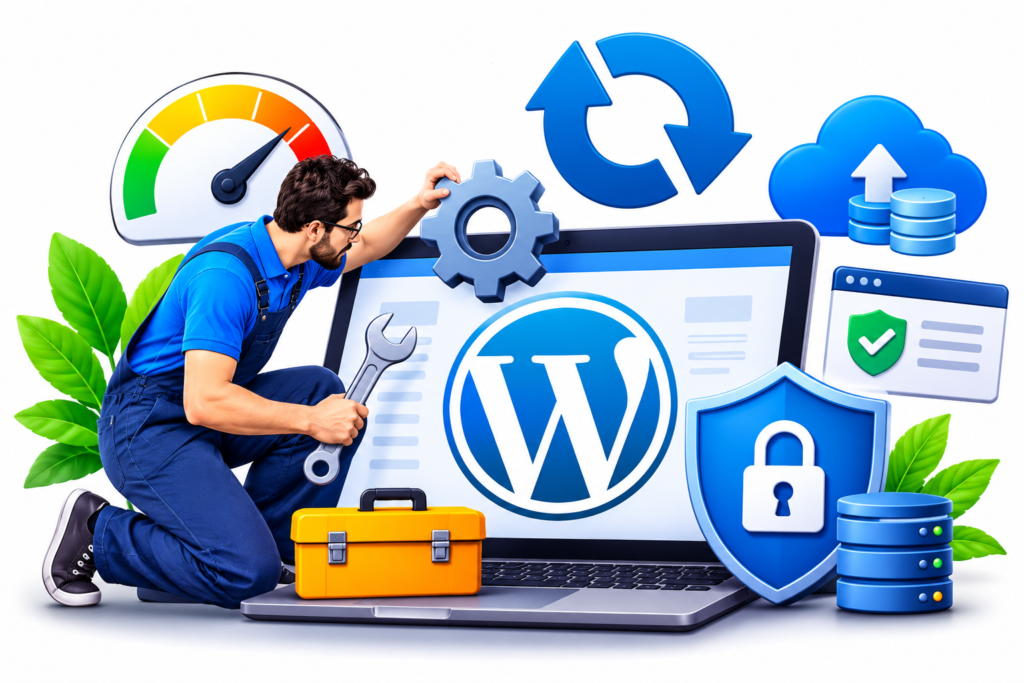
WordPress maintenance is essential for website security, performance, stability, and growth. Discover how to maintain, protect, update, and optimize your WordPress website with practical strategies.
Introduction
WordPress has become one of the most widely used platforms for building websites, publishing content, managing online businesses, and operating e-commerce stores. Its flexibility, extensive plugin ecosystem, customizable themes, and user-friendly administration interface make it suitable for businesses of different sizes. However, launching a WordPress website is only the beginning of its lifecycle. Maintaining its security, performance, functionality, and reliability requires continuous attention. Without a structured maintenance strategy, even a professionally developed website can gradually develop technical problems, experience security vulnerabilities, lose performance, or become incompatible with newer software versions. WordPress maintenance is the ongoing process of monitoring, updating, securing, testing, and improving a website to ensure that it continues operating as expected.
Effective website maintenance involves considerably more than installing occasional updates or removing unnecessary content. It includes maintaining WordPress core files, themes, and plugins; monitoring website uptime; creating reliable backups; checking database health; identifying security threats; optimizing loading speed; reviewing website functionality; and resolving technical errors before they affect visitors. Each activity contributes to the overall health of a website. For example, an outdated plugin may introduce a security weakness, while an incorrectly configured caching system may prevent visitors from seeing updated content. Similarly, an unreliable backup strategy can turn a relatively minor technical issue into a serious business disruption. A consistent maintenance routine helps reduce these risks while supporting a better user experience.
For businesses that depend on their websites to attract customers, generate leads, publish information, or process transactions, maintenance should be treated as an essential operational responsibility rather than an occasional technical task. The dedicated maintenance resource at WP Maintenance Service focuses on WordPress website care, technical stability, and long-term reliability. Website owners should understand which maintenance activities require regular attention, how to prioritize technical improvements, and when professional assistance becomes valuable. This guide explores the complete WordPress maintenance process, including practical procedures, security considerations, performance improvements, troubleshooting methods, and long-term management strategies. Its purpose is to help readers build a dependable maintenance system that protects their investment and supports sustainable website growth.
What Is WordPress Maintenance and Why Does It Matter?
WordPress maintenance refers to the continuous activities required to keep a WordPress website secure, functional, updated, and technically healthy. Every website operates through a combination of software components, including the WordPress core, installed themes, plugins, database, hosting environment, server configuration, and external integrations. These components must work together correctly to deliver pages, process forms, manage users, and perform other essential functions. Over time, software developers release improvements, security patches, compatibility updates, and bug fixes. Hosting environments also evolve, while website content and visitor requirements change. Regular maintenance ensures that these different elements remain compatible and that potential problems are identified before they significantly affect website operations.
One of the most important reasons maintenance matters is that websites are continuously exposed to technical and security risks. Outdated software may contain vulnerabilities that attackers can exploit to access administrative accounts, inject malicious scripts, redirect visitors, or compromise website data. Performance can also deteriorate when databases accumulate unnecessary information, images remain unnecessarily large, caching is configured incorrectly, or plugins introduce excessive processing requirements. These issues can affect page loading times, navigation, checkout experiences, and search visibility. A properly maintained website reduces unnecessary technical risks by combining software updates, security monitoring, database optimization, backup verification, and routine functionality testing. Maintenance also improves operational confidence because website owners have a clearer understanding of their site’s condition.
The business value of WordPress maintenance extends beyond preventing technical failures. A dependable website helps customers access information, understand products, complete purchases, and communicate with a company without unnecessary interruptions. For an e-commerce business, even a short period of checkout failure may affect revenue and customer trust. For a professional website, broken contact forms can result in missed enquiries. For publishers, website errors can interrupt content access and weaken audience engagement. Maintenance supports these important activities by ensuring that essential website features continue working properly. It also creates opportunities to improve accessibility, compatibility, and performance as the website grows. A successful maintenance strategy is preventive rather than reactive: instead of waiting for a website to fail, administrators regularly inspect important systems, apply appropriate improvements, and maintain a tested recovery process.
Understanding the Core Components of a WordPress Maintenance Strategy
A complete WordPress maintenance strategy begins with understanding the different components that influence website health. The first component is software management, which includes maintaining WordPress core, plugins, and themes. These elements receive updates that may introduce new functionality, improve compatibility, resolve bugs, or address security weaknesses. Administrators should review available updates, understand their potential impact, and apply them through a controlled process. The second component is website security, which involves protecting administrator accounts, monitoring suspicious activity, configuring secure access, and reducing exposure to known vulnerabilities. The third component is backup management, ensuring that website files and databases can be recovered if data becomes corrupted, accidentally deleted, or compromised. These areas work together and should not be managed as isolated responsibilities.
Performance management is another essential part of a reliable maintenance framework. A WordPress website may become slower as its content library, database, media files, plugins, and visitor traffic increase. Regular performance reviews help administrators identify unnecessary scripts, oversized images, inefficient queries, caching problems, and hosting limitations. Database maintenance is closely connected to this process because WordPress stores posts, pages, settings, comments, user information, and other application data in database tables. Over time, temporary records, expired transients, spam comments, and unnecessary revisions may increase database size. Careful optimization can improve database organization, although administrators should avoid deleting records without understanding their purpose. Monitoring also plays a major role because it helps identify uptime interruptions, broken links, failed forms, unusual traffic patterns, and other problems that may not be immediately visible.
The final components involve testing, documentation, and continuous improvement. A maintenance process should include regular checks of important website functions, such as navigation menus, search features, contact forms, login pages, payment gateways, account registration, and mobile layouts. Administrators should document significant updates, maintenance dates, backup locations, configuration changes, and known technical issues. This documentation becomes especially valuable when several people manage the same website or when a developer needs to investigate a problem. A practical maintenance framework also assigns priorities according to business impact. Security vulnerabilities and failed checkout systems require faster attention than minor cosmetic issues. By combining software management, security protection, backups, performance optimization, monitoring, testing, and documentation, website owners can establish a maintenance system that supports both immediate reliability and long-term development.
WordPress Core, Theme, and Plugin Updates
Keeping WordPress core, themes, and plugins updated is one of the most recognizable maintenance responsibilities. WordPress developers regularly release software updates to improve functionality, resolve defects, strengthen security, and maintain compatibility with modern hosting environments. Core updates may introduce important improvements to the administration interface, editor, performance, accessibility, or underlying application framework. Theme updates can address design problems, improve responsive layouts, and resolve compatibility issues. Plugin updates may fix errors in forms, security systems, e-commerce functionality, SEO features, and other website components. Ignoring updates for extended periods can increase the possibility of software conflicts and security exposure. However, installing every available update without reviewing its purpose or testing its impact is not an ideal maintenance strategy.
A controlled update process should begin with a complete backup of the website, including its database and important files. Administrators should review the update information, check compatibility requirements, and identify whether the update affects essential functionality. On business-critical websites, updates should ideally be tested in a staging environment before being applied to the live website. A staging environment provides a separate copy where developers can identify layout problems, plugin conflicts, broken features, and unexpected errors without affecting visitors. After successful testing, the changes can be deployed to the production website. For smaller websites without staging facilities, administrators should schedule updates during periods of lower activity, maintain a recent backup, and verify important features immediately after the update. Automatic updates can be useful for supported components, but they should be configured with appropriate monitoring and recovery arrangements.
Plugin and theme management also requires removing software that is no longer needed. Deactivated plugins can still represent unnecessary administrative complexity, while abandoned themes and unsupported extensions may introduce maintenance difficulties. Website owners should choose software from reputable developers, examine update histories, review compatibility information, and avoid installing extensions from untrusted sources. The official WordPress documentation on updating WordPress provides useful instructions for understanding the update process. Administrators should also review WordPress plugin requirements when evaluating plugin quality and suitability. The objective is not simply to run the newest software version; it is to maintain a compatible, secure, and dependable website environment. Regular reviews, tested updates, and careful software selection make that objective easier to achieve.
WordPress Website Security and Preventive Protection
Website security is a fundamental responsibility because WordPress websites can contain valuable business information, customer records, administrator accounts, unpublished content, and transaction-related data. A compromised website may expose sensitive information, distribute malicious code, redirect visitors, or become unavailable to legitimate users. Security problems can also damage brand credibility and create additional recovery expenses. Effective WordPress security maintenance begins with understanding common attack methods, including brute-force login attempts, stolen credentials, vulnerable plugins, malicious file uploads, outdated software, and poorly configured hosting environments. Attackers frequently look for websites with predictable weaknesses, so reducing unnecessary exposure is an important preventive measure. A secure website requires several complementary controls rather than relying on a single security plugin.
Strong authentication is one of the most practical ways to protect administrative access. Every administrator should use a unique, strong password and enable multi-factor authentication wherever supported. Website owners should avoid shared administrator accounts because individual accounts make access management and activity investigations easier. User permissions should follow the principle of least privilege, meaning that each account receives only the permissions required for its responsibilities. An editor who publishes articles generally does not need full administrator access. Administrators should also remove former employees, contractors, and unused accounts when access is no longer required. Additional protections include limiting unnecessary login exposure, using secure HTTPS connections, maintaining supported PHP versions, and choosing hosting providers that implement appropriate server-level security controls.
Security maintenance should also include continuous monitoring and a documented incident response procedure. Administrators should review security alerts, investigate unusual login activity, monitor unexpected file changes, and examine suspicious redirects or unfamiliar administrator accounts. A web application firewall can help filter certain malicious requests, while malware scanning can assist in identifying suspicious files. However, automated security tools are not perfect and should not replace proper configuration, software updates, or manual investigation. The WordPress security documentation provides practical recommendations for reducing common security risks. Website owners should also understand the importance of HTTPS for secure connections. If a compromise occurs, the response should include isolating the affected environment where appropriate, preserving evidence, identifying the entry point, removing malicious content, rotating credentials, restoring clean data when necessary, and addressing the original vulnerability. Preventive security maintenance is significantly more dependable than assuming a website will remain safe without regular attention.
WordPress Backup and Recovery Management
A reliable backup system is one of the most important safeguards in WordPress maintenance. Websites can experience data loss because of accidental deletion, failed updates, database corruption, server problems, malware infections, or human mistakes. Without a usable backup, recovering from these incidents may require significant technical work and may not always be possible. A WordPress backup generally includes two essential elements: website files and the database. Files contain the WordPress installation, themes, plugins, media uploads, and configuration information, while the database stores posts, pages, user accounts, comments, settings, and other dynamic information. Backing up only one component may leave the website incomplete during restoration. Therefore, a comprehensive backup strategy must account for both files and database data.
Backup frequency should depend on how frequently a website changes and how much information the business can afford to lose. A static brochure website may require less frequent backups than an online store processing orders throughout the day. Websites with regular publishing activity, customer registrations, bookings, or transactions should generally use more frequent backups. Administrators should also maintain multiple backup copies and store at least one copy outside the primary hosting environment. If the hosting account becomes compromised or the server experiences a serious failure, backups stored only on that same server may also become inaccessible. A practical approach follows the principles of the 3-2-1 backup strategy: maintain multiple copies, use different storage types, and keep an additional copy in a separate location. Backup files should be protected with appropriate access controls and encryption where supported.
Creating backups is not enough; recovery procedures must also be tested. An archive that appears complete may contain missing files, corrupted database exports, or incomplete uploads. Administrators should periodically restore backups in a staging environment to confirm that the website can be recovered successfully. Testing should include checking page content, media files, user accounts, forms, plugins, and essential business functionality. Recovery documentation should explain where backups are stored, how to access them, which version should be restored, and who is responsible for carrying out the process. Website owners can review the official WordPress backup documentation for guidance on protecting website data. A useful backup policy also defines recovery point objectives (RPO) and recovery time objectives (RTO). RPO determines how much recent data loss is acceptable, while RTO defines how quickly the website should return to operation. A tested recovery process transforms backups from stored files into a practical business continuity safeguard.
WordPress Performance Optimization and Website Speed
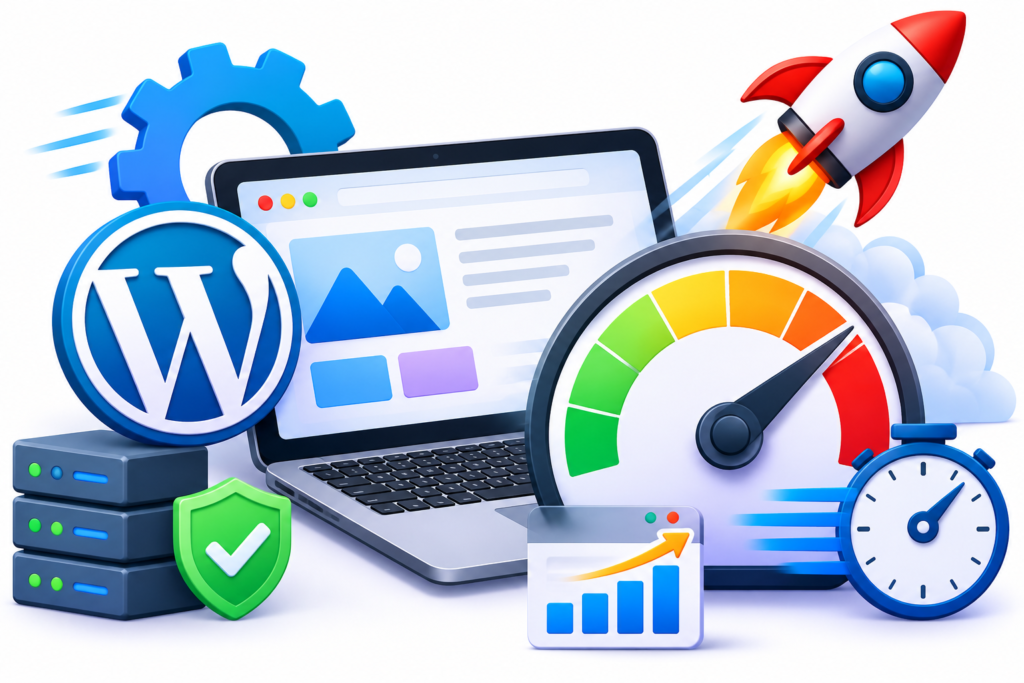
Website performance has a direct influence on user experience, visitor engagement, and business functionality. When pages take too long to load, visitors may abandon navigation, leave product pages, or fail to complete important actions. Slow performance can result from several technical factors, including oversized images, excessive plugins, inefficient themes, poorly optimized databases, unnecessary JavaScript, render-blocking resources, insufficient hosting capacity, and incorrect caching configurations. WordPress maintenance should therefore include regular performance assessments rather than relying on a single speed test performed during website development. A website that performs well with a small amount of content may become slower as additional pages, media files, extensions, and traffic are introduced. Monitoring helps administrators understand how performance changes over time and which areas require improvement.
Image optimization is often a practical starting point because images can represent a substantial proportion of a webpage’s total transfer size. Website owners should resize images according to their actual display requirements, compress files without unacceptable quality loss, and use modern formats such as WebP or AVIF when supported by their workflow. Lazy loading can reduce unnecessary image downloads for content that is outside the initial viewport, although important above-the-fold images should be handled carefully to avoid delaying the main visual content. Caching is another important technique. Browser caching can reduce repeated downloads for returning visitors, while page caching can serve prepared HTML instead of generating every page dynamically. Object caching may reduce repeated database queries on supported hosting environments. Content delivery networks can distribute static assets through geographically distributed infrastructure, potentially improving delivery speed for visitors located far from the origin server.
Performance optimization should be measured using reliable tools and real user experience indicators. Google PageSpeed Insights provides laboratory and field performance information, while Core Web Vitals help website owners evaluate loading performance, interactivity, and visual stability. The key metrics include Largest Contentful Paint (LCP), Interaction to Next Paint (INP), and Cumulative Layout Shift (CLS). Administrators should identify the largest performance bottlenecks instead of making random changes based on isolated scores. For example, a slow server response may require hosting improvements, while layout shifts may be caused by images without defined dimensions or dynamically inserted page elements. Every optimization should be followed by testing across important page types and devices. A fast WordPress website is achieved through continuous measurement, careful technical decisions, and consistent performance maintenance rather than one-time optimization.
WordPress Database Maintenance and Optimization
The WordPress database is responsible for storing and organizing much of the information required to operate a website. It contains posts, pages, comments, user accounts, website settings, plugin configurations, and other application data. As a website grows, the database may accumulate additional records through publishing activity, plugin operations, user interactions, and automated processes. Although much of this information is necessary, certain records may become outdated or unnecessary over time. Examples include expired transient data, spam comments, deleted content, unused metadata, and excessive post revisions. These records can increase database size and make maintenance more complicated. Database maintenance helps administrators identify unnecessary information, improve database organization, and reduce avoidable technical overhead. However, optimization should always be performed carefully because deleting important records can affect website functionality.
One important maintenance activity is reviewing database tables and identifying unnecessary information. WordPress automatically creates post revisions to preserve earlier versions of published content. These revisions can be useful when administrators need to recover previous edits, but websites with extensive publishing activity may accumulate large numbers of them. Spam and trashed comments can also consume database storage if they are not periodically reviewed. Temporary database records, including expired transients, may require attention when they are no longer useful. Database optimization tools can help administrators inspect tables, identify overhead, and perform supported maintenance operations. Before making changes, a complete database backup should always be available. Administrators should avoid running unfamiliar SQL commands directly against production databases because an incorrect query can remove essential records or damage relationships between tables. Database cleanup should be based on a clear understanding of the information being changed.
Long-term database maintenance also involves monitoring database performance and identifying inefficient queries. A plugin that repeatedly performs expensive database operations can slow down pages even when the database itself is relatively small. Similarly, poorly designed custom functionality may create unnecessary queries whenever visitors load a page. Administrators should investigate slow database operations, review plugin requirements, and work with developers when technical improvements are necessary. Hosting configuration also matters because database performance depends on server resources, storage infrastructure, and supported database software. The official WordPress database description provides useful background about database connectivity and configuration. Website owners should remember that database optimization is not simply about reducing storage size. The real objective is to maintain accurate, organized, and efficiently accessible information while protecting the integrity of the website.
WordPress Uptime Monitoring and Website Health Checks
Website uptime refers to the period during which a website remains accessible to visitors and performs its expected functions. Even a technically well-designed WordPress website can experience downtime because of server failures, hosting interruptions, DNS problems, software conflicts, resource limitations, or unexpected traffic increases. For businesses that depend on their websites to generate leads, process transactions, or communicate with customers, downtime can create operational and financial consequences. Website owners should therefore include uptime monitoring as part of their regular WordPress maintenance routine. Instead of discovering an outage through a customer complaint, monitoring systems can automatically check website availability and notify administrators when a problem occurs. This provides an opportunity to investigate interruptions quickly and reduce their potential impact.
Effective uptime monitoring should examine more than whether the homepage returns a successful response. A website may appear accessible while important features are broken. For example, the homepage might load normally even though contact forms cannot submit messages, product pages return errors, or the checkout process fails. A complete website health assessment should therefore include checks of important URLs, database connectivity, SSL certificate validity, server response times, and essential business functions. E-commerce websites should pay particular attention to product browsing, shopping carts, checkout pages, payment integrations, and customer account access. Business websites should periodically test enquiry forms, telephone links, navigation menus, and other conversion-related features. Administrators should also review error logs because certain technical problems may occur without producing an obvious visual failure.
A structured monitoring process should establish alert priorities and define who is responsible for responding to different types of problems. Critical failures, such as an inaccessible website or broken checkout system, should trigger immediate investigation. Less urgent issues, such as minor display inconsistencies, can be included in scheduled maintenance tasks. Website owners should maintain a record of downtime incidents, including the start time, duration, affected functionality, root cause, and corrective action. This information helps identify recurring problems and determine whether the hosting environment requires improvement. Monitoring should also include scheduled reviews of website health rather than relying entirely on automated alerts. The Google Search Console documentation can help website owners understand search-related website reporting, while technical monitoring tools provide additional operational visibility. Reliable uptime management combines automated checks, practical functionality testing, timely alerts, and documented incident resolution.
WordPress Error Detection, Troubleshooting, and Technical Maintenance
WordPress websites can experience different technical errors as a result of software conflicts, server configuration problems, database failures, incorrect permissions, outdated extensions, and programming issues. These errors may affect individual pages or prevent the entire website from functioning. Common examples include the 500 Internal Server Error, 502 Bad Gateway, 503 Service Unavailable, 504 Gateway Timeout, 404 Not Found, and Error Establishing a Database Connection. Other problems include the WordPress white screen of death, plugin conflicts, broken layouts, failed media uploads, and unexpected redirects. Regular technical maintenance helps administrators identify these problems early and establish a systematic troubleshooting process. Rather than making random changes, website owners should investigate the underlying cause, review available error information, and apply corrective actions that address the actual problem.
The troubleshooting process should begin by identifying when the issue appeared and which website components were recently changed. For example, if a website stops working immediately after installing a plugin, that plugin may be responsible for the problem. Administrators can investigate by reviewing WordPress debug information, PHP error logs, server logs, and hosting control panel reports. Temporarily disabling a suspected plugin may help identify a conflict, although this should preferably be done in a staging environment. If the issue involves the theme, switching temporarily to a supported default WordPress theme can help determine whether the theme is responsible. Database connection errors may require checking database credentials, server availability, database permissions, and configuration settings. Administrators should always create a backup before modifying configuration files, changing permissions, or performing potentially disruptive troubleshooting operations.
A reliable maintenance strategy also requires documentation of recurring technical problems. If the same error appears repeatedly, fixing the visible symptom without investigating its underlying cause may result in further downtime. For instance, repeated 503 errors could indicate insufficient server resources, an overloaded application, or temporary hosting restrictions. Similarly, repeated 504 errors may suggest that server requests are taking longer than the configured timeout period. Developers should examine resource usage, application logs, database queries, and external integrations when investigating such issues. The official WordPress debugging documentation provides guidance on identifying errors during development and troubleshooting. Website owners should also understand how PHP compatibility affects the WordPress environment. Effective troubleshooting is based on diagnosis, controlled testing, documented corrections, and preventive improvements rather than repeatedly applying temporary fixes.
WordPress Hosting, PHP, and Server Environment Maintenance
The hosting environment plays an important role in determining how reliably a WordPress website operates. WordPress depends on server-side software, database services, storage, networking, and PHP execution to deliver website pages and process user requests. Even when the WordPress installation is properly maintained, an unsuitable hosting environment can cause slow loading times, unexpected errors, security weaknesses, and performance limitations. Hosting maintenance should therefore be included in the overall website management strategy. Website owners should understand the capabilities of their hosting plan, including available memory, storage capacity, CPU resources, bandwidth, database support, backup arrangements, and server security features. These resources should be reviewed as website traffic and functionality increase.
PHP is particularly important because WordPress uses it to execute application code. An outdated or unsupported PHP version may introduce compatibility problems and expose the server to known security weaknesses. Administrators should use a PHP version supported by their current WordPress release and verify that their active themes and plugins are compatible before changing versions. A PHP upgrade should ideally be tested in a staging environment because older extensions or custom-developed functionality may depend on outdated language features. Database software also requires attention. Website administrators should monitor database versions, hosting announcements, resource consumption, and compatibility requirements. Server configuration settings, such as PHP memory limits, execution timeouts, upload limits, and file permissions, should be reviewed when technical problems arise. Changes should be based on actual requirements rather than arbitrary values that could create additional security or performance problems.
Hosting maintenance also involves reviewing server-level security and reliability. A dependable provider should offer appropriate isolation, regular infrastructure maintenance, secure access, monitoring, and a clear process for handling technical incidents. Website owners should understand whether backups are included, how frequently they are created, how long they are retained, and whether restoration assistance is available. They should also review SSL certificate renewal, DNS configuration, domain expiration dates, and server resource alerts. For websites experiencing consistent traffic growth, upgrading to a more suitable hosting environment may be necessary. However, a more expensive hosting package will not automatically solve problems caused by poorly developed plugins or inefficient application code. Administrators should investigate the actual bottleneck before changing infrastructure. The WordPress hosting requirements page provides useful information about supported software environments. A healthy hosting environment, supported software versions, and carefully managed server configurations form the technical foundation of reliable WordPress maintenance.
WordPress SEO Maintenance and Technical Search Health
Search engine optimization requires continuous attention because a website’s technical condition can influence how effectively search engines discover, crawl, and understand its content. WordPress maintenance and SEO maintenance are closely connected. A website may contain valuable articles, useful product information, and well-structured landing pages, but technical problems can prevent search engines and visitors from accessing them properly. Broken internal links, incorrect redirects, accidental noindex settings, unavailable pages, slow loading times, and crawling restrictions can affect website accessibility and search performance. Regular technical SEO reviews help identify these problems and ensure that the website remains accessible, logically organized, and technically suitable for search engine discovery.
One important activity is reviewing the website’s indexing and crawling configuration. Administrators should check whether important pages can be accessed by search engines, whether the XML sitemap contains the correct URLs, and whether robots.txt rules are configured appropriately. Accidental changes to indexing settings can prevent valuable pages from appearing in search results. Website owners should also review canonical tags, redirect chains, duplicate URLs, and broken internal links. When a page is permanently moved, an appropriate 301 redirect can help direct visitors and search engines toward its replacement. However, unnecessary redirects should be avoided because they create additional complexity and may weaken navigation efficiency. Regular reviews of website structure also help ensure that important pages remain connected through descriptive internal links. Content maintenance should include updating outdated information, correcting broken references, reviewing title tags, and improving pages that no longer satisfy user needs.
Technical SEO maintenance should also include monitoring mobile usability, structured data, website security, and page experience. A mobile-friendly website helps visitors access information across different screen sizes, while properly implemented structured data may help search engines interpret specific content types. Administrators should avoid adding structured data that does not accurately represent the visible content. They should also monitor changes in organic search traffic and investigate unusual performance declines instead of assuming that every decline is caused by a search algorithm update. Google provides useful guidance through Google Search Essentials, SEO Starter Guide, and sitemaps documentation. These resources help website owners understand technical search requirements. SEO maintenance is not about manipulating search engines; it is about keeping a website accessible, useful, technically sound, and aligned with the information visitors are looking for.
WordPress Content, Media, and Website Functionality Maintenance
Content maintenance is an important but sometimes overlooked part of managing a WordPress website. Publishing new articles and pages is only one aspect of content management. Existing content also requires regular review to ensure that it remains accurate, useful, relevant, and easy to understand. Over time, business information may change, product details may become outdated, service descriptions may no longer reflect current offerings, and external references may stop working. An article that was accurate several years ago may contain outdated recommendations or instructions that no longer apply. Regular content audits help identify these issues and provide opportunities to improve the quality of existing website material. Administrators should prioritize pages that attract visitors, generate enquiries, support important customer journeys, or provide information about essential business activities.
Media management is another important maintenance responsibility. Images, videos, downloadable documents, and other files can accumulate as a website grows. Poorly organized media libraries may make it difficult to locate important assets, while unnecessarily large files can affect storage usage and page performance. Website owners should review image dimensions, file formats, alternative text, and media relevance. Alternative text should describe meaningful images accurately, particularly when they communicate information that visitors need. Decorative images should not receive unnecessary descriptive text that creates confusion for assistive technologies. Administrators should also review broken image references, missing downloadable files, and media that is no longer required. Before deleting media, they should check whether the file is used in existing posts, pages, products, or theme elements. Removing an image that is still referenced can create broken content across the website.
Website functionality testing should accompany content and media reviews. Forms should be tested to confirm that submissions reach the correct destination, confirmation messages appear correctly, and spam protection operates as expected. Navigation menus should lead to relevant pages, search functionality should return appropriate results, and important buttons should perform their intended actions. On e-commerce websites, product variations, stock information, cart operations, payment methods, order notifications, and customer account features should be tested carefully. Administrators should also review responsive layouts to ensure that content remains usable on smartphones and tablets. Accessibility checks can identify missing labels, insufficient contrast, keyboard navigation problems, and other barriers that affect visitors. The Web Content Accessibility Guidelines provide an established framework for understanding accessibility requirements. A well-maintained website combines accurate content, organized media, functional features, and accessible experiences so that visitors can use the website confidently.
WordPress Maintenance Planning, Scheduling, and Automation
A maintenance strategy becomes more effective when its activities are organized into a realistic schedule. Without a defined routine, website owners may forget important tasks, delay software updates, overlook security alerts, or create backups inconsistently. A maintenance calendar provides a structured approach to managing recurring responsibilities. The frequency of individual tasks should depend on website size, business requirements, traffic levels, software complexity, and the potential consequences of failure. For example, a high-traffic e-commerce store requires more frequent monitoring and backup checks than a small informational website. A practical schedule should distinguish between daily monitoring, weekly maintenance, monthly reviews, and quarterly assessments. This approach makes maintenance more manageable and ensures that important activities receive appropriate attention.
Daily maintenance activities may include reviewing uptime alerts, checking critical security notifications, monitoring backup completion, and confirming that essential business features remain operational. Weekly tasks can involve reviewing available software updates, checking error logs, testing important forms, reviewing security reports, and identifying unusual changes. Monthly activities may include a more detailed performance assessment, database health review, plugin and theme inventory, broken-link checks, and backup restoration testing. Quarterly maintenance should examine the broader technical condition of the website, including hosting suitability, account permissions, security configuration, content accuracy, accessibility, and disaster recovery arrangements. These timeframes are practical starting points rather than universal requirements. A website that processes hundreds of orders every day may require more frequent checks of payment systems and database activity.
Automation can make routine maintenance more efficient, but it should be implemented carefully. Automated backups, uptime monitoring, security alerts, and supported software updates can reduce repetitive manual work. Scheduled reports can also help administrators track performance and identify patterns. However, automation should never operate without appropriate oversight. An automated update may introduce an unexpected compatibility issue, while an incorrectly configured cleanup process may remove information that should be retained. Administrators should establish notification systems, review automated task results, and maintain a tested recovery process. Maintenance responsibilities should also be clearly assigned so that critical alerts do not go unnoticed. A documented maintenance checklist can help teams track completed activities and outstanding issues. The WordPress Cron documentation explains how scheduled tasks work within WordPress. The most effective maintenance system combines automation for repetitive operations with human oversight for decisions that require technical judgment, business awareness, and risk assessment.
Professional WordPress Maintenance and Long-Term Website Management
As a WordPress website becomes more complex, maintaining it may require technical knowledge, dedicated time, and access to suitable tools. Website owners may initially handle basic updates and backups themselves, but additional responsibilities can become difficult to manage as traffic, integrations, content, and business requirements increase. Professional WordPress maintenance can provide structured support for software updates, security monitoring, backups, performance optimization, technical troubleshooting, and website health checks. The value of professional assistance is not simply the completion of routine tasks. Experienced maintenance specialists can also help identify underlying technical risks, recommend improvements, and develop a consistent strategy for protecting website operations. This can be particularly valuable for businesses that rely on their websites for customer acquisition, communication, bookings, or online transactions.
Choosing a suitable maintenance provider requires careful evaluation. Website owners should understand exactly what is included in a maintenance agreement and which activities may involve additional costs. Important considerations include backup frequency, off-site storage, restoration procedures, update management, security monitoring, uptime checks, emergency support, and reporting. Providers should explain how they handle major updates, whether they use staging environments, and how they investigate plugin or theme conflicts. Access management is also essential. A maintenance provider should receive only the permissions required to perform agreed responsibilities, and website owners should retain control of their hosting accounts, domains, and important business assets. Service agreements should establish response expectations, communication procedures, data handling practices, and responsibilities during security incidents.
Long-term website management should also involve periodic strategic reviews. A website that originally served a small business may eventually require membership functionality, advanced integrations, e-commerce features, multilingual content, or improved hosting infrastructure. These changes can introduce additional maintenance requirements. Professional specialists can help assess whether the existing setup remains suitable and whether certain plugins, custom features, or hosting arrangements should be replaced. Website owners should also evaluate maintenance performance through meaningful indicators, such as downtime frequency, backup success rates, unresolved security issues, page performance, and the time required to resolve critical incidents. Maintenance reports should explain completed work, identified risks, and recommended next steps rather than presenting technical activity without context. Professional maintenance is most valuable when it provides transparent communication, measurable improvements, reliable recovery arrangements, and proactive technical management.
WordPress Maintenance for Business Growth and Future Website Reliability
WordPress maintenance should support the long-term objectives of a business rather than focusing exclusively on technical problem prevention. A reliable website can help companies build trust, communicate their value, generate enquiries, publish educational content, and serve customers more effectively. However, these benefits depend on maintaining a website that continues to meet changing visitor expectations. As a business expands, its website may need additional landing pages, improved navigation, new integrations, better mobile experiences, more sophisticated analytics, or increased server capacity. Regular maintenance provides opportunities to evaluate these requirements and make improvements before existing systems become major limitations. A website that receives consistent technical attention is generally easier to manage, troubleshoot, and develop than one that has accumulated years of undocumented changes.
Growth-focused maintenance also requires understanding website performance through meaningful data. Administrators should review analytics to identify frequently visited pages, common user journeys, conversion points, and areas where visitors experience difficulties. Search Console information can help identify indexing problems, search performance changes, and technical issues affecting visibility. Website owners should avoid treating every traffic increase or decrease as a maintenance success or failure. Instead, they should combine performance information with technical reports, customer feedback, conversion data, and business objectives. For example, if a product page receives substantial traffic but generates few purchases, the problem may involve unclear product information, confusing navigation, poor mobile usability, or checkout friction. Technical maintenance can help investigate and improve these experiences.
Future reliability also depends on preparing for change. Website owners should maintain documentation of important integrations, custom code, hosting configurations, access permissions, backup locations, and recovery procedures. Before introducing a major redesign, changing hosting providers, upgrading a complex plugin, or migrating a website, they should establish a testing and rollback plan. Regular audits can reveal outdated software, unnecessary extensions, technical debt, and features that are no longer aligned with business requirements. Administrators should also review legal and privacy responsibilities where the website collects personal information, processes payments, or uses tracking technologies. Long-term WordPress reliability comes from combining preventive maintenance, informed technical decisions, responsible data management, and continuous improvement. A well-maintained website is not a finished project; it is a business asset that should evolve safely and consistently as its audience, technology, and operational needs change.
Common Mistakes to Avoid in WordPress Maintenance
Even experienced website owners can make maintenance mistakes that gradually affect website security, performance, and reliability. Many problems occur because maintenance is treated as an occasional activity instead of an ongoing responsibility. Understanding these mistakes helps administrators establish better procedures and avoid unnecessary technical risks.
1. Ignoring WordPress Updates: Delaying core, plugin, and theme updates can leave websites exposed to security vulnerabilities and compatibility problems. Updates should be reviewed, backed up, tested where appropriate, and installed regularly.
2. Not Maintaining Reliable Backups: Some website owners assume that their hosting provider automatically protects all website data. However, backup frequency, storage locations, and restoration arrangements vary. Maintain independent backups and test recovery procedures.
3. Installing Too Many Plugins: Unnecessary plugins increase website complexity and may introduce performance problems or compatibility conflicts. Install only trusted extensions that provide genuine functionality.
4. Using Weak Administrator Passwords: Predictable passwords and shared accounts increase the risk of unauthorized access. Use unique passwords, multi-factor authentication, and appropriate user permissions.
5. Ignoring Website Performance: Large images, unnecessary scripts, excessive database operations, and unsuitable hosting can reduce loading speed. Perform regular performance assessments and address the underlying problems.
6. Neglecting Security Monitoring: Installing a security plugin does not guarantee complete protection. Review security alerts, monitor suspicious activity, and investigate unexpected website changes.
7. Making Changes Without Testing: Directly modifying a live website can introduce unexpected errors. Use staging environments and maintain recovery options before significant changes.
8. Forgetting Mobile and Functionality Testing: A website may appear correct on desktop computers while displaying broken layouts or malfunctioning forms on smartphones. Test important pages and features across different devices.
9. Cleaning the Database Without a Backup: Removing database records without understanding their purpose can damage website functionality. Always create a backup before performing database cleanup.
10. Having No Maintenance Schedule: Unplanned maintenance often results in missed updates, incomplete backups, and unresolved technical problems. Create a documented checklist with clear responsibilities and priorities.
Avoiding these mistakes makes WordPress maintenance more predictable, organized, and effective.
Best Practices Summary for Long-Term WordPress Maintenance
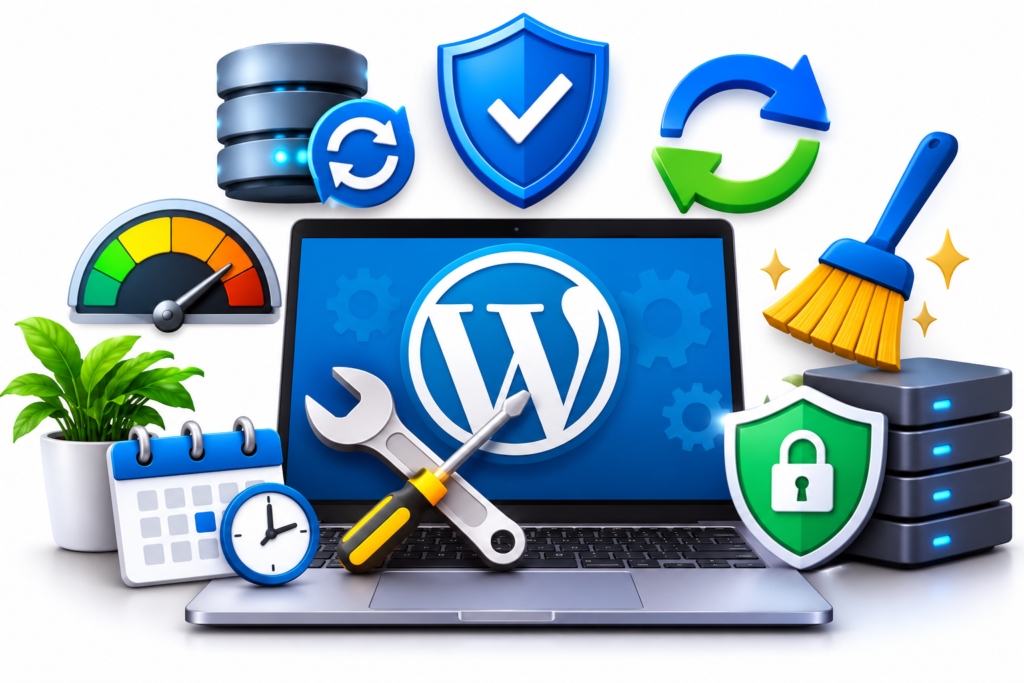
A successful WordPress maintenance strategy combines preventive protection, regular monitoring, controlled updates, and continuous improvement. The following practices provide a useful foundation for maintaining a healthy website.
- Keep WordPress Updated: Maintain supported versions of WordPress core, themes, plugins, and server-side software.
- Create Regular Backups: Back up website files and databases according to website activity and business requirements.
- Test Backup Restoration: Verify that stored backups can successfully restore the website.
- Strengthen Website Security: Use strong passwords, multi-factor authentication, secure connections, and appropriate user permissions.
- Monitor Website Uptime: Use automated monitoring to identify availability problems and unexpected interruptions.
- Optimize Website Performance: Compress images, configure suitable caching, review scripts, and monitor Core Web Vitals.
- Maintain Database Health: Review unnecessary records, investigate inefficient queries, and protect database integrity.
- Test Website Functionality: Check forms, navigation, account access, payment gateways, and important interactive elements.
- Review Technical SEO: Monitor indexing, broken links, redirects, XML sitemaps, and canonical configurations.
- Maintain Accurate Content: Update outdated information, remove broken references, and improve important website pages.
- Use Staging Environments: Test significant updates and technical changes before applying them to live websites.
- Document Maintenance Activities: Record updates, backup checks, technical incidents, and completed improvements.
- Review Hosting Resources: Monitor storage, memory, PHP compatibility, database performance, and server capacity.
- Establish a Maintenance Schedule: Assign daily, weekly, monthly, and quarterly responsibilities.
- Seek Professional Assistance When Necessary: Use experienced specialists for complex troubleshooting, security incidents, and infrastructure improvements.
The most important principle is consistency. Website owners do not need to perform every maintenance activity manually, but they should ensure that every essential responsibility has a clear process and an accountable owner.
Frequently Asked Questions
1. What is WordPress maintenance?
WordPress maintenance is the ongoing process of updating, monitoring, securing, testing, and optimizing a WordPress website. It includes managing core software, themes, plugins, databases, backups, hosting configurations, and website performance. The objective is to keep the website secure, accessible, functional, and reliable. Regular maintenance also helps identify technical problems before they cause significant interruptions. Depending on website complexity, maintenance may involve simple administrative activities or advanced technical procedures performed by experienced developers.
2. How often should a WordPress website be maintained?
WordPress maintenance should be performed continuously, with individual activities scheduled according to their importance and frequency requirements. Website uptime and critical security alerts should generally be monitored daily. Updates, functionality checks, and security reviews can be scheduled weekly. Database health, performance assessments, and detailed technical audits can be performed monthly. Broader infrastructure and recovery reviews should take place periodically, such as quarterly. High-traffic websites and online stores may require more frequent checks because their operational requirements and potential risks are greater.
3. Why are WordPress updates important for website security?
WordPress updates often include security improvements, bug fixes, compatibility changes, and performance enhancements. Outdated software may contain vulnerabilities that attackers can exploit to gain unauthorized access or compromise website functionality. Updating WordPress core, plugins, and themes helps reduce exposure to known security problems. However, updates should be handled carefully because certain changes can introduce compatibility conflicts. Creating backups, reviewing update information, and testing important functionality are sensible precautions before applying significant updates.
4. What should be included in a WordPress maintenance checklist?
A comprehensive WordPress maintenance checklist should include the following activities:
- Check WordPress core, plugin, and theme updates.
- Review security alerts and suspicious login activity.
- Verify that backups have completed successfully.
- Monitor website uptime and availability.
- Test important forms and website functionality.
- Review database health and unnecessary records.
- Check page loading speed and performance indicators.
- Identify broken links and missing media files.
- Review SSL certificate validity.
- Check hosting resources and server errors.
- Monitor indexing and technical SEO issues.
- Document completed maintenance activities.
The checklist should be adapted to the website’s size, technical complexity, and business requirements.
5. Can I perform WordPress maintenance myself?
Yes. Website owners can perform many basic maintenance activities without advanced development knowledge. These include reviewing updates, creating backups, checking website availability, removing unnecessary plugins, reviewing user accounts, and testing important pages. However, advanced tasks such as database troubleshooting, malware removal, server configuration, complex plugin conflicts, and website recovery may require technical expertise. Administrators should avoid making unfamiliar changes to production websites without a backup and a clear recovery plan. Professional assistance can reduce risks when a website supports important business operations.
6. How do I improve WordPress website performance?
Improving WordPress performance requires identifying the technical factors that slow down a website. Start by measuring performance using Google PageSpeed Insights and reviewing Core Web Vitals. Optimize large images, remove unnecessary plugins, configure appropriate caching, and review hosting resources. Consider using a content delivery network where it provides meaningful benefits. Database queries, third-party scripts, and poorly optimized themes should also be investigated. Performance improvements should be measured after each significant change to confirm that the modification produces a genuine improvement rather than creating additional problems.
7. What happens if I do not maintain my WordPress website?
Neglecting maintenance can gradually increase the risk of security vulnerabilities, software conflicts, website downtime, database problems, and performance deterioration. Visitors may encounter broken pages, unavailable forms, or failed transactions. Outdated plugins and themes may also become incompatible with newer software environments. In serious cases, an unmaintained website may become compromised, requiring malware removal, data recovery, or extensive technical repairs. Search visibility and customer confidence may also be affected when important pages become unavailable or website functionality deteriorates. Regular maintenance helps reduce these risks.
8. Is professional WordPress maintenance worth the investment?
Professional WordPress maintenance can be valuable for businesses that depend on their websites for leads, customer communication, online sales, or other important activities. Experienced specialists can manage updates, backups, security monitoring, performance optimization, troubleshooting, and technical reporting. They can also help identify problems that website owners may overlook. The value depends on the provider’s expertise, the quality of the maintenance process, the website’s complexity, and the level of support included. Before choosing a provider, review the maintenance agreement, backup arrangements, response expectations, security procedures, and reporting practices.
Conclusion
WordPress maintenance is an essential part of operating a successful website. Building a website with an attractive design and useful content is important, but maintaining its technical health is equally necessary. Software updates, security protection, backup management, database optimization, performance monitoring, and regular functionality testing all contribute to a dependable online presence. Without these activities, small technical problems can gradually develop into serious operational challenges. A structured maintenance strategy helps website owners identify potential issues, protect valuable information, and maintain a consistent experience for visitors.
Long-term website reliability requires a proactive approach. Administrators should establish regular maintenance schedules, monitor important performance indicators, document technical changes, and test recovery procedures. They should also review hosting resources, maintain accurate content, and ensure that website features continue working across different devices. Automation can simplify repetitive activities, while professional technical assistance can help address complex problems and reduce operational risks. Every maintenance decision should consider website requirements, business priorities, and the potential consequences of technical failure. Instead of focusing only on fixing problems after they occur, website owners should invest in preventive procedures that support continuous improvement.
For businesses seeking dependable website management, WP Maintenance Service provides a dedicated resource for understanding WordPress maintenance, technical website care, and long-term reliability. Whether managing a personal blog, business website, membership platform, or WooCommerce store, maintaining a secure and optimized environment is essential for sustainable growth. A properly maintained WordPress website is easier to manage, more dependable for visitors, and better prepared to adapt to changing technical requirements. Ultimately, WordPress maintenance is not a one-time task but an ongoing investment in website security, performance, stability, and business continuity.
Want to Implement This Easily?
AI Implementation Prompt
You are an expert consultant. Based on the blog post titled “(WordPress Maintenance)”, provide a step-by-step, practical implementation guide. Include tools, best practices, common mistakes to avoid, and advanced tips. Assume the reader wants to implement everything discussed in this article effectively.
Call to Action:
Want our help implementing this? Just reach out to us via our website contact form: https://www.wpmaintenanceservice.com/contact-us/