

Discover the ultimate guide to WordPress Themes—learn how to choose, customize, optimize, and secure themes for better performance, SEO, and user experience.
Introduction
When it comes to building a powerful online presence, WordPress themes play a foundational role in defining both aesthetics and functionality. Whether you’re launching a business website, blog, or eCommerce store, the theme you choose determines how your site looks, feels, and performs. At WP Maintenance Service, we’ve seen firsthand how the right theme can elevate a brand’s digital presence while a poorly chosen one can limit growth.
A WordPress theme is more than just a design template—it’s a framework that controls layout structure, responsiveness, loading speed, and even SEO compatibility. With thousands of free and premium themes available, selecting the right one requires a strategic approach rather than guesswork. Understanding the technical and design aspects behind themes ensures long-term scalability and performance.
In this comprehensive guide, we’ll explore everything from selecting the best theme to optimizing it for speed, SEO, and security. This article is designed for beginners, developers, and business owners alike, ensuring you gain actionable insights that align with Google’s best practices and modern web standards.
Understanding What WordPress Themes Are and How They Work
WordPress themes are collections of templates, stylesheets, and scripts that define the appearance and layout of a website. They work within the WordPress content management system to display content dynamically, allowing users to modify design without altering core functionality. This separation between content and design is what makes WordPress incredibly flexible.
At a technical level, themes consist of PHP files, CSS stylesheets, JavaScript, and template parts. These elements work together to render pages such as homepages, blog posts, and archives. Modern themes also integrate with page builders and block editors, enabling users to customize layouts visually without coding knowledge. This evolution has made WordPress themes more accessible than ever.
Understanding how themes interact with plugins and core WordPress files is essential. A well-coded theme follows WordPress coding standards, ensuring compatibility with updates and plugins. Poorly coded themes, on the other hand, can cause conflicts, slow loading speeds, and even security vulnerabilities. This is why choosing a reliable theme is critical for long-term success.
The Importance of Choosing the Right WordPress Theme
Selecting the right WordPress theme is one of the most critical decisions you’ll make when building a website. A theme influences not only visual appeal but also usability, performance, and SEO rankings. A poorly chosen theme can lead to slow load times, poor mobile responsiveness, and high bounce rates.
A high-quality theme ensures seamless navigation, intuitive design, and fast performance. It should align with your brand identity while also providing flexibility for future growth. For example, a business website may require a professional layout with service sections, while an eCommerce site needs product-focused templates.
From an SEO perspective, themes must follow best practices such as clean code, fast loading speeds, and mobile responsiveness. According to Google’s Core Web Vitals guidelines, site speed and user experience directly impact search rankings. Choosing a theme optimized for performance can significantly improve visibility and engagement.
Free vs Premium WordPress Themes: Which One Should You Choose?
One of the most common dilemmas is choosing between free and premium WordPress themes. Free themes are a great starting point for beginners or small projects, offering basic functionality and design options. They are available in the official WordPress repository and undergo strict review processes.
However, premium themes provide advanced features, better customization options, and dedicated support. They often include pre-built templates, integration with popular plugins, and regular updates. For businesses and professional websites, investing in a premium theme is usually the better choice due to enhanced reliability and scalability.
While free themes can work for simple projects, they often lack advanced SEO features, speed optimization, and customization flexibility. Premium themes, on the other hand, are built with performance and user experience in mind, making them more suitable for competitive markets and long-term growth strategies.
Key Features to Look for in a High-Quality WordPress Theme
When evaluating WordPress themes, certain features are essential for ensuring performance, usability, and scalability. First and foremost, responsiveness is critical. A theme must adapt seamlessly to different screen sizes, ensuring a consistent user experience across devices.
Another important feature is customization flexibility. A good theme should allow users to modify colors, fonts, layouts, and other elements without coding. Integration with the WordPress block editor or page builders enhances this flexibility, making it easier to create unique designs.
Performance optimization is equally important. Themes should be lightweight, fast-loading, and compatible with caching plugins. According to Google PageSpeed Insights, optimizing load times improves both user experience and search rankings. A high-quality theme ensures minimal bloat and efficient resource usage.
SEO-Friendly WordPress Themes: What Makes a Difference
SEO-friendly WordPress themes are designed to support search engine optimization from the ground up. They include clean code, proper HTML structure, and schema markup, all of which help search engines understand your content better.
One of the key aspects of SEO-friendly themes is speed optimization. Faster websites rank higher and provide better user experiences. Themes that minimize CSS and JavaScript files contribute significantly to improved loading times. Additionally, mobile responsiveness plays a major role in SEO rankings.
Another critical factor is compatibility with SEO plugins. Themes should work seamlessly with tools like Yoast SEO or Rank Math, allowing users to optimize meta tags, keywords, and content structure. This ensures that your website is fully optimized for search engines without technical limitations.
Customization Options and Flexibility in WordPress Themes

Customization is a major factor when choosing a WordPress theme. A flexible theme allows you to tailor your website according to your brand identity without requiring extensive coding knowledge. Modern themes offer drag-and-drop builders, customizable widgets, and advanced typography settings.
Themes that support the WordPress Customizer or Full Site Editing provide real-time previews of changes. This makes it easier to experiment with different layouts and design elements. Additionally, themes with pre-built templates can significantly reduce development time.
Flexibility also includes compatibility with third-party tools and plugins. Whether you need eCommerce functionality, membership systems, or advanced forms, your theme should support these integrations seamlessly. This ensures your website can grow and adapt as your needs evolve.
Mobile Responsiveness and User Experience Optimization
Mobile responsiveness is no longer optional—it’s a necessity. With the majority of users accessing websites via mobile devices, themes must provide a seamless experience across all screen sizes. Responsive themes automatically adjust layouts, images, and navigation for optimal viewing.
User experience (UX) goes beyond responsiveness. It includes intuitive navigation, clear call-to-actions, and fast loading times. A well-designed theme ensures users can easily find information and interact with your site without frustration.
Google prioritizes mobile-friendly websites in its rankings, as outlined in Google Mobile-Friendly Test. Choosing a responsive theme ensures your site meets these requirements, improving both SEO performance and user engagement.
Performance Optimization and Speed Considerations
Website speed is a critical factor for both user experience and SEO. WordPress themes play a significant role in determining how fast your site loads. Lightweight themes with optimized code ensure minimal loading times and better performance.
Heavy themes with unnecessary features can slow down your website. This not only affects user experience but also impacts search rankings. Optimizing images, minimizing scripts, and using caching techniques can further enhance performance.
According to Google Core Web Vitals, metrics like Largest Contentful Paint (LCP) and Cumulative Layout Shift (CLS) are essential for evaluating performance. Choosing a theme that aligns with these metrics ensures your website delivers a fast and stable experience.
Security Considerations for WordPress Themes
Security is a critical aspect often overlooked when selecting WordPress themes. A poorly coded theme can introduce vulnerabilities, making your website susceptible to attacks. This includes issues like cross-site scripting (XSS) and SQL injection.
Choosing themes from reputable sources reduces the risk of security breaches. Premium themes often come with regular updates and dedicated support, ensuring vulnerabilities are patched quickly. Additionally, themes should follow WordPress coding standards to maintain security and compatibility.
Regular updates are essential for maintaining security. Outdated themes can become targets for hackers, especially if they are no longer supported. Implementing security plugins and following best practices further enhances your website’s protection.
Compatibility with Plugins and Third-Party Tools
WordPress themes must be compatible with a wide range of plugins to ensure functionality and scalability. Whether you’re adding SEO tools, contact forms, or eCommerce features, your theme should integrate seamlessly without conflicts.
Compatibility issues can lead to broken layouts, slow performance, and even site crashes. Testing themes with essential plugins before deployment helps avoid these problems. Themes that follow WordPress standards are more likely to be compatible with popular plugins.
Integration with third-party tools such as analytics platforms and marketing automation systems is also important. A compatible theme ensures smooth data tracking and user engagement, helping you make informed decisions and improve your website’s performance.
How to Properly Install and Set Up a WordPress Theme
Installing a WordPress theme may seem straightforward, but doing it correctly ensures optimal performance and compatibility. WordPress provides multiple methods for installation, including uploading a theme via the dashboard, using the theme repository, or installing via FTP for advanced users. Each method serves different user needs, but the dashboard installation is the most common and beginner-friendly approach.
After installation, proper setup is essential. This includes configuring theme settings, importing demo content (if available), and customizing layouts to match your brand. Many modern themes provide onboarding wizards that simplify this process, guiding users through key configurations such as homepage setup, navigation menus, and typography.
It’s also important to test your theme after installation. Check responsiveness, page speed, and plugin compatibility to ensure everything functions correctly. A well-configured theme not only improves user experience but also lays the foundation for better SEO performance and long-term scalability.
Custom WordPress Themes vs Pre-Built Themes
Choosing between custom WordPress themes and pre-built themes depends on your specific needs and budget. Pre-built themes are cost-effective and come with ready-made designs, making them ideal for beginners and small businesses. They offer quick deployment and require minimal technical expertise.
Custom themes, on the other hand, are designed specifically for your website. They provide complete control over design, functionality, and performance. Businesses with unique requirements often prefer custom themes to ensure their website stands out and aligns perfectly with their brand identity.
However, custom themes require more time and investment. They involve development, testing, and ongoing maintenance. While they offer unmatched flexibility, pre-built themes remain a practical choice for many users due to their affordability and ease of use. The key is to evaluate your goals and choose accordingly.
Updating and Maintaining WordPress Themes
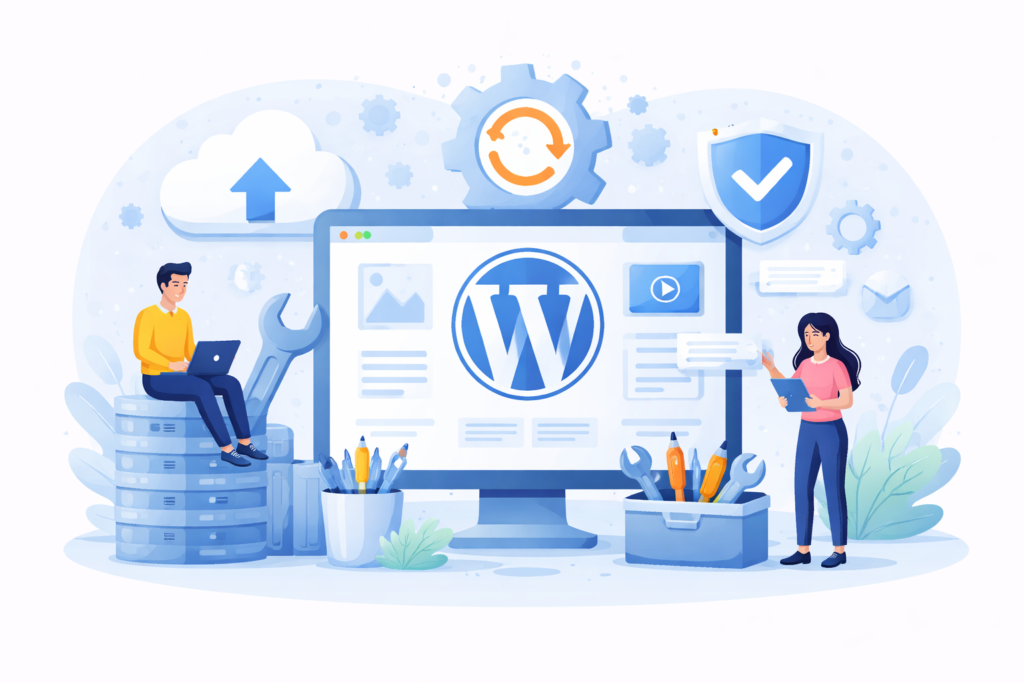
Regular updates are essential for keeping your WordPress theme secure and functional. Theme developers frequently release updates to fix bugs, improve performance, and address security vulnerabilities. Ignoring these updates can expose your website to risks and compatibility issues.
Before updating a theme, it’s crucial to create a backup of your website. This ensures you can restore your site in case something goes wrong. Testing updates in a staging environment is also recommended, especially for business websites where downtime can impact revenue and user trust.
Maintenance goes beyond updates. It includes monitoring performance, removing unused themes, and ensuring compatibility with plugins and WordPress core updates. Following WordPress Security Best Practices helps maintain a secure and stable website environment over time.
Common Mistakes to Avoid When Using WordPress Themes
One of the most common mistakes users make is choosing a theme based solely on design. While aesthetics are important, ignoring performance, SEO, and compatibility can lead to long-term issues. A visually appealing theme that loads slowly or lacks responsiveness can harm user experience and search rankings.
Another mistake is overloading themes with unnecessary plugins and features. This can lead to slower performance and increased security risks. Instead, focus on essential functionalities and choose lightweight themes that prioritize efficiency. Avoid themes with excessive built-in features that you may never use.
Failing to update themes regularly is another critical error. Outdated themes can become vulnerable to security threats and may not work properly with newer WordPress versions. Additionally, not testing changes before applying them to a live site can result in broken layouts or functionality issues. Being proactive and cautious helps avoid these common pitfalls.
Best Practices for Choosing and Using WordPress Themes
Selecting and using WordPress themes effectively requires a strategic approach. Start by defining your website’s goals and target audience. This helps you choose a theme that aligns with your objectives and provides the necessary features for success.
Always prioritize performance and SEO when evaluating themes. Look for lightweight designs, clean code, and compatibility with SEO tools. Testing themes using tools like Google PageSpeed Insights can help you assess performance before making a final decision.
Customization should be done thoughtfully. Avoid making excessive changes that could affect performance or compatibility. Instead, focus on creating a clean, user-friendly design that enhances user experience. Regular maintenance, updates, and monitoring ensure your theme continues to perform optimally over time.
FAQs
1. What is a WordPress theme?
A WordPress theme is a collection of files that control the design and layout of your website, allowing you to change its appearance without modifying core functionality.
2. Are free WordPress themes safe to use?
Yes, if they are downloaded from the official WordPress repository. These themes undergo strict review processes to ensure quality and security.
3. How often should I update my WordPress theme?
You should update your theme whenever a new version is released to ensure security, compatibility, and performance improvements.
4. Can I switch themes without losing content?
Yes, your content remains intact, but layout and design elements may change. It’s recommended to test the new theme before applying it live.
5. Do WordPress themes affect SEO?
Absolutely. Themes impact site speed, mobile responsiveness, and code structure, all of which influence SEO rankings.
6. What is a child theme?
A child theme allows you to customize a parent theme without modifying its core files, ensuring your changes are preserved during updates.
7. How do I choose the best theme for my website?
Consider factors like performance, responsiveness, customization options, and compatibility with plugins.
8. Are premium themes worth the investment?
Yes, they offer advanced features, better support, and regular updates, making them ideal for professional websites.
Best Practices Summary
- Choose lightweight, SEO-friendly themes
- Ensure mobile responsiveness and fast loading speed
- Regularly update and maintain your theme
- Avoid unnecessary plugins and features
- Test themes before deployment
- Use child themes for customization
- Follow Google Core Web Vitals for performance optimization
- Prioritize user experience and clean design
Conclusion
WordPress themes are the backbone of any successful website, influencing design, performance, and user experience. By choosing the right theme and following best practices, you can create a website that not only looks great but also performs exceptionally well in search rankings. At WP Maintenance Service, we emphasize the importance of strategic theme selection and ongoing optimization to ensure long-term success.
Investing time in understanding themes, maintaining them properly, and aligning them with SEO and performance standards will set your website apart in a competitive digital landscape. With the right approach, your WordPress theme becomes a powerful tool for growth and engagement.
Want to Implement This Easily?
Prompt Text:
You are an expert consultant. Based on the blog post titled “(WordPress Themes)”, provide a step-by-step, practical implementation guide. Include tools, best practices, common mistakes to avoid, and advanced tips. Assume the reader wants to implement everything discussed in this article effectively.
Call to Action:
Want our help implementing this? Just reach out to us via our website contact form:
https://www.wpmaintenanceservice.com/contact-us/