
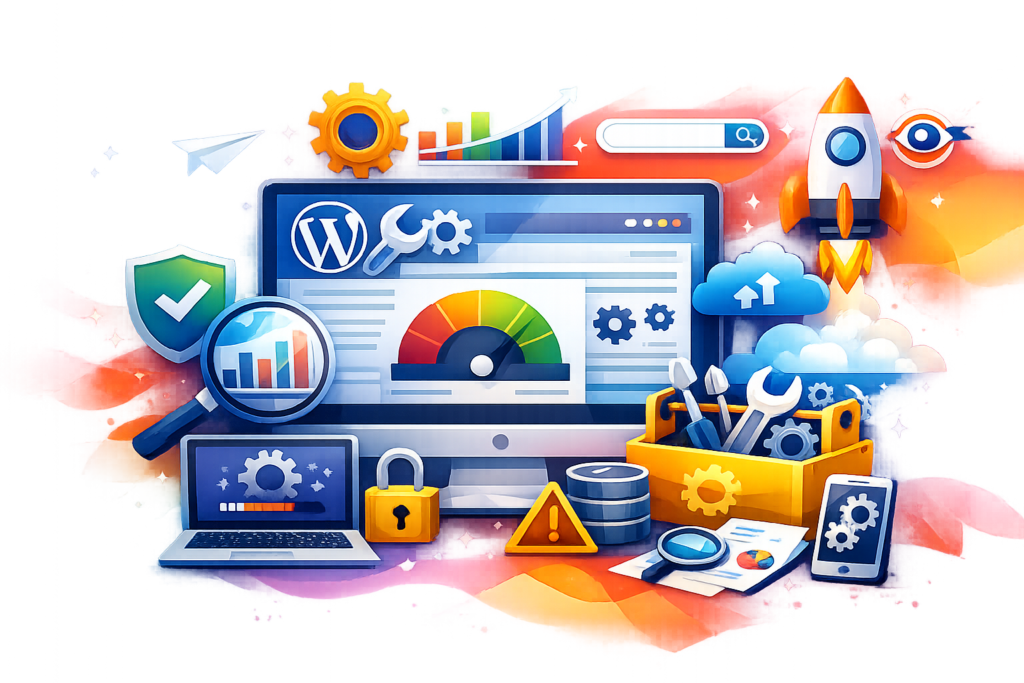
Discover the ultimate guide to WordPress Maintenance with expert strategies for security, performance optimization, backups, updates, uptime monitoring, SEO improvements, and long-term website stability.
Introduction
Running a WordPress website successfully requires more than simply launching pages and publishing content. Modern websites face constant challenges involving cybersecurity threats, plugin conflicts, slow loading times, database inefficiencies, broken links, server downtime, and compatibility issues. Without consistent maintenance, even professionally designed websites can gradually lose performance, rankings, and user trust.
For businesses, bloggers, agencies, and eCommerce owners, proper WordPress Maintenance is essential for ensuring long-term stability, security, and search visibility. A neglected website often experiences reduced traffic, higher bounce rates, poor user experience, and increased vulnerability to attacks. Regular maintenance protects your digital investment while helping your website remain competitive in search engine rankings.
At WP Maintenance Service, businesses understand the importance of proactive website care. A structured maintenance strategy helps prevent costly downtime, data loss, and performance bottlenecks before they become major problems. This comprehensive guide explores every critical aspect of WordPress maintenance, including security hardening, updates, optimization, backups, SEO preservation, troubleshooting, and future-proofing techniques.
Why WordPress Maintenance Matters for Every Website
WordPress powers a massive portion of the internet because of its flexibility, scalability, and extensive plugin ecosystem. However, this popularity also makes WordPress a primary target for hackers, bots, malware campaigns, and exploit attempts. Websites that are not maintained regularly become easy targets for cybercriminals and automated attacks.
A well-maintained website improves reliability and user confidence. Visitors expect pages to load quickly, forms to work properly, and navigation to remain smooth across all devices. When websites suffer from errors, slow speeds, or broken functionality, visitors often leave immediately. Search engines also interpret poor user experience as a negative ranking signal, which can reduce organic visibility over time.
Proper maintenance also ensures compatibility between WordPress core files, themes, plugins, PHP versions, and hosting environments. Updates released by developers frequently include performance enhancements, security patches, and bug fixes. Ignoring these updates can lead to functionality conflicts and outdated code vulnerabilities. According to WordPress Security Best Practices, maintaining updated software is one of the most effective ways to secure a website against common attacks.
Understanding Core Components of WordPress Maintenance
Effective WordPress maintenance involves multiple technical and operational areas working together. Website owners often assume maintenance only means updating plugins, but professional maintenance is far more comprehensive. It includes monitoring, optimization, testing, backups, malware prevention, database cleanup, and SEO health management.
The first major component involves software updates. WordPress core releases frequently improve security and performance while fixing bugs discovered by the development community. Themes and plugins also require updates to remain compatible with the latest WordPress versions. Failure to maintain these components can create serious security gaps or site instability.
The second component focuses on website security. Cybersecurity threats constantly evolve, making continuous protection necessary. Maintenance tasks such as malware scanning, firewall configuration, login security improvements, and file integrity monitoring help prevent unauthorized access and malicious activity. Guidance from Google Search Central Security Documentation emphasizes how compromised websites can lose rankings and user trust.
Another critical component involves performance optimization. Slow websites negatively affect user experience, conversions, and SEO rankings. Maintenance professionals routinely optimize databases, remove unnecessary scripts, compress images, implement caching, and monitor page speed metrics to maintain fast-loading pages.
The Role of Website Security in WordPress Maintenance
Website security remains one of the most important aspects of WordPress maintenance because online threats continue to grow in sophistication. Every website, regardless of size, can become a target for brute-force attacks, malware injections, spam campaigns, phishing attempts, and ransomware activity.
One of the most effective security strategies involves implementing layered protection. This includes strong password policies, multi-factor authentication, login attempt restrictions, firewall deployment, malware scanning, and secure hosting environments. Security plugins can help automate threat detection, but they should always be configured correctly to avoid conflicts or resource issues.
Website owners should also monitor file changes and unauthorized modifications. Attackers often inject malicious scripts into theme files, plugin directories, or database tables. Regular file integrity scans help detect suspicious activity before significant damage occurs. The OWASP Foundation provides extensive cybersecurity guidance for protecting web applications from common vulnerabilities.
Secure Socket Layer certificates also play a critical role in website security and SEO. HTTPS encryption protects sensitive data exchanged between users and websites. Search engines prioritize secure websites because encryption improves user trust and browsing safety. Maintenance routines should include SSL monitoring to ensure certificates remain valid and properly configured.
Keeping WordPress Core, Themes, and Plugins Updated
Software updates are essential for maintaining a secure and high-performing WordPress environment. Each update may include vulnerability patches, compatibility improvements, feature enhancements, and performance optimizations. Ignoring updates increases the risk of security breaches and operational failures.
WordPress core updates are particularly important because they address platform-wide vulnerabilities discovered by the development community. Delaying core updates exposes websites to publicly known exploits that attackers actively target. Before applying updates, professional maintenance processes typically involve creating backups and testing compatibility within staging environments.
Plugins require careful monitoring because outdated or abandoned plugins frequently introduce security risks. Many cyberattacks occur through vulnerable plugins that website owners forget to update. Choosing reputable plugins with active developer support significantly reduces long-term risks. According to WordPress Plugin Guidelines, properly maintained plugins should follow strict development and security standards.
Theme updates are equally important because themes influence front-end functionality and user experience. Outdated themes may contain deprecated code incompatible with newer PHP versions or WordPress releases. Regular maintenance ensures visual consistency, responsiveness, and performance remain intact across all devices and browsers.
Backup Strategies That Protect Your Website
Website backups serve as the foundation of disaster recovery planning. Even highly secure websites can experience accidental data loss, hosting failures, human errors, or cyberattacks. Reliable backups allow website owners to restore operations quickly without losing valuable content or customer data.
A professional backup strategy involves multiple layers of redundancy. Backups should include website files, databases, media uploads, themes, plugins, and configuration settings. Storing backups in only one location creates unnecessary risk, especially if the hosting server becomes compromised. Best practices recommend maintaining both onsite and offsite backups for maximum protection.
Automated backup scheduling is essential for consistency. Websites with frequent updates or eCommerce activity may require daily or even real-time backups. Less active websites may use weekly schedules, but regular verification remains necessary. Backup files should also be tested periodically to confirm successful restoration capability.
Cloud storage solutions provide additional security and scalability for backup management. Services that offer encrypted remote storage help reduce the risk of total data loss. Guidance from Google Cloud Security Best Practices highlights the importance of secure storage and disaster recovery planning for digital assets.
Website Speed Optimization and Performance Maintenance
Website speed directly affects user experience, conversion rates, and search engine rankings. Slow-loading pages frustrate visitors and increase bounce rates, especially on mobile devices. Consistent performance maintenance ensures websites remain fast, responsive, and efficient under varying traffic conditions.
One major factor affecting website speed is excessive plugin usage. Many websites accumulate unnecessary plugins over time, increasing server requests and resource consumption. Maintenance routines should include plugin audits to identify redundant or poorly optimized tools that slow down website performance.
Image optimization is another critical area. Large image files consume bandwidth and delay page rendering. Compressing images without sacrificing visual quality significantly improves loading times. Modern image formats and lazy loading techniques further enhance performance while maintaining visual appeal.
Caching mechanisms also play a vital role in speed optimization. Browser caching, server-side caching, and content delivery networks reduce server load and accelerate content delivery. According to Google PageSpeed Insights Documentation, optimizing loading performance contributes directly to better Core Web Vitals scores and improved SEO visibility.
Database Optimization for Long-Term Website Health
The WordPress database stores critical website information, including posts, pages, settings, comments, metadata, and plugin configurations. Over time, databases accumulate unnecessary data such as post revisions, spam comments, expired transients, and orphaned tables. Without regular optimization, this clutter can slow down website performance and create inefficiencies.
Database maintenance involves cleaning unnecessary records while preserving essential content and configurations. Removing old revisions, trashed items, and unused plugin data helps reduce database size and improve query performance. A lean database allows the server to process requests more efficiently, which contributes to faster page loading times and improved user experience.
Another important aspect involves repairing corrupted database tables. Server interruptions, plugin conflicts, or improper shutdowns can damage tables and lead to errors across the website. Regular database checks help identify and repair issues before they impact website functionality. Many maintenance professionals also optimize database indexing to improve search queries and backend performance.
Database security is equally important because attackers often target database vulnerabilities to inject malicious code or steal sensitive information. Strong database credentials, restricted user permissions, and regular monitoring help reduce risks. Guidance from MySQL Security Guidelines provides valuable recommendations for securing and maintaining database environments.
Monitoring Website Uptime and Downtime
Website uptime directly affects business credibility, customer trust, and revenue generation. Even short periods of downtime can lead to lost sales, missed opportunities, and reduced search engine visibility. Continuous uptime monitoring is therefore an essential part of professional WordPress maintenance.
Monitoring tools track website availability and instantly notify administrators if downtime occurs. Early alerts allow maintenance teams to investigate and resolve issues quickly before users are significantly affected. Downtime may result from hosting failures, server overloads, DNS issues, plugin conflicts, or cyberattacks.
Beyond simple uptime tracking, advanced monitoring systems also evaluate server response times and performance metrics. Slow response times can indicate emerging problems before full outages occur. By identifying these warning signs early, website owners can take preventive action to maintain stability and performance.
Search engines value reliable websites because they provide a consistent experience for users. Frequent downtime may reduce crawling efficiency and negatively impact rankings. Recommendations from Google Search Central Documentation emphasize the importance of maintaining site availability and accessibility for search visibility.
Malware Scanning and Threat Prevention
Malware infections can severely damage a website’s reputation, search rankings, and user trust. Infected websites may display spam content, redirect visitors to malicious pages, or distribute harmful files without the owner’s knowledge. Regular malware scanning is therefore essential for maintaining a healthy WordPress environment.
Automated security scans help detect suspicious files, unauthorized code injections, and malicious scripts before they spread. Maintenance routines should include both server-side and application-level scans to identify vulnerabilities across all areas of the website. Once malware is detected, immediate cleanup and vulnerability patching are necessary to prevent reinfection.
Preventive security measures significantly reduce infection risks. Web application firewalls, secure hosting configurations, and access control policies create multiple barriers against attackers. Maintenance professionals also review file permissions and disable unnecessary access points that hackers commonly exploit.
Search engines actively warn users about infected websites, which can dramatically reduce traffic and trust. Google provides security alerts through Google Search Console Security Issues Report to help website owners identify and resolve malware-related problems quickly.
SEO Maintenance and Search Visibility Protection
SEO maintenance ensures that websites remain visible, competitive, and technically optimized for search engines. Many website owners focus only on content creation while overlooking the technical factors that influence rankings and indexing performance.
Regular SEO audits help identify crawl errors, broken links, duplicate content, missing metadata, and indexing issues. Addressing these problems improves search engine accessibility and user experience. Maintenance teams also monitor structured data implementation to ensure rich results remain functional and compliant with search engine guidelines.
Content freshness is another important SEO factor. Updating outdated pages with new insights, statistics, and relevant keywords helps maintain relevance and authority. Search engines often favor websites that consistently improve and refresh valuable content for users.
Technical SEO maintenance also includes monitoring Core Web Vitals, mobile usability, XML sitemaps, and canonical tags. According to Google Search Essentials, maintaining technical quality and user-focused content plays a major role in long-term search performance.
Managing WordPress Maintenance for eCommerce Websites
eCommerce websites require more advanced maintenance because they process transactions, manage customer data, and handle inventory systems. A single technical issue can directly impact revenue, customer trust, and operational continuity.
Security becomes especially critical for online stores because they handle payment information and personal customer details. Maintenance strategies should include PCI compliance considerations, secure payment gateway monitoring, and fraud prevention measures. SSL encryption and checkout security audits are essential for protecting customer transactions.
Performance optimization also carries greater importance for eCommerce websites. Slow product pages and delayed checkout processes often lead to abandoned carts and lost sales. Maintenance professionals regularly optimize product databases, caching systems, and image delivery networks to ensure smooth shopping experiences.
WooCommerce and other eCommerce plugins frequently release updates to improve compatibility and security. These updates should be tested carefully to avoid conflicts affecting inventory management or payment processing. Guidance from WooCommerce Documentation helps website owners maintain stable and secure online stores.
Mobile Optimization and Responsive Website Maintenance
Mobile traffic continues to dominate internet usage across industries, making responsive website performance a major maintenance priority. Websites that fail to function properly on smartphones and tablets often experience higher bounce rates and reduced search visibility.
Responsive maintenance involves testing layouts, navigation menus, forms, images, and interactive elements across multiple devices and screen sizes. Even small design inconsistencies can negatively affect user experience and conversions. Maintenance professionals regularly evaluate responsiveness to ensure seamless usability.
Mobile speed optimization is equally important because mobile users often rely on slower network connections. Compressing resources, minimizing scripts, and implementing responsive image loading techniques help improve performance on mobile devices. Fast-loading mobile experiences contribute to better engagement and SEO outcomes.
Google’s mobile-first indexing system prioritizes mobile versions of websites when determining rankings. Recommendations from Google Mobile-Friendly Guidelines highlight the importance of responsive design and mobile usability for modern websites.
Common WordPress Maintenance Mistakes to Avoid
Many website owners unintentionally create problems by neglecting critical maintenance responsibilities or implementing poor management practices. Understanding these mistakes helps prevent costly issues and long-term website damage.
One common mistake involves ignoring updates due to fear of compatibility issues. While updates can occasionally create conflicts, avoiding them entirely increases exposure to security vulnerabilities and outdated functionality. The better approach involves testing updates within staging environments before deployment.
Another frequent mistake is relying solely on hosting provider backups. Although hosting backups provide valuable protection, website owners should maintain independent backup systems for additional security and recovery flexibility. Multiple backup layers greatly reduce disaster recovery risks.
Excessive plugin installation is another major issue. Many users install unnecessary plugins that duplicate functionality, consume server resources, and introduce vulnerabilities. Maintenance routines should include regular plugin audits to remove unused or poorly maintained tools.
Weak passwords and inadequate login protection also create serious security risks. Attackers commonly exploit simple credentials through automated brute-force attacks. Strong authentication policies and multi-factor authentication significantly improve website protection.
Best Practices for Professional WordPress Maintenance
Professional WordPress maintenance follows a proactive approach rather than reacting only after problems occur. Consistent preventive care helps maintain website reliability, performance, and long-term scalability.
One best practice involves creating a detailed maintenance schedule. This schedule should include daily, weekly, monthly, and quarterly tasks such as backups, updates, security scans, uptime monitoring, database optimization, and SEO audits. Structured routines reduce the likelihood of overlooked issues.
Another important practice is using staging environments before implementing major changes. Testing updates, redesigns, or plugin installations within staging sites minimizes the risk of breaking live functionality. This approach is especially important for high-traffic or revenue-generating websites.
Documentation also plays a critical role in maintenance management. Keeping records of updates, configurations, security incidents, and recovery procedures improves troubleshooting efficiency and operational continuity. Teams can resolve issues more quickly when detailed documentation exists.
Finally, website owners should prioritize trusted hosting providers and reputable plugin developers. Quality infrastructure and reliable development practices significantly reduce long-term maintenance complications while improving overall website stability.
The Future of WordPress Maintenance and Website Management
WordPress maintenance continues to evolve alongside changes in cybersecurity, user expectations, artificial intelligence, and search engine algorithms. Modern maintenance strategies increasingly rely on automation, predictive monitoring, and intelligent optimization systems.
Artificial intelligence tools are already improving threat detection, uptime monitoring, and performance optimization processes. AI-powered systems can identify suspicious behavior patterns, detect anomalies, and recommend optimizations before issues escalate. These technologies help reduce manual workloads while improving response times.
Sustainability and energy-efficient hosting practices are also becoming more important within the web industry. Optimized websites consume fewer server resources, load faster, and reduce unnecessary energy consumption. Efficient website management therefore supports both performance goals and environmental considerations.
Future maintenance strategies will likely place even greater emphasis on privacy, compliance, accessibility, and user experience. As regulations and search engine expectations continue evolving, websites must remain adaptable and technically compliant to stay competitive.
FAQs
What is WordPress maintenance?
WordPress maintenance involves regularly updating, securing, optimizing, monitoring, and backing up a WordPress website to ensure stability, performance, and security.
How often should WordPress websites be maintained?
Most websites require weekly maintenance at minimum. High-traffic or eCommerce websites often need daily monitoring, backups, and performance checks.
Why are WordPress updates important?
Updates provide security patches, compatibility improvements, bug fixes, and performance enhancements that help protect and improve website functionality.
Can maintenance improve SEO rankings?
Yes. Proper maintenance improves speed, uptime, security, mobile usability, and technical SEO factors that influence search engine rankings.
What happens if WordPress maintenance is ignored?
Neglected websites may experience malware infections, slow performance, broken functionality, downtime, ranking losses, and data breaches.
Are backups really necessary if hosting provides them?
Yes. Independent backups provide additional protection and recovery flexibility in case hosting backups fail or become compromised.
How can I improve WordPress website speed?
Speed improvements typically involve caching, image optimization, database cleanup, CDN usage, script minimization, and reducing unnecessary plugins.
Is WordPress maintenance important for small websites?
Absolutely. Even small websites face cybersecurity threats, performance issues, and compatibility challenges that require regular maintenance.
Best Practices Summary
Effective WordPress maintenance combines proactive security, regular updates, reliable backups, speed optimization, database management, SEO monitoring, and uptime tracking. Websites that follow structured maintenance routines consistently outperform neglected websites in terms of stability, rankings, and user experience.
Businesses should prioritize preventive maintenance rather than waiting for technical failures or security incidents to occur. Consistent monitoring and optimization help reduce operational risks while supporting long-term digital growth.
Reliable maintenance also strengthens user trust by ensuring websites remain secure, accessible, fast, and functional across all devices. As search engines continue prioritizing experience-focused websites, professional WordPress maintenance will remain essential for online success.
Conclusion
WordPress maintenance is not a one-time task but an ongoing process that directly influences website security, speed, reliability, and search visibility. Every website owner, whether managing a personal blog, business platform, or eCommerce store, benefits from proactive maintenance strategies designed to prevent problems before they occur.
By implementing structured updates, security monitoring, backups, database optimization, and SEO maintenance, websites can maintain consistent performance while adapting to evolving digital standards. Long-term success depends on continuous improvement, technical stability, and user-focused optimization.
At WP Maintenance Service, professional WordPress maintenance solutions help businesses protect their websites, improve performance, and support sustainable online growth through expert management and technical care.
Want to Implement This Easily?
Prompt Text:
You are an expert consultant. Based on the blog post titled “WordPress Maintenance”, provide a step-by-step, practical implementation guide. Include tools, best practices, common mistakes to avoid, and advanced tips. Assume the reader wants to implement everything discussed in this article effectively.
Call to Action:
Want our help implementing this? Just reach out to us via our website contact form: Contact Us