
Discover how WordPress Maintenance keeps websites secure, fast, reliable, updated, and optimized with practical strategies for long-term website performance.
Introduction
A WordPress website is not a finished product simply because it has been designed, published, and connected to a domain. Once a website goes live, its technical environment continues to change. WordPress releases new versions, plugins and themes receive updates, hosting configurations evolve, databases grow, security threats change, browsers introduce new requirements, and third-party integrations can stop behaving as expected. Without a structured maintenance process, small technical issues can gradually develop into larger problems.
WordPress Maintenance is the ongoing process of monitoring, updating, securing, testing, optimizing, and managing a WordPress website so that its essential systems continue to work correctly. It can include software updates, backup management, security monitoring, database housekeeping, performance optimization, uptime monitoring, broken-link checks, compatibility testing, account reviews, and recovery preparation. The exact activities depend on the website, but the underlying objective remains the same: reduce avoidable problems while keeping the website dependable.
For website owners, maintenance should be viewed as an operational responsibility rather than an occasional emergency activity. A business website may generate leads, an online store may process transactions, a publication may depend on search visibility, and a membership website may handle user accounts and private information. When important functionality fails, the consequences can extend beyond a technical inconvenience.
The team at WP Maintenance Service can approach WordPress Maintenance as a structured lifecycle rather than simply a collection of fixes. That means understanding what is installed, protecting website data, controlling changes, monitoring important systems, testing functionality, and maintaining a documented recovery process.
This guide explores the major elements of professional WordPress Maintenance and explains how website owners can create a practical system that supports security, performance, reliability, compatibility, and long-term website health.
What Is WordPress Maintenance and Why Does It Matter?
WordPress Maintenance is the continuous management of a WordPress website after launch. It includes the activities required to keep the WordPress core, plugins, themes, database, hosting environment, integrations, content, and security controls operating properly. While software updates are an important part of maintenance, they represent only one part of the broader process.
A useful maintenance strategy begins with visibility. Website administrators should know which WordPress version is installed, which plugins and themes are active, whether available updates require attention, when the last successful backup was created, whether the website is responding normally, and whether important functions are working. Without this information, maintenance tends to become reactive. Problems are discovered only when an administrator notices them or a visitor reports that something is broken.
WordPress itself recommends regular maintenance activities such as keeping software updated, backing up the website, checking links, cleaning unnecessary information, and reviewing website functionality. Its official guidance on WordPress Site Maintenance provides a useful foundation for these activities. The principle is straightforward: a website requires continued attention because its environment does not remain static.
The need for maintenance becomes clearer when the website is viewed as a collection of interconnected systems. A typical WordPress installation may depend on WordPress core, PHP, MySQL or MariaDB, plugins, themes, hosting infrastructure, caching, DNS, SSL, email systems, payment gateways, analytics platforms, APIs, and external scripts. A change in one area can sometimes affect another.
For example, updating a plugin may change its API behavior. A hosting provider may change its PHP configuration. A theme may depend on functionality supplied by a page builder. An external API may modify its authentication requirements. These changes can occur even when the website owner has not deliberately changed the website itself.
Regular maintenance provides a controlled method for managing this uncertainty. Instead of waiting for failures, administrators can inspect important components, create backups before major changes, apply updates carefully, test the website, and document what happened.
Maintenance also supports business continuity. A website that generates leads, processes payments, publishes content, or provides customer information may represent an important operational asset. Protecting that asset requires more than fixing problems after they occur.
The most effective mindset is therefore preventive rather than reactive. Maintenance does not guarantee that every issue can be prevented, but it can reduce avoidable risks and make unexpected problems easier to diagnose and recover from.
The Core Components of a Reliable WordPress Maintenance Strategy
A dependable WordPress Maintenance strategy consists of several connected activities rather than one isolated task. Updates, backups, security, performance monitoring, testing, database management, and documentation all contribute to website reliability. If one area is ignored, weaknesses can remain even when the other areas are handled correctly.
Software management is one of the foundations. WordPress core, plugins, and themes should be reviewed regularly. Updates may contain security fixes, bug fixes, compatibility improvements, or new functionality. However, responsible maintenance does not mean automatically installing every available update without consideration. The website should be protected by a recent backup, and higher-risk changes should be tested where practical.
WordPress provides official guidance for managing updates and explains the importance of maintaining current software. Its Updating WordPress documentation covers the WordPress update process and precautions administrators should consider before making changes.
Backups form the second major component. A WordPress website generally contains both files and database information. Themes, plugins, media, configuration files, and other assets exist within the website’s file structure, while posts, pages, settings, user information, and other structured information may exist in the database. A complete recovery strategy needs to account for both.
The third component is security. Security maintenance can include reviewing administrator accounts, using strong authentication, removing unnecessary software, applying security updates, checking permissions, monitoring suspicious activity, and ensuring HTTPS is configured correctly.
Performance is another essential area. Website speed can change as more content is published, plugins are installed, media libraries grow, and third-party resources are added. Regular performance checks can identify deterioration before it becomes a significant usability problem.
Testing connects the entire maintenance system. After important updates or configuration changes, administrators should verify critical pages and functions. A successful update message does not prove that every component of the website still works correctly.
Finally, documentation creates operational continuity. A maintenance record can include the date of an update, components changed, backup status, testing results, detected errors, and corrective actions.
A mature maintenance system therefore follows a cycle:
Inspect → Back Up → Update → Test → Monitor → Document → Repeat
This cycle creates a repeatable process instead of relying on memory or emergency troubleshooting.
WordPress Core, Plugin, and Theme Updates
Keeping WordPress software updated is one of the most important routine maintenance activities. WordPress core, plugins, and themes are continuously developed, and newer releases can address bugs, improve compatibility, introduce functionality, or correct security vulnerabilities. Leaving outdated components installed indefinitely can create unnecessary technical and security exposure.
However, updating should be treated as a controlled change rather than a purely mechanical task. Before applying significant updates, administrators should identify what is changing and confirm that a recent backup exists. WordPress recommends creating a backup before updating because an update can occasionally produce unexpected compatibility problems. The official WordPress Updates guidance explains the importance of keeping WordPress current while taking appropriate precautions.
Plugin updates require particular attention because WordPress websites can contain many third-party components. A plugin may interact with the theme, database, page builder, e-commerce platform, forms, caching layer, or another plugin. Consequently, an update that works correctly on one website may require additional testing on another website with a different configuration.
A practical update process begins with an inventory. Review the WordPress version, active plugins, inactive plugins, active theme, child theme, PHP environment, and major integrations. Determine whether the components are still necessary and whether they have been maintained by their developers.
Inactive plugins should not automatically remain installed simply because they are not currently active. If a component is genuinely unnecessary, removing it can reduce complexity. However, administrators should verify that its removal will not affect stored data or another system.
Themes need similar care. Websites containing custom theme modifications should be handled particularly carefully. Direct modifications to a parent theme can potentially be overwritten during updates. A child-theme or properly managed custom-development approach can provide a safer structure for customization.
Automatic updates can simplify routine administration, but automation does not remove the need for backups and monitoring. WordPress provides documentation for Plugin and Theme Auto-Updates, including information about managing automatic updates and the importance of maintaining backups.
After updates are installed, testing should cover the areas most important to the website:
- Homepage and key landing pages
- Navigation and menus
- Contact forms
- Login and registration
- Search
- Checkout and payment functions
- User dashboards
- Media display
- Mobile layouts
- Important integrations
- Administrative functionality
The objective is not simply to achieve an “updated” status in the dashboard. The real objective is to maintain a working and compatible website after changes have been applied.
WordPress Backup Strategy: Protecting Files, Database, and Content
A backup strategy is one of the most important foundations of WordPress Maintenance because no website is completely protected from unexpected failure. Hardware problems, hosting incidents, human mistakes, malicious activity, failed updates, configuration errors, and accidental deletion can all result in data loss or website disruption.
A complete WordPress backup needs to account for both the website’s files and its database. WordPress Developer Resources explains this distinction in its guidance on WordPress Backup. Website files and database information serve different purposes, so protecting only one does not necessarily provide a complete recovery point.
Website files can contain plugins, themes, uploaded media, configuration files, and other assets. The database contains structured information such as posts, pages, settings, user records, metadata, and data created by plugins. During recovery, these components may need to be restored together.
Backup frequency should reflect how frequently the website changes and how much information could be lost without causing unacceptable consequences. A small informational website that changes occasionally may require a different schedule from an online store receiving orders throughout the day.
The more frequently important data changes, the more frequently recovery points should generally be created.
Storage location is another important consideration. Keeping every backup inside the same hosting account as the live website creates a potential single point of failure. If the hosting environment becomes unavailable or compromised, access to the backup may also be affected.
A stronger strategy can maintain copies in separate storage locations and use sensible retention rules. Older backups can be retained according to the website’s operational requirements while recent recovery points provide protection against recent changes.
But creating backups is only half of the equation.
Backups should be tested.
A backup that appears to exist but cannot be restored successfully should not be treated as a dependable recovery mechanism. Restoration testing can reveal incomplete archives, corrupted files, missing database tables, incompatible configurations, or incorrect restoration procedures.
A practical backup strategy can include:
- Automated scheduled backups
- Database backups
- Website file backups
- Off-site storage
- Multiple recovery points
- Backup retention policies
- Pre-update backups
- Backup notifications
- Periodic restoration tests
- Documented recovery procedures
There is also an important difference between backup and recovery. Backup creates a recoverable copy of information. Recovery is the process of actually restoring the website from that copy.
For business-critical websites, administrators should know where backups are stored, how to access them, which backup is considered reliable, who is responsible for restoration, and how the website will be tested afterward.
This makes backup management part of business continuity rather than simply another dashboard task.
WordPress Security Maintenance and Preventive Protection
Security maintenance should be continuous because threats, software versions, configurations, and website components continue to change. Installing a security plugin once does not transform a website into a permanently secure system. Security requires several layers working together.
One of the first areas to review is software. Outdated WordPress core, plugins, and themes can expose a website to known vulnerabilities when security fixes are available but not applied. Regular update management should therefore be integrated into the maintenance schedule.
WordPress publishes security-related information through its official resources, while the platform’s WordPress Security guidance discusses practical measures administrators can use to strengthen installations. Security hardening should be considered alongside backups, access control, monitoring, hosting security, and software maintenance.
User access is another important control. Administrator privileges should be limited to people who genuinely need them. Old accounts should be reviewed and removed when appropriate. User roles should reflect actual responsibilities rather than providing everyone with unrestricted access.
Strong passwords are also essential. Administrator credentials should be unique and difficult to guess. Where supported, multi-factor authentication can add another layer of protection beyond the password itself.
Security maintenance should also include unnecessary component management. Plugins and themes that are no longer required increase the number of components that need to be monitored and maintained. Removing genuinely unnecessary software can simplify the technical environment.
File permissions, HTTPS, hosting configuration, database credentials, API keys, and third-party integrations should also be considered. A WordPress website can be affected by weaknesses outside the WordPress dashboard itself.
Monitoring can provide early warning when something unusual happens. Depending on the environment, useful indicators can include:
- Unexpected administrator accounts
- Suspicious login activity
- Unexpected file changes
- Unusual redirects
- Malware warnings
- Unexpected code injections
- Abnormal traffic
- Failed authentication attempts
- Security plugin alerts
- Unexpected configuration changes
However, monitoring is most valuable when there is a response process behind it. An alert without an assigned action may not provide meaningful protection.
Security maintenance should therefore follow a layered model:
Reduce exposure → Control access → Keep software updated → Monitor activity → Maintain backups → Prepare for recovery
No website maintenance process can promise that a website will never be compromised. A more realistic objective is to reduce preventable weaknesses, improve detection, and make recovery more controlled when an incident occurs.
This approach treats security as a continuing operational responsibility rather than a one-time installation.
WordPress Performance Maintenance and Website Speed
Website performance can deteriorate gradually, which makes it particularly important to monitor over time. A website may perform well when first launched but become slower as its content library expands, additional plugins are introduced, images increase in size, databases grow, and third-party scripts accumulate.
Performance maintenance should begin with measurement rather than assumptions. Useful indicators can include loading performance, server response time, interaction responsiveness, visual stability, resource size, caching behavior, and real-user experience.
Google’s Core Web Vitals documentation identifies three key user-experience metrics: Largest Contentful Paint (LCP), Interaction to Next Paint (INP), and Cumulative Layout Shift (CLS). These metrics help website owners evaluate loading, responsiveness, and visual stability.
Performance should not be reduced to one numerical score. A website can perform differently across devices, browsers, network conditions, locations, and page types. Testing should therefore consider representative pages and, where available, real-user data.
Images are a frequent source of unnecessary page weight. Large images can increase bandwidth consumption and processing requirements. Images should be appropriately sized for their intended display dimensions and compressed while maintaining acceptable quality.
Plugins should also be reviewed from a performance perspective. A plugin can be useful while still introducing scripts, database queries, API calls, or other processing requirements. The correct approach is to measure its effect rather than assuming that every plugin is inherently problematic.
Caching is another major consideration. Depending on the infrastructure, caching may operate at the browser, server, page, object, or CDN level. Multiple caching layers can work effectively together when configured correctly, but conflicting configurations can sometimes create stale content or unexpected behavior.
Google’s Page Experience guidance also makes an important broader point: user experience involves more than a single performance metric. Security, mobile usability, intrusive elements, and overall page experience all matter.
Performance maintenance can therefore include:
- Monitoring Core Web Vitals
- Reviewing image sizes
- Testing important page templates
- Checking caching
- Reviewing plugin impact
- Monitoring server response time
- Reducing unnecessary scripts
- Reviewing database performance
- Testing mobile performance
- Measuring changes after optimization
Optimization should follow a cycle of measure, diagnose, change, test, and monitor.
The goal is not to chase an arbitrary perfect score. The goal is to maintain a website that loads efficiently, responds predictably, remains visually stable, and provides visitors with a reliable experience across realistic conditions.
WordPress Database Maintenance and Technical Housekeeping
The WordPress database plays a central role in website operation. It stores posts, pages, settings, user information, metadata, and data generated by various plugins. As a website grows, the database can accumulate revisions, unwanted comments, temporary information, plugin-generated records, and other data that may require review.
Database housekeeping should always be approached carefully. Create a verified backup before performing potentially destructive database operations. A mistake in a cleanup process can remove information that the website still requires.
WordPress’s official WordPress Site Maintenance guidance includes routine housekeeping as part of maintaining a healthy website. However, responsible cleanup requires more than blindly deleting records.
For example, a database entry that appears old or unused may actually be referenced by a plugin or custom feature. Plugin-generated tables may also have specific dependencies. Therefore, database optimization should be based on understanding rather than simply trying to make the database as small as possible.
Potential maintenance areas can include:
- Post revisions
- Spam comments
- Trashed content
- Expired transient information
- Orphaned metadata
- Oversized tables
- Unused plugin data
- Temporary records
- Database indexes
- Plugin-generated tables
The exact maintenance process depends heavily on the website’s architecture.
Technical housekeeping should also extend beyond the database. Administrators can review inactive plugins, unused themes, obsolete media, old staging environments, unnecessary backup archives, unused accounts, and development files that no longer have a purpose.
However, cleanup should never become an objective by itself. A smaller database does not automatically mean a healthier website. The purpose of housekeeping is to reduce unnecessary complexity while preserving required functionality and data.
A safe workflow is:
- Identify the maintenance target.
- Confirm that the data is genuinely unnecessary.
- Create a verified backup.
- Perform the cleanup using an appropriate method.
- Test the website.
- Monitor for unexpected behavior.
- Document what was changed.
Database maintenance should also be connected to performance analysis. If a table is large, that does not automatically mean it is causing a performance problem. Measurements should help determine whether optimization is actually necessary.
The same principle applies to plugins and themes. Removing unnecessary components can reduce maintenance overhead, but administrators should understand their dependencies before removal.
Good housekeeping is therefore controlled simplification, not indiscriminate deletion. It should make the website easier to manage while protecting the information and functionality that users depend upon.
WordPress Monitoring, Uptime Checks, and Error Detection
Regular maintenance provides scheduled oversight, but websites can experience problems between maintenance sessions. Monitoring helps close this gap by providing ongoing visibility into website availability, performance, errors, and important functionality.
Uptime monitoring is one of the most basic forms of monitoring. It checks whether a website responds to requests and can alert administrators when the site becomes unavailable. This is useful, but uptime alone cannot confirm that every important function is working.
A website could return a normal response while a contact form is broken, a checkout process fails, a JavaScript feature stops working, or a database query produces an error. For this reason, monitoring should be matched to the importance of the website.
Basic monitoring may check the homepage. More advanced monitoring can inspect specific URLs, response patterns, SSL status, or functional workflows.
For an e-commerce website, for example, monitoring might include important product pages, cart functionality, checkout, and payment-related processes. A membership website may need login and account-area checks. A lead-generation website may place greater emphasis on forms and conversion pages.
Error logs provide another source of information. WordPress, PHP, web servers, hosting systems, and external applications may produce different diagnostic information. Reviewing appropriate logs can help administrators identify recurring problems and understand when a problem started.
Monitoring should also be connected to clear responsibilities. If an alert is generated, someone should know what it means, how urgent it is, and what action should follow.
Useful monitoring areas can include:
- Website uptime
- SSL certificate status
- Important URLs
- Server response time
- PHP errors
- WordPress errors
- Form functionality
- Login functionality
- Checkout workflows
- Backup status
- Security alerts
- Hosting resource usage
Historical monitoring data can become particularly valuable. Suppose website response times gradually increase over several months. Without historical data, an administrator may only see the current problem. With historical data, it becomes possible to investigate when the deterioration began and which changes occurred around that period.
Monitoring can also help distinguish between isolated incidents and recurring patterns. Repeated downtime at specific times, recurring database errors, or periodic resource spikes may point toward an underlying infrastructure issue.
The key principle is simple:
Do not rely on visitors to tell you when your website has stopped working.
A professional WordPress Maintenance process combines monitoring with backups, security checks, performance testing, and documented response procedures. This turns website management from passive observation into an active operational system.
WordPress Security Hardening, User Access, and Authentication
Security hardening is the process of reducing unnecessary exposure and strengthening the different layers that protect a WordPress website. While security updates are essential, long-term protection also depends on access control, authentication, configuration, software selection, backups, monitoring, and recovery preparation. WordPress describes these principles in its official Hardening WordPress documentation, which covers areas including passwords, file permissions, database security, backups, logging, monitoring, and administrative access.
User accounts deserve particular attention because administrator credentials can provide extensive control over a website. Every administrator account should belong to a legitimate user who actually needs that level of access. Old accounts, shared credentials, unnecessary administrator privileges, and weak passwords can create avoidable risks. A better approach is to assign the lowest practical permission level required for each role. Content editors generally do not need the same capabilities as administrators, and temporary users should not automatically retain permanent access after their work has finished.
Authentication should also be treated as more than a username and password. Strong, unique passwords reduce the likelihood of credential reuse becoming a problem, while multi-factor authentication can add another verification layer where it is supported. Administrative access should also be reviewed periodically, especially after staff changes, contractor projects, agency transitions, or ownership changes. Security maintenance should include a documented process for removing access when someone no longer needs it.
Another important consideration is the source of software installed on the website. WordPress recommends obtaining plugins and themes from trusted sources rather than installing unknown or modified packages. Untrusted software can introduce security and compatibility problems that are difficult to detect. Administrators should also review unused plugins and themes and remove components that genuinely have no continuing purpose.
Security hardening should extend to the hosting environment as well. PHP, database configuration, file permissions, SSL/TLS, server accounts, DNS settings, and hosting credentials can all influence the overall security posture. WordPress specifically emphasizes that website security is broader than WordPress core alone.
A practical security maintenance review can include:
- Reviewing administrator accounts
- Removing obsolete users
- Checking user roles
- Enforcing strong passwords
- Using multi-factor authentication where appropriate
- Updating WordPress core
- Updating plugins and themes
- Removing unnecessary components
- Reviewing file permissions
- Checking HTTPS configuration
- Monitoring suspicious activity
- Protecting backup locations
- Reviewing hosting access
- Documenting incident-response procedures
The objective is not to make a website impossible to attack, because no internet-connected system can provide such a guarantee. The objective is to reduce unnecessary attack surfaces, strengthen important controls, detect problems earlier, and maintain a dependable recovery path.
Mobile Responsiveness, Browser Compatibility, and User Experience
WordPress Maintenance should not focus exclusively on the administrative dashboard. Visitors experience the website through browsers, smartphones, tablets, desktop computers, assistive technologies, and different network conditions. A website can appear healthy to an administrator while still providing a poor experience to a portion of its audience.
Mobile responsiveness is particularly important because modern websites are accessed from a wide range of screen sizes. Maintenance checks should therefore include representative mobile devices and viewport sizes. Important elements to inspect include navigation menus, buttons, forms, headings, images, tables, pop-ups, product layouts, embedded media, and interactive components. A change to a theme or page builder can sometimes affect responsive behavior without producing an obvious error in the WordPress dashboard.
Browser compatibility is another area that deserves regular attention. Websites can behave differently depending on browser engines, JavaScript support, CSS behavior, caching, extensions, and device capabilities. A feature that works correctly in one browser should not automatically be assumed to work identically everywhere. This does not mean every website must be tested on every device available. Instead, testing should prioritize the browsers, devices, and workflows that are relevant to the website’s actual audience.
User experience also involves accessibility and clarity. Text should remain readable, navigation should be understandable, interactive elements should be usable, and important information should not depend entirely on a single visual cue. Forms should provide useful labels and feedback, while error messages should help visitors understand what went wrong.
Performance is closely connected to experience as well. Google’s Page Experience documentation explains that good page experience involves multiple factors, rather than one isolated performance measurement. This reinforces the value of maintaining the website as a complete user-facing system.
Routine responsive and browser testing can include:
- Homepage inspection
- Main navigation
- Mobile menu
- Contact forms
- Search
- Login and registration
- Product pages
- Checkout
- Tables
- Images
- Videos
- Pop-ups
- Interactive elements
- Footer links
- Cookie or consent interfaces
- Important conversion pages
Testing should occur after major theme changes, plugin updates, design changes, custom-code modifications, and significant browser or platform changes.
A useful practice is to maintain a critical-page testing list. Instead of checking every page after every small change, identify the pages and workflows that matter most to the website’s purpose. A lead-generation website may prioritize contact forms and service pages. An e-commerce website may prioritize product pages, carts, checkout, and payment workflows. A publication may prioritize article templates, search, categories, and media.
This approach makes maintenance more efficient while still protecting the visitor experience.
Broken Links, Redirects, and Technical SEO Maintenance
Technical SEO maintenance is an ongoing part of keeping a WordPress website accessible to users and search engines. URLs can change when content is reorganized, pages are deleted, categories are modified, websites are migrated, or permalink structures are changed. Without appropriate management, these changes can create broken links, unnecessary redirects, duplicate URLs, or confusing navigation paths.
WordPress’s own WordPress Site Maintenance guidance specifically discusses checking dead links and monitoring 404 errors. This is important because broken links can affect both usability and website maintenance quality. Visitors who follow a link expecting useful information should not repeatedly encounter missing pages.
A useful technical SEO maintenance process begins with identifying important URLs. These can include high-value landing pages, articles, category pages, product pages, contact pages, downloadable resources, and pages that receive meaningful external traffic. When a URL genuinely needs to change, administrators should determine whether an appropriate redirect is required rather than simply deleting the original address.
Redirects should be purposeful. Creating large chains of redirects can make website management more complicated, while irrelevant redirects can confuse users and search engines. A redirect should generally lead visitors toward the most relevant replacement rather than sending every removed URL to an unrelated page.
Internal links should also be reviewed. A website can accumulate outdated links as content changes. An article may link to a page that was renamed, a product that was removed, or an external resource that no longer exists. Regular checks can identify these issues.
Technical SEO maintenance can also include:
- Reviewing 404 errors
- Checking important internal links
- Checking external links
- Reviewing redirects
- Identifying redirect chains
- Checking canonical implementation
- Reviewing XML sitemap availability
- Checking indexability
- Reviewing robots.txt configuration
- Checking important metadata
- Monitoring changes in search visibility
- Reviewing newly published content
Google’s Google Search Essentials provides the foundational guidance for making content accessible to Google Search. Maintenance should support these fundamentals rather than relying on shortcuts or manipulative tactics.
A useful distinction is that technical SEO maintenance is not the same as trying to force rankings through repeated technical changes. The purpose is to make the website crawlable, accessible, understandable, technically sound, and useful.
Technical SEO checks should also be documented. If a large migration takes place, maintain a record of old URLs, new URLs, redirects, testing results, and known exceptions. This creates a valuable reference for future maintenance and makes troubleshooting considerably easier.
Content, Media, and Website Asset Maintenance
Website maintenance also involves the information that visitors actually consume. Content can become outdated, images can become unnecessary, downloadable files can become obsolete, and links can stop pointing to useful resources. A technically healthy WordPress installation can still provide a poor experience if its public content is neglected.
Content maintenance should begin with an inventory of important pages. Identify pages that generate traffic, leads, sales, support requests, or other meaningful outcomes. Review whether the information remains accurate, whether statistics are still current, whether screenshots represent the current interface, and whether external references still work.
WordPress’s maintenance guidance recommends reviewing previously published material for information that may need updating, editing, or improvement. This is particularly relevant to websites that publish educational, technical, commercial, or regulatory information.
Media libraries can also accumulate unnecessary files. Images uploaded during earlier design iterations may no longer be used. Large original files may remain stored even when smaller optimized versions are displayed. Documents may exist in multiple versions with unclear naming.
However, media cleanup should be performed carefully. An apparently unused image may still be referenced by a page, CSS file, plugin, custom field, or external system. Before deleting an asset, verify that it is genuinely unnecessary.
A useful asset-management process can include:
- Reviewing unused media
- Checking image dimensions
- Removing duplicate files
- Reviewing PDF versions
- Checking downloadable resources
- Updating outdated screenshots
- Reviewing image alt text where appropriate
- Checking media URLs
- Identifying broken embeds
- Reviewing externally hosted content
- Organizing important files
Content quality should also be considered. A maintenance review is an opportunity to identify pages with outdated claims, inconsistent terminology, weak internal linking, unclear calls to action, or duplicated information.
Search visibility can be affected by changes in content quality and accessibility, but maintenance should not become an excuse for making unnecessary edits merely to create the appearance of freshness. Updates should have a meaningful purpose.
A strong content maintenance workflow asks:
Is this information still accurate? Is it still useful? Is it accessible? Is it clearly presented? Does it support the visitor’s purpose?
For important commercial pages, the review can also examine pricing information, product descriptions, contact information, guarantees, policies, and calls to action.
For educational content, the review can focus on factual accuracy, references, terminology, examples, and dates.
For an e-commerce website, product availability, specifications, images, categories, stock information, and checkout-related information may require additional attention.
Content maintenance therefore connects technical management with editorial responsibility. The website is not simply a software installation; it is a public information system that must remain useful as circumstances change.
Staging, Testing, and Safe WordPress Deployment
One of the strongest ways to reduce maintenance risk is to separate testing from the live website whenever practical. A staging environment provides a controlled copy of the website where updates, configuration changes, theme modifications, plugin changes, and custom development can be evaluated before they are introduced to visitors.
This approach becomes increasingly valuable as website complexity grows. A simple blog with a small number of components may have fewer compatibility risks than an e-commerce website containing payment gateways, inventory systems, shipping integrations, marketing automation, analytics, custom code, and numerous plugins.
A staging environment should resemble production as closely as reasonably possible. If the staging website uses substantially different versions of PHP, databases, plugins, themes, or server configuration, successful staging tests may not accurately predict what will happen on the live website.
Testing should follow a defined sequence. First, create or verify a backup. Then apply the intended change in staging. Check for PHP errors, JavaScript errors, broken layouts, missing content, failed forms, authentication problems, and other relevant issues. If the website is an online store, test the complete purchasing workflow where appropriate.
WordPress includes Recovery Mode to help administrators deal with certain fatal PHP errors. Recovery Mode can sometimes provide a way to access the administration area when a plugin, theme, or custom code causes a fatal error. However, it should be viewed as a troubleshooting mechanism rather than a replacement for backups and controlled testing.
WordPress also provides extensive troubleshooting guidance for problems involving plugins, themes, databases, login systems, and other common failures. The official FAQ Troubleshooting resource is useful when diagnosing issues after changes.
A safe deployment workflow can look like this:
- Identify the change.
- Verify the current production state.
- Create or confirm a recent backup.
- Apply the change in staging.
- Test critical functions.
- Review logs and errors.
- Confirm compatibility.
- Schedule the production change.
- Apply the change.
- Test the live website.
- Monitor after deployment.
- Record the outcome.
For larger changes, a rollback plan should exist before deployment begins. If the change produces an unexpected problem, administrators should know whether to revert a plugin, restore files, restore a database, reverse a configuration change, or use another recovery method.
Deployment records are also valuable. Documenting what changed and when can dramatically shorten future troubleshooting.
The goal of staging is not to eliminate every possible failure. No staging environment can perfectly reproduce every real-world visitor, device, integration, network condition, or external service. Instead, staging provides a controlled opportunity to identify many problems before they affect the live website.
Building a Practical WordPress Maintenance Schedule and Checklist
A maintenance schedule turns individual technical activities into a repeatable operating process. Without a schedule, important tasks can be forgotten because administrators often focus on immediate website requests rather than long-term maintenance.
The correct frequency depends on the website. A low-traffic informational website may require a different maintenance rhythm from a busy online store. However, the principle remains consistent: maintenance should be scheduled according to risk, change frequency, business importance, and technical complexity.
WordPress provides a useful Site Maintenance Calendar concept that demonstrates how recurring maintenance activities can be organized over time. A modern maintenance schedule can be more detailed and should be customized according to the website’s actual requirements.
A practical schedule can be divided into several levels.
Daily or automated checks
These can include uptime monitoring, security alerts, backup-status notifications, critical error monitoring, and transaction monitoring where applicable.
Weekly checks
Review available WordPress, plugin, and theme updates. Check important pages and forms. Review backup status and investigate any unusual alerts.
Monthly checks
Perform a deeper performance review, review user accounts, inspect security alerts, examine error logs, test important workflows, and review website content that may have changed.
Quarterly checks
Conduct a broader technical review. Examine plugins and themes for continued necessity, review database housekeeping, inspect redirects and broken links, test backups where appropriate, and review hosting and PHP configuration.
Annual checks
Review the overall architecture. Evaluate hosting requirements, domain and DNS configuration, SSL arrangements, major integrations, account ownership, business continuity, disaster recovery, and the long-term technology roadmap.
The schedule should not be treated as a rigid universal rule. WordPress documentation itself notes that maintenance frequency can vary according to website activity and requirements.
A maintenance checklist can include:
- WordPress core status
- Plugin status
- Theme status
- PHP environment
- Backup verification
- Security review
- User-account review
- Uptime status
- Performance measurements
- Core Web Vitals
- Broken links
- 404 errors
- Redirects
- Database housekeeping
- Media review
- Content review
- Form testing
- Checkout testing
- Mobile testing
- Browser testing
- SSL status
- Domain and DNS review
- Error-log review
- Recovery planning
Documentation makes the checklist much more effective. Each maintenance session should record what was checked, what changed, what problems were found, and what remains outstanding.
This creates a historical maintenance record that can help identify recurring problems and prove that important controls are being reviewed.
The best maintenance schedule is therefore not necessarily the most complicated one. It is the one that is realistic, repeatable, documented, and aligned with the website’s actual risk profile.
How to Create a Long-Term WordPress Maintenance Workflow
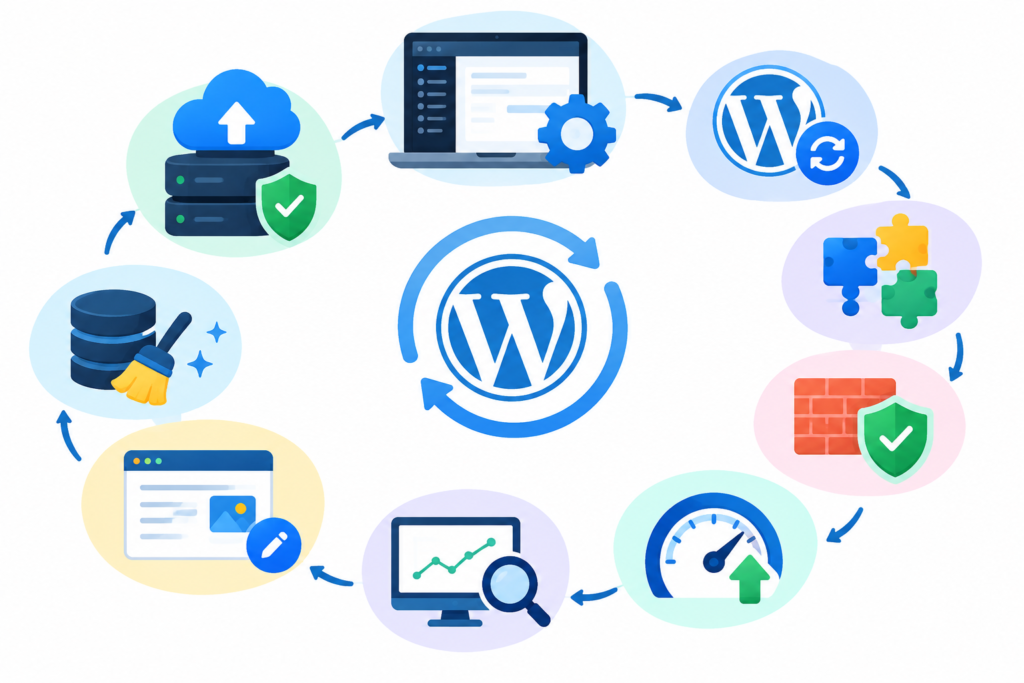
A long-term WordPress Maintenance workflow should connect every major activity into a single operational system. Updates should not happen independently of backups. Security reviews should not happen independently of user management. Performance optimization should not happen without measurement. Content changes should not happen without considering links, redirects, and user experience.
A mature workflow starts with asset visibility. Maintain an inventory of the WordPress installation, hosting environment, domains, plugins, themes, custom code, integrations, user accounts, backups, and important website functions. Knowing what exists is essential before deciding how it should be maintained.
The next stage is risk classification. Not every component deserves the same level of attention. A plugin supporting payment processing may be more operationally significant than a plugin providing a minor visual feature. A checkout page may require more rigorous testing than an archived article. A website receiving thousands of visitors per day may need more frequent monitoring than a small brochure website.
This allows maintenance resources to be prioritized logically.
A long-term workflow can follow this model:
Inventory → Assess Risk → Back Up → Update → Test → Monitor → Review → Document → Improve
Inventory identifies what exists.
Risk assessment identifies what matters most.
Backups establish a recovery point.
Updates address software maintenance.
Testing checks whether changes have produced unwanted effects.
Monitoring provides ongoing visibility.
Review identifies trends and accumulated maintenance needs.
Documentation preserves knowledge.
Improvement allows the maintenance system itself to evolve.
This final stage is important because websites change. A business may introduce e-commerce functionality, add a membership system, change hosting providers, launch a new content strategy, integrate marketing automation, or rebuild its theme. Each change can modify the website’s maintenance requirements.
Long-term maintenance should therefore be reviewed whenever the website’s role changes significantly.
FAQs
How often should WordPress Maintenance be performed?
There is no single schedule that applies to every website. A basic informational website and a transaction-heavy e-commerce website have different operational requirements. Automated monitoring and security notifications can operate continuously, while updates, backups, performance checks, content reviews, and deeper technical inspections can follow daily, weekly, monthly, quarterly, or annual schedules according to risk.
Should WordPress updates be installed immediately?
Security-related updates should not be ignored, but responsible update management also requires consideration of compatibility and recovery. A recent backup, appropriate testing, and a rollback plan can reduce the risk associated with significant changes. WordPress provides official update documentation and recommends maintaining current software.
Are automatic plugin updates safe?
Automatic updates can reduce administrative workload, but they should operate alongside backups and monitoring. WordPress’s guidance on Plugin and Theme Auto-Updates specifically recommends regular automatic backups so that a previous state can be restored if something goes wrong.
Why are backups important if the website is hosted by a professional company?
Hosting infrastructure may provide its own backup mechanisms, but website owners should understand exactly what is backed up, how long backups are retained, where they are stored, and how restoration works. Independent or additional backups can provide another recovery option.
Does WordPress Maintenance improve SEO?
Maintenance can support technical conditions that help search engines access and understand a website, such as availability, mobile usability, performance, working links, proper redirects, and crawlable content. Maintenance does not guarantee rankings, however. Search visibility also depends on content quality, relevance, competition, authority, and many other factors.
What happens if a plugin update breaks the website?
The appropriate response depends on the nature of the problem. Administrators can inspect error messages and logs, use available recovery mechanisms, deactivate the problematic component where appropriate, restore a known-good backup, or seek technical assistance. WordPress’s Recovery Mode can help with certain fatal PHP errors.
Is database optimization necessary for every WordPress website?
Not necessarily. Database optimization should be based on actual requirements and evidence. Removing unnecessary information can simplify maintenance, but indiscriminate database cleanup can cause data loss or compatibility problems. Backups and careful verification should precede potentially destructive operations.
Common Mistakes
Updating without a recent backup
One of the most avoidable mistakes is applying major changes without a reliable recovery point. If an update introduces a compatibility problem, the absence of a usable backup can turn a manageable issue into a prolonged recovery process.
Treating security as a plugin-only responsibility
A security plugin can provide useful controls, but security also involves software updates, account management, passwords, hosting configuration, backups, monitoring, and recovery planning.
Keeping unnecessary plugins installed
Unused components increase the number of items that need to be monitored and maintained. If a plugin is no longer required, administrators should assess its dependencies and remove it safely where appropriate.
Ignoring PHP and hosting configuration
WordPress does not operate independently from the server environment. PHP versions, database systems, memory limits, server configuration, SSL, DNS, and hosting resources can all affect reliability and performance.
Testing only the homepage
The homepage can load normally while a form, checkout, login system, or important integration is broken. Maintenance testing should focus on the workflows that matter most to the website.
Assuming a backup is valid because a backup file exists
A backup should be recoverable, not merely present. Periodic restoration testing can provide greater confidence that the recovery process actually works.
Making large changes directly on production
Significant changes should be tested in an appropriate staging environment where practical. Direct production changes can increase the consequences of compatibility problems.
Best Practices Summary
A sustainable WordPress Maintenance process should follow several principles:
- Keep software current: Review WordPress, plugins, themes, and the server environment regularly.
- Maintain reliable backups: Protect both website files and database information.
- Test recovery: Do not assume that an untested backup will work.
- Use controlled updates: Consider compatibility, backups, staging, and rollback procedures.
- Limit access: Give users only the permissions they need.
- Monitor continuously: Track uptime, important workflows, security alerts, and critical errors.
- Measure performance: Use meaningful performance data rather than assumptions.
- Review links: Monitor 404 errors, redirects, and broken internal or external links.
- Maintain content: Keep important information accurate, useful, and accessible.
- Remove unnecessary complexity: Review unused plugins, themes, media, accounts, and technical components.
- Document changes: Record maintenance activity and outstanding issues.
- Prioritize business-critical functions: Test the features that matter most to visitors and the organization.
- Plan for failure: Prepare recovery procedures before an emergency occurs.
- Review the workflow itself: Update the maintenance process when the website’s architecture or business role changes.
Conclusion
WordPress Maintenance is best understood as a continuous system for protecting website reliability, security, performance, functionality, and recoverability. It goes far beyond clicking the update button. A strong process combines software updates, backups, security hardening, performance measurement, database housekeeping, monitoring, technical SEO checks, responsive testing, content reviews, staging, and documented recovery procedures.
The most important principle is consistency. A website does not become dependable because one maintenance session was completed successfully. Reliability comes from repeating the right activities at appropriate intervals and adapting them as the website changes. A growing business, an expanding content library, an online store, or a website with increasingly complex integrations may require progressively more structured maintenance.
A practical workflow should always connect prevention, detection, testing, and recovery. Preventive measures reduce unnecessary exposure. Monitoring helps identify problems. Testing reduces the chance that changes will damage important functionality. Backups and recovery procedures provide protection when prevention is not enough.
For website owners using WP Maintenance Service, this approach provides a framework for thinking about maintenance as a long-term operational discipline rather than an emergency repair task. The goal is a website that remains secure, functional, responsive, maintainable, and prepared for unexpected problems.
The strongest maintenance strategy is not the one with the longest checklist. It is the one that consistently protects the website’s most important assets, identifies meaningful risks, documents changes, and provides a practical path back to a working state when something goes wrong.
Want to Implement This Easily?
Prompt Text:
You are an expert consultant. Based on the blog post titled “WordPress Maintenance”, provide a step-by-step, practical implementation guide. Include tools, best practices, common mistakes to avoid, and advanced tips. Assume the reader wants to implement everything discussed in this article effectively.
CTA: Want our help implementing this? Just reach out to us via our website contact form: (https://www.wpmaintenanceservice.com/contact-us/)