
Learn how WordPress works, how to build and manage a professional website, and how to improve security, performance, SEO, usability, maintenance, and long-term website reliability.
Introduction
WordPress has evolved from a straightforward blogging platform into one of the most flexible content management systems available for modern websites. Businesses, publishers, freelancers, online stores, educational organisations, professional firms, creators, and developers use WordPress to build digital experiences that can range from a simple informational website to a highly customised platform with advanced functionality.
The appeal of WordPress comes largely from its flexibility. Website owners can create pages and posts, organise information, upload media, manage navigation, customise visual presentation, install extensions, and develop bespoke functionality without having to build an entire content management system from the ground up. The official WordPress documentation provides guidance covering installation, maintenance, security, publishing, media, customisation, and other areas of website management.
However, creating a WordPress website is only the beginning. A website that looks attractive at launch can still develop problems if its plugins become outdated, its database becomes inefficient, its hosting environment is poorly configured, its images are unnecessarily large, its administrator accounts are unmanaged, or its content architecture becomes difficult to maintain. Long-term success requires an approach that considers security, performance, usability, accessibility, search visibility, content quality, maintenance, and scalability together.
This guide explores WordPress from that broader perspective. It is designed to help beginners understand the platform while also providing useful principles for experienced website owners and teams. Rather than focusing only on individual features, the goal is to explain how the different components work together and how thoughtful decisions can prevent technical debt.
For WP Maintenance Service, WordPress represents more than a website-building tool. It is a foundation that needs to remain reliable as a website grows. A well-maintained WordPress website should provide visitors with a dependable experience while giving its owners a manageable platform for publishing, marketing, communication, and business growth.
Understanding WordPress and Why It Remains So Widely Used
WordPress is an open-source content management system designed to make publishing and managing website content accessible to a wide range of users. Its flexibility allows a website owner to create pages, posts, categories, menus, media libraries, user accounts, and other content structures through an administrative interface. Developers can extend the platform through themes, plugins, APIs, custom code, and integrations. The official WordPress features documentation explains how the platform supports publishing, media management, customisation, user management, and extensibility.
One of WordPress’s strongest characteristics is its ability to support very different types of websites. A small company may only require a homepage, about page, service pages, contact page, and blog. A larger organisation may need hundreds of pages, multiple content types, complex navigation, integrations, user roles, multilingual functionality, or ecommerce. WordPress can accommodate these requirements because its core provides a foundation rather than forcing every website into one fixed structure.
The platform’s ecosystem is another major reason for its popularity. Themes can control presentation and layouts, while plugins can introduce additional capabilities. Developers can also create custom functionality when an off-the-shelf solution does not meet a specific requirement. This creates enormous flexibility, but it also means website owners must make careful decisions about what they install and how they configure it.
Flexibility should not be confused with unlimited complexity. A website can become harder to maintain when unnecessary plugins, excessive customisations, duplicate functionality, and poorly planned integrations accumulate over time. A responsible WordPress strategy therefore starts with business requirements rather than with a long list of available features.
Another important advantage is the platform’s open development ecosystem. WordPress developers can access extensive technical resources covering themes, plugins, blocks, APIs, coding practices, and advanced administration. The official WordPress Developer Resources provide documentation intended to help developers build and maintain WordPress-based projects.
This ecosystem creates opportunities for continuous improvement. A website can begin with a relatively simple structure and later add ecommerce, membership functionality, custom content types, advanced search, integrations, or bespoke workflows. However, every addition should be evaluated according to its value, maintenance requirements, security implications, and impact on performance.
For website owners, the most useful way to think about WordPress is therefore not as a collection of features but as a digital platform that requires thoughtful management. The more important a website becomes to a business, the more important its technical foundation becomes.
How WordPress Works: Core, Themes, Plugins, Database, and Hosting
A WordPress website consists of several interconnected components. Understanding these components makes it easier to build the site correctly and troubleshoot problems when something goes wrong. At a basic level, the system includes WordPress core files, a database, themes, plugins, uploaded media, configuration, and the hosting environment that runs everything.
The WordPress core provides the fundamental functionality of the platform. It manages the administration area, publishing system, user accounts, content queries, media handling, settings, URLs, and many other operations. The database stores structured information such as posts, pages, settings, users, comments, and plugin-related data. Media files are stored within the site’s file structure and are connected to information stored in the database.
Themes influence how content is presented to visitors. Depending on the theme architecture, they can control templates, headers, footers, navigation, typography, colours, spacing, layouts, and other visual elements. Modern WordPress also supports block themes and the Site Editor, giving users more control over templates and site-wide design through a visual editing environment.
Plugins extend WordPress functionality. A plugin might add a contact form, SEO controls, security functionality, ecommerce features, analytics integration, caching, custom fields, membership capabilities, or another specialised requirement. The important distinction is that plugins should extend the platform rather than replace sound website architecture.
The hosting environment provides the infrastructure where WordPress operates. This can include the web server, PHP runtime, database server, storage, SSL configuration, caching layers, networking, and other services. Consequently, a website problem is not always caused by WordPress itself.
For example, a slow website might be caused by inefficient database queries, an overloaded server, large images, excessive JavaScript, third-party scripts, an inefficient theme, or a poorly configured caching layer. A broken layout might originate from CSS, a theme update, a plugin conflict, or custom code. A failed login might involve user permissions, security controls, server configuration, or another technical issue.
This layered architecture is why structured troubleshooting matters. Instead of changing several settings at once, identify the symptom, reproduce the issue, check recent changes, isolate the likely component, test the suspected cause, and apply the smallest reliable correction.
Website owners should also understand that changing one component can affect another. A plugin update may expose an incompatibility with a theme. A PHP version change can reveal outdated code. A caching configuration can create stale content. A migration can alter file permissions or database configuration.
The official WordPress technical documentation provides resources for installation, maintenance, security, and other technical areas. Using official documentation as the starting point for technical decisions can reduce reliance on outdated advice.
The goal is not to understand every line of WordPress code. The goal is to understand enough of the architecture to make informed decisions and recognise when a problem belongs to the application, theme, plugin, database, server, or infrastructure layer.
Choosing the Right WordPress Theme and Website Architecture
Choosing a WordPress theme should begin with the website’s requirements rather than visual appearance. A theme may look impressive in a demonstration but become unsuitable when real content, business functionality, accessibility requirements, performance expectations, and long-term maintenance are introduced.
A good theme should provide an appropriate structural foundation. Consider its update history, documentation, compatibility, customisation options, responsive behaviour, accessibility, performance, and development quality. A theme that includes hundreds of features may appear attractive, but unnecessary functionality can increase complexity and create more areas that require maintenance.
Modern WordPress also provides block-based design capabilities. Depending on the selected theme, the Site Editor can allow administrators to work with templates, navigation, headers, footers, styles, and reusable design elements. The official WordPress block editor documentation explains the editing environment and how blocks can be used to structure content.
The website architecture should also reflect the organisation’s information architecture. Before building pages, determine the major sections of the website, the relationship between pages, navigation requirements, content types, categories, internal linking opportunities, and future expansion.
For example, a company offering several professional services may need a clear hierarchy between its main service categories and individual service pages. A publication may need categories, tags, authors, archives, and editorial workflows. An ecommerce website may require product categories, attributes, filters, product pages, checkout functionality, and customer account areas.
This planning stage is frequently overlooked. Developers and website owners may start designing pages before determining how the content should be organised. The result can be a website that looks good but becomes difficult to navigate as more content is added.
Good architecture reduces future redevelopment.
Customisation should also be approached carefully. Directly modifying theme files can make future updates difficult because changes may be overwritten. Depending on the requirement, developers may instead use a child theme, custom plugin, block patterns, custom CSS, hooks, filters, or another documented extension method.
A website should also be designed for responsive behaviour from the beginning. Mobile visitors should not receive a reduced or broken version of the desktop experience. Navigation, buttons, typography, forms, images, tables, and interactive components all need to work across different screen sizes.
Accessibility should form part of the architecture as well. WordPress maintains accessibility guidance for developers, and its coding standards include accessibility considerations. The official WordPress Coding Standards explain the role of consistent coding practices and include accessibility standards for WordPress development.
The best theme is therefore not necessarily the most visually complex option. It is the one that gives the website an appropriate, maintainable, responsive, accessible, and performance-conscious foundation.
Building Better Websites with the WordPress Block Editor
The WordPress Block Editor introduced a more structured approach to creating content. Instead of treating an entire page as one large editing area, users can construct pages from individual blocks such as paragraphs, headings, images, buttons, lists, columns, galleries, media, quotes, and other components.
This approach can make content publishing more accessible because editors can manage individual elements without requiring developers to modify templates for every small content change. The official WordPress Blocks resources provide information about the block-based editing system and the range of blocks available.
However, using blocks effectively requires more than dragging elements onto a page. Structure should come before decoration. A heading should introduce a meaningful section. A paragraph should explain an idea. An image should provide useful context. A button should direct visitors toward an appropriate next action.
Heading hierarchy is especially important. A page should have a clear main heading and logically organised subsections. Headings should help visitors scan the content and understand relationships between topics. They should not be inserted simply because they provide additional opportunities to repeat keywords.
The same principle applies to links. Links should be meaningful and should help users move to relevant information. Google has specifically worked on making anchor text more descriptive in its own documentation, reinforcing the importance of clear link wording.
For example, instead of writing:
Learn more by clicking here.
A more useful structure would be:
Review the WordPress security documentation before configuring security controls.
The anchor text tells the reader what they will find after following the link.
Images should also serve a purpose. A decorative image can improve visual appeal, while an instructional image may help explain a process. However, oversized images can unnecessarily increase page weight. Media should therefore be appropriately sized and compressed before publication.
Reusable blocks and patterns can help maintain design consistency. A business might create standard layouts for calls to action, service introductions, testimonials, comparison sections, or article summaries. This reduces repetitive design work while keeping the website visually consistent.
The Block Editor can also support more advanced development workflows. Developers can create custom blocks when standard components do not provide the required functionality. This can be particularly valuable for businesses with unique content structures or reusable design systems.
The most effective block-based website therefore balances editorial freedom with structural discipline. The page should remain understandable even when visual decoration is removed.
When visitors can quickly understand what the page is about, find the information they need, navigate to related content, and complete the intended action, the Block Editor is doing what it should: making high-quality publishing easier without sacrificing website structure.
Extending WordPress with Plugins Without Creating Technical Debt
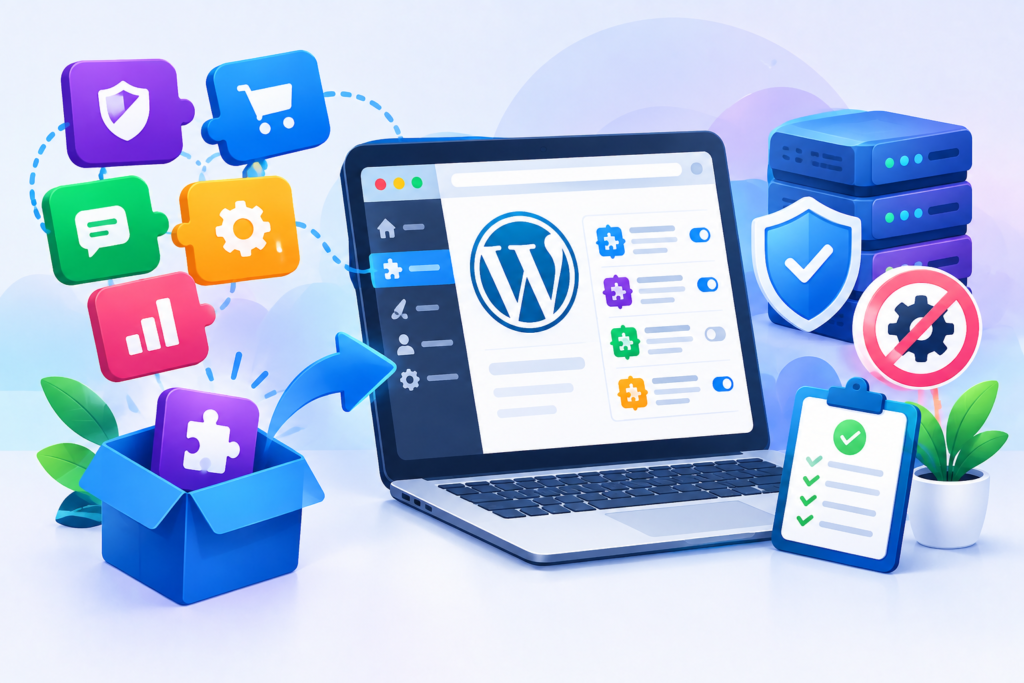
Plugins are one of the defining strengths of WordPress. They allow website owners to introduce functionality without developing every feature from the beginning. Forms, SEO controls, security tools, ecommerce systems, analytics integrations, backups, caching, membership functionality, custom fields, redirects, and many other capabilities can be added through plugins.
However, plugin availability can also create a common problem: technical debt caused by unnecessary functionality.
A website does not become better simply because more plugins are installed. Every plugin introduces code that may need updates, testing, compatibility management, configuration, and troubleshooting. Some plugins also add database tables, scheduled tasks, JavaScript, CSS, external requests, or administrative processes.
Before installing a plugin, define the actual requirement. First determine whether WordPress already provides the required functionality. Then consider whether an existing plugin already handles a related requirement. Installing two plugins that perform overlapping functions can create conflicts and unnecessary complexity.
Plugin quality should also be evaluated. Check whether the plugin is actively maintained, whether it comes from a trustworthy source, whether documentation exists, whether compatibility information is available, and whether the developer provides meaningful support.
The plugin should also be evaluated for its permissions and data handling. A plugin that requires access to sensitive areas of the website should have a clear justification for those permissions.
Plugin updates are another important part of management. WordPress provides mechanisms for automatic updates, but website owners should still maintain a recovery strategy. The official automatic plugin and theme updates documentation explains how automatic updates work and why backups are important when using them.
Testing is particularly important for business websites. A plugin update that works correctly on one website may interact differently with a specific theme, another plugin, custom code, or server environment.
A staging environment can provide a safer place to test significant changes before applying them to production. After updating, test important functionality such as forms, login systems, navigation, ecommerce workflows, search, checkout, account areas, and integrations.
Unused plugins should also be removed. Deactivating an unnecessary plugin is not always equivalent to removing it. Some plugins retain settings, database information, scheduled tasks, or files after deactivation.
A clean plugin inventory makes maintenance easier. Every active plugin should have a clear reason for existing.
The same principle applies to custom functionality. If a requirement is unique to one website, a lightweight custom solution may sometimes be more appropriate than installing a large multipurpose plugin. Developers should follow established development practices rather than creating insecure or difficult-to-maintain shortcuts.
The official WordPress Coding Standards provide a baseline for code quality, consistency, readability, and maintainability.
The objective is not to avoid plugins. It is to use them intelligently.
A carefully selected plugin can save substantial development time and provide excellent functionality. The problem begins when a website accumulates plugins without a clear architecture, ownership, testing process, or maintenance plan.
WordPress Security: Protecting the Website at Every Layer
WordPress security should never depend on one plugin or one setting. A secure website requires multiple layers working together, including updated software, secure hosting, strong authentication, appropriate permissions, backups, monitoring, safe development practices, and responsible administration.
Keeping WordPress, themes, and plugins current is one of the fundamental security practices. The official WordPress security documentation explains how the WordPress security team handles vulnerabilities and security releases. WordPress also publishes supported-version information and recommends using actively supported releases.
Security updates can contain important fixes. For example, recent WordPress releases have included security fixes, demonstrating why website owners should not treat updates as optional maintenance tasks.
User management is another critical layer. Not every person working on a website needs administrator privileges. Editors, authors, contributors, and other roles should receive only the permissions required for their responsibilities.
The principle of least privilege reduces unnecessary exposure. If an account is compromised, limiting its permissions can reduce what an attacker can do.
Strong authentication is also essential. Administrator accounts should use unique credentials and, where practical, additional authentication controls. Old accounts should be reviewed and removed or downgraded when access is no longer required.
Backups provide another layer of resilience. A backup is valuable only if it can be restored. Website owners should therefore test restoration procedures periodically rather than assuming that successful backup generation automatically means successful recovery.
Backups should include the information required to reconstruct the website, including the database and important files. Critical backups should also be stored separately from the primary hosting environment.
Security extends to server software as well. PHP is a particularly important component because WordPress relies on it. WordPress documentation explains why maintaining a supported PHP version can provide both security and performance benefits.
Developers also have security responsibilities. Custom code should use appropriate WordPress APIs, validate data, sanitise input where required, escape output appropriately, and avoid exposing sensitive credentials.
The website should also be monitored for unusual activity. Unexpected administrator accounts, suspicious redirects, unknown files, unfamiliar plugins, abnormal login attempts, or unexplained changes can all warrant investigation.
Website security should therefore be treated as a continuous lifecycle rather than a one-time configuration.
A secure WordPress website is not one that has never experienced a problem. It is one that has sensible preventive controls, reliable recovery mechanisms, controlled access, current software, and a process for identifying and responding to problems.
WordPress Performance and Core Web Vitals
Performance is one of the most important aspects of a modern WordPress website because visitors expect pages to load and respond efficiently. A slow website can make navigation frustrating, reduce engagement, and create unnecessary friction during important actions such as submitting forms, reading articles, browsing products, or completing purchases.
WordPress performance is influenced by multiple layers. Hosting quality, server response time, database efficiency, theme architecture, plugins, images, JavaScript, CSS, fonts, third-party services, caching, content structure, and network conditions can all affect the final experience.
This means performance optimisation should begin with measurement rather than assumptions.
Google’s Core Web Vitals framework provides user-focused measurements for important aspects of web experience. Google’s Search documentation also continues to clarify the relationship between page experience and Core Web Vitals, including the role of Interaction to Next Paint as a Core Web Vital.
Images are one of the most common sources of unnecessary page weight. Uploading a large image when the visitor only sees a smaller version wastes bandwidth. Images should therefore be appropriately sized, compressed, and delivered using suitable formats.
Lazy loading can help when images are below the initial viewport, although it should be used thoughtfully. Critical content should not be unnecessarily delayed.
JavaScript is another area that deserves attention. Analytics systems, advertising scripts, chat widgets, social media integrations, heatmaps, video players, and other third-party tools can increase execution work and network requests.
Plugins can also influence performance. A plugin may be useful but still load assets on pages where they are not required. Website owners should periodically review which resources are loaded and whether each dependency is justified.
Caching can reduce repeated server-side work. Depending on the hosting environment, a website may use page caching, browser caching, object caching, database optimisation, or a content delivery network.
However, optimisation should not be performed blindly. Enabling every available caching or minification option can create conflicts and make troubleshooting more difficult.
A better process is:
Measure → identify the bottleneck → make one change → test → compare → document.
This approach makes it easier to determine whether an optimisation actually helped.
Server-side performance should also be considered. An outdated PHP environment can affect both security and performance. WordPress recommends maintaining current supported PHP versions and explains the benefits of keeping PHP updated.
Performance should ultimately be evaluated according to the user journey. A website that technically scores well but has a slow checkout, delayed navigation, or unusable mobile menu still has a performance problem.
The goal is not to chase a perfect score. The goal is to create a website that feels fast, stable, responsive, and dependable for real visitors.
WordPress SEO: Building Search Visibility with a Strong Foundation
Search engine optimisation is an important part of managing a WordPress website because publishing useful content alone does not guarantee that search engines will discover, understand, or present it effectively. A strong SEO strategy combines technical accessibility, useful content, logical website architecture, descriptive metadata, internal linking, performance, and a clear understanding of what visitors are trying to accomplish. Google’s SEO Starter Guide explains that SEO helps search engines understand content and helps users find a website through search.
WordPress provides a strong foundation for publishing SEO-friendly content, but the platform does not automatically make every page optimised. Website owners still need to consider page titles, headings, URLs, content quality, internal links, images, structured information, indexing, redirects, and technical accessibility. Google’s Google Search Essentials outlines fundamental requirements and best practices for appearing in Google Search, including creating helpful, reliable, people-first content and avoiding practices that violate spam policies.
Content should be written primarily for people rather than constructed around an artificial repetition of keywords. A page about WordPress security, for example, should answer the questions visitors genuinely have about updates, authentication, backups, permissions, vulnerabilities, monitoring, and recovery. Repeating the phrase “WordPress security” excessively does not make the content more useful.
Internal linking is another valuable part of SEO. Related pages should be connected where the relationship is useful to the reader. Descriptive anchor text helps visitors understand what they will find after following a link. For example, a paragraph discussing security can naturally link to WordPress security resources rather than using vague wording such as “click here”.
Technical SEO also matters. Search engines need to be able to crawl important resources, access pages, understand links, and process the website without unnecessary barriers. XML sitemaps can help search engines discover URLs, while appropriate canonicalisation, redirects, robots directives, and indexing controls help communicate which content should be considered.
Search Console is particularly useful for monitoring search visibility. Website owners can use Google’s Search Console to review search performance, inspect URLs, identify certain indexing problems, and understand how Google interacts with their website.
SEO should therefore be viewed as an ongoing process rather than a plugin setting. Useful content, technically accessible pages, clear architecture, strong internal linking, and a trustworthy user experience work together to create a sustainable search strategy.
Managing WordPress Content, Media, and Information Architecture
Content management becomes increasingly important as a WordPress website grows. A website with ten pages can often be managed casually, but a site with hundreds or thousands of URLs needs consistent organisation. Without a clear structure, visitors may struggle to find information, editors may publish duplicate content, and administrators may find it difficult to identify outdated pages.
A good content architecture starts with defining the purpose of each content type. Pages are commonly used for relatively stable information, while posts can support regularly published articles and updates. Custom post types can be appropriate when a website has specialised content such as case studies, properties, events, team members, courses, or products.
Categories and tags should also be used intentionally. Categories can help group related content into meaningful sections, while tags should only be introduced when they provide genuine organisational value. Creating dozens of thin taxonomy pages simply because the CMS makes it easy can produce unnecessary complexity.
Media management deserves similar attention. Images should have meaningful filenames, appropriate dimensions, useful alternative text where applicable, and sensible compression. A website that stores multiple versions of enormous images can accumulate unnecessary storage and performance overhead.
Alternative text is especially important for accessibility when an image communicates meaningful information. Decorative images should not be treated as though they contain important textual information. The purpose of the image should determine how it is handled.
WordPress’s media library can become difficult to manage when editors upload duplicate assets without an organisational process. Establishing naming conventions and guidelines can make future maintenance considerably easier.
Content should also be reviewed periodically. Old pages may contain outdated information, broken links, obsolete screenshots, discontinued products, or inaccurate claims. Some content should be updated, some consolidated, and some removed when it no longer serves a useful purpose.
Google’s guidance emphasises useful, reliable, people-first content. The helpful content guidance encourages publishers to focus on creating content that provides genuine value rather than content designed primarily to manipulate search rankings.
Information architecture should ultimately answer a simple question: Can a visitor quickly understand where they are, what the website offers, and where they should go next?
A logical navigation structure, meaningful page hierarchy, descriptive headings, contextual internal links, and well-organised content make a WordPress website easier for both people and search engines to understand.
WordPress Hosting and Database Management
Hosting is the infrastructure underneath a WordPress website, and its quality can significantly influence reliability, security, speed, and scalability. Two websites running the same WordPress version and theme can behave very differently when hosted on different environments.
When evaluating hosting, website owners should consider server resources, PHP support, database performance, storage, backups, SSL configuration, server location, caching capabilities, uptime practices, technical support, and scalability. The cheapest hosting package is not necessarily the most economical choice if it regularly produces slow responses or resource limitations.
PHP and the database are especially important because WordPress relies heavily on them. A website may become slower when it performs excessive database queries, stores unnecessary information, or runs resource-intensive processes repeatedly.
Database maintenance should therefore be approached carefully. WordPress databases can contain posts, metadata, settings, user information, plugin tables, revisions, transient data, and other records. Some plugins may leave behind data after they are removed.
However, database optimisation should never begin with random deletion. A database is not simply a collection of disposable records. Removing the wrong information can break plugins, settings, content relationships, or website functionality.
Back up before making structural database changes.
A reliable backup strategy should provide a practical recovery route. If a database optimisation causes a problem, administrators need to be able to restore the previous state.
Server logs can also provide valuable troubleshooting information. When a website experiences a 500 error, timeout, memory problem, or unexpected behaviour, logs may reveal information that cannot be seen from the front end.
Resource limits should also be monitored. Memory exhaustion, CPU restrictions, storage limits, or database connection limits can create symptoms that appear to be WordPress bugs even though the underlying problem is infrastructure capacity.
A growing website may eventually require more advanced architecture, such as managed hosting, object caching, a CDN, database optimisation, or additional server resources. These decisions should be driven by measured requirements rather than assumptions.
The objective of hosting management is straightforward: provide an environment that is secure, appropriately resourced, stable, maintainable, and capable of supporting the website’s expected workload.
WordPress Updates, Backups, and Maintenance Planning
WordPress maintenance is a continuous activity rather than an occasional emergency response. A website needs a process for monitoring updates, reviewing changes, maintaining backups, testing important functionality, checking security, and identifying performance problems before they become serious.
WordPress itself provides official guidance for updating WordPress, including the importance of keeping software current and backing up before major updates. WordPress also supports automatic background updates for certain releases and provides mechanisms for plugin and theme updates.
Updates should nevertheless be treated as controlled changes. A website owner should know what is being updated, why the update matters, whether a backup exists, whether the website has a staging environment, and what functionality should be tested afterwards.
A practical maintenance routine can be divided into different frequencies.
Daily or frequent checks may include uptime, critical errors, security alerts, failed transactions, and important forms.
Weekly checks can include available updates, backup status, website functionality, broken links, unusual administrator accounts, and performance anomalies.
Monthly checks can include plugin inventory reviews, database health, analytics, Search Console performance, outdated content, user permissions, and restoration testing.
Quarterly reviews can go further by evaluating hosting, theme architecture, technical debt, security posture, accessibility, SEO performance, content quality, and overall website strategy.
Backups should be automated where appropriate, but automation should not eliminate verification. A backup that cannot be restored is not a dependable recovery mechanism.
For high-value websites, multiple backup copies and separate storage locations can improve resilience. The exact strategy depends on the site’s risk profile and business requirements.
Maintenance should also be documented. Record significant updates, configuration changes, incidents, migrations, custom code changes, and restoration events. Documentation makes troubleshooting easier and reduces dependence on one individual who happens to know how the website works.
A maintenance plan also creates accountability. Instead of waiting until a website breaks, administrators can identify recurring issues and address them proactively.
The best WordPress maintenance process is therefore predictable, documented, measurable, and preventative.
WordPress Accessibility and Mobile-Friendly Design
A modern website needs to work for people using different devices, browsers, input methods, and accessibility technologies. Accessibility should not be treated as a final cosmetic adjustment. It should influence content structure, design, development, navigation, forms, media, and interactive elements from the beginning.
Semantic HTML is particularly valuable because it gives browsers and assistive technologies meaningful structural information. Proper headings, lists, buttons, links, labels, landmarks, and form controls can make websites easier to navigate.
Images need appropriate alternative text when they convey meaningful information. Forms should have clear labels. Buttons should communicate their purpose. Navigation should be usable with keyboard input where applicable.
Colour contrast is another important consideration. Text should remain readable against its background, and information should not depend solely on colour. For example, an error message should not communicate a problem only by displaying a red border.
Mobile usability is equally important. Visitors may interact with the website on small screens using touch input. Buttons need adequate target areas, menus should be understandable, content should fit without unnecessary horizontal scrolling, and forms should remain practical to complete.
Responsive design should also consider performance. A mobile device may operate on a slower connection or less powerful hardware than a desktop computer. Sending unnecessary resources can therefore create a disproportionately poor experience.
WordPress’s block-based approach can support accessible content when blocks are configured and used correctly. However, the CMS itself does not guarantee that every page will automatically be accessible. Poorly constructed custom blocks, themes, plugins, and page layouts can introduce accessibility problems.
The official WordPress Accessibility Coding Standards provide guidance for accessibility within WordPress development.
Accessibility should therefore be considered alongside usability rather than as a separate technical exercise. A website that is easier to navigate, read, understand, and operate can provide a better experience for a broader audience.
The strongest approach is to design for accessibility from the start, test regularly, and correct barriers as they are identified.
WordPress Troubleshooting: A Structured Approach to Common Problems
WordPress problems can appear in many forms: a blank page, HTTP 500 error, database connection error, broken layout, plugin conflict, missing styles, slow administration area, failed form, login problem, redirect loop, or unexpected warning.
The first step in troubleshooting is to avoid making multiple uncontrolled changes. When several settings are modified simultaneously, it becomes difficult to determine which change solved or caused the problem.
Instead, identify the exact symptom. Ask when it started, whether it affects all visitors or only administrators, whether it affects one page or the entire website, and whether anything changed immediately beforehand.
Recent updates are often relevant. If a problem appeared immediately after a plugin, theme, WordPress, PHP, or hosting change, that change becomes an important troubleshooting clue.
Testing in a controlled environment can help isolate the problem. For example, administrators may temporarily disable a suspected plugin or switch to a default theme when appropriate. The objective is not simply to deactivate everything but to identify the smallest component responsible for the failure.
Error logs can provide additional evidence. Server logs, PHP errors, browser console messages, and WordPress debugging information can help distinguish between application-level and infrastructure-level failures.
Common WordPress problems should also be categorised.
Plugin conflicts occur when extensions interfere with one another or with the active theme.
Theme problems may involve templates, CSS, JavaScript, custom code, or compatibility issues.
Server errors can result from PHP failures, permissions, memory limits, configuration issues, or hosting problems.
Database errors can involve incorrect credentials, unavailable database servers, corrupted tables, resource limitations, or connection limits.
Performance problems may involve hosting, database queries, plugins, images, scripts, caching, or third-party services.
Security incidents require a different response because preserving evidence and preventing further damage can be more important than immediately changing files.
A good troubleshooting process therefore follows a logical sequence:
Observe → reproduce → isolate → test → correct → verify → document.
Documentation is often forgotten after the website has been repaired. Recording the cause and solution can save significant time if the same problem returns.
Troubleshooting should focus on identifying the root cause, not merely hiding the visible symptom.
WordPress Scalability: Preparing a Website for Long-Term Growth
A WordPress website that works well with a small amount of traffic and content may require different architecture as it grows. Scalability means preparing the website to handle increased content, visitors, functionality, transactions, and administrative activity without unnecessary degradation.
The first scalability principle is to avoid unnecessary complexity. A website with a clean architecture is easier to optimise than one containing years of duplicated plugins, abandoned integrations, custom hacks, and overlapping functionality.
Database efficiency becomes increasingly important as content grows. Large datasets can require more careful queries and indexing. Plugins that perform expensive operations on every page request may become more problematic as traffic increases.
Caching can reduce repeated processing. Object caching may also help websites that repeatedly retrieve the same database information. A CDN can improve the delivery of static resources to visitors in geographically distributed locations.
Hosting capacity must scale with actual demand. A traffic increase may require additional CPU, memory, database resources, storage, or network capacity.
Scalability also involves editorial workflows. A growing organisation may need different user roles, approval processes, content governance, publishing standards, and documentation.
The architecture should allow future functionality without requiring constant rebuilding. For example, custom content types can provide a cleaner foundation for structured information than storing everything as generic pages.
APIs and integrations should also be evaluated carefully. External services can provide valuable functionality, but every dependency creates another potential point of failure.
Developers should follow WordPress development standards and use documented APIs wherever possible. The official WordPress Developer Resources provide technical documentation for APIs, plugins, themes, blocks, WP-CLI, and other development areas.
Scalability is therefore not simply about buying a larger hosting plan. It is about building an environment in which content, traffic, functionality, infrastructure, and administration can grow without causing disproportionate complexity.
Planning for growth early is usually less expensive than rebuilding the website after growth exposes structural weaknesses.
WordPress Security and Performance Monitoring
Prevention is important, but monitoring provides visibility into what is actually happening after a website goes live. Without monitoring, website owners may not discover a problem until visitors report it.
Uptime monitoring can identify when a website becomes unavailable. Performance monitoring can reveal increases in response time or slower page experiences. Security monitoring can highlight suspicious login activity, unexpected changes, or other warning signs.
Search visibility should also be monitored. Google Search Console can provide useful information about search queries, indexed pages, search performance, and certain technical issues. Analytics can complement this information by showing how visitors interact with the website.
Monitoring should focus on meaningful indicators rather than generating endless alerts. Too many notifications can cause alert fatigue, making it easier for important warnings to be ignored.
A sensible monitoring system should prioritise business-critical events. Examples include website downtime, failed checkout processes, broken lead forms, unexpected administrator accounts, significant traffic changes, critical software vulnerabilities, and sudden performance degradation.
Security monitoring should also be combined with access management. If an administrator account is no longer required, its access should be reviewed rather than left permanently active.
Performance monitoring should include both synthetic testing and, where possible, real user data. Laboratory tests can help identify technical bottlenecks, while real user measurements show how visitors actually experience the website.
Google’s Core Web Vitals provide user-focused performance metrics covering loading, interactivity, and visual stability. These metrics can be useful when diagnosing changes in website experience.
Monitoring creates a feedback loop:
Measure → detect → investigate → correct → verify.
That process transforms maintenance from a reactive activity into an ongoing quality-control system.
A WordPress website should ideally have clear thresholds for action. If uptime falls below an acceptable level, response time increases significantly, or a critical security issue is discovered, the team should know who is responsible and what procedure to follow.
Monitoring is ultimately about visibility and preparedness. The sooner a problem is identified, the more options a website owner generally has for resolving it before the issue becomes disruptive.
WordPress Best Practices for Sustainable Website Management
Sustainable WordPress management combines the technical practices discussed throughout this guide into a consistent operating system. Instead of treating SEO, security, performance, content, accessibility, updates, and backups as separate responsibilities, website owners should recognise that these areas influence one another.
Start with a clean architecture. Choose a suitable theme, install only necessary plugins, organise content logically, and document custom functionality. A simpler foundation is easier to secure and maintain.
Keep software current. Monitor WordPress core, plugins, themes, PHP, and other infrastructure components. Use a controlled update process and maintain reliable backups.
Measure performance regularly. Review page weight, server response, scripts, images, caching, and real user experience. Use Core Web Vitals as part of a broader performance evaluation rather than treating one numerical score as the entire definition of website quality.
Protect access. Use appropriate user roles, strong authentication, secure credentials, and controlled administrator privileges. Review accounts periodically and remove access that is no longer required.
Maintain reliable backups and test restoration. A recovery plan should be practical rather than theoretical.
For SEO, follow Google Search Essentials, produce helpful people-first content, maintain logical internal links, use descriptive titles and headings, and make important content accessible to search engines.
For development, use established WordPress APIs and follow WordPress Coding Standards rather than relying on undocumented shortcuts.
For accessibility, ensure that content, navigation, forms, images, and interactive components can be used by a broad range of visitors.
For maintenance, document changes and create repeatable processes. If a critical task depends entirely on one person’s memory, the website has an operational risk.
Most importantly, avoid unnecessary complexity. Every plugin, integration, custom feature, tracking script, design component, and external dependency should have a clear purpose.
A sustainable WordPress website is not necessarily the one with the most features. It is the one where every important component has a purpose, an owner, a maintenance process, and a measurable benefit.
Common Mistakes to Avoid When Managing WordPress
WordPress is flexible enough to allow website owners to make significant changes quickly. That flexibility can become a disadvantage when changes are made without planning.
Installing Too Many Plugins
Installing plugins for every minor requirement can create unnecessary code, conflicts, update obligations, and performance overhead. Review whether the functionality is genuinely required before adding another dependency.
Ignoring Updates
Leaving WordPress, themes, or plugins outdated increases maintenance and security risk. Use a documented update process and test important functionality after significant changes.
Updating Without Backups
A software update can occasionally create compatibility problems. A recent, working backup provides a recovery option if something goes wrong.
Using Weak Administrator Accounts
Administrator accounts have significant privileges. Weak credentials, shared accounts, or unnecessary administrator access can increase security exposure.
Making Changes Directly on a Live Website
Large changes made directly in production can create avoidable downtime. Use staging environments where practical and establish a rollback plan.
Choosing a Theme Only for Appearance
A visually impressive theme can still be unsuitable because of poor performance, limited maintenance, inaccessible components, or unnecessary complexity.
Ignoring Mobile Users
A website that works on desktop but fails on mobile can lose visitors and create usability problems. Responsive layouts should be tested across realistic devices and screen sizes.
Treating SEO as Keyword Repetition
Repeating keywords does not replace useful content, strong architecture, technical accessibility, and good user experience. Follow Google Search Essentials and focus on people-first content.
Never Testing Backups
A backup process should be tested periodically. If restoration has never been tested, the actual recovery capability is uncertain.
Removing Database Data Without Understanding It
Database cleanup can cause serious problems when records are deleted without knowing which plugin or feature depends on them. Always back up and understand the data before making structural changes.
Ignoring Documentation
When custom functionality or unusual configurations are undocumented, future maintenance becomes slower and more dependent on individual knowledge.
Avoiding these mistakes can substantially improve the reliability and maintainability of a WordPress website.
FAQs
What is WordPress used for?
WordPress is used to create and manage many types of websites, including business websites, blogs, publications, portfolios, ecommerce websites, membership platforms, educational websites, and other content-driven digital experiences. Its core functionality can be extended through themes, plugins, blocks, custom development, and integrations.
Is WordPress suitable for business websites?
Yes. WordPress can be suitable for businesses of many sizes when it is properly planned, developed, secured, hosted, and maintained. The important consideration is not simply whether WordPress can provide a particular feature but whether the overall architecture can support the organisation’s requirements.
How often should a WordPress website be maintained?
Maintenance frequency depends on the website’s complexity and risk. Important websites should be monitored continuously, while updates, backups, security checks, performance reviews, and content maintenance should follow a documented schedule. High-traffic or transaction-heavy websites may require more frequent monitoring than simple informational sites.
Are WordPress plugins safe?
Plugins can be safe when they come from reputable sources, are actively maintained, appropriately configured, and kept updated. However, installing unnecessary or abandoned plugins can increase risk. Every plugin should have a clear purpose and should be reviewed periodically.
Does WordPress automatically handle SEO?
WordPress provides a useful foundation for search-friendly websites, but it does not automatically guarantee strong SEO. Website owners still need useful content, logical architecture, descriptive titles, internal links, technical accessibility, performance optimisation, and appropriate indexing controls.
How can I improve WordPress website speed?
Start by measuring the problem. Review hosting performance, images, plugins, JavaScript, CSS, database queries, caching, third-party resources, and server configuration. Use Core Web Vitals alongside other performance measurements to understand the visitor experience.
Why does a WordPress website break after an update?
Updates can sometimes expose compatibility problems between WordPress core, plugins, themes, PHP, or custom code. A controlled update process, backups, staging environments, and post-update testing can reduce the impact of these problems.
Should unused WordPress plugins be deleted?
Generally, unnecessary plugins should be removed rather than left permanently installed. Before deletion, confirm that the plugin is no longer required and understand whether it stores settings or data that another part of the website depends upon.
Best Practices Summary for WordPress
A reliable WordPress strategy can be summarised into the following principles:
- Plan before building: Define the site’s goals, content structure, user journeys, and technical requirements.
- Use a suitable theme: Prioritise maintainability, responsiveness, accessibility, performance, and compatibility.
- Control plugins: Install only necessary, reputable, maintained extensions.
- Keep everything updated: Follow a controlled process for WordPress, plugins, themes, PHP, and infrastructure.
- Maintain tested backups: Make recovery a documented and verified process.
- Protect administrator access: Use appropriate permissions, strong credentials, and additional authentication controls.
- Optimise performance: Measure before making changes and evaluate real visitor experience.
- Follow SEO best practices: Create useful content, maintain logical architecture, and follow Google Search Essentials.
- Use descriptive links: Make anchor text meaningful so visitors understand where links lead.
- Build for accessibility: Consider keyboard navigation, semantic structure, contrast, labels, alternative text, and responsive design.
- Monitor the website: Track uptime, performance, security, search visibility, and important business functions.
- Document changes: Maintain records of updates, configurations, incidents, custom development, and recovery procedures.
- Reduce technical debt: Remove unnecessary plugins, outdated code, duplicate functionality, and unused integrations.
- Plan for growth: Make architecture, hosting, database management, and editorial processes scalable.
- Troubleshoot systematically: Observe, reproduce, isolate, test, correct, verify, and document.
Conclusion
WordPress provides a powerful foundation for building and managing modern websites, but its flexibility works best when supported by thoughtful planning and consistent maintenance. A successful website is not defined simply by how attractive it looks when launched. Its long-term value depends on whether it remains secure, fast, accessible, searchable, stable, manageable, and useful as requirements change.
Throughout this guide, we have explored the major components that contribute to a healthy WordPress environment: core software, themes, plugins, hosting, databases, content architecture, SEO, performance, security, accessibility, backups, monitoring, troubleshooting, and scalability. Each area contributes to the overall quality of the website, and weaknesses in one layer can affect the others.
For WP Maintenance Service, the most important principle is that WordPress management should be proactive rather than purely reactive. Waiting until a website crashes, gets compromised, becomes extremely slow, or loses search visibility can turn a manageable maintenance task into a costly recovery project. Regular updates, reliable backups, monitoring, structured troubleshooting, performance measurement, and technical reviews provide a much stronger foundation.
A high-quality WordPress website should also evolve responsibly. New plugins and features should solve genuine problems. Design changes should support usability. SEO should focus on helpful content rather than manipulation. Security should involve multiple layers. Performance should be measured using real evidence. Development should follow maintainable standards.
Ultimately, WordPress succeeds when the technology serves the website’s purpose rather than becoming the purpose itself. By combining good architecture, responsible development, continuous maintenance, security awareness, performance optimisation, useful content, and user-focused design, website owners can create a platform that remains dependable well beyond its initial launch.
Want to Implement This Easily?
You are an expert consultant. Based on the blog post titled “WordPress”, provide a step-by-step, practical implementation guide. Include tools, best practices, common mistakes to avoid, and advanced tips. Assume the reader wants to implement everything discussed in this article effectively.
Want our help implementing this? Just reach out to us via our website contact form.