
Discover how to choose, customize, optimize, secure, and maintain the right WordPress themes for a fast, accessible, SEO-friendly, and reliable website.
Introduction
Choosing the right WordPress themes is one of the most important decisions you can make when building or improving a WordPress website. A theme does far more than determine colours, fonts, buttons, and page layouts. It influences how visitors navigate your website, how content is presented, how pages behave on mobile devices, how efficiently browsers load resources, and how easily the website can be maintained as WordPress evolves.
For businesses and website owners, the visual appearance of a website is only one part of the decision. A theme may look impressive in a demonstration while creating unnecessary technical problems on a real website. Excessive scripts, poorly optimised images, inaccessible navigation, complicated customisation systems, weak documentation, outdated code, or dependence on unnecessary functionality can make an apparently attractive theme expensive to maintain.
The official WordPress Theme Handbook explains that WordPress supports both block themes and classic themes. Block themes use blocks and the Site Editor to provide extensive visual editing, while classic themes traditionally rely more heavily on PHP, JavaScript, CSS, and established template structures.
From an SEO perspective, a theme should provide a solid technical and user-experience foundation rather than promise instant rankings. Google’s Search Essentials emphasise technical requirements, spam policies, and people-first best practices.
This guide provides a comprehensive framework for choosing, testing, customizing, securing, optimizing, and maintaining WordPress themes. It is designed to help website owners make decisions based on performance, accessibility, SEO, security, compatibility, usability, scalability, and long-term maintenance, rather than appearance alone.
For businesses that need dependable WordPress management and ongoing website care, WP Maintenance Service can provide a practical foundation for keeping the wider WordPress installation healthy while theme decisions are made with long-term stability in mind.
What Is a WordPress Theme and Why Does It Matter?
A WordPress theme is a collection of files and configuration that controls how website content is presented to visitors. It determines the visual structure of pages and can influence headers, footers, navigation, typography, colours, layouts, templates, archive pages, post presentation, sidebars, responsive behaviour, and other elements of the front-end experience. The official WordPress Theme Handbook describes themes as a central part of how WordPress websites are designed and presented.
Understanding the difference between content and presentation is important. Your pages, posts, products, categories, and other content should not normally become dependent on a particular visual design. A good architecture allows the theme to control presentation while important functionality remains independent. WordPress specifically recommends keeping functionality that should survive a theme change in plugins rather than embedding everything inside the theme. This separation makes future redesigns considerably easier.
A theme also affects the visitor’s perception of quality. Consider two websites selling the same product. One has clear typography, intuitive navigation, fast-loading pages, accessible buttons, consistent spacing, and an excellent mobile layout. The other uses distracting animations, confusing menus, oversized images, tiny text, and slow interactions. Even if both websites contain identical information, visitors are likely to perceive them very differently.
This is why selecting a theme should begin with business and user requirements. A company website may require strong landing pages and clear conversion paths. A publishing website may prioritise reading comfort and category navigation. An online shop may require dependable product layouts and e-commerce compatibility. A portfolio may need flexible media presentation. The correct theme is therefore the one that supports the website’s objectives without introducing unnecessary complexity.
A theme should be viewed as part of the website’s technical foundation. Its quality can influence maintenance effort, design flexibility, performance, accessibility, search-engine visibility, security, and future development. Selecting carefully at the beginning can prevent expensive restructuring later.
Block Themes vs Classic Themes: Understanding the Modern WordPress Approach
Modern WordPress provides two major approaches to theme architecture: block themes and classic themes. According to the official Theme Handbook, block themes are primarily built around blocks and the Site Editor, while classic themes traditionally use PHP, JavaScript, CSS, and WordPress template structures.
Block themes provide extensive visual control. Website owners can work with templates, template parts, global styles, navigation, patterns, and other block-based components through the Site Editor. This approach can reduce the need for users to edit theme files directly. It is particularly useful for websites where non-developers need significant control over headers, footers, layouts, typography, spacing, colours, and reusable design components.
Classic themes remain highly relevant. Many established websites use mature classic themes with custom templates, specialised integrations, page builders, WooCommerce modifications, or carefully developed design systems. A well-maintained classic theme is not automatically inferior to a block theme. The important question is whether it is secure, compatible, accessible, performant, documented, and appropriate for the website’s requirements.
A common mistake is assuming that every website should immediately move from a classic theme to a block theme. A theme migration can affect templates, navigation, custom CSS, widgets, page-builder layouts, WooCommerce presentation, menus, custom functionality, and third-party integrations. A modern architecture can be beneficial, but changing architecture without a clear business reason may create unnecessary risk.
The best decision depends on the website’s current situation. For a new project, block themes may provide excellent flexibility and future-oriented editing capabilities. For an established website, retaining a reliable classic theme may be the most sensible option if it continues to meet requirements.
The WordPress Theme Handbook provides detailed documentation for both block and classic themes, including theme structure, templates, global styles, testing, accessibility, security, and development practices.
The key lesson is simple: choose architecture according to requirements, not fashion. A technically appropriate theme that can be maintained confidently is more valuable than a theme selected simply because it uses the newest terminology.
How to Choose the Right WordPress Theme for Your Website
Choosing a WordPress theme should begin with a requirements document rather than a theme marketplace search. Before comparing themes, identify the website’s purpose, target audience, content types, required templates, branding requirements, mobile expectations, e-commerce requirements, third-party integrations, accessibility needs, performance expectations, and maintenance resources.
Next, create a shortlist based on evidence. Examine update activity, documentation, support quality, compatibility information, user feedback, licensing terms, and the developer’s reputation. A theme that receives regular updates and has clear documentation is usually easier to maintain than one that has been abandoned or poorly documented.
Themes available through the official WordPress ecosystem also have useful quality signals. The WordPress Themes Team maintains Theme Review Guidelines covering requirements and recommendations for themes submitted to the WordPress.org directory. Themes submitted to the official directory are reviewed against established standards designed to improve quality and security.
However, approval or popularity should not be treated as proof that a theme is perfect for your particular website. A theme can satisfy general standards while still being unsuitable for your content, brand, performance requirements, or plugin ecosystem.
Performance should also be tested using realistic content. A theme demo may contain carefully compressed images and minimal content. Your production site may have large images, analytics, forms, advertisements, tracking scripts, product grids, videos, and numerous plugins. A theme should therefore be evaluated on a staging website with representative content.
Consider customisation effort as well. If every minor change requires custom code, a developer, or complicated overrides, the theme may become expensive over time. On the other hand, a theme with an enormous number of built-in features can also create unnecessary complexity.
A practical evaluation process is:
- Define website requirements.
- Shortlist appropriate themes.
- Verify update history.
- Read documentation.
- Review compatibility.
- Test accessibility.
- Measure performance.
- Test mobile layouts.
- Review customisation methods.
- Test the theme on staging.
- Confirm backup and rollback procedures.
- Deploy only after validation.
This approach helps turn theme selection into a technical decision rather than an emotional purchase.
Designing for User Experience, Accessibility, and Responsive Behaviour
A high-quality theme should make information easy to understand and actions easy to complete. User experience begins with structure. Visitors should quickly understand what a website is about, where they are, which pages are important, and what action they can take next.
Responsive behaviour is essential because visitors use different screen sizes and devices. A desktop layout may have wide navigation and multiple columns, while a smartphone requires simplified navigation, flexible content widths, appropriately sized buttons, and carefully managed spacing.
Testing should therefore go beyond simply resizing a desktop browser. Test menus, forms, buttons, tables, images, product grids, pop-ups, navigation elements, and interactive components on actual mobile devices when possible.
Accessibility should also be considered from the beginning. The official WordPress accessibility guidance covers principles including perceivability, operability, understandability, keyboard navigation, headings, links, forms, images, and colour contrast.
This is particularly important because accessibility problems can also become usability problems. Poor colour contrast makes text difficult to read. Missing labels make forms harder to understand. Poor keyboard navigation prevents some users from interacting with menus and controls. Inconsistent heading structures make long pages difficult to navigate.
Typography deserves equal attention. A theme should use readable font sizes, appropriate line heights, sensible content widths, and sufficient contrast. Decorative fonts may be appropriate for branding, but they should not compromise readability.
Animation should also be used carefully. Effects such as scrolling animations, sliders, parallax sections, and moving backgrounds can make a design visually interesting, but they also add complexity. If animations delay important content, create distracting movement, or increase browser processing requirements, their value should be reconsidered.
A good theme makes the website feel predictable. Navigation behaves consistently. Buttons look like buttons. Links are recognisable. Headings create clear hierarchy. Forms provide understandable feedback. Content remains readable across devices.
The best visual design is therefore not necessarily the most elaborate. It is the design that helps users accomplish their goals with minimal confusion.
WordPress Theme Performance and Core Web Vitals
Theme performance is a critical part of website quality. Every stylesheet, JavaScript file, font, image, animation, icon library, and third-party dependency can contribute to the amount of work a browser must perform.
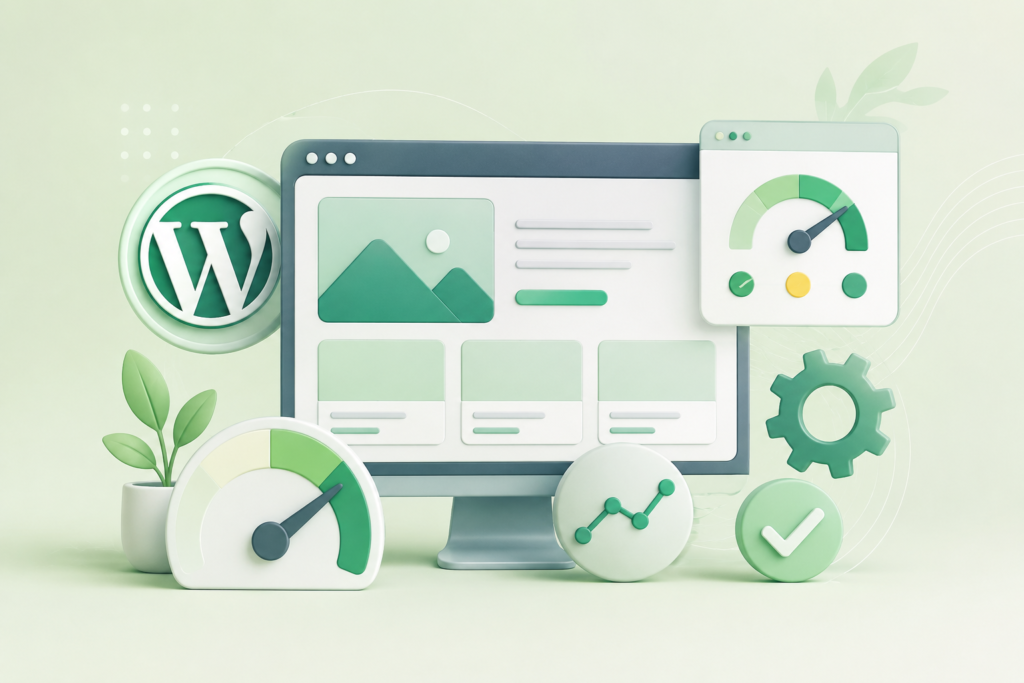
Google’s Web Vitals framework currently focuses on three Core Web Vitals: Largest Contentful Paint (LCP), Interaction to Next Paint (INP), and Cumulative Layout Shift (CLS). These metrics measure loading performance, responsiveness, and visual stability. Google’s guidance recommends an LCP of 2.5 seconds or less, an INP of 200 milliseconds or less, and a CLS score of 0.1 or less at the 75th percentile. (Web Vitals)
A theme can influence these metrics in several ways. Large hero images may delay LCP. Excessive JavaScript can increase interaction delays. Poorly dimensioned images, advertisements, fonts, or dynamically injected components can cause layout shifts. Heavy animation libraries can also increase browser workload.
The solution is not to chase an arbitrary score. Performance optimisation should focus on improving the actual experience. Google’s Web Vitals guidance distinguishes between laboratory testing and field data, meaning real-user measurements are valuable when evaluating the experience of an actual website.
Theme testing should include:
- Page weight
- Number of requests
- JavaScript execution
- CSS delivery
- Font loading
- Image dimensions
- Responsive rendering
- Layout stability
- Interaction responsiveness
- Server response time
The official WordPress theme testing guidance also recommends testing performance and avoiding unnecessary resource loading. It specifically highlights optimised media and efficient CSS and JavaScript assets.
A lightweight theme is helpful, but “lightweight” should not be interpreted as a single file-size number. A theme should provide the functionality required by the website without loading resources that are not needed.
Performance should also be considered at the entire-stack level. Hosting, caching, CDN configuration, image optimisation, plugins, database performance, third-party scripts, and content all contribute to page speed.
The goal is therefore not merely to install a fast theme. The goal is to build a fast website using a theme that supports efficient architecture.
WordPress Themes and SEO: Building a Search-Friendly Foundation
A WordPress theme can influence SEO by controlling page structure, internal navigation, headings, links, content presentation, image handling, mobile behaviour, and technical markup. However, a theme does not automatically make a website rank.
Google’s Search Essentials explain that successful search visibility involves technical requirements, spam policies, and key best practices. Google specifically recommends creating helpful, reliable, people-first content and making links crawlable.
A search-friendly theme should provide a logical HTML structure, readable content, responsive layouts, crawlable navigation, accessible links, and stable templates. It should allow website owners to present important content clearly without forcing unnecessary scripts or interactions.
Heading structure is particularly important. Headings should describe sections logically rather than being selected merely because a particular heading size looks attractive. This also benefits accessibility because users of assistive technologies can use headings to understand and navigate a page. WordPress’s accessibility documentation specifically explains the importance of logical heading structure.
Internal links should also use descriptive anchor text. Google recommends making links crawlable, while WordPress accessibility guidance recommends descriptive link text that remains understandable out of context.
A theme should also avoid SEO gimmicks. Automatically inserting excessive keywords, hidden text, repetitive content, or unnecessary metadata does not create a sustainable search strategy. Google’s SEO documentation emphasises helping search engines understand useful content rather than attempting to manipulate rankings.
Theme changes can also create SEO risks. A redesign may alter URLs, navigation, heading structures, canonical tags, structured data, internal links, image presentation, or indexability. For this reason, significant theme changes should be tested on staging and followed by a technical SEO review.
Important pages should be compared before and after the redesign. Check titles, headings, content, links, metadata, structured data, page URLs, mobile rendering, indexability, and performance.
Google’s SEO Starter Guide explains that SEO helps search engines understand content and helps users find and decide whether to visit a site.
The correct approach is therefore to treat a theme as an SEO-supporting framework, while content quality, site architecture, technical implementation, and user experience remain central to search performance.
WordPress Theme Security: Reducing Avoidable Risk
Theme security is an essential part of WordPress website management. Themes can contain PHP, JavaScript, CSS, templates, configuration, and external dependencies. Poorly maintained code can introduce vulnerabilities or create compatibility problems.
One of the most important rules is to obtain themes from trustworthy sources. Avoid modified or illegally redistributed premium themes because their code may have been altered without your knowledge. A theme should have a clear origin, legitimate licensing, and a reliable update mechanism.
The official WordPress Theme Security guidance discusses vulnerabilities such as cross-site scripting, SQL injection, and cross-site request forgery and stresses responsible secure coding practices.
Theme security also depends on maintenance. WordPress, PHP, browsers, plugins, and hosting environments change over time. A theme that worked correctly several years ago may require updates to remain compatible with current environments.
A secure theme strategy should include:
- Legitimate theme sources
- Regular updates
- Reliable backups
- Staging for major changes
- Limited administrator access
- Strong account security
- Monitoring for unexpected changes
- Regular compatibility testing
- Removal of unused themes
- Security scanning where appropriate
The official WordPress security documentation also encourages developers to remain current on potential security issues.
Another important principle is separating design from essential functionality. If a theme controls critical business functionality, changing the theme can remove important capabilities. WordPress documentation recommends keeping functionality that should persist across design changes separate from the theme.
Unused themes should also not be treated as harmless decorations. If an old theme remains installed but is never used, removing unnecessary components can reduce maintenance overhead and simplify the website’s technical environment.
Security should be proactive rather than reactive. Waiting until a theme causes a vulnerability, compatibility failure, or suspicious behaviour can turn a manageable maintenance task into an emergency recovery project.
Customizing a WordPress Theme Without Creating Long-Term Problems
Theme customization is often necessary. Businesses need their own colours, typography, layouts, templates, navigation structures, calls to action, and branding. The challenge is making these changes without creating long-term maintenance problems.
The first principle is to use the theme’s supported customisation mechanisms whenever practical. Modern block themes can provide Site Editor controls, global styles, patterns, templates, and theme.json configuration. Classic themes may provide Customizer controls, child themes, template overrides, or other documented mechanisms.
The official WordPress Theme Handbook documents theme.json, templates, template parts, global settings, styles, and other modern theme components.
For classic themes, a child theme can be appropriate when deeper modifications are required. It can separate custom template changes from the parent theme and help preserve modifications when the parent theme is updated.
However, not every change requires a child theme. Adding a small amount of custom CSS through an appropriate WordPress mechanism may not require one. Likewise, modern block themes provide different methods for customisation.
A major problem occurs when website owners repeatedly add CSS overrides to fix previous CSS overrides. Eventually, nobody knows which rule controls which element. Similar problems occur when custom JavaScript snippets, template copies, page-builder elements, and theme-specific functions accumulate without documentation.
A better approach is to maintain a customisation record. Document:
- What was changed
- Why it was changed
- Where it was changed
- Which theme version was active
- Which plugins depend on the change
- Whether the change was tested
- How to reverse it
Test modifications in staging whenever they could affect important pages. A simple visual change may affect mobile navigation, checkout pages, forms, or accessibility in unexpected ways.
Theme customisation should also follow the principle of minimal intervention. If the theme already provides a clean method for achieving a result, use it. If a plugin provides functionality that should survive a redesign, do not permanently embed that functionality inside the theme.
The best customisation is not the one that creates the most dramatic visual effect. It is the one that achieves the required result while preserving maintainability, performance, accessibility, security, and compatibility.
WooCommerce Compatibility and Theme Selection for Online Stores
WooCommerce websites require additional care when selecting WordPress themes because the theme influences how products, categories, carts, checkout interfaces, account pages, product images, prices, variations, and other commerce-related components are displayed.
A theme that works well for a standard business website may not be appropriate for an online store. Product grids may become difficult to navigate on mobile devices, variation controls may be confusing, product images may be displayed incorrectly, or checkout layouts may create unnecessary friction.
Before selecting a theme for WooCommerce, identify the actual store requirements. Consider product types, variable products, subscriptions, shipping requirements, payment integrations, filtering, search, account areas, product reviews, promotional banners, and mobile shopping behaviour.
The theme should provide a clean relationship between design and commerce functionality. Product information should remain prominent. Prices, availability, calls to action, product images, and important purchase controls should be easy to identify. Decorative elements should not compete with the buying process.
Performance is especially important for stores. Product category pages can contain many images and interface components. If a theme loads unnecessary scripts across every page, the impact can multiply as the catalogue grows.
Mobile shopping deserves particular attention. Test product discovery, filters, product galleries, variation selection, cart interactions, checkout fields, payment interfaces, and account pages on real smartphones.
Accessibility should also be considered throughout the shopping journey. Buttons, form fields, error messages, menus, and product controls need to be understandable and usable.
Theme compatibility should be tested whenever WooCommerce or other major e-commerce components are updated. A visually acceptable store can still contain hidden technical problems if templates are outdated or custom overrides have not been maintained.
For an existing WooCommerce website, changing the theme should therefore be treated as a controlled technical project. Create backups, establish a staging environment, document customisations, test critical purchasing journeys, compare important templates, and verify analytics and conversion tracking before production deployment.
The objective is not simply to make an online shop attractive. It is to make the shopping experience clear, fast, trustworthy, accessible, and easy to complete.
Testing a WordPress Theme Before Launch
A theme should never be considered ready for production simply because the homepage looks correct. A proper testing process should examine the entire website, including templates, navigation, forms, content, responsive layouts, accessibility, performance, integrations, and error handling.
The official WordPress theme testing guidance recommends testing areas such as navigation, template editing, accessibility, performance, and asset optimisation.
Start with a staging environment that closely resembles production. Use realistic pages, posts, images, menus, forms, products, categories, archives, and other content. Testing with only placeholder content can hide problems that appear once real material is introduced.
A practical theme testing process should include:
Visual testing: Check headers, footers, page layouts, typography, images, buttons, forms, menus, and spacing.
Responsive testing: Test common smartphone, tablet, laptop, and desktop dimensions.
Browser testing: Check major browsers and ensure critical functionality behaves consistently.
Functional testing: Test forms, searches, navigation, filters, login areas, shopping carts, checkout, and other important interactions.
Accessibility testing: Check keyboard navigation, headings, focus states, contrast, form labels, link descriptions, and image alternatives.
Performance testing: Measure loading behaviour, interaction responsiveness, layout stability, asset sizes, and unnecessary requests.
SEO testing: Review headings, links, indexability, metadata, structured data, canonical behaviour, URLs, and content visibility.
Security testing: Review theme source, update mechanisms, suspicious code, and unnecessary dependencies.
WordPress’s accessibility documentation notes that accessible theme development should include keyboard operation, proper headings, links, forms, images, and colour contrast.
Testing should also include failure conditions. What happens if an image is missing? What happens when a form generates an error? What happens when a menu contains a long label? What happens when a user increases text size? What happens when a product has a long title?
A professional theme testing process looks beyond the ideal scenario. Real users generate unpredictable combinations of content and devices.
Before launch, record the test results and resolve critical issues. The goal is to ensure that the theme is not merely attractive but reliable under realistic conditions.
Updating WordPress Themes Safely and Managing Maintenance
Theme updates are an important part of WordPress maintenance. Updates can contain security fixes, compatibility improvements, bug fixes, performance improvements, new features, and support for current WordPress functionality.
However, updates should not be applied blindly to complex websites. A theme update can affect custom templates, CSS, JavaScript, page layouts, WooCommerce presentation, plugin integrations, and custom code.
Before updating a heavily customised theme, create a reliable backup and, where possible, test the update in staging. Compare important pages before and after the update.
The official WordPress Theme Handbook includes dedicated sections on testing, debugging, security, publishing, and updating themes.
A practical maintenance cycle can include:
- Check available theme updates.
- Review the update documentation.
- Confirm backups are current.
- Test on staging when appropriate.
- Check plugin compatibility.
- Apply the update.
- Test important pages.
- Test forms and navigation.
- Check mobile layouts.
- Review performance.
- Monitor errors after deployment.
Theme maintenance should also include removing unused themes. Keeping multiple abandoned themes installed can make the WordPress environment unnecessarily complicated.
Documentation is another important component. Record the active theme, child theme relationship if applicable, custom code, custom CSS, major template modifications, theme-specific dependencies, and deployment procedures.
Maintenance is easier when the website has a predictable process. Problems become more difficult when updates are delayed indefinitely and then many components are changed simultaneously.
For larger websites, consider separating routine maintenance from major redesign work. Routine updates should be predictable and controlled. Major design changes should receive their own planning, testing, and deployment cycle.
The long-term objective is controlled change. A website should evolve continuously without becoming unpredictable.
Theme Customization, Child Themes, Site Editor, and theme.json
WordPress provides several ways to customize themes, and selecting the correct method can make a major difference to long-term maintenance.
For block themes, the Site Editor can provide visual control over templates, template parts, styles, navigation, patterns, and other components. The theme.json file can also define global settings and styles. The official Theme Handbook documents these capabilities in detail.
For classic themes, a child theme can be useful when a website needs custom template files or deeper code modifications. Instead of editing the parent theme directly, changes can be placed in the child theme, helping preserve custom work when the parent receives updates.
Directly editing a parent theme is usually a poor long-term strategy because an update may overwrite the modifications. Even when the changes appear small, losing them during an update can create unexpected layout or functionality problems.
Custom CSS should also be organised. Avoid accumulating hundreds of undocumented rules. Use meaningful class names, remove obsolete declarations, and periodically review whether custom styles are still necessary.
A theme should also avoid becoming a substitute for plugins. If a feature needs to survive a theme change, consider whether it belongs in a plugin or another independent component.
This separation becomes especially valuable when redesigning a website. A clean architecture allows the visual layer to change while business functionality remains intact.
Another useful practice is to maintain a development environment where changes can be tested before production. This is particularly important when custom code interacts with forms, checkout systems, membership platforms, multilingual tools, or other complex functionality.
The correct customization method depends on the architecture and the change being made. There is no universal rule that says every WordPress website must use a child theme or that every website must use a block theme.
Instead, ask:
What am I changing?
Why am I changing it?
Should the change survive a theme replacement?
What is the safest supported mechanism?
How will the change be maintained after future updates?
These questions create a much more sustainable development strategy.
Theme Migration, Redesign, and Technical SEO Validation
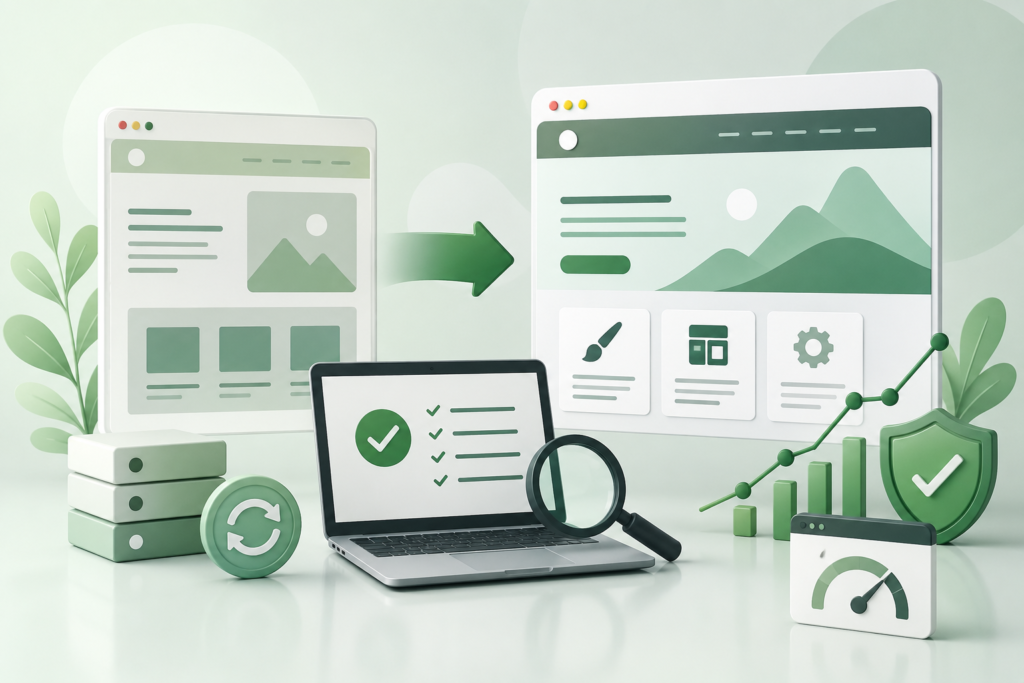
Changing a WordPress theme can be straightforward for a small website, but it can become a major technical project for an established site. A redesign may change HTML structures, navigation, templates, internal links, image sizes, heading structures, page layouts, structured data, CSS, JavaScript, and content presentation.
The first step is to create an inventory of the existing website. Identify important pages, templates, URLs, traffic sources, forms, conversions, product pages, categories, custom post types, menus, widgets, integrations, and theme-specific functionality.
Before switching themes, establish a backup and staging environment. The new theme should be installed and configured without immediately replacing the live design.
Compare old and new versions of important pages. Check:
- Page titles
- Headings
- Main content
- Internal links
- Navigation
- Images
- Alt text
- Structured data
- Canonical URLs
- Metadata
- Forms
- Conversion elements
- Mobile layouts
- Performance
- Accessibility
Google’s Search Essentials emphasise technical requirements and crawlable links as part of search best practices. A theme migration should therefore be followed by technical validation rather than assuming that SEO will remain unchanged automatically.
Internal linking is particularly important. If the old theme contained navigation menus, related content blocks, breadcrumbs, footer links, or category links, verify that these relationships remain available.
Also review indexability. Important content should remain accessible to search engines and users. A redesign should not accidentally hide content behind inappropriate scripts or introduce indexing restrictions.
After deployment, monitor Search Console, analytics, server logs, crawl errors, page performance, conversions, and user feedback.
A theme migration should be treated like a controlled release rather than a simple visual change. The goal is to improve the website without sacrificing valuable content, search visibility, functionality, or user experience.
Common Mistakes Website Owners Make
One of the most common mistakes is choosing a theme entirely because its demo looks attractive. Demonstration websites are carefully designed and may use optimised content, specialised hosting, limited plugins, and carefully selected images. The same theme can behave differently when installed on a real business website.
Another common mistake is selecting a theme with too many features. A theme that includes sliders, portfolios, pop-ups, forms, social feeds, animations, page builders, custom post types, and numerous design systems may appear convenient, but unnecessary functionality can increase complexity.
Installing themes from unreliable sources is another serious mistake. A legitimate theme should come from a trustworthy source with a clear update path.
Directly modifying a parent theme is also problematic because updates may overwrite the changes.
Ignoring mobile testing is another frequent issue. Desktop screenshots cannot tell you how a navigation menu, product grid, form, or checkout page behaves on a smartphone.
Finally, many website owners fail to test after theme updates. A theme update may appear successful while introducing subtle problems in forms, layouts, navigation, or integrations.
Frequently Asked Questions
1. What is the best WordPress theme?
There is no single best WordPress theme for every website. The right theme depends on the website’s purpose, content, performance requirements, branding, accessibility needs, integrations, and maintenance resources. A good theme is one that meets those requirements without introducing unnecessary complexity.
2. Are free WordPress themes safe?
Free themes can be safe when obtained from reputable sources and maintained properly. Themes in the official WordPress directory are subject to review processes and established requirements. However, users should still check update activity, documentation, compatibility, and developer reputation before installation.
3. Are premium WordPress themes better than free themes?
Not automatically. A premium theme may provide additional support, design options, templates, or features, but price does not guarantee quality. Evaluate architecture, performance, accessibility, security, updates, documentation, and compatibility rather than price alone.
4. Should I use a block theme or classic theme?
The decision depends on your website. Block themes provide extensive Site Editor capabilities, while classic themes remain suitable for many established websites. The official Theme Handbook documents both approaches.
5. Can changing a WordPress theme affect SEO?
Yes. A theme change can modify headings, internal links, content structure, page templates, image handling, structured data, navigation, and performance. A redesign should therefore be tested carefully and followed by technical SEO validation.
6. Can a WordPress theme slow down a website?
Yes. A theme can add CSS, JavaScript, fonts, images, animations, and third-party dependencies. However, overall performance also depends on hosting, plugins, content, caching, image optimisation, and other technical factors.
7. Do I need a child theme?
Not always. Child themes can be useful for deeper customisations to classic themes, but modern block themes provide other customisation methods. The correct approach depends on the theme architecture and the type of change required.
8. How often should I update my WordPress theme?
Theme updates should be reviewed whenever they become available, particularly when they contain security or compatibility fixes. Complex websites should test significant updates before production deployment.
Best Practices Summary for Long-Term WordPress Theme Success
A successful WordPress theme strategy begins with choosing a theme according to requirements rather than appearance. Define the website’s goals, content types, audience, performance expectations, accessibility needs, integrations, and maintenance capabilities before making a decision.
Choose themes from reputable sources and verify their update history. Avoid abandoned themes and unofficially modified copies. Review documentation and understand how customisations will be handled before committing to a particular design.
Keep content and functionality separate from presentation whenever practical. Important business functionality should not disappear simply because a theme changes. This makes redesigns, maintenance, and future development much easier.
Prioritise accessibility from the beginning. Test keyboard navigation, headings, links, forms, colour contrast, images, focus states, and responsive behaviour. The official WordPress accessibility guidance provides a strong foundation for these checks.
Treat performance as an ongoing process. Monitor Core Web Vitals, optimise images, reduce unnecessary resources, review JavaScript, manage fonts carefully, and test real-world user experiences. Do not focus only on laboratory scores.
For SEO, create a theme structure that supports useful content, logical navigation, descriptive links, crawlable pages, responsive layouts, and stable templates. Follow Google’s SEO Starter Guide and Search Essentials rather than relying on theme-specific SEO promises.
Maintain backups and use staging for significant changes. Keep themes updated, remove unused themes, document custom code, and monitor important website functions after updates.
Before a redesign, create a complete inventory of existing content and technical dependencies. After migration, verify URLs, navigation, headings, structured data, internal links, performance, accessibility, forms, e-commerce functions, and search visibility.
Most importantly, remember that a theme is only one component of a successful WordPress website. Excellent results come from combining good content, strong information architecture, technical quality, reliable hosting, appropriate plugins, accessibility, security, performance, and continuous maintenance.
A well-selected theme should make these objectives easier rather than harder.
Conclusion
WordPress themes play a much larger role in website quality than many users realise. They influence presentation, navigation, accessibility, responsiveness, performance, customisation, technical structure, and maintenance. Choosing a theme based only on its visual demonstration can therefore create problems that become apparent months after installation.
The strongest approach is to evaluate themes from a long-term perspective. Consider architecture, performance, accessibility, security, SEO, compatibility, customisation, documentation, updates, and future scalability before making a decision.
Modern block themes provide powerful Site Editor capabilities, while classic themes continue to serve many established websites effectively. Neither approach should be selected blindly. The right choice depends on the website’s requirements and the team’s ability to maintain it.
Google’s guidance also reinforces an important principle: there is no theme that can guarantee search rankings. Websites should focus on helpful, reliable, people-first content, sound technical implementation, crawlable links, and a good user experience.
For website owners, the goal should therefore be simple: choose a theme that supports the business rather than becoming a technical obstacle. Test it carefully, customise it responsibly, maintain it consistently, and review its performance as the website evolves.
A carefully selected and properly maintained WordPress theme can provide a stable foundation for a website that is professional, accessible, secure, fast, search-friendly, and ready to grow.
Want to Implement This Easily?
Prompt Text:
You are an expert consultant. Based on the blog post titled “(WordPress Themes)”, provide a step-by-step, practical implementation guide. Include tools, best practices, common mistakes to avoid, and advanced tips. Assume the reader wants to implement everything discussed in this article effectively.
Call to Action: Want our help implementing this? Just reach out to us via our website contact form.