
WordPress & WooCommerce guide covering online store development, product management, SEO, security, performance, payments, maintenance, and long-term e-commerce growth.
Introduction
WordPress and WooCommerce provide a flexible foundation for businesses that want to build, manage, and grow an online store. WordPress is a content management system that helps website owners publish content, organise pages, manage users, and customise their online presence. WooCommerce extends WordPress with e-commerce functionality, allowing businesses to sell physical products, digital downloads, subscriptions, and other eligible offerings through a website they can customise to suit their needs.
For startups, established retailers, service providers, and growing brands, this combination offers considerable flexibility. Store owners can control product presentation, customer journeys, payment options, shipping arrangements, promotional campaigns, and content marketing within a connected website. However, successful e-commerce requires more than installing a plugin and uploading a catalogue. A reliable store needs thoughtful architecture, accurate product information, secure transactions, fast page loading, accessible design, effective search engine optimisation, and consistent technical maintenance.
This guide explains how to plan, develop, optimise, secure, and maintain a WordPress and WooCommerce website. It covers essential decisions for launching a store, managing products and inventory, improving the checkout experience, protecting customer information, monitoring performance, and preparing for business growth. It also explains common implementation mistakes and provides practical recommendations for building a more sustainable e-commerce operation.
At WP Maintenance Service, the focus is on helping website owners understand the technical foundations that support a dependable online presence. Whether you are preparing a new WooCommerce store or improving an existing WordPress website, the goal is to make informed decisions that support usability, operational reliability, and long-term growth. By applying the principles in this guide, you can create a store that serves customers effectively while remaining manageable as your business evolves.
Understanding WordPress and WooCommerce
WordPress and WooCommerce perform different but complementary roles in an e-commerce website. WordPress provides the underlying website framework, including content publishing, page management, user permissions, themes, and plugin integration. WooCommerce adds the features needed to sell products and manage essential retail activities. These include product catalogues, shopping carts, checkout pages, order processing, tax settings, shipping configuration, and customer account functionality. Understanding the distinction helps business owners make better decisions about website architecture and ongoing maintenance.
One major advantage of this combination is flexibility. A small retailer might begin with a limited catalogue and a straightforward checkout process, while a larger business may require advanced product filters, warehouse integrations, subscriptions, multilingual content, or custom reporting. WordPress makes it possible to expand the website through themes, plugins, integrations, and custom development. WooCommerce provides the central commerce functionality around which these additions can be organised. Nevertheless, flexibility should not be confused with unlimited compatibility. Every additional component introduces potential maintenance requirements, and poorly selected extensions can create conflicts, slow pages, or introduce security weaknesses.
Before choosing this platform, assess your business model, expected order volume, product complexity, technical resources, and budget. Consider whether you need physical shipping, digital delivery, variable products, recurring billing, wholesale pricing, or integration with accounting and fulfilment systems. Review the official
WooCommerce documentation
, which explains core store functionality and configuration. You should also consult the
WordPress documentation
to understand website administration and management. These resources provide reliable starting points for evaluating the platform’s capabilities.
A successful implementation begins with a clear understanding of what the store must accomplish. Rather than installing numerous extensions immediately, identify the essential features, establish a manageable technical foundation, and add functionality when a genuine business requirement justifies it.
Planning Your WooCommerce Store Before Development
Effective planning reduces avoidable development costs and makes future improvements easier. Start by defining your target audience, product range, commercial objectives, and customer expectations. A store selling handmade products may prioritise product photography and personalised descriptions, while a business supplying technical equipment may need detailed specifications, compatibility filters, and downloadable manuals. Your business model should determine the website structure rather than forcing the business to adapt to a generic template.
Next, map the customer journey from the first visit to the completed purchase. Identify how customers will discover products, compare alternatives, review delivery information, choose payment methods, and obtain assistance after ordering. This exercise helps you determine which pages and features are essential. Most stores need a clear homepage, product categories, individual product pages, shopping cart, checkout, contact information, and relevant policies. Depending on the business, additional pages may include shipping information, returns, warranties, FAQs, size guides, installation instructions, or wholesale enquiries. Planning these pages early improves consistency and prevents important information from being overlooked.
Budget planning should include more than the initial website build. Account for domain registration, hosting, premium themes, paid extensions, payment processing, professional photography, development, security, backups, and ongoing technical support. Some costs are recurring, while others arise only when new features are introduced. It is also sensible to establish a contingency budget for unexpected compatibility issues or operational changes. Before development begins, document the project scope, approval process, responsibilities, launch criteria, and maintenance arrangements.
A practical planning document should record the following:
- Business goals: Define measurable objectives such as qualified leads, completed orders, repeat purchases, or revenue growth.
- Customer requirements: Identify the information and functionality shoppers need to make confident decisions.
- Product structure: Determine categories, attributes, variations, stock rules, and product data requirements.
- Technical requirements: List necessary integrations, accessibility considerations, performance expectations, and security controls.
- Launch priorities: Separate essential features from improvements that can be introduced later.
For search engine optimisation, create a logical information architecture with descriptive category names and useful page relationships. Google’s
SEO Starter Guide
provides guidance on helping search engines understand website content. Applying those principles during planning is generally easier than restructuring a large catalogue after launch.
Choosing Reliable Hosting and Configuring WordPress
Hosting affects website availability, performance, security, and the ability to handle customer activity. A WooCommerce store processes more than static page requests. It may execute product queries, update inventory, calculate shipping, validate payments, manage customer sessions, and communicate with external systems. When hosting resources are inadequate, these operations can become slow or unreliable, particularly during promotions or periods of increased demand.
Evaluate hosting providers based on resource allocation, supported PHP and database versions, storage, caching options, backup procedures, technical support, security features, and the availability of staging environments. Managed WordPress hosting can reduce the operational burden for businesses that prefer specialist assistance with infrastructure and routine platform tasks. Other hosting arrangements may be appropriate when a business has experienced technical staff and specific infrastructure requirements. Regardless of the provider, confirm that its environment supports the current requirements of WordPress, WooCommerce, and the extensions you intend to use.
Initial configuration should establish a clean, maintainable website. Use a reputable domain registrar, enable HTTPS with a valid TLS certificate, configure appropriate administrator accounts, and remove unused sample content. Install WordPress from a trusted source, set sensible user permissions, and confirm that automated tasks, email delivery, backups, and logging operate correctly. Choose a supported PHP version compatible with the installed software, and verify that the database environment meets the requirements of your WordPress and WooCommerce versions.
Hosting configuration also needs to account for e-commerce behaviour. Full-page caching is useful for many public pages, but cart, checkout, and customer-specific content often require different caching rules. Incorrectly caching personalised pages can expose stale information or interfere with the shopping experience. Your hosting setup should also provide sufficient PHP memory, suitable execution limits, and a clear process for investigating resource-intensive requests.
For technical reference, review the official
WordPress requirements
before selecting an environment. Keep the production website separate from development work wherever possible, and test significant changes in a staging environment. A reliable foundation makes later improvements easier to implement and reduces the likelihood that a routine configuration change will disrupt sales.
Designing a Professional and User-Friendly Store
Website design influences how easily customers understand your products, navigate categories, and complete purchases. A professional WooCommerce store should communicate the business’s purpose quickly, make important information easy to find, and provide a consistent experience across desktop, tablet, and mobile devices. Attractive visuals are useful, but visual polish cannot compensate for confusing navigation, unreadable text, unclear delivery information, or a checkout process that creates unnecessary obstacles.
Choose a theme that supports your catalogue, uses responsive layouts, and remains actively maintained. Evaluate its compatibility with WooCommerce, accessibility features, customisation options, performance, and support arrangements. Avoid selecting a theme solely because its demonstration website contains impressive animations or numerous design effects. Some effects add unnecessary scripts, increase page weight, or complicate future maintenance. A simpler design with clear product images, consistent spacing, readable typography, and obvious calls to action may support customers more effectively.
Organise navigation around how customers think about your products. Categories should use familiar terminology, and product filters should help shoppers narrow down choices using meaningful attributes such as size, colour, material, capacity, or price. Keep essential information close to the decision it supports. For example, display relevant shipping details and product availability near the purchase controls rather than hiding them several clicks away. Product pages should provide clear photographs, accurate descriptions, pricing, variation options, and any important limitations.
Mobile usability deserves particular attention because customers may browse, compare, and purchase products on smaller screens. Buttons should be easy to tap, forms should be straightforward to complete, and important information should remain readable without excessive zooming. Test navigation menus, product galleries, quantity controls, coupon fields, and payment methods on actual mobile devices or representative testing environments.
Accessibility should be part of the design process, not a final cosmetic adjustment. Provide meaningful alternative text for informative images, maintain sufficient colour contrast, use descriptive form labels, and ensure that essential interactions work with a keyboard. The
Web Content Accessibility Guidelines
provide a recognised framework for improving accessibility.
Finally, test the complete customer journey before launch. Ask someone unfamiliar with the website to locate a product, understand its delivery conditions, add it to the cart, and complete a test purchase. Observing where they hesitate can reveal design problems that are easy to miss during development.
Product Catalogue Management and Product Page Optimisation
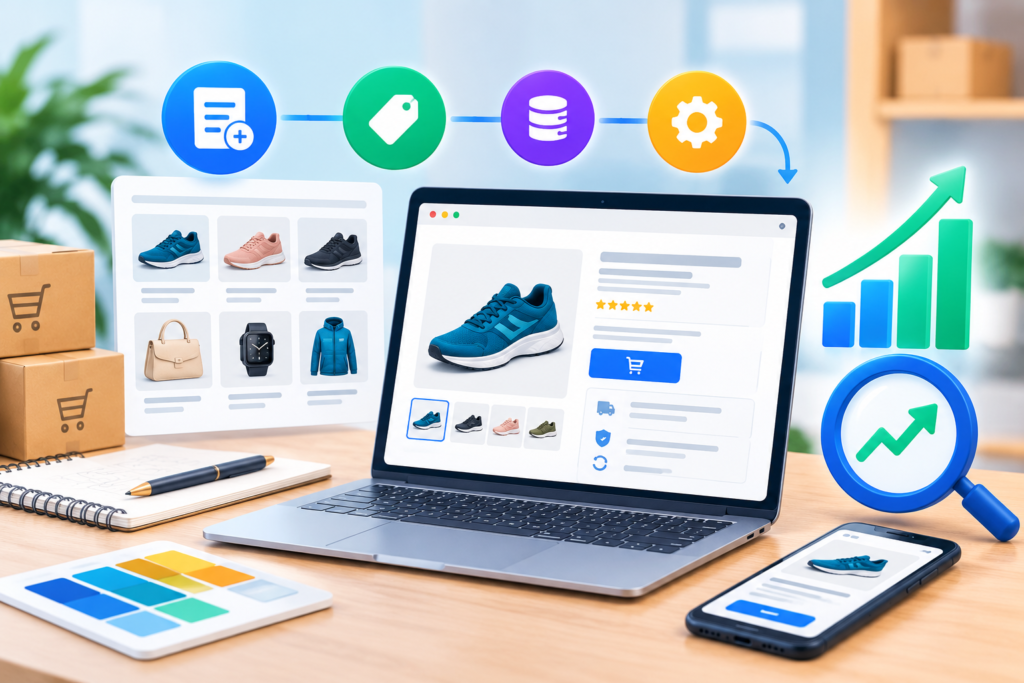
A well-organised product catalogue makes it easier for customers to find suitable products and helps the business maintain accurate information across its store. Every product should have a clear title, descriptive content, appropriate category assignments, relevant attributes, accurate pricing, and current availability information. These details are especially important for stores with hundreds or thousands of products, where inconsistent data can create confusing filters, duplicate listings, and avoidable customer enquiries.
WooCommerce supports several product types, including simple products, variable products, grouped products, and external or affiliate products. Digital and downloadable products can also be configured to provide customers with access to eligible files after purchase. Choose the product type that reflects how an item is sold and delivered. For example, a clothing retailer may use variations for size and colour, while a software business may offer downloadable files with appropriate access controls. Variable products should be configured carefully so that each variation has the correct price, stock status, SKU where needed, and product attributes.
Product descriptions should help shoppers understand what they are buying. Begin with the primary purpose of the product, explain its most important features, and describe the practical benefits without making unsupported claims. Include dimensions, materials, compatibility details, care instructions, technical specifications, warranty information, or limitations where relevant. Use original product photography whenever practical and provide alternative text that accurately describes meaningful images. Avoid copying manufacturers’ descriptions across the entire catalogue without adding useful context, because generic information rarely helps customers distinguish between similar products.
Search engine optimisation should be incorporated naturally into catalogue management. Use descriptive product titles, readable URLs, unique page titles, helpful meta descriptions, and relevant internal links. Organise related products through logical categories rather than creating excessive overlapping taxonomies. Product structured data can help search engines interpret information such as price, availability, and product details when the implementation meets the relevant requirements. Consult Google’s official
Product structured data documentation
to understand supported properties and eligibility considerations.
Establish a repeatable process for adding and updating products. Maintain a central source of accurate product information, particularly when inventory is shared with suppliers, warehouses, or other sales channels. Review discontinued products, expired promotions, broken product images, and outdated specifications regularly. If a product becomes unavailable permanently, decide whether to redirect its page, retain useful information, or return an appropriate status based on its continuing value and replacement options.
A disciplined catalogue process improves the shopping experience while making merchandising, inventory management, and future store expansion easier.
Shopping Cart, Checkout, Payments, and Order Management
The checkout process is one of the most important parts of an online store because it converts customer interest into completed orders. Even when product pages perform well, unnecessary form fields, unexpected costs, confusing payment options, or technical errors can discourage customers from completing a purchase. A good checkout experience should be predictable, secure, accessible, and transparent about the information required to place an order.
Begin by reviewing the full shopping journey. Customers should be able to understand their cart contents, adjust quantities, remove unwanted items, and see relevant totals. Shipping charges, taxes where applicable, discounts, and other fees should be presented clearly before the customer commits to payment. If shipping costs depend on location or order value, explain the conditions and ensure that the checkout calculation behaves consistently. Unexpected charges introduced late in the process can undermine trust even when the underlying pricing is legitimate.
Payment methods should match the needs of your audience and the markets in which you operate. Depending on the business location and gateway availability, options may include debit and credit cards, digital wallets, bank payments, or other supported methods. Evaluate each provider’s transaction fees, settlement process, supported currencies, dispute procedures, integration quality, and security requirements. Use established payment gateways and follow their official integration instructions. Avoid collecting or storing sensitive payment details yourself unless you have the necessary expertise, infrastructure, and compliance arrangements. Using a suitable hosted or tokenised payment solution can reduce the amount of sensitive payment data handled directly by your website, although it does not eliminate all security responsibilities.
Order management should be equally dependable. Configure order-status workflows, transactional email notifications, refund procedures, stock adjustments, and customer support processes. Test whether customers receive accurate confirmations and whether administrators can identify failed payments, pending orders, and fulfilment problems. WooCommerce’s official
order management documentation
explains how orders can be reviewed and managed.
Before launch, complete controlled test purchases using the payment gateway’s supported test mode. Check successful payments, declined transactions, abandoned checkouts, refunds, discount codes, shipping calculations, and stock updates. Test the process on mobile devices as well as desktop browsers.
After launch, monitor checkout completion, payment failures, and customer complaints. These signals can reveal problems that are invisible during ordinary browsing. Simplifying the checkout should never mean removing necessary security checks or collecting insufficient information for legitimate fulfilment requirements. The objective is to eliminate unnecessary friction while preserving accuracy, transparency, and customer protection.
WooCommerce SEO and Organic Search Visibility
Search engine optimisation helps potential customers discover products, categories, and useful informational content through unpaid search results. For a WooCommerce website, effective SEO combines technical accessibility, logical site structure, helpful content, accurate product information, and a positive user experience. Installing an SEO plugin may simplify some tasks, but it cannot replace sound website architecture or content that genuinely answers customer questions.
Start with keyword research based on how customers search for your products. Identify commercial searches, such as queries for a specific product or category, alongside informational searches about features, comparisons, maintenance, or product selection. Assign a clear purpose to each important page. Category pages should help customers understand the range of products available, while individual product pages should focus on the specific item and its distinguishing characteristics. Avoid creating multiple pages that target essentially identical searches without offering a meaningful difference.
On-page optimisation should make content clearer rather than forcing keywords into every paragraph. Write descriptive page titles, informative headings, useful introductions, and meta descriptions that accurately summarise each page. Use natural language in product descriptions and include related terms where they genuinely improve the explanation. Image filenames and alternative text should describe the actual image, not serve as containers for repetitive search phrases. Internal links should guide visitors towards related products, relevant categories, buying guides, and support information.
Technical SEO requires regular checks. Review indexation, canonical URLs, redirects, XML sitemaps, robots directives, mobile usability, and broken links. Large stores can generate numerous URLs through product filters, sorting options, pagination, and tracking parameters. If these URLs are not managed appropriately, they may create duplication or waste search engine crawling resources. Make sure important pages remain discoverable through internal links and that restricted cart, checkout, and account pages are handled appropriately for their purpose.
Use reliable monitoring tools to identify problems and measure performance.
Google Search Console
can help website owners monitor search visibility, indexing reports, and search queries. Google’s
SEO documentation
explains fundamental optimisation principles, while its
structured data guidelines
explain important requirements for eligible search enhancements.
Content marketing can support product discovery by answering questions customers ask before making a purchase. Buying guides, comparison articles, troubleshooting instructions, and detailed FAQs can attract relevant visitors when they provide original value. Avoid publishing large numbers of thin pages simply to target keyword variations.
Finally, measure results over time. Organic clicks, qualified traffic, product engagement, and completed purchases offer more useful insight than rankings alone. SEO is an ongoing process, and improvements should be based on evidence rather than assumptions about how search algorithms work.
Website Security, Customer Privacy, and Data Protection
Security is essential for any WordPress and WooCommerce website that handles customer accounts, order information, payment integrations, or personal data. A security incident can interrupt sales, damage customer trust, expose confidential information, and create costly recovery work. Protecting a store therefore requires a combination of technical controls, sound administrative practices, supplier management, and a tested incident-response plan.
Begin with the basics. Keep WordPress core, WooCommerce, themes, and plugins updated through a controlled process. Remove extensions that are no longer needed, download software from reputable sources, and investigate whether maintained alternatives are available for abandoned products. Give each user only the permissions required for their responsibilities. Use strong, unique passwords and enable multifactor authentication for administrator accounts wherever supported. Restrict unnecessary access, review user accounts periodically, and remove permissions when staff or contractors no longer need them.
Protect the website’s infrastructure with HTTPS, secure hosting configuration, appropriate file permissions, and reliable backup arrangements. A web application firewall may help filter certain malicious requests, while security monitoring can identify suspicious login attempts, unexpected file changes, or unusual activity. These controls should complement rather than replace routine updates and careful administration. Establish alerts for critical events and know how to contact your hosting provider if the store becomes compromised or unavailable.
Customer privacy requires separate attention. Collect only the personal information needed for legitimate purposes, explain how information is used, and review the data practices of payment gateways, analytics tools, email platforms, and other third-party integrations. Businesses operating in or serving customers in relevant jurisdictions should assess their obligations under applicable privacy and data-protection laws. A privacy policy alone does not guarantee compliance; operational practices, retention arrangements, access controls, and lawful processing also matter.
Use the official
WordPress security guidance
to review recommended protective measures. Where applicable, also consult the
PCI Security Standards Council
for payment-card security standards and guidance relevant to your payment environment.
Prepare for incidents before they occur. Maintain clean backups stored separately from the production website, restrict access to backup files, and periodically test restoration. Document who is responsible for isolating a compromised site, changing credentials, contacting providers, investigating affected systems, and communicating with customers or authorities when legally required. A backup is useful only if it can be restored successfully.
Security should be treated as a continuous operational responsibility rather than a one-time installation task. Regular reviews, timely updates, least-privilege access, and tested recovery procedures make a WooCommerce store more resilient as its catalogue, team, and transaction volume grow.
Website Speed, Performance, and Core Web Vitals
Website performance directly influences how easily customers can browse products, compare options, and complete purchases. A slow WooCommerce store can create frustration at every stage of the customer journey, particularly when product pages contain large images, multiple scripts, third-party integrations, and dynamic shopping functionality. Performance should therefore be treated as a business requirement rather than simply a technical preference. Faster pages can make the website feel more responsive, improve usability, and reduce unnecessary friction for customers using slower connections or mobile devices.
One of the first areas to review is page weight. Product photography should be appropriately sized and compressed without sacrificing useful visual detail. Modern image formats can reduce file size when correctly implemented, while responsive image techniques allow browsers to select appropriate image dimensions. Avoid uploading enormous original photographs and relying entirely on the browser to resize them. Review fonts, animations, embedded videos, tracking scripts, chat widgets, advertising scripts, and other third-party resources because each additional asset can contribute to loading and processing costs. Google’s PageSpeed Insights can help identify performance opportunities, although its recommendations should be interpreted alongside real user behaviour.
Caching is another important component. Public content that does not change for every visitor can often be served from cache, reducing repeated processing. However, WooCommerce introduces dynamic areas such as carts, checkout pages, customer accounts, and personalised content. These areas need appropriate exclusions so that one visitor’s information is never incorrectly served to another visitor. Object caching, database optimisation, content delivery networks, and server-level caching can also contribute to performance when properly configured.
Core Web Vitals provide useful measurements for important aspects of page experience. Google’s documentation covers metrics such as loading performance, responsiveness, and visual stability. The Core Web Vitals documentation provides current technical guidance on these measurements. Rather than trying to optimise a single score, focus on making the real customer experience reliable across representative devices and network conditions.
Performance testing should happen before and after significant changes. Compare product pages, category pages, search results, cart, and checkout rather than testing only the homepage. A new plugin that appears harmless may introduce additional scripts across every page. Likewise, a visually impressive theme can become difficult to optimise if it depends on unnecessary libraries.
Create a performance maintenance routine that includes image review, plugin audits, database housekeeping where appropriate, cache verification, server monitoring, and real-user performance analysis. Speed is not a one-time project. As a store adds products, integrations, marketing tools, and functionality, performance must be monitored continuously.
Backups, Disaster Recovery, and Business Continuity
A WooCommerce website contains valuable business information, including product data, customer records, orders, configuration settings, content, and transaction-related information. Losing this information can cause more than temporary inconvenience. A serious failure could interrupt sales, delay fulfilment, create customer-service problems, and require significant reconstruction work. A reliable backup and disaster-recovery strategy provides a way to restore operations when ordinary preventive measures fail.
A backup strategy should cover the important components of the website rather than relying on a single database export. Depending on the environment, this may include the WordPress database, uploaded media, themes, plugins, configuration files, and other application data required to recreate the site. Backup frequency should reflect how frequently important information changes. A store processing many orders every day may need more frequent backups than a small website with occasional updates.
Store backups separately from the production environment. If backups exist only on the same server as the website, a server failure, compromised account, or destructive incident could affect both the website and its backups. Maintain protected copies in an appropriately secured independent location. Access to backup storage should also be restricted because backups may contain sensitive information. Encryption, access controls, retention policies, and secure credentials should be considered as part of the overall design.
The most frequently overlooked part of backup planning is restoration testing. A backup that has never been restored should not automatically be considered reliable. Perform controlled restoration tests in a staging or isolated environment and verify that the database, media, product information, order records, user accounts, and critical integrations work correctly. Document the restoration procedure so that someone other than the original developer can understand the necessary steps.
Define recovery objectives before an incident occurs. Recovery Point Objective (RPO) describes how much recent data the business can afford to lose, while Recovery Time Objective (RTO) describes how quickly operations need to be restored. These objectives help determine backup frequency, infrastructure choices, and the level of redundancy required.
WordPress recommends maintaining reliable backups as part of responsible website administration. The official WordPress backup documentation provides foundational guidance. Your hosting provider may also offer backup functionality, but independent backups should be considered where business continuity requirements are significant.
Create a written recovery plan covering website restoration, DNS or hosting changes, credential rotation, payment verification, order reconciliation, customer communication, and post-incident investigation. The objective is not simply to bring the homepage back online. The objective is to restore a trustworthy, functioning commerce operation.
Managing Plugins, Themes, Updates, and Compatibility
Plugins and themes make WordPress and WooCommerce highly adaptable, but every additional component can increase the complexity of a website. Extensions may interact with WordPress core, WooCommerce, payment gateways, caching systems, SEO tools, security products, and other plugins. As the number of dependencies grows, the possibility of compatibility problems also increases. Good plugin management is therefore essential to keeping an e-commerce website stable.
Start with a clear inventory of installed software. Record the purpose of each plugin, its developer, version, licensing arrangement, dependencies, and whether it is actively maintained. If a plugin no longer provides meaningful value, consider removing it rather than leaving it installed indefinitely. Inactive plugins can still become a maintenance concern, particularly if they remain outdated or contain vulnerabilities. Deleting an extension should nevertheless be done carefully because some plugins store configuration or database information that may require cleanup.
Updates should be managed systematically. Avoid treating every update as an emergency and avoid ignoring updates for months. Review the change information where available, confirm compatibility, create a recent backup, and test important updates in staging when practical. High-impact updates deserve more controlled testing than minor changes to an isolated component. WooCommerce releases can affect product management, checkout behaviour, templates, payment integrations, and other functionality, so production changes should be approached carefully.
Theme customisation also deserves attention. Directly modifying files in a parent theme can make future updates difficult because changes may be overwritten. Use supported customisation mechanisms and appropriate development practices. Where a child theme or custom code structure is suitable, maintain changes separately from vendor-controlled files. Custom functionality should also be documented so another developer can understand why it exists and what it affects.
When diagnosing compatibility problems, change one variable at a time where possible. If a checkout suddenly stops working after an update, identify recent changes, review error logs, reproduce the issue safely, and test suspected components. Avoid randomly disabling large groups of plugins on a production store without understanding the consequences.
Maintain a staging environment that resembles production as closely as practical. Use it to test major WordPress, WooCommerce, theme, plugin, PHP, and infrastructure changes before deploying them. Keep deployment procedures documented, and establish a rollback plan for significant releases.
Regular plugin and theme audits reduce technical debt. A healthy WooCommerce installation is not necessarily the one with the largest collection of features. It is the one where every component has a clear purpose, remains maintained, and works predictably with the rest of the system.
Inventory, Shipping, Tax, and Third-Party Integrations
Operational accuracy is just as important as website appearance. A beautifully designed store can still damage customer relationships if it accepts orders for unavailable products, calculates shipping incorrectly, applies the wrong tax treatment, or fails to synchronise orders with fulfilment systems. WooCommerce should therefore be considered part of a wider commercial workflow rather than an isolated website component.
Inventory management begins with accurate stock data. Configure stock quantities, backorder rules, low-stock notifications, product SKUs, and variation-level inventory where necessary. If the business sells through multiple channels, determine which system acts as the authoritative inventory source. Without a clear source of truth, two systems may simultaneously update stock and create discrepancies. Automated synchronisation can reduce manual work, but it must be monitored because API failures, authentication problems, mapping errors, and delayed updates can still occur.
Shipping configuration should reflect the actual fulfilment operation. Define shipping zones, available methods, rates, free-shipping thresholds, delivery expectations, and restrictions. Test different customer locations and order combinations. A shipping rule that works for one product may fail when products with different weights, dimensions, or fulfilment requirements are combined. Where external shipping software is used, verify that labels, tracking information, order statuses, and customer notifications move correctly between systems.
Tax configuration requires particular care because obligations vary according to business location, customer location, product type, and applicable regulations. Do not rely on generic online assumptions when making tax decisions. Obtain appropriate professional advice for your business circumstances and verify that the WooCommerce configuration reflects the required rules. The website should clearly communicate applicable charges while maintaining accurate records.
Third-party integrations can connect WooCommerce with accounting systems, customer relationship management platforms, email marketing tools, marketplaces, warehouses, shipping providers, analytics platforms, and business automation software. Before installing an integration, determine what information it accesses, how authentication works, how data is synchronised, what happens when synchronisation fails, and who is responsible for troubleshooting.
Use the principle of minimum necessary integration. Every connection increases technical dependency and can become a failure point. Integrate systems because they solve a genuine operational problem, not simply because a plugin exists.
Test integrations using realistic scenarios. Place test orders, change order statuses, update products, cancel transactions, issue refunds, and confirm that information reaches connected systems correctly. Establish monitoring for failed synchronisations and document manual recovery procedures.
A dependable e-commerce operation depends on the accuracy of the entire chain: product availability, order creation, payment, fulfilment, shipping, accounting, and customer communication. WooCommerce should connect these processes without becoming an unmanaged collection of independent tools.
Analytics, Conversion Optimisation, and Customer Experience
Analytics helps store owners understand what visitors do, where customers encounter friction, and which commercial activities contribute to meaningful outcomes. Without measurement, website decisions can become based on assumptions. With properly configured analytics, businesses can identify popular products, underperforming categories, traffic sources, checkout problems, and opportunities for improvement.
Begin by defining business events that matter. Depending on the store, these may include product views, searches, add-to-cart actions, checkout initiation, completed purchases, newsletter subscriptions, account creation, contact enquiries, or downloads. Measurement should distinguish useful actions from superficial activity. Thousands of page views do not necessarily represent success if visitors rarely find suitable products or complete purchases.
Configure analytics carefully and review privacy implications. Avoid collecting information that should not be sent to analytics platforms, and follow the relevant requirements for consent, data protection, and platform policies. Google’s Google Analytics documentation provides technical resources for implementation and measurement. Google Tag Manager documentation can also help teams manage tags systematically when a tag-management solution is appropriate.
Conversion optimisation should begin with evidence. If many visitors reach product pages but few add products to their carts, examine product information, pricing, images, trust signals, delivery details, and calls to action. If customers add products but abandon checkout, investigate shipping costs, payment failures, form complexity, technical errors, and unexpected requirements. Do not assume that adding more pop-ups or promotional messages will solve the problem.
Trust is especially important for unfamiliar brands. Provide clear contact information, accurate product information, understandable returns and delivery policies, secure payment indicators where appropriate, and genuine customer reviews when available. Avoid fabricated testimonials or misleading urgency. Authentic trust signals are more valuable than aggressive conversion tactics.
Testing can help evaluate competing ideas. A controlled experiment may compare two versions of a page element, provided the measurement methodology is sound and the sample is sufficient for meaningful interpretation. Not every store has enough traffic for sophisticated experimentation, so qualitative research, customer feedback, support enquiries, and session analysis can also provide valuable insights.
Monitor conversion by meaningful segments such as device type, product category, traffic source, or geographic market where appropriate. A website may appear to perform well overall while experiencing serious problems for mobile visitors or a specific customer segment.
The best optimisation process is continuous: measure, investigate, form a hypothesis, make a controlled change, evaluate the outcome, and document what was learned. This approach reduces guesswork and encourages improvements based on actual customer behaviour.
WooCommerce Maintenance, Monitoring, and Long-Term Growth
Launching a WooCommerce store is the beginning of its operational life, not the end of the project. WordPress core, WooCommerce, plugins, themes, hosting environments, browsers, payment systems, and external APIs all change over time. A website that worked perfectly when launched can gradually develop compatibility problems, security weaknesses, performance issues, outdated content, or broken integrations if maintenance is neglected.
A useful maintenance schedule should cover several categories. Security maintenance includes software updates, vulnerability monitoring, administrator-account reviews, malware checks where appropriate, and security configuration reviews. Performance maintenance includes speed testing, database and cache reviews, image optimisation, resource monitoring, and investigation of unusual slowdowns. Content maintenance includes reviewing product information, prices, availability, internal links, policies, and outdated articles.
Technical monitoring should detect important problems quickly. Monitor website uptime, SSL certificate status, server resource usage, payment errors, critical application errors, failed scheduled tasks, and integration failures where appropriate. Establish alert thresholds that are meaningful rather than generating so many notifications that important incidents are ignored.
Scheduled maintenance should be performed with appropriate safeguards. Before major changes, confirm that a recent backup exists and that recovery is possible. Use staging for higher-risk changes, test critical customer journeys, and document production deployments. If an update causes a problem, having a defined rollback process can significantly reduce downtime.
Long-term growth may require architectural changes. A small store can eventually outgrow its original hosting plan, catalogue structure, payment configuration, or manual fulfilment process. Growth planning should consider database performance, search functionality, product filtering, inventory synchronisation, customer support, reporting, and infrastructure capacity. Do not wait until the website becomes unstable before evaluating its scalability.
Content and SEO should evolve alongside the business. New products may require new category structures, buying guides, comparison content, or educational resources. Old pages should be reviewed for accuracy and continued usefulness. Redirects should be handled carefully when products or categories are removed or renamed.
Document the website’s important technical information. Maintain records of hosting access, domain management, payment providers, plugin licences, integration credentials, backup procedures, deployment processes, and emergency contacts without storing sensitive secrets insecurely in ordinary documents.
The objective of maintenance is not to make a website change constantly. It is to keep the website dependable while enabling controlled change. A disciplined maintenance programme protects the investment already made in the store and provides a stronger foundation for future growth.
Building a Scalable WordPress and WooCommerce Growth Strategy
Long-term e-commerce success requires a strategy that connects technology with commercial objectives. A store should not simply accumulate features as the business grows. Each technical improvement should solve a real problem, improve the customer experience, reduce operational effort, or support a measurable business objective. This makes the website easier to manage and reduces unnecessary technical debt.
Start by identifying the constraints that could limit growth. A store may experience problems with catalogue management, product search, checkout speed, order processing, inventory synchronisation, customer support, hosting capacity, or reporting. Prioritise these constraints based on their effect on customers and revenue. A minor administrative inconvenience may not deserve the same investment as a payment failure that prevents customers from completing purchases.
Scalability also requires sensible architecture. Keep integrations modular where possible, document custom functionality, and avoid making critical business processes dependent on obscure or abandoned extensions. When custom development is necessary, use maintainable code and established WordPress and WooCommerce development practices. Test changes before deployment and retain a clear understanding of dependencies.
Search visibility should grow with the business rather than relying solely on product pages. Develop useful resources around customer questions, product comparisons, buying decisions, maintenance requirements, and industry-specific topics. These resources can strengthen topical relevance and create additional pathways into commercial pages. The focus should remain on helping users rather than producing content simply to increase indexed URLs.
Customer retention should also form part of the growth strategy. Existing customers may respond to useful follow-up information, product recommendations, account features, loyalty initiatives, or relevant email communication, provided these activities are implemented lawfully and transparently. Improving repeat purchases can sometimes be more efficient than relying entirely on acquiring new visitors.
Use performance and financial data together. Traffic growth is valuable only when it contributes to qualified activity and sustainable business outcomes. Review conversion rate, average order value, repeat purchase behaviour, customer acquisition costs, product margins, fulfilment costs, and support requirements where those metrics are available.
Plan infrastructure changes before they become emergencies. If traffic is growing, review hosting resources and caching architecture. If the catalogue is expanding rapidly, evaluate search and filtering. If fulfilment becomes complex, investigate inventory and warehouse integrations. If the business enters new markets, review currencies, shipping, tax, language, and legal requirements before expansion.
A scalable WooCommerce strategy is ultimately about controlled complexity. The strongest stores are not necessarily those with the most plugins or the most elaborate designs. They are the ones where technology, content, operations, security, performance, and customer experience work together toward clearly defined business goals.
Common Mistakes to Avoid When Managing WordPress and WooCommerce
WooCommerce problems often result from small decisions that accumulate over time. Avoiding common mistakes can reduce downtime, security risks, unnecessary expenses, and poor customer experiences.
1. Installing Too Many Plugins
Adding a plugin for every possible feature can make a website harder to maintain. Multiple plugins may perform overlapping functions, introduce conflicting scripts, or create compatibility problems. Install only software with a clear purpose and review whether existing functionality can accomplish the requirement.
2. Ignoring Updates
Delaying WordPress, WooCommerce, plugin, or theme updates indefinitely increases technical and security risk. Updates should be tested appropriately rather than blindly applied or permanently avoided.
3. Using Untrusted Themes or Plugins
Software obtained from questionable sources can introduce malicious code, hidden functionality, or outdated components. Use reputable distribution channels and evaluate whether developers actively maintain their products.
4. Treating Backups as a Complete Security Strategy
Backups are essential, but they do not prevent attacks. A store still needs updates, access controls, security monitoring, secure hosting, and appropriate incident procedures.
5. Failing to Test Checkout
A website can look perfect while its payment process is broken. Test payment methods, coupons, shipping, taxes, refunds, emails, and order creation after major changes.
6. Ignoring Mobile Customers
A large portion of online shopping activity may occur on mobile devices. Test navigation, product selection, cart functionality, forms, and payment flows on smaller screens.
7. Using Duplicate Product Descriptions
Copying identical descriptions across multiple products can make it difficult for customers to understand differences. Write useful, specific information that answers the questions shoppers actually have.
8. Neglecting Performance
Large images, excessive scripts, poor hosting, and unnecessary plugins can gradually slow a store. Performance should be monitored continuously rather than only when customers begin complaining.
9. Making Direct Changes to Production
Testing changes directly on a live store can create unexpected downtime. Use staging environments for significant development and establish backups and rollback procedures before deployment.
10. Focusing Only on Traffic
More visitors do not automatically mean more revenue. Analyse product engagement, cart activity, checkout completion, customer retention, and commercial outcomes alongside traffic.
11. Forgetting Integration Failures
A store may continue accepting orders even when an external fulfilment, accounting, or inventory integration has stopped synchronising. Monitor integrations and establish procedures for resolving failed data transfers.
12. Neglecting Documentation
When only one person understands how a website works, the business becomes vulnerable to staff changes and emergencies. Document critical systems, procedures, dependencies, and recovery processes.
The strongest approach is preventative. Identify important risks before they become customer-facing failures, and establish repeatable processes for handling updates, backups, testing, security, and monitoring.
Best Practices Summary
A reliable WordPress and WooCommerce website should be managed as an interconnected business system rather than as a collection of pages and plugins. The following practices provide a strong foundation:
- Plan before development: Define business goals, customer needs, catalogue requirements, integrations, and technical priorities.
- Use reliable hosting: Select infrastructure appropriate for WordPress, WooCommerce, expected traffic, and operational requirements.
- Keep software maintained: Review WordPress core, WooCommerce, themes, and plugins regularly.
- Use staging: Test significant updates and custom changes before deploying them to production.
- Maintain independent backups: Store protected copies separately and test restoration regularly.
- Secure administrator access: Use strong credentials, appropriate permissions, and multifactor authentication where available.
- Optimise performance: Compress images, minimise unnecessary scripts, use suitable caching, and monitor real-world performance.
- Build for mobile users: Test the complete shopping journey on representative mobile devices.
- Write useful product content: Provide accurate, original, detailed information that supports purchasing decisions.
- Optimise technical SEO: Maintain logical architecture, internal links, indexability, structured data where appropriate, and accurate metadata.
- Test checkout regularly: Confirm payments, shipping, tax calculations, order creation, emails, and refunds.
- Monitor integrations: Detect synchronisation failures before they affect fulfilment or customer communication.
- Respect privacy: Collect and process customer information responsibly and review third-party data handling.
- Measure meaningful outcomes: Connect analytics with business objectives instead of focusing solely on traffic.
- Document important processes: Make maintenance, deployment, recovery, and emergency procedures understandable to the wider team.
- Plan for growth: Review infrastructure, catalogue structure, integrations, and operational processes as order volume increases.
Following these practices creates a stronger foundation for security, performance, usability, search visibility, operational reliability, and sustainable e-commerce growth.
Frequently Asked Questions
1. Is WooCommerce suitable for a small online business?
Yes. WooCommerce can be suitable for small businesses because it allows a store to begin with a relatively focused catalogue and expand as requirements change. The important consideration is not the size of the business alone but whether the platform can support its products, payment methods, shipping requirements, customer experience, and operational processes. A small business should avoid unnecessary complexity and start with only the features it genuinely needs.
2. Is WordPress secure enough for an e-commerce website?
WordPress can support secure e-commerce when it is properly configured and maintained. Security depends on the complete environment, including hosting, WordPress core, WooCommerce, plugins, themes, administrator accounts, payment integrations, backups, and monitoring. Keeping software updated, limiting access, using trusted extensions, protecting credentials, and maintaining tested backups are important parts of a responsible security strategy.
3. How many plugins should a WooCommerce website have?
There is no universal maximum number of plugins. The quality, purpose, maintenance status, and technical impact of plugins matter more than the raw number. A website with many well-maintained, necessary plugins can be healthier than one with only a few poorly developed components. Review each plugin periodically and remove unnecessary functionality.
4. How can I make a WooCommerce website faster?
Begin by identifying the actual causes of slow performance. Optimise images, reduce unnecessary scripts, use suitable caching, select capable hosting, review plugins, improve server configuration, and monitor database and application behaviour. Test important pages rather than relying only on the homepage. Google’s performance tools can help identify opportunities, but real user experience should remain the primary objective.
5. Should WooCommerce websites have regular backups?
Yes. Regular backups are an essential part of business continuity. The appropriate frequency depends on how frequently the website’s important data changes. A busy store processing orders throughout the day may need more frequent protection than a low-activity website. Backups should be stored separately from production and tested through actual restoration procedures.
6. Can WooCommerce handle a large product catalogue?
WooCommerce can support substantial product catalogues, but scalability depends on hosting, database performance, catalogue structure, search functionality, plugins, custom code, and operational architecture. Large catalogues should be designed carefully from the beginning. Advanced filtering, inventory systems, search tools, and infrastructure may need additional planning as the store grows.
7. Does WooCommerce automatically make products rank in Google?
No. Installing WooCommerce does not guarantee search visibility. Product pages need useful content, appropriate technical configuration, logical internal linking, indexable architecture, relevant structured data where applicable, and a good user experience. Search visibility develops through a combination of technical SEO, content quality, website authority, and other factors.
8. Should I update WooCommerce immediately when a new version is released?
Updates should not be ignored, but important production changes should be approached systematically. Review the release information, confirm compatibility, create a reliable backup, and test significant changes in staging where practical. Critical security updates may require faster action, but the deployment should still follow an appropriate risk-management process.
Conclusion
WordPress and WooCommerce can provide a powerful foundation for businesses that want control over their online store, content, customer experience, and long-term digital growth. Their flexibility allows a small catalogue to evolve into a sophisticated e-commerce operation, but that flexibility also creates responsibility. Hosting, product data, themes, plugins, payments, security, SEO, performance, backups, integrations, analytics, and maintenance all need to work together.
The most successful approach is not to build the most complicated website possible. It is to create a stable, useful, secure, and maintainable system that supports the customer’s journey and the business’s operational requirements. Clear planning reduces unnecessary development. Reliable hosting and disciplined maintenance improve stability. Helpful product information and strong technical SEO improve discoverability. Secure payment and account processes build confidence. Monitoring and analytics provide evidence for future decisions.
At WP Maintenance Service, understanding these interconnected requirements is essential for maintaining a dependable WordPress and WooCommerce environment. Whether you are launching a new store, improving an existing website, troubleshooting performance problems, or preparing for increased order volume, each technical decision should contribute to a clear business objective.
Long-term success comes from continuous improvement. Review your website regularly, test critical workflows, maintain reliable backups, monitor security and performance, remove unnecessary complexity, and listen to customer feedback. As the business grows, adapt the website architecture and operational processes rather than allowing technical debt to accumulate.
A well-managed WooCommerce website is more than an online catalogue. It is a digital business infrastructure that connects products, customers, payments, fulfilment, content, marketing, and operational systems. When these components are planned and maintained together, the website becomes a stronger foundation for sustainable e-commerce growth.
Want to Implement This Easily?
Prompt Text:
You are an expert consultant. Based on the blog post titled “(WordPress & WooCommerce)”, provide a step-by-step, practical implementation guide. Include tools, best practices, common mistakes to avoid, and advanced tips. Assume the reader wants to implement everything discussed in this article effectively.
Call to Action: Want our help implementing this? Just reach out to us via our website contact form: Contact Us