
Learn how WordPress works and how to build, manage, secure, optimize, maintain, and grow a high-quality website using practical WordPress and Google best practices.
Introduction
WordPress has become one of the most flexible platforms for creating and managing websites. What began primarily as a publishing platform has developed into a complete content management system capable of supporting business websites, blogs, portfolios, magazines, membership platforms, educational resources, online stores, community websites, and many other digital experiences.
However, installing WordPress is only the first step. A successful website requires careful decisions about hosting, themes, plugins, content, security, performance, search engine optimization, backups, maintenance, accessibility, and scalability. A website may look attractive on the surface while still suffering from technical problems underneath. Slow database queries, outdated plugins, weak passwords, poor hosting, oversized images, broken links, unnecessary scripts, and inadequate backups can all create problems for website owners and visitors.
The most effective WordPress approach is therefore not to add as many features as possible. Instead, the goal should be to create a website that is useful, secure, maintainable, accessible, fast, and aligned with its intended audience. Every component should have a purpose, and every important technical decision should be made with future maintenance in mind.
WordPress itself provides extensive documentation covering installation, publishing, customization, maintenance, security, and troubleshooting. Its official documentation is a valuable reference when making technical decisions rather than relying exclusively on outdated tutorials or unsupported recommendations.
For businesses, the website is often much more than an online brochure. It can support lead generation, customer communication, brand credibility, sales, content marketing, search visibility, and ongoing relationships with customers. This makes reliability particularly important.
This comprehensive guide from WP Maintenance Service explains how to approach WordPress from the ground up, covering the major areas that influence website quality and long-term performance.
Understanding WordPress and How the Platform Works
WordPress is an open-source content management system that provides the foundation for creating, organizing, publishing, and managing website content. The platform combines core software with a database, themes, plugins, media files, configuration settings, and a web hosting environment. Understanding how these components interact is important because problems in one area can affect other parts of the website.
The WordPress core provides fundamental functionality such as content management, user administration, media management, authentication, settings, and publishing tools. The database stores structured information, including posts, pages, users, settings, comments, and data created by plugins. The theme controls much of the visual presentation, while plugins extend the platform with additional functionality. WordPress describes plugins as software that extends or adds functionality to the core platform.
When a visitor requests a WordPress page, the server processes the request and WordPress determines what information needs to be retrieved and displayed. Depending on the website configuration, WordPress may load database information, execute plugin functions, process theme templates, retrieve media resources, and generate the final response delivered to the visitor’s browser. Caching can reduce repeated processing by storing certain responses or resources.
This architecture provides considerable flexibility, but flexibility also creates responsibility. Adding a new plugin may introduce additional database queries, scripts, scheduled tasks, or external connections. Installing a complex theme can add substantial front-end resources. A poorly configured integration can affect performance or create unexpected errors. Understanding these relationships helps website owners avoid treating WordPress as a simple collection of independent features.
WordPress also separates content from presentation to a significant degree. Changing a theme does not normally mean that all written content disappears. Similarly, changing a plugin may affect a specific function without changing every other component of the website. Nevertheless, certain themes and plugins create proprietary structures that can make future migrations more difficult.
This is why website architecture should be considered before customization. A well-organized installation is easier to troubleshoot, update, secure, migrate, and expand.
For beginners, the official WordPress Documentation provides guidance covering publishing, customization, installation, maintenance, security, and other areas of the platform.
Choosing Reliable WordPress Hosting
Hosting provides the environment in which WordPress operates, so choosing an appropriate hosting configuration is one of the most important decisions made during website development. Hosting affects server response times, availability, database performance, security, storage, scalability, backups, and the ability to recover when something goes wrong.
A WordPress website needs a server environment capable of running the required software. The current WordPress requirements recommend PHP 8.3 or greater, MariaDB 10.11 or greater or MySQL 8.0 or greater, and HTTPS support. Apache or Nginx are recommended server technologies.
These requirements are more than technical checkboxes. Running outdated server software can create compatibility and security problems. WordPress specifically notes that older PHP and database versions have reached end of life and may expose websites to security vulnerabilities.
When comparing hosting options, consider the actual requirements of the website rather than selecting a package based only on storage or marketing claims. A small informational website may operate effectively with relatively modest resources, while an e-commerce website, membership platform, large publication, or heavily trafficked application may require considerably more CPU, memory, database capacity, and server-level optimization.
Hosting quality should also be evaluated according to the tools provided. Useful capabilities can include automated backups, staging environments, SSL management, server monitoring, malware detection, database access, PHP version management, error logs, caching, and technical support.
A staging environment can be particularly valuable because it provides a place to test significant changes before deploying them to the production website. This can reduce the risk associated with theme changes, plugin updates, configuration changes, custom code, or major WordPress updates.
Website owners should also understand how their hosting provider handles backups. A backup that exists but cannot be restored reliably is not a complete recovery strategy. Determine where backups are stored, how frequently they are created, how long they are retained, and whether restoration can be tested.
The official Hosting WordPress documentation explains the technical requirements and considerations involved in selecting a hosting environment.
A good hosting environment should ultimately provide a stable foundation rather than simply the lowest monthly price. Reliable infrastructure reduces technical risk and makes every other WordPress management task easier.
Planning a WordPress Website Before Building It
A successful WordPress website should be planned before its visual design and technical implementation begin. Planning establishes the purpose of the website, identifies the audience, defines the information architecture, determines required functionality, and creates a framework for future growth.
The first question should be simple: What is the website supposed to accomplish? A business website may focus on lead generation. A publisher may prioritize content discovery and returning visitors. An online store may prioritize product discovery and transactions. A membership platform may require secure user accounts and personalized content. Different objectives require different structures.
Once the primary objective has been established, create a logical sitemap. Identify important pages and determine how they relate to each other. For example, a business website may have a homepage, company information, category pages, individual pages, resources, FAQs, contact information, and legal documentation. A larger site may need additional content types and more complex navigation.
Planning should also identify technical requirements before development begins. Consider whether the website needs:
- User registration
- Membership functionality
- Online payments
- E-commerce
- Booking functionality
- Advanced forms
- Search functionality
- Multilingual content
- Third-party integrations
- Custom post types
- API connections
- Customer portals
- Automated email workflows
Each additional feature creates technical dependencies. This does not mean that websites should avoid advanced functionality. Instead, every feature should have a clear purpose and should be evaluated for its maintenance requirements.
Content planning should happen alongside technical planning. Identify the important subjects that the website needs to cover and determine which pages satisfy which user needs. This helps prevent websites from becoming collections of disconnected pages.
Google recommends focusing on people-first content rather than producing material primarily for search engine manipulation. Its guidance encourages website owners to consider whether content provides original information, substantial value, useful expertise, and a satisfying experience.
A useful planning principle is to separate essential functionality from optional decoration. A feature that does not improve usability, communication, conversion, accessibility, or another meaningful objective may not justify the technical complexity it introduces.
Good planning also makes future maintenance easier. When the website’s structure is logical, new content can be added consistently, technical problems are easier to isolate, and developers can understand the system more quickly.
Selecting a WordPress Theme for Long-Term Website Quality
A WordPress theme determines much of the visual structure and front-end presentation of a website. However, choosing a theme should involve more than selecting the most attractive demonstration site. A theme needs to support performance, responsiveness, accessibility, customization, maintainability, and the actual requirements of the project.
One common mistake is selecting a theme because it includes an enormous collection of pre-built layouts and visual effects. While extensive features may appear attractive during the purchasing decision, unused functionality can introduce additional scripts, stylesheets, dependencies, configuration settings, and maintenance requirements.
Instead, evaluate a theme according to the website’s actual needs. Examine its maintenance history, documentation, compatibility, responsive behavior, customization options, support, and development quality. Consider how the website will behave if the theme needs to be replaced several years later.
The official WordPress Theme Directory provides themes that undergo review according to WordPress requirements. WordPress explains that themes in its directory are reviewed and tested against a range of rules intended to support a secure and pleasant user experience.
Performance should be part of the selection process. A theme that loads numerous libraries, animations, fonts, sliders, external resources, and visual components may require additional optimization. Although caching and optimization tools can help, they cannot always compensate for unnecessary front-end complexity.
Responsive design should also be tested across different screen sizes. Check navigation menus, forms, buttons, headings, images, tables, cards, spacing, and interactive components. A responsive website should remain usable rather than simply shrinking desktop content onto a smaller screen.
Accessibility should receive equal attention. Important considerations include keyboard navigation, readable text, sufficient contrast, visible focus states, descriptive labels, semantic headings, alternative text, and logical interaction patterns.
Customization is another consideration. Excessive modifications to a third-party theme can make future updates more complicated. If substantial changes are expected, developers should use appropriate child-theme or custom-development approaches rather than editing core theme files irresponsibly.
The best theme is not necessarily the one with the most features. A strong WordPress theme provides the required design capabilities while keeping unnecessary complexity under control.
Managing WordPress Plugins Without Creating Unnecessary Complexity
Plugins make WordPress highly adaptable. A website can use plugins to add forms, SEO functionality, security controls, caching, analytics, e-commerce, backups, redirects, custom fields, membership systems, image optimization, and many other features.
However, every plugin adds another software component to the website. Plugins may interact with WordPress core, the active theme, other plugins, the database, server configuration, external APIs, scheduled tasks, and front-end resources. Poor plugin management can therefore become a major source of technical problems.
Plugin selection should begin with a clearly defined requirement. Instead of asking, “Which plugin should I install?” ask, “What functionality does the website actually need?” This small change in thinking helps prevent unnecessary installations.
Before installing a plugin, evaluate its maintenance activity, compatibility, documentation, developer reputation, support, permissions, update history, and whether it solves a genuine problem. Avoid selecting a plugin solely because it has a large number of installations or attractive screenshots.
Plugin duplication should also be avoided. For example, running multiple plugins that attempt to control the same caching layer, SEO metadata, security functions, or optimization process can create conflicts. A smaller, coherent technology stack is generally easier to understand and maintain.
Updates should be performed systematically. WordPress documentation recommends keeping plugins and themes updated as part of maintaining website security. Before significant updates, create a current backup and, where practical, test the update on staging.
The official Manage Plugins documentation explains how plugins extend WordPress functionality and how installed plugins can be activated, deactivated, and deleted.
Inactive plugins should not automatically be considered harmless. If they are no longer required, removing them can reduce unnecessary software exposure. However, removal should be performed carefully because some plugins may leave configuration data or other files behind.
It is also important to maintain a record of critical plugins. Document what each plugin does and why it is installed. This can help future administrators understand whether a plugin is genuinely necessary.
A high-quality WordPress installation is not defined by how many plugins it has. It is defined by how deliberately its plugins are selected, configured, updated, monitored, and removed.
Creating and Managing High-Quality WordPress Content
Content is one of the primary reasons people visit a website, so WordPress content management should be treated as a strategic process rather than simply a publishing activity. High-quality content should satisfy a genuine user need, communicate information clearly, and remain useful over time.
Start by defining content types and their purposes. Pages are generally appropriate for relatively stable information, while posts are commonly used for ongoing publishing. Categories can provide broad organization, while tags should be used only when they offer meaningful classification or navigation.
Content should be structured for readability. Clear headings allow visitors to scan information quickly. Shorter paragraphs can make complex subjects easier to understand. Lists, tables, examples, illustrations, screenshots, and other formats should be used when they improve comprehension rather than simply making the page appear longer.
Media management is also important. Large unoptimized images can consume bandwidth and slow page loading. Upload images at sensible dimensions and use appropriate file formats. Alternative text should describe the meaningful purpose of an image when the image conveys information.
Internal links should be added naturally where they help visitors move from one topic to a related topic. For example, an article about WordPress plugins may logically connect to content covering security, updates, backups, performance, or troubleshooting.
Content also needs maintenance. Information can become outdated as software changes, products are discontinued, technical recommendations evolve, and external links disappear. Important pages should therefore be reviewed periodically.
Google’s Creating Helpful, Reliable, People-First Content guidance encourages publishers to create original, comprehensive, useful information rather than simply rewriting existing material or producing content primarily for search traffic.
This principle is especially important for technical WordPress content. Readers should be able to understand not only what to do but also why a particular recommendation matters.
For example, telling a website owner to update a plugin is less useful than explaining the reason for updates, the risks of performing them without preparation, how to create a backup, how to test the update, and what to check afterward.
A professional content workflow should therefore include research, drafting, fact-checking, editing, formatting, publishing, monitoring, and periodic review.
The ultimate goal is not to produce the largest possible amount of content. It is to create content that users can trust and use.
Building a Strong WordPress SEO Foundation
WordPress provides many tools that can support search engine optimization, but installing WordPress does not automatically make a website search-friendly. SEO requires a combination of useful content, logical architecture, crawlability, indexability, technical quality, internal linking, page experience, and clear relevance.
Keyword research can help identify the language users employ when searching for information, but keywords should not become the foundation of every editorial decision. Start with the user’s problem and search intent. Determine what information the visitor expects and what type of page would satisfy that need.
Technical SEO should then ensure that search engines can discover and understand important pages. Navigation and internal links should connect related content. Important pages should not accidentally be blocked from crawling or indexing. Redirects, canonical signals, XML sitemaps, robots directives, and other technical settings should be reviewed carefully when appropriate.
Titles and headings should accurately describe the page. A page title should help both users and search engines understand the topic without exaggerated wording or unnecessary keyword repetition.
Structured data can also be useful for eligible content. Google explains that structured data provides a standardized way to describe page information and can help Google understand content.
However, structured data should never be treated as a guarantee of enhanced search appearance. Implementation must follow Google’s requirements, and eligibility for a rich result does not mean that a rich result will necessarily be displayed.
Search performance should also be monitored. Google Search Console can provide information about search performance, indexing, and technical issues, helping website owners understand how Google interacts with their websites. Google’s Search Central support resources specifically identify Search Console as a tool for monitoring performance and checking whether Google can index a website.
Internal linking should create meaningful relationships between pages. A broad WordPress guide can connect readers to more detailed resources covering themes, plugins, maintenance, security, backups, and performance.
Finally, SEO should remain secondary to user value. Google’s guidance makes clear that SEO can be useful when applied to people-first content, while content created primarily to manipulate search rankings is discouraged.
A strong WordPress SEO foundation therefore combines technical accessibility, useful content, logical architecture, clear relevance, and continuous improvement rather than relying on keyword repetition.
WordPress Security and Website Hardening
WordPress security should be treated as an ongoing process rather than a single configuration task. A secure website depends on multiple layers working together, including secure hosting, updated software, strong authentication, controlled permissions, reliable backups, monitoring, and careful administration. No single plugin or security setting can eliminate every possible risk.
The first layer is keeping WordPress core, themes, and plugins updated. Software updates frequently include security improvements as well as bug fixes and compatibility changes. Website owners should avoid running abandoned plugins or themes simply because they are still functioning. If a component is no longer maintained, replacing it with a supported alternative may be safer than continuing to depend on it.
User account security is equally important. Administrative accounts should use strong, unique passwords and should not be shared between multiple people. Each user should have only the permissions required for their responsibilities. WordPress provides different user roles, allowing website owners to limit what individual accounts can do. This principle of least privilege reduces the potential impact if an account is compromised.
Authentication should be strengthened wherever practical. Multi-factor authentication can provide an additional layer of protection beyond a password. Login protection, rate limiting, and monitoring can also help reduce automated attacks.
The official WordPress Security documentation provides recommendations for hardening WordPress installations, including file permissions, database security, authentication, and other protective measures. (wordpress.org)
HTTPS is another essential part of modern website security. An active TLS certificate encrypts data transferred between the visitor and website server. This is particularly important for login forms, contact forms, account areas, and payment-related interactions.
File permissions should also be configured appropriately. Website administrators should avoid making files or directories unnecessarily writable. Server access, database credentials, API keys, and other sensitive information should be protected from unauthorized exposure.
Security monitoring provides another layer of protection. Monitoring can identify unexpected file changes, suspicious login attempts, malware indicators, unusual traffic patterns, or other warning signs. However, monitoring is most useful when there is also a documented response process.
A complete security strategy should therefore include prevention, detection, response, and recovery.
Prevention reduces the probability of compromise. Detection helps identify suspicious activity. Response limits damage and removes the underlying problem. Recovery allows the website to return to a known-good state.
Website owners should also understand that security is not solely a WordPress issue. Hosting configuration, domain accounts, DNS management, email accounts, third-party integrations, developer access, and workstation security can all influence the overall risk.
The strongest WordPress security strategy is therefore layered. Instead of relying on a single security plugin, build multiple controls around the website and regularly review whether those controls still work.
WordPress Backups and Disaster Recovery
Backups are one of the most important components of WordPress maintenance because they provide a recovery option when something goes wrong. A website can be affected by accidental deletion, software conflicts, server failures, security incidents, database corruption, failed migrations, human mistakes, or incompatible updates.
A complete WordPress backup should account for both website files and database information. Files can include WordPress core files, themes, plugins, uploads, and custom configuration files. The database contains posts, pages, users, settings, metadata, and other information required to reconstruct the site’s content and functionality.
Simply having a backup file does not guarantee that recovery will work. Backups should be tested periodically. A backup that cannot be restored correctly provides false confidence.
A good backup strategy should consider the website’s recovery requirements. A small informational website that changes once a month may have different backup requirements from an online store that processes orders continuously. High-change websites may require more frequent backups and shorter recovery objectives.
Backup storage should also be separated from the production website where practical. If an attacker compromises the server and gains access to locally stored backups, the recovery copies could potentially be affected as well. Maintaining independent backup storage provides an additional layer of resilience.
The official WordPress documentation explains Backing Up Your Database and the importance of protecting database information as part of a wider backup strategy. (wordpress.org)
A practical backup plan should define:
- What is backed up
- How often backups are created
- Where backups are stored
- How long backups are retained
- Who can access them
- How restoration is performed
- How restoration is tested
- What happens if the primary backup location fails
Disaster recovery goes beyond backups. It is the process of returning the website to operation after a significant failure. A recovery plan should identify the order in which systems are restored and the people responsible for each stage.
For example, after a serious incident, an administrator may need to secure access credentials, identify the cause, preserve evidence, restore a clean backup, update vulnerable components, verify database integrity, test critical functionality, and monitor the site after restoration.
Website owners should also keep multiple recovery points. If the newest backup was created after a problem had already occurred, restoring it may reproduce the same problem. Historical backups provide additional recovery options.
Backups should therefore be viewed as insurance combined with a tested operational process. Creating automated copies is useful, but knowing how to restore the website quickly is even more valuable.
Improving WordPress Performance and Core Web Vitals
Website performance affects usability, engagement, accessibility, and potentially search performance. Visitors expect pages to respond quickly, particularly when using mobile devices or slower networks. Performance should therefore be considered during development rather than treated as a problem to solve after a website becomes slow.
Many performance problems originate from unnecessary complexity. Large images, excessive JavaScript, multiple third-party services, inefficient database queries, unoptimized themes, poorly configured plugins, and inadequate hosting can all increase loading time.
Image optimization is one of the most practical starting points. Images should be appropriately sized and compressed before or during upload. Delivering a 3,000-pixel image to a location where a 700-pixel version is sufficient wastes bandwidth and increases processing requirements.
Caching can also improve performance by reducing the amount of work required for repeated requests. Depending on the website, caching may occur at the browser, server, page, object, or content delivery layer. These systems should be configured carefully because aggressive caching can sometimes display outdated information or interfere with dynamic functionality.
The official Core Web Vitals documentation explains the user-focused performance signals Google uses to evaluate aspects of loading, interactivity, and visual stability. (developers.google.com)
The three current Core Web Vitals are:
- Largest Contentful Paint (LCP) — measures loading performance.
- Interaction to Next Paint (INP) — measures responsiveness to user interactions.
- Cumulative Layout Shift (CLS) — measures visual stability.
Improving these metrics requires understanding what is actually slowing the website rather than blindly installing optimization plugins.
For example, if the largest content element is delayed because a large hero image is loaded inefficiently, compressing unrelated icons may have little effect. If interaction delays are caused by heavy JavaScript, simply enabling page caching may not resolve the underlying issue.
Third-party scripts deserve particular attention. Analytics, advertising, chat tools, social widgets, video embeds, tracking systems, and other external resources can increase page complexity. Each external service should be evaluated according to its business value.
Database performance can also become important on larger WordPress websites. Excessive revisions, transients, poorly designed plugin tables, inefficient queries, and large amounts of unnecessary data may affect database operations.
Performance should be measured from multiple perspectives. Laboratory testing can help identify technical problems under controlled conditions, while real-user measurements can reveal how actual visitors experience the website.
Google’s PageSpeed Insights can be used to analyze page performance and provide optimization information. (developers.google.com)
The goal should not be to achieve an arbitrary perfect score. The goal is to make the real website faster, more responsive, stable, and easier to use.
WordPress Updates and Ongoing Maintenance
WordPress maintenance is a continuous process that keeps the website secure, compatible, functional, and reliable. A website that works correctly today may develop problems later because its software ecosystem changes. Core updates, plugin releases, PHP changes, browser behavior, hosting configurations, and third-party APIs can all influence website functionality.
Regular updates are one of the most important maintenance activities. WordPress core, plugins, and themes should be reviewed regularly rather than updated randomly. Security-related updates may require more immediate attention, while major functional changes may require testing before deployment.
A maintenance process should begin with an inventory of the website’s components. Record the active theme, installed plugins, WordPress version, PHP version, integrations, custom code, analytics systems, and other important dependencies. This makes it easier to identify what changed when a problem appears.
Before significant changes, create a current backup. Where possible, perform testing on a staging environment first. After updating, test important user journeys.
A useful post-update checklist may include:
- Homepage loading
- Main navigation
- Contact forms
- Login functionality
- Search
- Mobile navigation
- Important landing pages
- E-commerce checkout
- Payment processing
- Email notifications
- Account functionality
- Analytics tracking
- Search engine indexing signals
The official Update WordPress documentation provides guidance for updating WordPress and explains important considerations when performing updates. (wordpress.org)
Maintenance should also include content and technical reviews. Check for broken links, outdated information, missing images, expired certificates, unnecessary plugins, obsolete themes, and configuration problems.
Security maintenance should include reviewing administrative accounts and permissions. Remove accounts that are no longer needed and ensure existing accounts have appropriate roles.
Performance maintenance should involve monitoring page speed and identifying new resources that may have increased page weight. A website that was fast six months ago can become slower after multiple design and content changes.
Database maintenance can also become important as a website grows. However, database cleanup should be approached carefully. Never delete database records simply because a cleanup tool labels them as unnecessary without understanding what they represent.
Maintenance documentation is another valuable practice. Keep a record of major updates, migrations, configuration changes, security incidents, and custom development work. This history can significantly reduce troubleshooting time.
The objective of maintenance is not merely to fix problems after they occur. Preventive maintenance reduces the probability of serious problems occurring in the first place.
Monitoring, Troubleshooting, and Maintaining Website Health
Even a carefully built WordPress website can experience unexpected problems. Monitoring helps website owners detect issues before visitors or customers report them. Troubleshooting then provides a structured process for identifying the underlying cause instead of repeatedly applying random fixes.
Website monitoring should cover availability, performance, security, important functionality, and critical business processes. Basic uptime monitoring can identify when the website becomes inaccessible. More advanced monitoring can check response times, SSL certificates, forms, transactions, and specific pages.
When an error occurs, the first step should be to identify what changed. Did a plugin update happen shortly before the problem? Was the PHP version changed? Was a theme modified? Did the hosting provider report an incident? Was custom code deployed?
This approach is much more effective than immediately disabling random plugins or editing core files.
WordPress troubleshooting should also distinguish between symptoms and causes. A 500 error is a symptom, not necessarily the root cause. The underlying issue could involve PHP errors, memory limitations, incompatible code, server configuration, permissions, or another problem.
The official Debugging in WordPress documentation explains the debugging tools and methods available for identifying technical problems. (wordpress.org)
Error logs can provide valuable information because they may identify the specific PHP file, plugin, function, or request associated with a failure. Administrators should avoid displaying sensitive debugging information publicly on production websites.
A structured troubleshooting process should generally follow this sequence:
- Confirm the problem.
- Determine its scope.
- Identify recent changes.
- Review relevant logs.
- Reproduce the issue where possible.
- Test one variable at a time.
- Apply the smallest appropriate fix.
- Verify the result.
- Monitor the website afterward.
- Document the solution.
This process reduces the risk of making multiple simultaneous changes that obscure the original cause.
Website health also includes business functionality. A homepage may load successfully while the contact form is broken. An online store may display products correctly while checkout fails. An analytics system may stop recording conversions without causing visible errors.
Therefore, monitoring should focus on important user journeys, not only whether the homepage returns a successful HTTP response.
For larger or business-critical websites, monitoring should include alerts and escalation procedures. Someone should know what happens when an outage is detected and who is responsible for investigating it.
A mature WordPress operation treats monitoring and troubleshooting as continuous processes. The objective is to detect problems quickly, identify their causes accurately, restore normal operation safely, and learn from recurring incidents.
Common Mistakes WordPress Website Owners Make
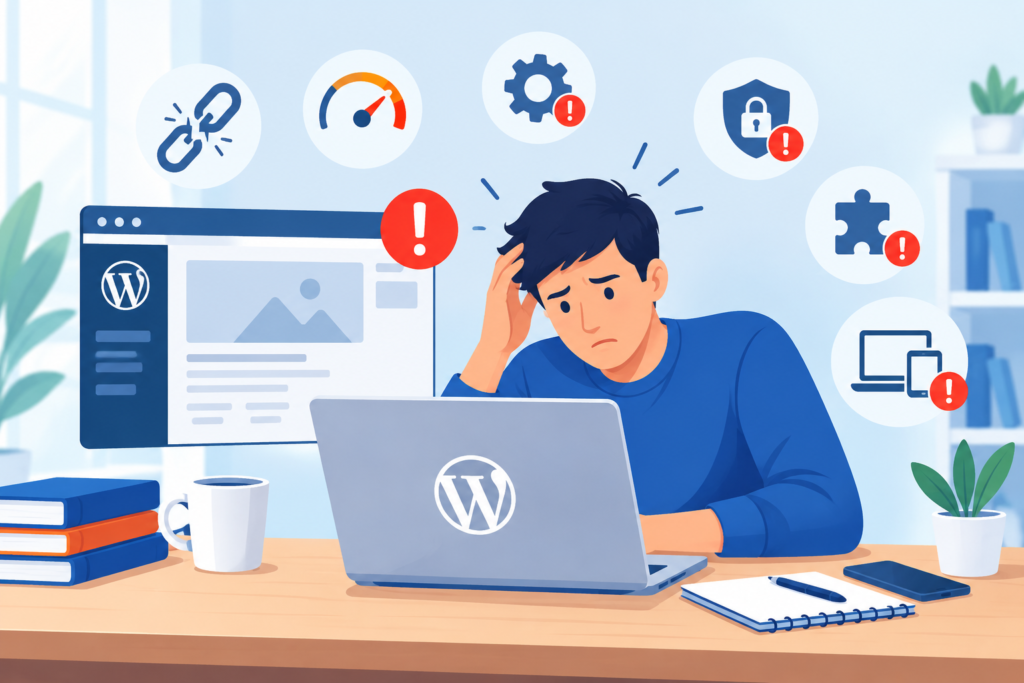
WordPress is accessible enough that people can build websites without extensive technical knowledge, but this accessibility can sometimes encourage decisions that create long-term problems. Many issues are not caused by WordPress itself but by avoidable management mistakes.
Installing too many plugins is one common mistake. Website owners may install several tools for overlapping functionality without considering conflicts, performance, or maintenance requirements. The better approach is to define the requirement first and select a carefully maintained solution.
Ignoring updates is another major problem. Outdated plugins, themes, and WordPress versions can create security and compatibility risks. Updates should be managed through a controlled process rather than postponed indefinitely.
Relying on a single local backup is also dangerous. If the server fails or an attacker compromises the hosting environment, the backup may become inaccessible. Independent backup storage and tested restoration procedures provide stronger protection.
Using weak administrator passwords can expose the entire website. Administrator accounts should use strong, unique credentials, and unnecessary accounts should be removed.
Editing production websites without testing can introduce unexpected failures. Significant changes should ideally be tested on staging before being applied to the live site.
Choosing themes based only on appearance can create unnecessary technical complexity. A visually impressive theme may contain far more functionality than the website needs.
Ignoring mobile users is another common mistake. A website may appear acceptable on a desktop monitor while menus, forms, buttons, and content become difficult to use on smaller screens.
Uploading huge images can significantly increase page weight. Images should be optimized and delivered at appropriate dimensions.
Treating SEO as keyword repetition is also ineffective. Search optimization should focus on helping users find useful, relevant information. Google’s SEO Starter Guide explains fundamental practices for making websites easier for search engines to understand. (developers.google.com)
Ignoring accessibility can make a website harder to use for people with different abilities and interaction methods. Accessibility should be incorporated into design and development rather than treated as a final checkbox.
Making multiple changes at once during troubleshooting creates another problem. If five plugins are changed simultaneously and the error disappears, it becomes difficult to know which change actually fixed it.
Failing to document customizations can also create difficulties when another developer takes over the website.
The most effective way to avoid these mistakes is to establish repeatable processes. Use documented update procedures, backups, testing, monitoring, access controls, content reviews, and security checks.
A WordPress website should not depend entirely on one person’s memory. Good documentation turns individual knowledge into a maintainable system.
Best Practices Summary for Long-Term WordPress Success
A high-quality WordPress website combines good development decisions with consistent operational practices. The following principles provide a practical framework for maintaining a reliable website over the long term.
Keep the Technology Stack Controlled
Use only the themes, plugins, integrations, and custom functionality that the website genuinely needs. Review the technology stack regularly and remove obsolete components.
Keep WordPress Updated
Monitor WordPress core, themes, plugins, PHP, and other dependencies. Apply important security updates promptly while testing significant functional changes before production deployment.
Use Reliable Hosting
Select hosting according to the website’s actual workload. Consider performance, security, backups, staging, support, server resources, and scalability rather than choosing solely on price.
Protect Administrator Accounts
Use strong unique passwords, appropriate user roles, multi-factor authentication where practical, and regular account reviews.
Maintain Tested Backups
Create regular backups of files and databases, store copies independently, maintain multiple recovery points, and test restoration procedures.
Optimize Images and Front-End Resources
Avoid unnecessarily large images, excessive JavaScript, unused stylesheets, and unnecessary third-party scripts.
Monitor Core Web Vitals
Use performance tools to understand loading, responsiveness, and visual stability. Focus on real user experience rather than chasing arbitrary performance scores.
Create Helpful Content
Content should answer real questions, demonstrate knowledge, provide original value, and be maintained as information changes. Google’s Creating Helpful, Reliable, People-First Content guidance should remain a useful reference when developing an editorial strategy. (developers.google.com)
Build Logical Internal Links
Connect related pages naturally so users can discover supporting information and search engines can better understand the relationships between important resources.
Monitor Search Performance
Use Google Search Console to review search visibility, indexing information, performance data, and relevant search issues. (developers.google.com)
Test Important User Journeys
Do not assume that the website works simply because the homepage loads. Test forms, navigation, login, checkout, search, account functions, mobile interactions, and other important workflows.
Document Changes
Keep records of significant updates, custom development, migrations, configuration changes, incidents, and recovery procedures.
Review the Website Regularly
Website maintenance should include technical, security, performance, content, accessibility, and SEO reviews.
The central principle behind all these practices is controlled complexity. WordPress provides enormous flexibility, but flexibility becomes valuable only when the website remains understandable and manageable.
A successful WordPress website is not simply one that works after launch. It is one that can continue working reliably as its content, traffic, technology, and business requirements evolve.
Frequently Asked Questions
Is WordPress suitable for business websites?
Yes. WordPress can support many types of business websites, including corporate websites, lead-generation websites, publishing platforms, membership systems, and online stores. Its suitability depends on how well the website is designed, developed, secured, and maintained.
The platform provides extensive customization options, but businesses should select themes, plugins, hosting, and integrations according to their actual requirements rather than installing unnecessary functionality.
How often should a WordPress website be maintained?
There is no single maintenance schedule that works for every website. Security updates and important issues should be addressed promptly, while broader reviews can occur weekly, monthly, quarterly, or according to the website’s complexity.
A high-traffic e-commerce website may require daily monitoring, while a small informational website may require less frequent operational checks. The important point is that maintenance should be planned rather than reactive.
How many WordPress plugins should a website have?
There is no official maximum number of plugins that every WordPress website should follow. Plugin quality, functionality, compatibility, and resource usage are more important than the raw number.
Ten well-maintained plugins can be perfectly reasonable, while a smaller number of poorly designed or abandoned plugins can create significant problems. The correct approach is to install only the functionality the website genuinely requires.
Are WordPress updates safe?
Updates are an essential part of WordPress security and maintenance, but major updates should be handled carefully. A backup should be available before significant changes, and staging should be used when practical.
After updating, test important functionality such as forms, navigation, login, checkout, search, and other critical user journeys.
Does WordPress automatically make a website SEO-friendly?
No. WordPress provides a strong foundation, but search performance depends on many factors, including content quality, site structure, technical accessibility, internal linking, page experience, indexing, and overall usefulness.
Website owners should follow Google’s Google Search Essentials when reviewing fundamental technical requirements and search-related best practices. (developers.google.com)
How can I make my WordPress website faster?
Start by identifying the actual bottlenecks. Optimize images, review themes and plugins, reduce unnecessary scripts, use appropriate caching, evaluate hosting performance, and monitor Core Web Vitals.
Avoid installing multiple optimization plugins without understanding how they interact. Optimization should be based on measurement rather than assumptions.
Are backups enough to protect a WordPress website?
Backups are essential, but they are only one part of security and disaster recovery. A complete strategy should also include updates, access controls, secure hosting, monitoring, malware detection, strong authentication, and a tested recovery procedure.
A backup that has never been restored should not be assumed to work perfectly.
Should I use a staging website?
A staging environment is highly useful when making significant changes. It allows administrators and developers to test updates, design changes, plugin configurations, custom code, and other modifications before deploying them to the production website.
Staging is especially valuable for complex websites where an unexpected failure could affect customers or revenue.
Conclusion
WordPress provides an exceptionally flexible foundation for building websites, but the platform itself does not guarantee security, performance, SEO success, or long-term reliability. Those outcomes depend on the decisions made around the platform.
A successful website starts with appropriate planning and hosting. It continues with a carefully selected theme, controlled plugin ecosystem, useful content, logical information architecture, strong security, reliable backups, performance optimization, regular updates, monitoring, and structured maintenance.
The most important lesson is that WordPress management is an ongoing process. A website should be reviewed as its content grows, technology changes, traffic increases, security threats evolve, and business requirements develop.
Website owners should avoid focusing exclusively on appearance or short-term rankings. A high-quality website needs to provide real value to users while remaining technically sound behind the scenes. Google’s people-first principles, WordPress documentation, responsible security practices, and evidence-based performance optimization can all contribute to that objective.
For businesses that depend on their website for leads, sales, reputation, or customer communication, proactive maintenance is particularly valuable. Problems are generally easier and less expensive to address before they become major outages, security incidents, or performance failures.
At WP Maintenance Service, the objective is to help website owners approach WordPress with a long-term mindset: build carefully, secure the platform, maintain the technology, monitor performance, protect data, and continuously improve the experience.
A WordPress website should not merely be launched and forgotten. It should be managed as an evolving digital asset that deserves regular attention, testing, protection, and improvement.
Want to Implement This Easily?
Prompt Text:
You are an expert consultant. Based on the blog post titled “(WordPress)”, provide a step-by-step, practical implementation guide. Include tools, best practices, common mistakes to avoid, and advanced tips. Assume the reader wants to implement everything discussed in this article effectively.
Call to Action: Want our help implementing this? Just reach out to us via our website contact form: Contact Us