
Learn how WordPress maintenance protects your website, improves performance, strengthens security, prevents errors, and supports long-term growth through practical maintenance strategies.
Introduction
WordPress maintenance is an essential part of managing a successful website. Whether you operate a business website, an e-commerce store, a professional portfolio, or a content-focused platform, regular maintenance helps keep your website secure, functional, accessible, and reliable. A website may appear perfectly healthy to visitors while outdated plugins, database inefficiencies, configuration problems, or security vulnerabilities develop behind the scenes. Without a consistent maintenance routine, these issues can gradually affect loading speed, search visibility, user experience, and business operations.
Unlike occasional troubleshooting, professional WordPress maintenance follows a planned approach to website health. It includes software updates, security monitoring, backups, database optimization, performance testing, compatibility checks, uptime monitoring, and technical issue resolution. Each activity contributes to a more dependable website environment. Maintenance also helps website owners identify potential problems before they develop into expensive emergencies. For example, testing an update on a staging environment can reveal compatibility issues before they affect the live website.
For businesses seeking dependable website performance, WordPress maintenance support provides a relevant starting point for understanding ongoing website care. However, effective maintenance is not simply about installing updates or running automated scans. It requires informed decisions, documented procedures, appropriate tools, and regular verification. This guide explains how to establish a practical maintenance system that supports website security, performance, functionality, and long-term stability. It is designed for beginners, business owners, website administrators, and experienced WordPress users who want to manage their websites with greater confidence.
Understanding WordPress Maintenance and Why It Matters
WordPress maintenance refers to the ongoing technical activities required to keep a WordPress website secure, functional, updated, and performing as expected. It involves maintaining the WordPress core software, themes, plugins, database, hosting environment, website files, and supporting integrations. These components work together to deliver the website experience visitors see. When one component becomes outdated, misconfigured, or incompatible, the effects can spread across the entire website. A plugin update, for example, may introduce a conflict with an older theme or another plugin, potentially affecting forms, checkout functionality, or page layouts.
A structured maintenance routine reduces these risks by replacing reactive troubleshooting with planned website care. Instead of waiting for a website to display an error, administrators regularly review updates, inspect security alerts, verify backups, and test important functionality. Preventive maintenance is especially valuable for business websites because downtime can interrupt enquiries, sales, bookings, and customer communication. A website that is regularly monitored is also easier to troubleshoot because administrators can compare current behavior against documented configurations, recent changes, and previous performance measurements. This creates a clearer technical history when problems occur.
Maintenance also supports search visibility indirectly by helping preserve website availability, page speed, mobile usability, and functional navigation. Search engines need to access and understand website content, while visitors expect pages to load and interactive elements to work correctly. Google’s documentation on page experience explains the importance of user experience signals, including loading performance, responsiveness, and visual stability. Maintenance does not guarantee higher rankings, but it helps prevent technical problems that can undermine a website’s usability and accessibility. For businesses, the practical objective is straightforward: maintain a reliable website that supports visitors, protects information, and continues functioning as the organization grows.
Building a WordPress Maintenance Schedule
A reliable WordPress maintenance schedule divides website care into daily, weekly, monthly, quarterly, and annual activities. This structure prevents important tasks from being forgotten and makes maintenance easier to manage. Daily checks may include reviewing uptime alerts, security notifications, backup completion reports, and critical website errors. Weekly activities can include checking available updates, reviewing spam submissions, testing important forms, and inspecting website performance. Monthly maintenance should involve database reviews, backup restoration checks, broken-link inspections, and a more detailed review of website functionality. The exact frequency depends on the website’s complexity, traffic, business importance, and rate of content changes.
A maintenance calendar should identify the task, responsible person, expected frequency, completion date, and verification method. For example, a backup task should not be marked complete merely because a backup plugin reports success. The administrator should confirm that the backup file exists, is stored securely, and can be restored when needed. Similarly, an update should be followed by functional testing rather than being treated as complete immediately after installation. Maintenance documentation creates accountability and helps different team members understand what has been completed, what remains outstanding, and which changes require additional attention. For websites managed by agencies or multiple administrators, a shared maintenance log is particularly useful.
The schedule should also account for business operations. An e-commerce website may require more frequent monitoring of checkout, payment integrations, inventory synchronization, and transactional emails than a small informational website. A membership platform may need regular testing of account registration, login, subscription renewal, and restricted content. Maintenance windows should be scheduled during periods of lower visitor activity whenever possible, with appropriate communication for planned interruptions. A practical schedule balances consistency with operational risk. It should be detailed enough to prevent neglected tasks but flexible enough to accommodate urgent security updates, unexpected compatibility issues, and changes in business requirements.
WordPress Core, Theme, and Plugin Updates
Keeping WordPress core, themes, and plugins updated is one of the most important maintenance responsibilities. Updates may introduce security fixes, compatibility improvements, bug corrections, accessibility enhancements, and new functionality. Running outdated software can expose a website to known vulnerabilities or prevent it from working correctly with newer versions of PHP, browsers, and connected services. However, updating every component without preparation can also create problems. A new plugin release may change an interface, introduce a conflict, or alter functionality that the website depends on. Therefore, responsible updating combines timely action with verification and recovery planning.
Before applying significant updates, administrators should confirm that a recent backup is available and review the release information provided by the developer. Updates should ideally be tested on a staging website that closely reflects the live environment. This allows administrators to check page layouts, navigation, forms, payment processes, and integrations before making changes public. For critical websites, updates should be applied in manageable groups rather than changing every component simultaneously. If a problem appears, this approach makes it easier to identify the component responsible. Compatibility testing is particularly important when a website uses custom themes, page builders, membership plugins, or complex e-commerce integrations.
WordPress provides official guidance on updating WordPress , including preparation and update procedures. Administrators should also review the WordPress support documentation when troubleshooting update-related issues. Automatic updates can reduce the time software remains outdated, but they should be configured according to the website’s risk profile and recovery capabilities. A low-risk informational website may use a different update strategy from a high-revenue online store. After each update, verify the administration dashboard, front-end pages, forms, navigation, and any business-critical workflows. Record the update date and any issues discovered. This creates a reliable history and helps prevent recurring compatibility problems.
WordPress Security Maintenance and Vulnerability Prevention
WordPress security maintenance involves reducing opportunities for unauthorized access, identifying suspicious activity, protecting sensitive information, and maintaining the integrity of website files and databases. Security risks can arise from outdated software, weak passwords, compromised administrator accounts, insecure hosting configurations, vulnerable extensions, or poorly managed access permissions. A website does not need to be a large business platform to attract malicious activity. Automated systems routinely scan publicly accessible websites for known vulnerabilities and exposed entry points. A consistent security routine helps administrators identify weaknesses and respond before they cause serious disruption.
A practical security strategy begins with strong authentication, limited administrative privileges, secure hosting, and timely software updates. Each user should receive only the permissions required for their responsibilities. Administrator accounts should be restricted to trusted individuals, and unused accounts should be removed after confirming that they are no longer needed. Multi-factor authentication adds another verification step to account access, while login monitoring can help identify unusual activity. Website owners should also review file permissions, disable unnecessary features, and use secure connections through HTTPS. Security plugins and web application firewalls can provide additional protection, but they should complement rather than replace sound configuration and ongoing oversight.
Regular malware scanning, file-integrity checks, and security log reviews help identify unexpected changes. If suspicious activity appears, administrators should preserve relevant logs, assess the scope of the incident, and avoid making uncontrolled changes that could destroy useful evidence. Google’s website security documentation explains how website owners can identify and address security-related issues affecting their sites in Google Search. Security maintenance should also include a documented recovery procedure covering account access, clean backups, hosting support, and post-incident verification. A secure website is not achieved through one plugin or one-time scan; it is maintained through layered controls, regular review, and a tested response plan.
WordPress Backup Strategy and Disaster Recovery
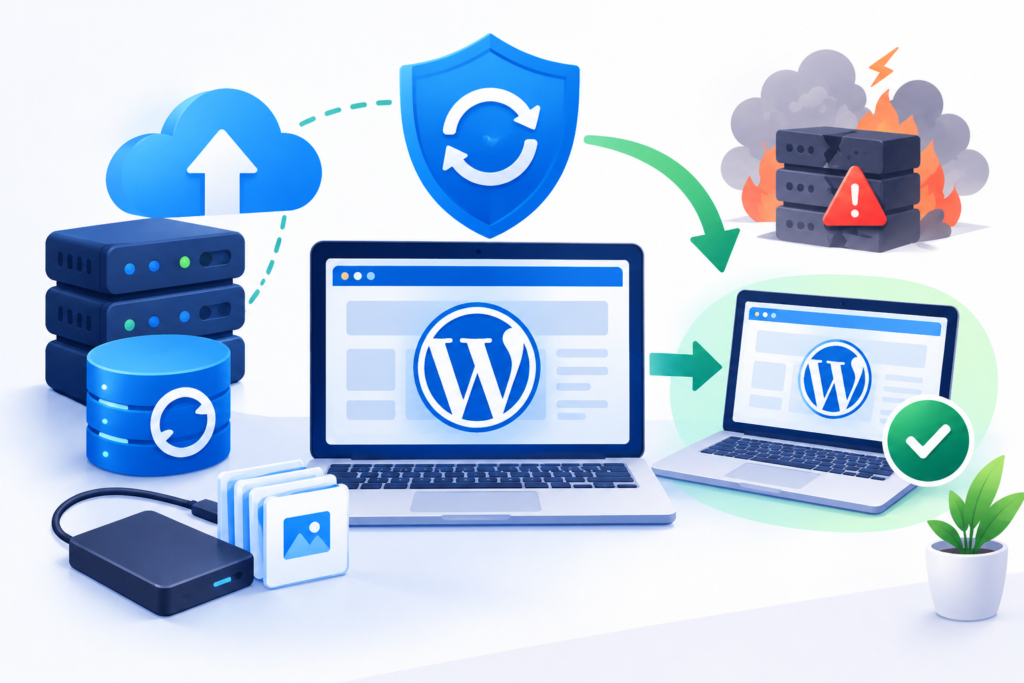
A dependable backup strategy protects website data against accidental deletion, failed updates, malware infections, server failures, and other unexpected incidents. A complete WordPress backup generally includes the website’s database and essential files, such as themes, plugins, uploads, and configuration files. The database stores important information including posts, pages, settings, user records, and many e-commerce transactions. Website files contain the software and media required to display and operate the site. Backing up only one component may leave the website incomplete or difficult to restore.
Backup frequency should reflect how often website data changes and how much information the business can afford to lose. A frequently updated store may require daily or more frequent database backups, while a small brochure website may need less frequent backups if content changes rarely. Keep copies in a secure location separate from the primary hosting account. This reduces the risk of losing both the live website and its backups during a hosting failure or security incident. Use encryption and access controls where appropriate, and define a retention policy that balances recovery needs with storage costs. A backup that has never been tested is an unverified recovery option, not a dependable disaster recovery plan.
Restoration testing should be performed in a staging environment whenever possible. Confirm that the restored website loads correctly, database records are present, media files display, and important workflows function. Document the restoration process, including where backups are stored, who can access them, and how to contact the hosting provider. A disaster recovery plan should also identify recovery priorities and acceptable recovery times. For example, restoring checkout functionality may be more urgent for an online store than restoring a low-traffic informational page. Regularly review backup notifications and investigate failed jobs immediately. These procedures make recovery more predictable and help reduce the operational impact of unexpected website failures.
WordPress Performance Optimization and Website Speed
Website performance maintenance focuses on keeping pages responsive, reducing unnecessary resource usage, and delivering a consistent experience across devices. WordPress performance can be affected by oversized images, excessive plugins, inefficient database queries, poorly configured caching, slow hosting, third-party scripts, and unoptimized themes. Performance problems often develop gradually as websites accumulate content, tracking tools, design elements, and integrations. A website that loaded quickly when first launched may become slower as its technical environment changes. Regular measurement helps identify these changes before they significantly affect visitors.
Begin performance maintenance by establishing a baseline using tools such as PageSpeed Insights . Review real-world performance data when available, and investigate the specific resources contributing to slow loading. Image optimization is often a practical starting point: resize images to their display dimensions, use suitable modern formats, and apply compression without sacrificing necessary visual quality. Caching can reduce repeated processing, while a content delivery network may improve delivery for geographically distributed visitors. However, caching settings should be tested carefully, particularly on websites with personalized content, shopping carts, or logged-in user areas. Performance optimization should be measured rather than based on assumptions or the number of installed optimization plugins.
Core Web Vitals provide useful indicators of loading performance, interactivity, and visual stability. Google’s Core Web Vitals guidance explains the metrics and their role in evaluating user experience. Maintenance teams should review these measurements alongside practical user journeys, such as opening a product page, submitting a form, or completing checkout. A high performance score is useful, but it does not replace testing the actual website. Avoid installing multiple plugins that perform overlapping optimization functions, because conflicting configurations can introduce errors or make troubleshooting difficult. A sustainable performance routine includes regular measurements, image and script reviews, database maintenance, hosting assessment, and verification after major updates.
WordPress Database Maintenance and Cleanup
The WordPress database stores much of the information that makes a website dynamic, including posts, pages, comments, user data, settings, and plugin-specific records. As a website grows, the database may accumulate revisions, expired transient records, spam comments, orphaned metadata, and other unnecessary information. Some of this data is normal and harmless, but excessive accumulation can increase database size and complicate maintenance. Database cleanup should therefore be deliberate and based on an understanding of what each record does rather than an assumption that every unfamiliar entry is disposable.
Before performing database cleanup, create a verified backup and identify the specific tables or records targeted for removal. Common maintenance activities include removing spam comments, clearing expired transients, reviewing post revisions, and addressing abandoned data left by previously removed plugins. However, not every plugin deletes its data when uninstalled, and some database tables may still be required by another component. Use reputable tools and avoid running unfamiliar SQL commands directly on a production database without testing. For larger websites, database maintenance may also involve reviewing slow queries, checking table health, and consulting the hosting provider about database resource limits.
Database optimization should be evaluated through measurable outcomes, such as reduced unnecessary storage, improved query performance, or more reliable administrative operations. Routine cleanup alone will not solve problems caused by inadequate hosting, inefficient code, or poorly designed plugin queries. A useful maintenance record should document what was removed, which tool or procedure was used, and whether the website was tested afterward. The goal is not to make the database as small as possible; it is to keep it accurate, efficient, recoverable, and compatible with the website’s functionality. This cautious approach helps prevent accidental data loss while supporting long-term website stability.
WordPress Uptime Monitoring and Error Detection
Uptime monitoring helps website owners identify when a website becomes unavailable or stops responding correctly. Even a short interruption can affect customer confidence, lead generation, online transactions, and search engine accessibility. Website downtime may result from hosting failures, DNS problems, expired domain registrations, server resource limitations, software conflicts, or unexpected traffic increases. Without monitoring, administrators may discover an outage only after a customer reports it. Automated monitoring reduces this delay by checking website availability at scheduled intervals and sending notifications when a problem is detected.
A useful monitoring system should examine more than the homepage. Important business pages, login screens, contact forms, and checkout processes may experience problems even when the main website remains accessible. Monitoring should therefore include critical URLs and, where available, synthetic tests that simulate essential visitor actions. Error logs should also be reviewed for recurring PHP warnings, database connection failures, memory exhaustion, and server response problems. A sudden increase in errors following a plugin update may indicate a compatibility issue requiring immediate investigation. Early detection is valuable because it reduces the time between a technical failure and the start of corrective action.
When an alert occurs, administrators should first determine whether the issue affects the entire website or only a particular feature. Check hosting status, recent software changes, server logs, and external service dependencies. Avoid repeatedly changing settings without documenting each action, as this can make troubleshooting more difficult. Once the issue is resolved, verify the affected pages and record the cause, corrective action, and preventive measures. Monitoring reports can also reveal recurring patterns, such as outages during traffic peaks or repeated failures associated with a particular integration. Over time, these records help website owners make informed decisions about hosting resources, software choices, and maintenance priorities.
Staging Environments, Compatibility Testing, and Safe Changes
A staging environment is a separate copy of a website used to test updates, design changes, configuration adjustments, and technical repairs before applying them to the live website. It provides a controlled space where administrators can identify potential problems without immediately affecting visitors. Staging is particularly valuable for websites that depend on several plugins, custom development, payment gateways, membership functionality, or complex page-building systems. A change that appears harmless in the administration dashboard may affect front-end layouts, database operations, or connected services. Testing beforehand helps reduce the likelihood of introducing these problems into production.
For meaningful results, the staging environment should resemble the live website as closely as practical. It should use compatible PHP and database versions, similar server settings, and representative plugins and themes. Administrators should also protect staging websites from public indexing and restrict access when they contain copied customer information. Sensitive data should be anonymized where appropriate, and payment or email integrations should use test configurations rather than sending real transactions or customer communications. After creating the staging copy, verify that its pages and functionality work before beginning the planned changes. This establishes a reliable baseline for comparison.
A controlled deployment process includes documenting the intended change, creating a fresh backup, testing the change in staging, and applying it to production during an appropriate maintenance window. After deployment, check important user journeys and review logs for unexpected errors. If the change causes a serious problem, use the documented rollback procedure rather than attempting multiple unverified fixes on the live website. Staging does not eliminate every risk, because production traffic, external services, and data conditions may differ from the test environment. Nevertheless, it provides an important layer of protection and makes maintenance more systematic, especially when combined with backups, change records, and post-deployment verification.
WordPress PHP, Hosting, and Server Environment Maintenance
WordPress performance and reliability depend not only on the content management system but also on the server environment supporting it. Hosting configuration, PHP versions, database software, storage capacity, memory limits, and server resources can all influence website behavior. An outdated PHP version may lack important security fixes or compatibility with newer software. Conversely, changing PHP versions without checking theme and plugin compatibility can introduce errors. Responsible server maintenance therefore requires coordination between WordPress administrators and hosting providers, particularly when the website uses custom code or business-critical integrations.
Start by reviewing the hosting provider’s supported software versions and the requirements of the installed WordPress components. Before changing PHP versions, create a verified backup and test the website in staging. Check the administration dashboard, front-end pages, forms, scheduled tasks, and e-commerce workflows. Review server error logs after the change and confirm that important integrations continue operating correctly. Hosting resource usage should also be monitored. Repeated memory exhaustion, slow database queries, storage warnings, or CPU limitations may indicate that the current hosting configuration is no longer suitable for the website’s workload. Increasing server resources may help, but inefficient code or excessive background processes should also be investigated.
Server maintenance includes reviewing SSL certificate validity, domain renewal dates, DNS configuration, email delivery settings, and available storage. Website owners should understand which responsibilities belong to the hosting provider and which remain under their control. Managed hosting may handle some infrastructure updates and monitoring, but it does not automatically replace WordPress-level maintenance. Keep a record of important hosting settings and escalation contacts so that technical problems can be addressed efficiently. A stable website requires coordination between application-level maintenance and infrastructure-level reliability. Reviewing both areas regularly helps prevent avoidable outages and supports more predictable website operation.
WordPress Maintenance for SEO, Accessibility, and User Experience
WordPress maintenance supports search engine optimization by preserving the technical conditions that allow visitors and search engines to access website content. Broken links, missing pages, incorrect redirects, inaccessible navigation, slow loading, and accidental indexing restrictions can interfere with website usability and discoverability. These problems may emerge after redesigns, permalink changes, plugin installations, or content migrations. Regular maintenance should therefore include reviewing important URLs, checking internal links, inspecting sitemap availability, and confirming that important pages remain accessible to search engines.
Technical SEO checks should be performed alongside functional testing. Review page titles, canonical settings, robots directives, XML sitemaps, structured data, and redirect behavior when relevant. A maintenance process should also verify that important content is not accidentally blocked by a staging configuration or an incorrect robots setting. Google’s SEO Starter Guide provides guidance on creating content and website structures that help search engines understand pages. Maintenance cannot guarantee rankings, but it can help preserve technical accessibility and prevent avoidable errors that interfere with search discovery.
Accessibility and usability deserve equal attention. Test keyboard navigation, form labels, image alternative text, color contrast, heading structure, and mobile layouts. Updates to themes or page builders may change the appearance or behavior of interactive components, so these areas should be reviewed after significant changes. Google’s web accessibility guidance offers practical information about designing more accessible web experiences. A useful maintenance checklist should include real user journeys rather than relying exclusively on automated scores. For example, test whether a visitor can locate contact information, complete a form, navigate menus using a keyboard, and understand important content on a mobile device. Maintaining a website means preserving its usefulness for real people, not merely keeping its software operational.
WordPress Maintenance for E-Commerce and Business Websites
Business websites often support activities that directly affect revenue, customer communication, and daily operations. An e-commerce store may depend on product pages, shopping carts, payment gateways, inventory synchronization, transactional emails, shipping calculations, and customer accounts. A service-based website may rely on enquiry forms, booking calendars, CRM integrations, and automated notifications. Maintenance should prioritize these business-critical workflows because a website can appear visually normal while an important process is failing in the background.
For an online store, routine testing should include adding products to the cart, applying discount codes, completing test transactions, checking order notifications, and reviewing inventory behavior. Use payment gateway test modes where available and avoid creating unnecessary real transactions. Confirm that checkout pages use secure connections and that customer information is handled according to applicable privacy and security requirements. Review plugin updates carefully because changes to payment, shipping, tax, or checkout functionality can affect the purchasing process. Backups should be planned with particular attention to transactional data, and restoration procedures should account for orders created after the backup was taken.
Business websites should also maintain clear ownership of critical integrations and administrative accounts. Document which systems handle email delivery, analytics, customer records, payments, and scheduling. If a third-party service changes its API or authentication requirements, the website may need adjustments even when WordPress itself has not changed. Maintenance teams should periodically test the full customer journey, from the first landing page through the final conversion or enquiry confirmation. A business website should be maintained according to its operational importance, not simply according to the number of pages it contains. Prioritizing critical functions helps ensure that maintenance supports real business outcomes while reducing disruption to customers.
Creating a Sustainable WordPress Maintenance Workflow
A sustainable maintenance workflow combines scheduling, documentation, automation, human review, and clear responsibility. Website owners should begin by creating an inventory of the website’s components, including WordPress version, active themes, plugins, hosting details, integrations, administrator accounts, and backup locations. This inventory provides a baseline for future maintenance and helps identify unused components or unsupported dependencies. It should be updated whenever significant changes occur. A documented inventory is especially useful when responsibility transfers between employees, contractors, or maintenance providers.
The next step is to establish a repeatable maintenance cycle. Review alerts and backups, inspect available updates, test changes in staging, deploy approved updates, verify important functionality, and record the outcome. Assign responsibility for each task and define an escalation process for security incidents, downtime, and failed updates. Automation can assist with backups, uptime checks, vulnerability notifications, and routine reports. However, automated systems should be monitored to confirm that they are functioning correctly. A backup notification, for example, is useful only when the backup can be located and restored. Human review remains important for evaluating compatibility, interpreting alerts, and deciding when a change is safe.
Maintenance reporting should focus on meaningful indicators rather than activity counts alone. Useful measures include backup success and restoration test results, unresolved critical updates, uptime incidents, recurring errors, page performance trends, and completion of essential workflow tests. These measurements help administrators identify weaknesses and demonstrate the value of ongoing maintenance. Review the workflow quarterly and adjust it as the website grows or business requirements change. A small website may need a simple checklist, while a high-traffic platform may require formal change management and incident procedures. The most effective maintenance workflow is one that can be repeated consistently, verified objectively, and improved as new risks emerge.
Common WordPress Maintenance Mistakes to Avoid
One common mistake is treating maintenance as an occasional activity rather than an ongoing responsibility. Website owners may postpone updates, ignore backup notifications, or wait until a visible error appears before investigating. This reactive approach allows small issues to accumulate and can make recovery more complicated. A practical solution is to establish a recurring schedule with assigned responsibilities and clear completion criteria. Another frequent mistake is updating every plugin and theme directly on a live website without a recent backup or compatibility testing. Although updates are important, uncontrolled changes can create conflicts that affect important website functions.
A second category of mistakes involves relying too heavily on individual tools. Installing several security plugins does not automatically create a secure website, and using multiple caching plugins can introduce configuration conflicts. Similarly, a successful malware scan does not prove that every security risk has been eliminated. Tools should be selected according to the website’s needs, configured carefully, and reviewed periodically. Administrators should also avoid deleting unfamiliar database records or inactive plugins without understanding their purpose. Some components may support integrations, preserve historical information, or contain settings required by another part of the website.
A third mistake is failing to test the website after maintenance activities. An update may complete successfully while a contact form stops sending notifications or a checkout button becomes unresponsive. Website owners should verify critical visitor journeys after changes and maintain a record of unexpected behavior. Other avoidable mistakes include storing backups only on the same hosting account, sharing administrator credentials, neglecting SSL renewals, ignoring staging security, and failing to document recovery procedures. Good maintenance is defined by verified results, not simply by completed tasks. A consistent process, supported by backups, testing, access controls, and documentation, helps prevent these common failures and makes website management more dependable.
Best Practices Summary for Long-Term WordPress Website Health
Long-term WordPress website health depends on maintaining a balance between security, performance, reliability, functionality, and usability. The foundation is a documented maintenance schedule that identifies recurring responsibilities and assigns ownership. Keep WordPress core, themes, and plugins updated through a controlled process, and test significant changes in staging whenever practical. Maintain secure administrator accounts, use strong authentication, remove unnecessary access, and review security alerts. These activities reduce avoidable risks and help ensure that website software remains supported and properly configured.
Backups should be automated where appropriate, stored securely away from the primary hosting environment, and tested through restoration exercises. Performance should be measured periodically using real user experience indicators and practical workflow tests. Review database health, server resources, uptime reports, broken links, and important integrations. For business websites, prioritize forms, booking systems, checkout processes, payment gateways, and customer communications. Document significant changes and maintain a recovery procedure that explains how to respond when updates fail, data is lost, or security incidents occur.
Finally, treat maintenance as a continuous improvement process rather than a fixed checklist that never changes. Review website requirements quarterly, remove unnecessary components, reassess hosting resources, and update procedures as the website evolves. Keep maintenance records accessible to authorized team members and ensure that recovery responsibilities are understood. Google’s Search Essentials provide a useful reference for maintaining technical and content practices that support search accessibility, while security and performance documentation can guide more specialized reviews. The central principle is simple: maintain, measure, verify, document, and improve. A website supported by these habits is easier to manage, troubleshoot, secure, and adapt to changing business needs.
Frequently Asked Questions
1. What is WordPress maintenance?
WordPress maintenance is the ongoing process of keeping a WordPress website secure, updated, functional, and performing efficiently. It includes software updates, backups, security checks, database maintenance, performance monitoring, uptime checks, and troubleshooting. Regular maintenance helps reduce technical risks and supports a reliable experience for visitors.
2. How often should a WordPress website be maintained?
Maintenance frequency depends on website complexity, traffic, business importance, and how frequently content changes. Critical security alerts and uptime notifications should be reviewed promptly. Updates and functionality checks should follow a consistent schedule, while database reviews, restoration tests, and comprehensive technical audits can be performed periodically. E-commerce websites generally require more frequent operational checks than simple informational websites.
3. Does WordPress maintenance improve SEO?
Maintenance can support SEO by helping preserve website availability, loading performance, mobile usability, crawl accessibility, and functional internal links. It also helps identify technical problems such as broken redirects, accidental indexing restrictions, and unavailable pages. However, maintenance alone does not guarantee higher search rankings. Search visibility also depends on content quality, relevance, competition, and other factors.
4. Are automatic WordPress updates safe?
Automatic updates can help keep software current, particularly when security fixes are released. However, compatibility problems may occur with certain themes, plugins, or custom functionality. Maintain recent backups, review update settings, and test critical websites after updates. For complex websites, staging tests and controlled deployment procedures provide additional safeguards.
5. What should a WordPress maintenance checklist include?
A practical checklist should include:
- WordPress core, theme, and plugin updates.
- Backup completion and restoration verification.
- Security scans and suspicious activity reviews.
- Uptime and error monitoring.
- Database health and cleanup.
- Performance and mobile usability checks.
- Form, login, checkout, and integration testing.
- SSL certificate and hosting environment reviews.
- Broken links and important redirect checks.
- Maintenance documentation and issue tracking.
6. Can I maintain my WordPress website myself?
Yes. Website owners can perform many routine maintenance tasks using the WordPress dashboard, hosting tools, backup solutions, security tools, and performance testing platforms. However, complex database issues, malware incidents, server configuration problems, and critical compatibility failures may require experienced technical support. The important requirement is having a consistent process and a reliable recovery plan.
7. What happens if I do not maintain my WordPress website?
Neglected websites may experience outdated software, security vulnerabilities, broken functionality, slower performance, failed integrations, and unexpected downtime. Backup problems may also make recovery difficult after data loss or a failed update. The severity depends on the website’s configuration and exposure, but regular maintenance reduces the likelihood of preventable problems.
8. What is the difference between WordPress maintenance and WordPress support?
WordPress maintenance is primarily proactive. It involves scheduled updates, monitoring, backups, security checks, and performance improvements. WordPress support is generally focused on resolving specific questions, errors, configuration problems, or technical requests. In practice, both activities complement each other: maintenance reduces preventable issues, while support helps resolve problems when they occur.
Common WordPress Maintenance Mistakes
Website owners frequently make maintenance decisions based on convenience rather than a documented process. The following mistakes can create unnecessary technical risks:
- Updating without backups: Installing updates without a recent recovery point can make it difficult to reverse a failed change.
- Ignoring compatibility: A plugin may conflict with a theme, page builder, or another extension after an update.
- Relying on untested backups: A backup file is not a dependable recovery solution until restoration has been verified.
- Installing unnecessary plugins: Excessive or overlapping plugins can increase complexity and create additional maintenance responsibilities.
- Neglecting administrator access: Shared credentials and unused administrator accounts make access management more difficult.
- Ignoring security notifications: Repeated warnings may indicate vulnerabilities, failed scans, or suspicious activity requiring investigation.
- Skipping post-update testing: A successful update does not confirm that forms, checkout, navigation, and integrations still work.
- Using only local backups: Keeping every backup on the same hosting account creates additional risk if that account becomes unavailable.
- Overlooking performance changes: New images, scripts, and integrations can gradually increase loading times.
- Failing to document changes: Without a maintenance log, identifying the cause of a new problem becomes more difficult.
The most effective way to avoid these mistakes is to use a repeatable maintenance checklist, verify important outcomes, and document significant changes.
Conclusion
WordPress maintenance is a continuous investment in website security, performance, reliability, and long-term business functionality. A successful maintenance strategy goes beyond installing updates. It combines verified backups, security monitoring, controlled software changes, database care, performance testing, uptime monitoring, and documented recovery procedures. These activities help website owners identify potential problems early, reduce avoidable downtime, and maintain a dependable experience for visitors.
The most practical approach is to establish a maintenance schedule that reflects the website’s complexity and operational importance. Test significant changes before deployment, verify backups through restoration exercises, monitor critical workflows, and maintain clear records of completed tasks. Regular reviews also help identify outdated components, unnecessary plugins, hosting limitations, and opportunities to improve accessibility and performance. For business websites, these practices support customer confidence and help protect important digital operations.
For organizations that need additional technical assistance, WordPress maintenance support can be part of a broader strategy for keeping websites secure, updated, and operational. Whether maintenance is managed internally or supported by specialists, the underlying principles remain the same: plan consistently, make informed changes, verify results, and prepare for unexpected problems. A well-maintained WordPress website is easier to manage, more resilient when issues arise, and better prepared to support future business growth.
Want to Implement This Easily?
AI Implementation Prompt
You are an expert consultant. Based on the blog post titled “WordPress Maintenance”, provide a step-by-step, practical implementation guide. Include tools, best practices, common mistakes to avoid, and advanced tips. Assume the reader wants to implement everything discussed in this article effectively.
Call to Action:
Want our help implementing this? Just reach out to us via our website contact form: https://www.wpmaintenanceservice.com/contact-us/